
АТРИА Ви-Фи 5 Mesh Систем 2100 UK ( add-on )
Сва питања
АТРИА Ви-Фи 5 Mesh Систем 2100 UK ( add-on )
Како да ажурирам фирмвер уређаја Mesh јединица?
Да бисте ажурирали софтвер mesh јединицу, морате бити повезани са веб интерфејсом.

Упозорење : Морате ажурирати mesh агенти (јединице које нису повезане на интернет рутер) прво, а затим mesh контролер ( mesh јединица која је повезана са интернет рутером преко RJ45 кабла).
Морате записати ИП адресе свих mesh јединице да би се могле повезати са веб интерфејсом
сваке јединице засебно.
Нове верзије софтвера наших производа су доступне овде (преузимања -> софтвер):
хттпс://еу.стронг-еу.цом/довнлоадс/продуцт-довнлоадс/атрија-ви-фи- mesh -кућа- kit -2100/. Ако
Ако је одељак празан, то значи да нема доступних ажурирања за производ.
1 Страница за преузимање
Идите на следећу страницу: kit и преузмите датотеку.
2 Атрија Mesh Апликација
Преузмите апликацију за паметни телефон „ ATRIA “ MESH

3 акредитива
Затим морате бити повезани на Wi-Fi мрежу Mesh помоћу паметног телефона, а затим се пријавите у апликацију са својим акредитивима који би требало да буду „ admin “ и „ admin “ ако их нисте променили.

4 Моја мрежа
Кликните на Моја мрежа .

5 Mesh Агент
Кликните на име mesh агент.
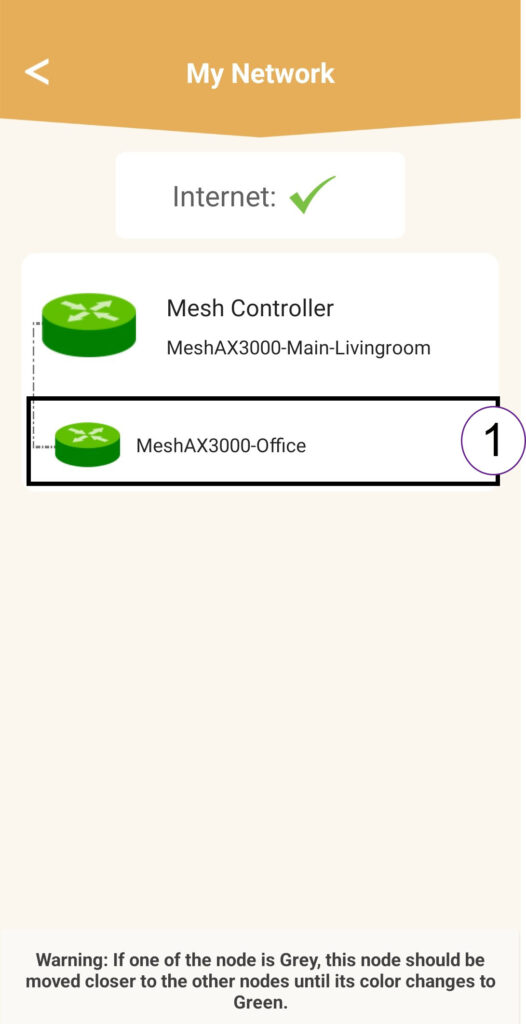
6 IP адреса
Идентификујте ИП адресу агента:
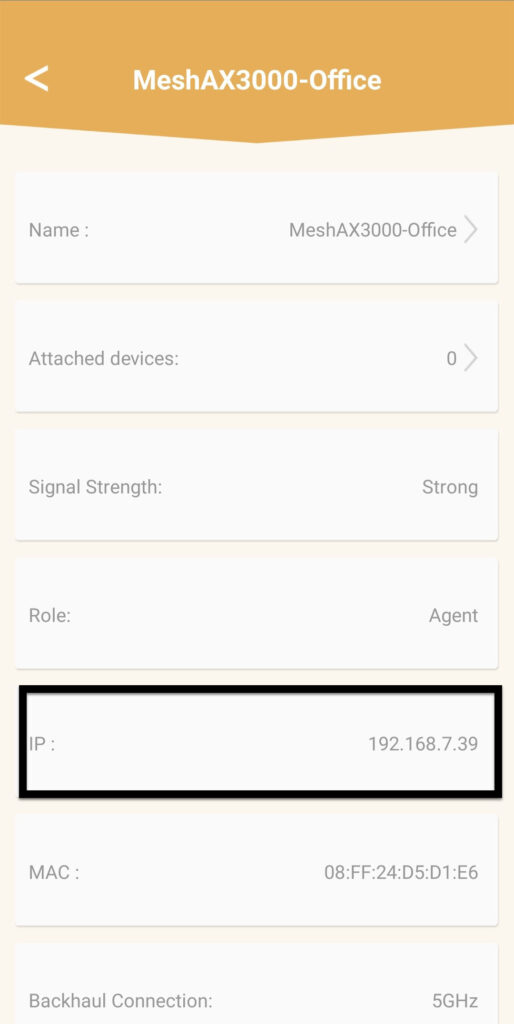
7 IP адреса веб интерфејса агента у прегледачу
Прегледајте до ИП адресе агента.
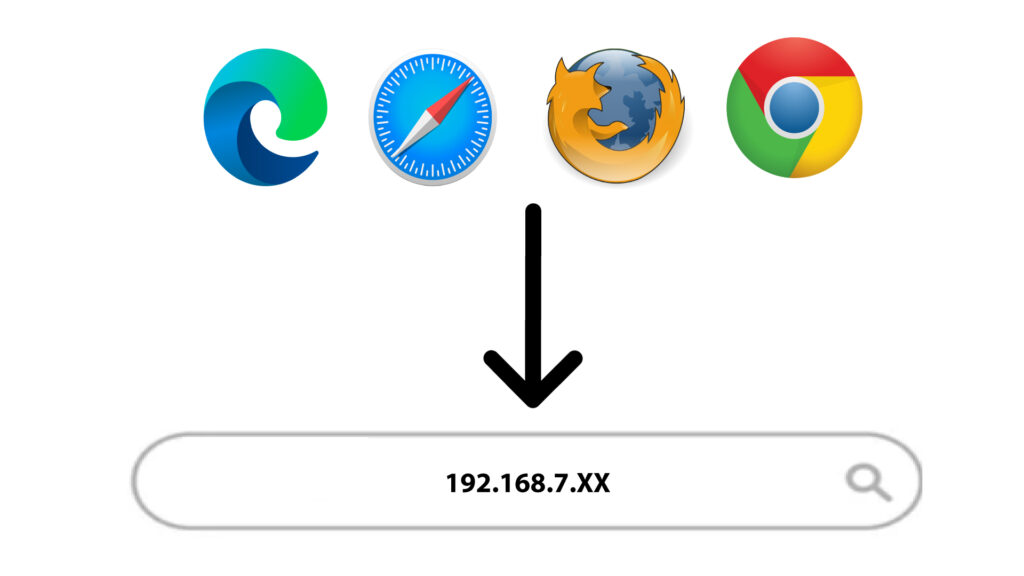
8 акредитива
Унесите корисничко име и лозинку пре него што кликнете на дугме за пријаву .
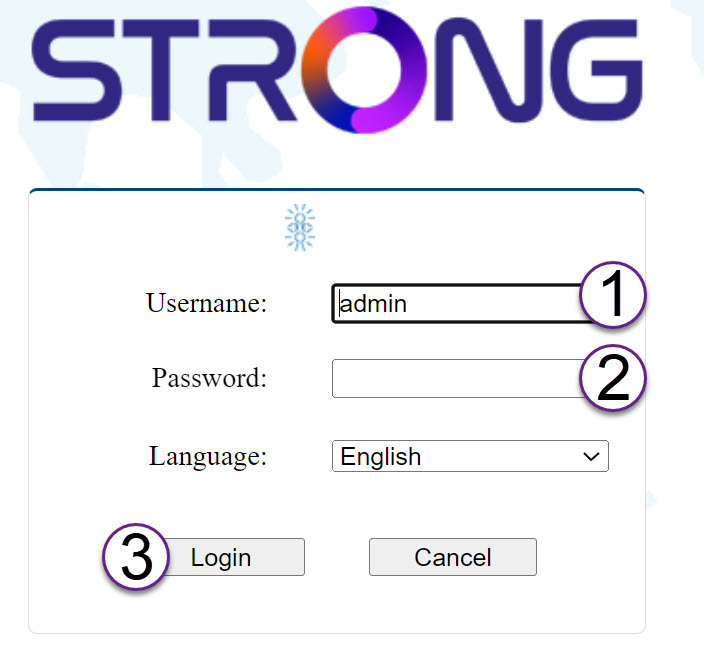
9 Надоградња
Кликните на Систем и надоградња . Затим кликните на изабери датотеку да бисте отпремили датотеку коју сте преузели са наше веб странице пре него што кликнете на Потврди .
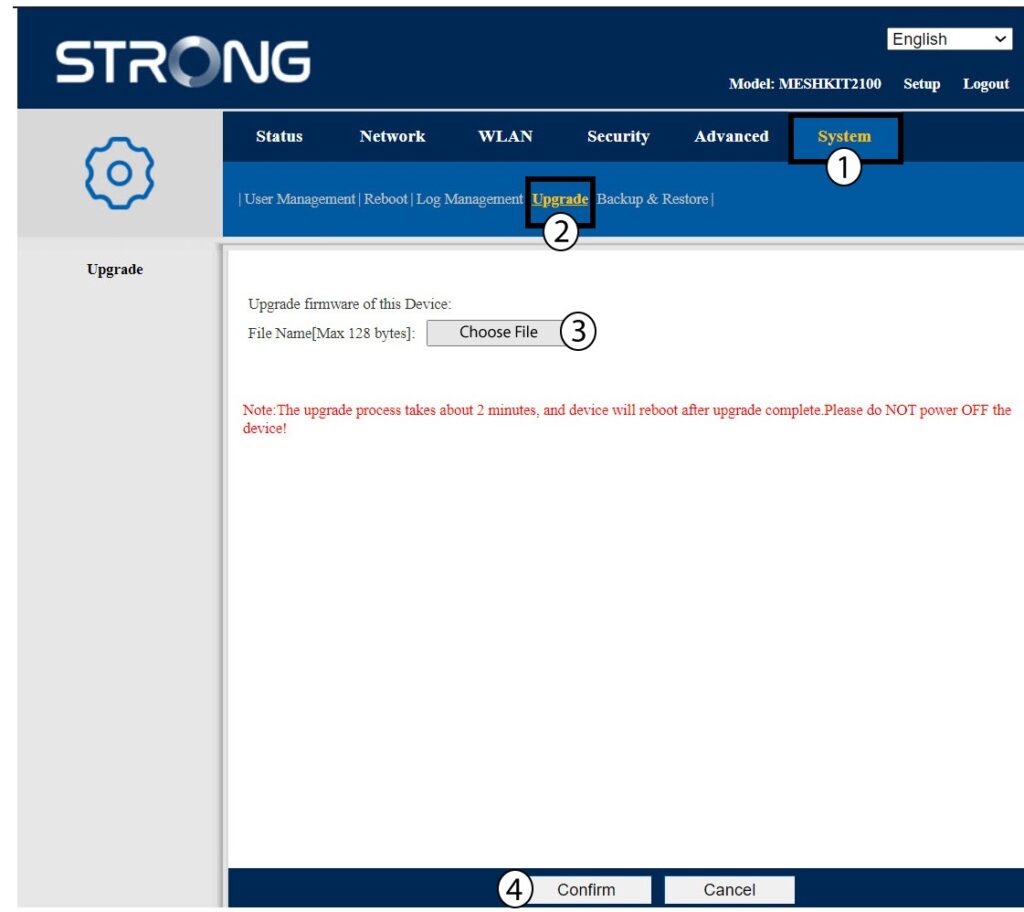
Упозорење : Поновите ове кораке за све агенте и ажурирајте контролер.