АТРИЈА Mesh add-on 1200 UK
Сва питања
АТРИЈА Mesh add-on 1200 UK
Како би требало да организујем своје Mesh Мрежа за оптимизацију моје Wi-Fi мреже?
Да бисте оптимизовали покривеност, требало би да инсталирате mesh на локацији где имате проблема са покривеношћу како бисте покрили што шире подручје у вашем дому. Молимо вас да се уверите да је mesh Јединице се не налазе у просторији у којој постоји носећи зид, јер је зид дебљи, па може доћи до проблема са проласком Wi-Fi сигнала кроз њега.
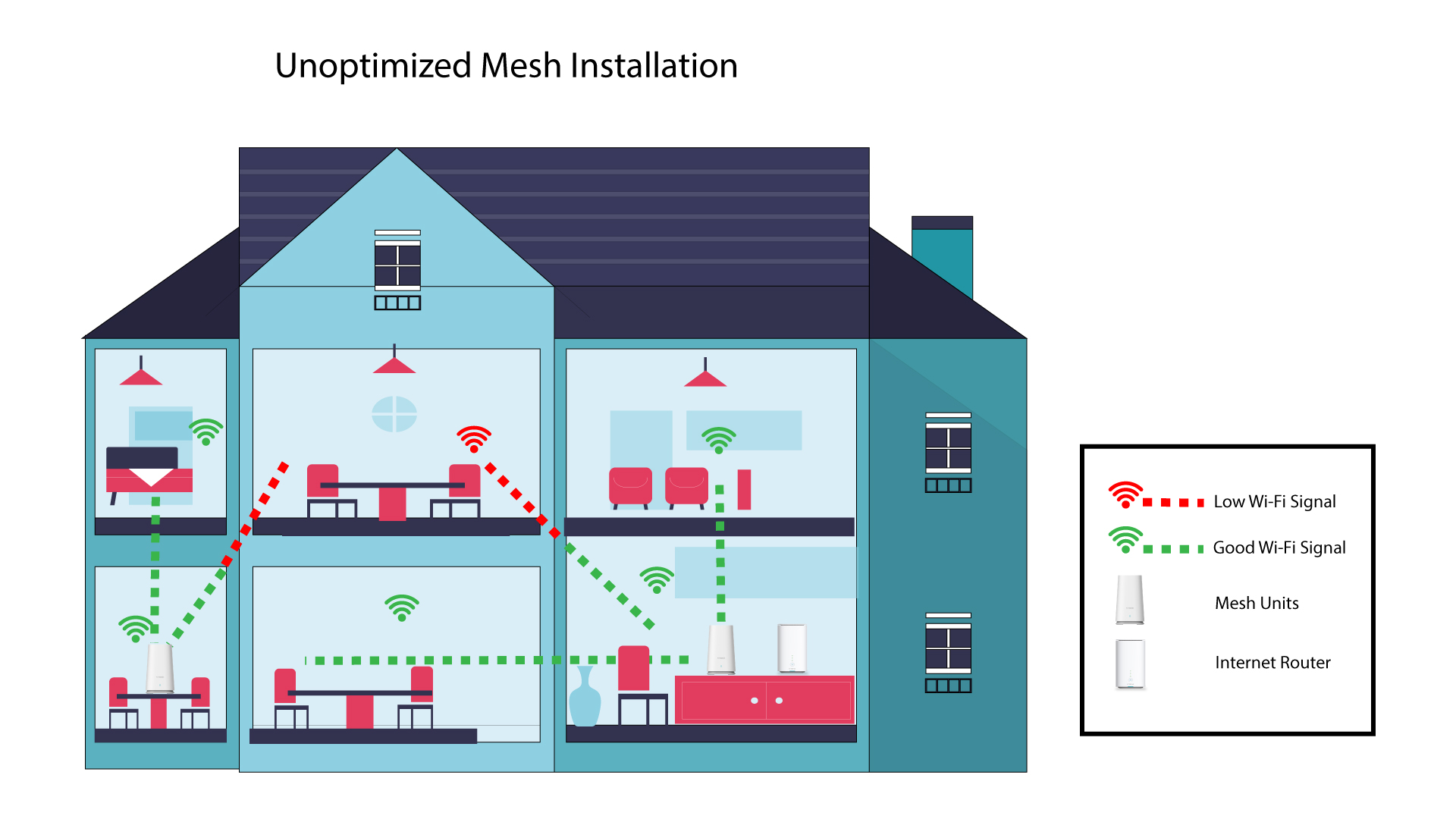
Следећа шема приказује Wi-Fi покривеност унутар куће где mesh Чворови се не налазе у правом делу куће да би имали одговарајућу покривеност.
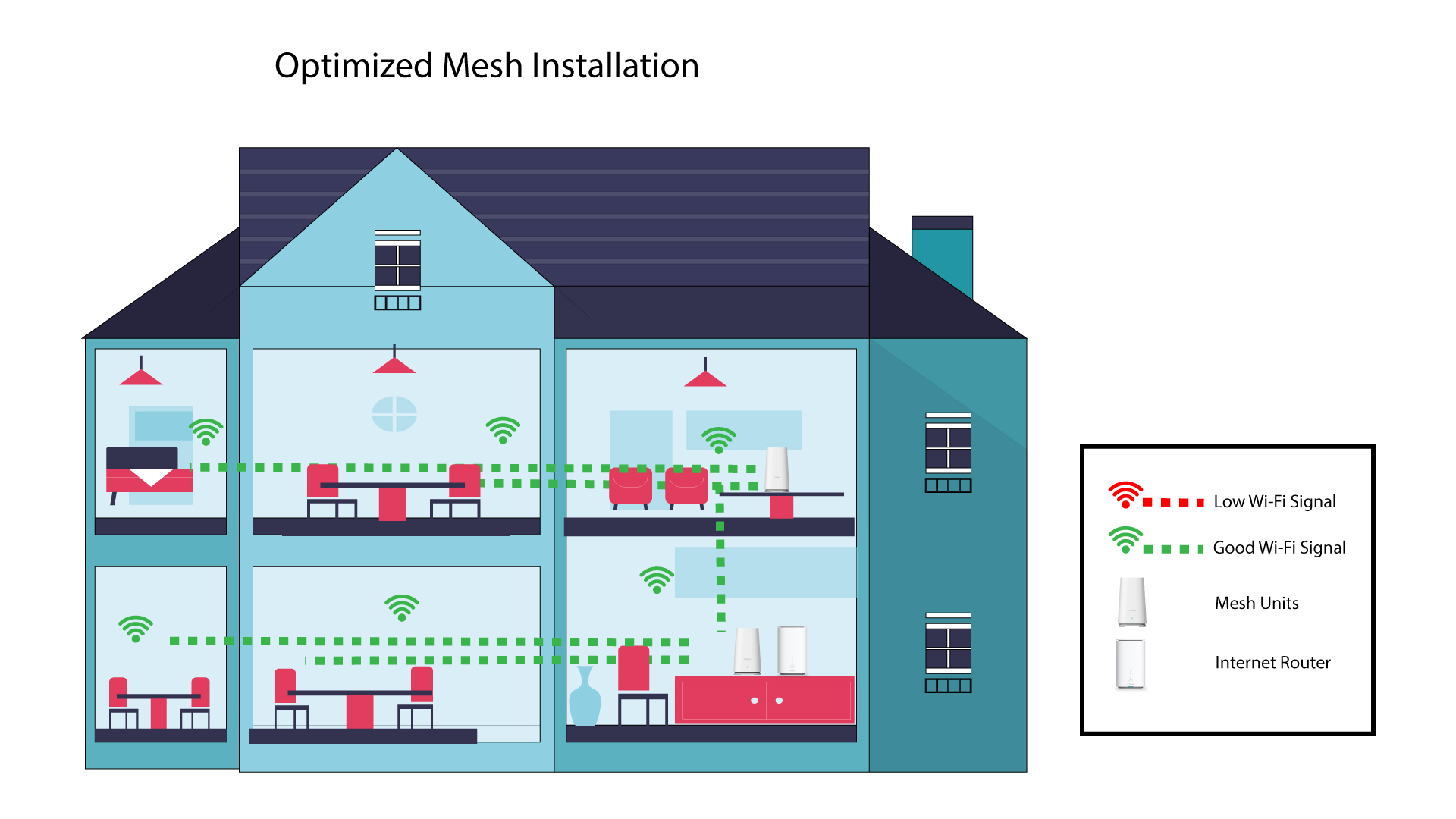
Следећа шема приказује Wi-Fi покривеност унутар куће где mesh Чворови се налазе у правом делу куће како би се обезбедила одговарајућа покривеност.
1 Преузмите апликацију
Преузмите Атрију Mesh Апликација
2 Повежите се са Wi-Fi мрежом mesh
Повежите се са Wi-Fi мрежом вашег mesh јединица.

3 Повежите се са апликацијом
Унесите корисничко име и лозинку пре него што кликнете на Пријави се.

4 Моја мрежа
Кликните на Моја мрежа

5 Mesh Статус мреже
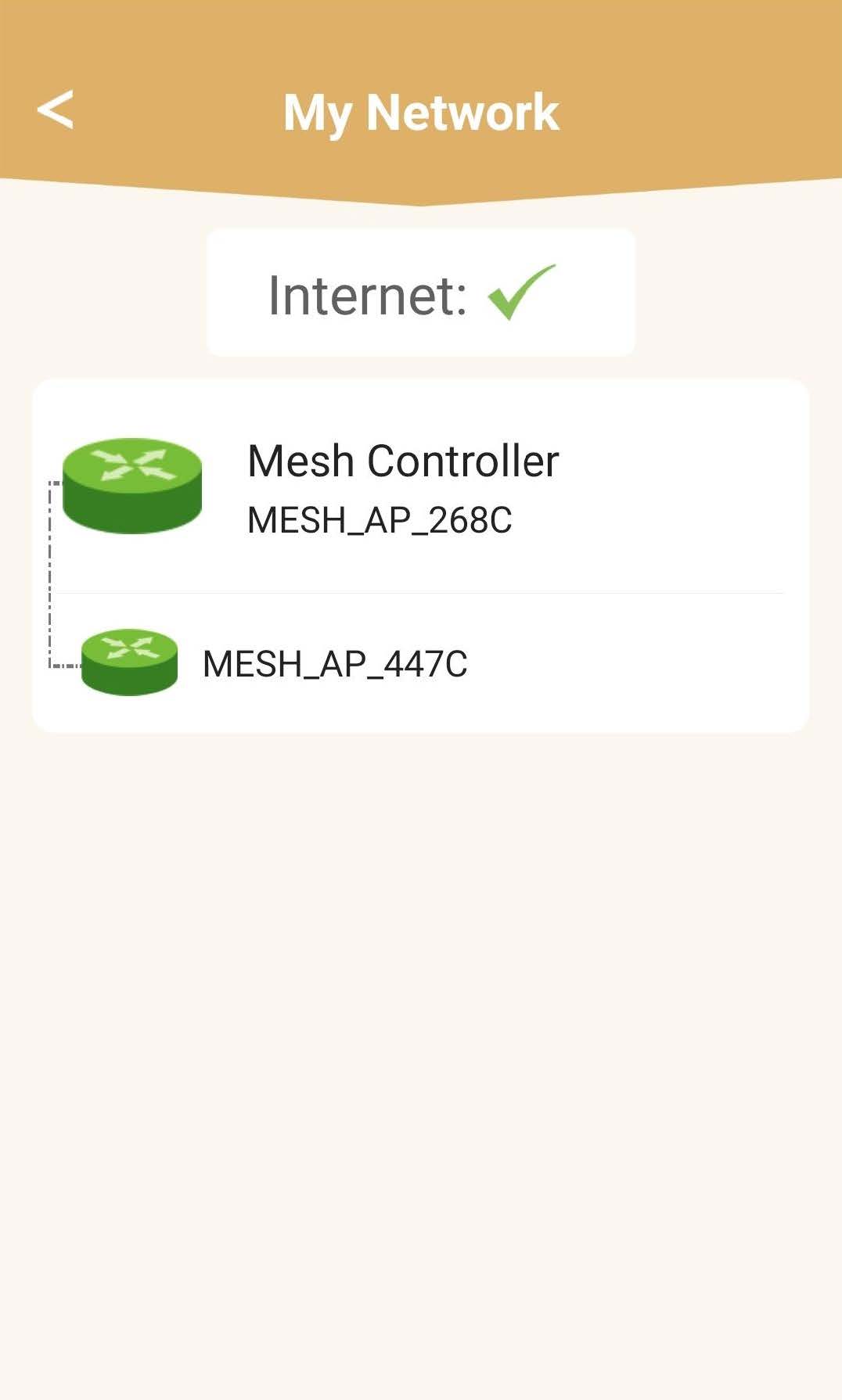
Видећете статус покрића које пружа ваш mesh јединице.
Молимо вас да имате у виду да када mesh Ако су јединице приказане сивом бојом, покривеност коју нуди јединица није довољна. У том случају морате променити положај вашег mesh јединица.
Ако mesh Јединице су приказане зеленом бојом, што значи да исправно раде и пружају довољну покривеност.