
Двопојасни репетитор 750 UK В2
Нема пронађених ставки.
Нема пронађених ставки.
Сва питања
Двопојасни репетитор 750 UK В2
Нема пронађених ставки.
Нема пронађених ставки.
Не могу да приступим веб интерфејсу (http://strong.ap750) након подешавања репетитора, зашто?

УПОЗОРЕЊЕ: Нормално је да не можете да се повежете са веб интерфејсом након подешавања јер су се информације о вези промениле. Заиста, када се подешавање заврши, креирају се две Wi-Fi мреже. Морате се повезати са једном од тих мрежа да бисте приступили веб интерфејсу.
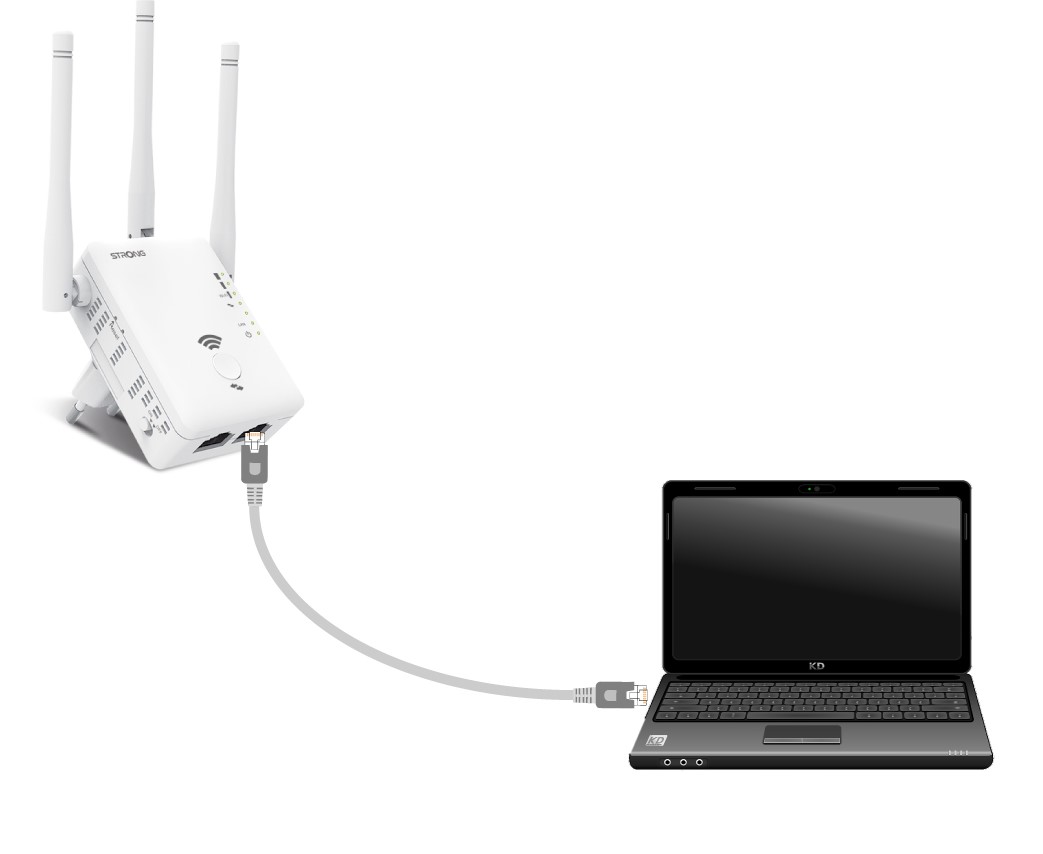
1 Повежите рутер помоћу RJ45 кабла
Повежите репетитор са рачунаром помоћу RJ45 кабла.
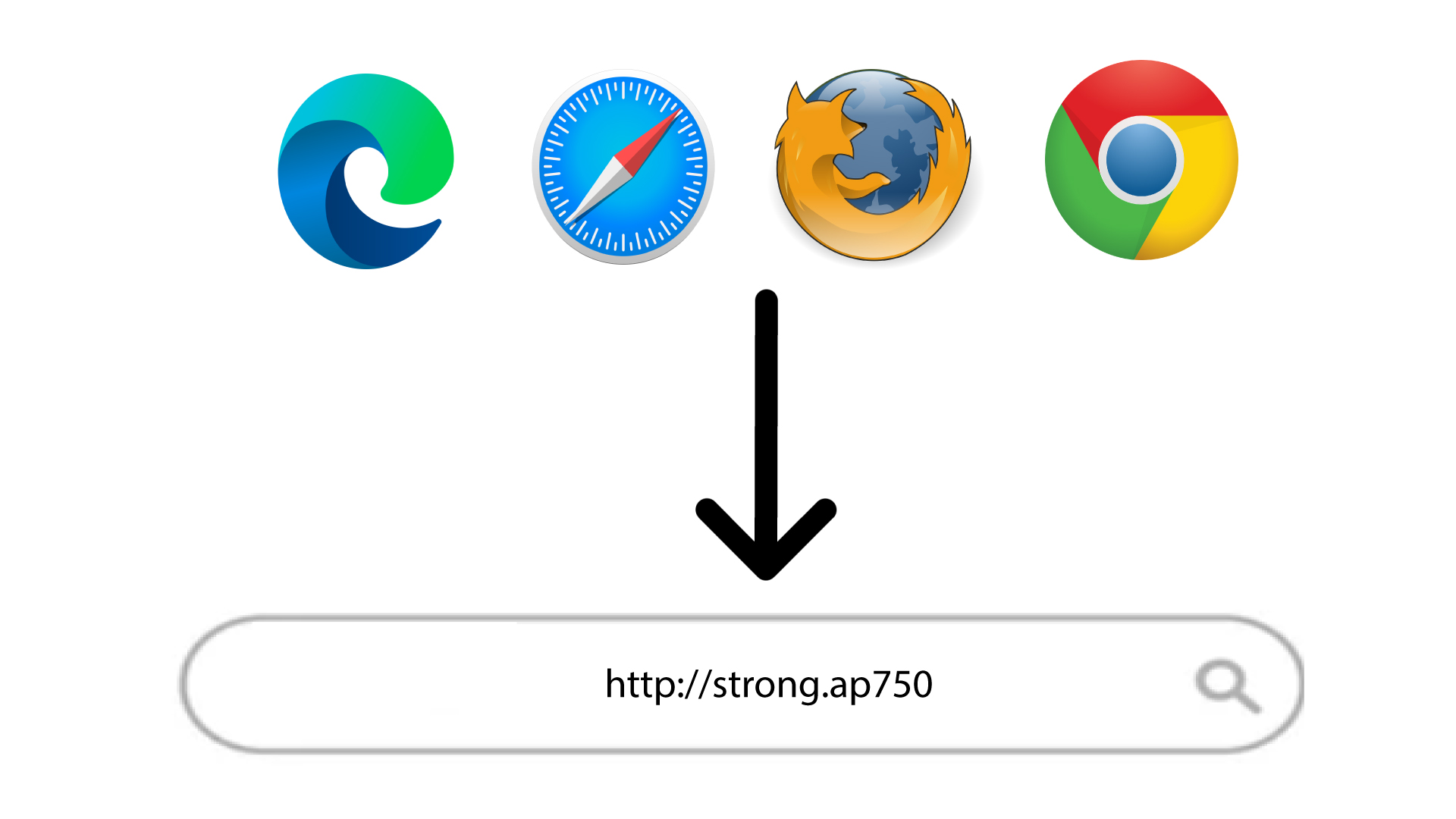
2. Идите на URL адресу веб интерфејса
Унесите URL адресу у прегледач.
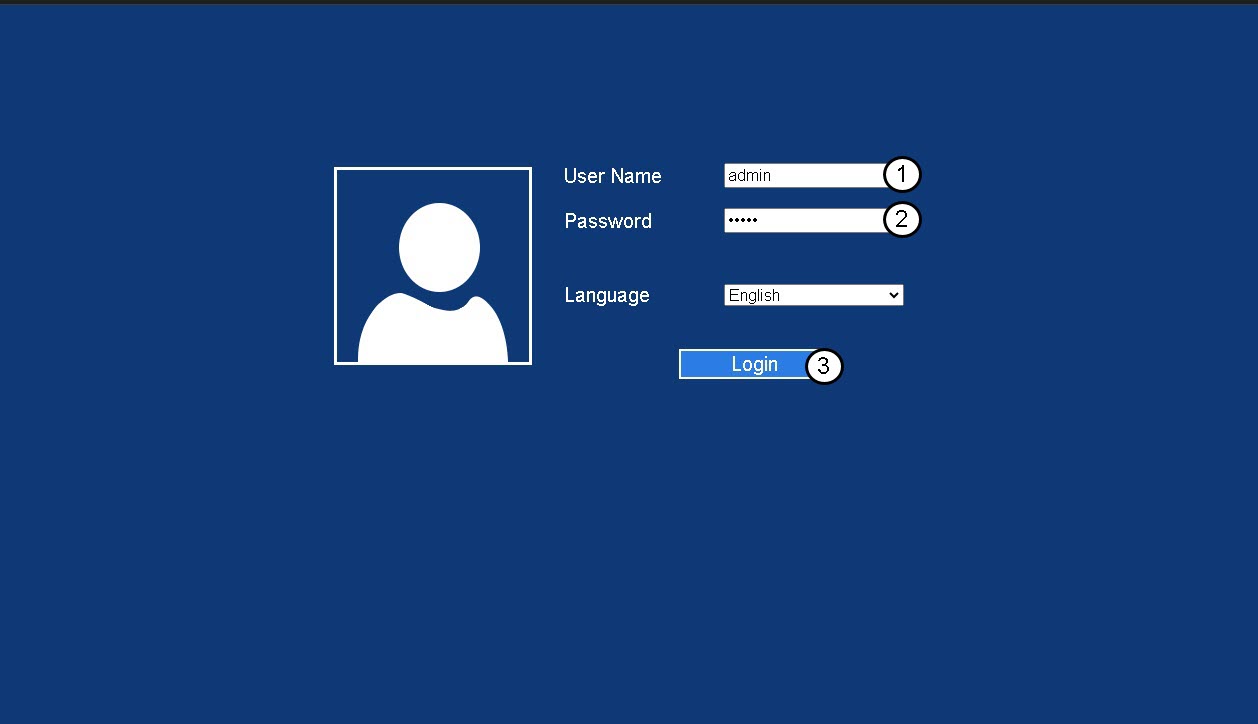
3 Страница за пријаву
Унесите своју администраторску лозинку и кликните на Пријава .
4 Потражите ИП адресу рутера
У информацијама о уређају потражите ИП адресу репетитора
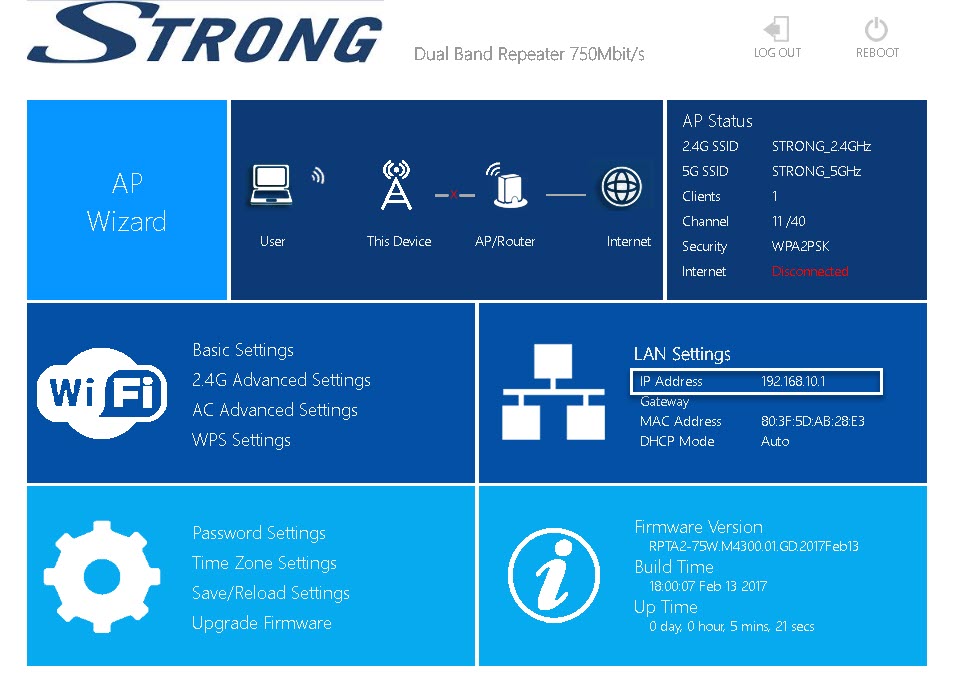
САВЕТ: ИП адреса вашег репетитора се мења након што је конфигурисан за Wi-Fi хост.