4G+ AIRHOME 710 са одвојивим 4G+ антенама
Нема пронађених ставки.
Нема пронађених ставки.
Сва питања
4G+ AIRHOME 710 са одвојивим 4G+ антенама
Нема пронађених ставки.
Нема пронађених ставки.
Шта значи различити статуси SIM картица у веб интерфејсу?

Пре повезивања са веб интерфејсом, уверите се да је ваша СИМ картица правилно уметнута и да је ПИН онемогућен или унет.
• Ако је SIM картица закључана PIN кодом, морате се повезати са веб интерфејсом да бисте га унели и откључали SIM картицу. • Ако SIM картица није детектована, проверите да ли је златна страна видљива када је SIM картица уметнута у слот. • Ако SIM картица није правилно постављена, поново је поставите у слот и проверите да ли је SIM картица још увек у адаптеру.Када се налазите у веб интерфејсу, можете приметити да се поред статусне линије СИМ картице може написати неколико статуса:
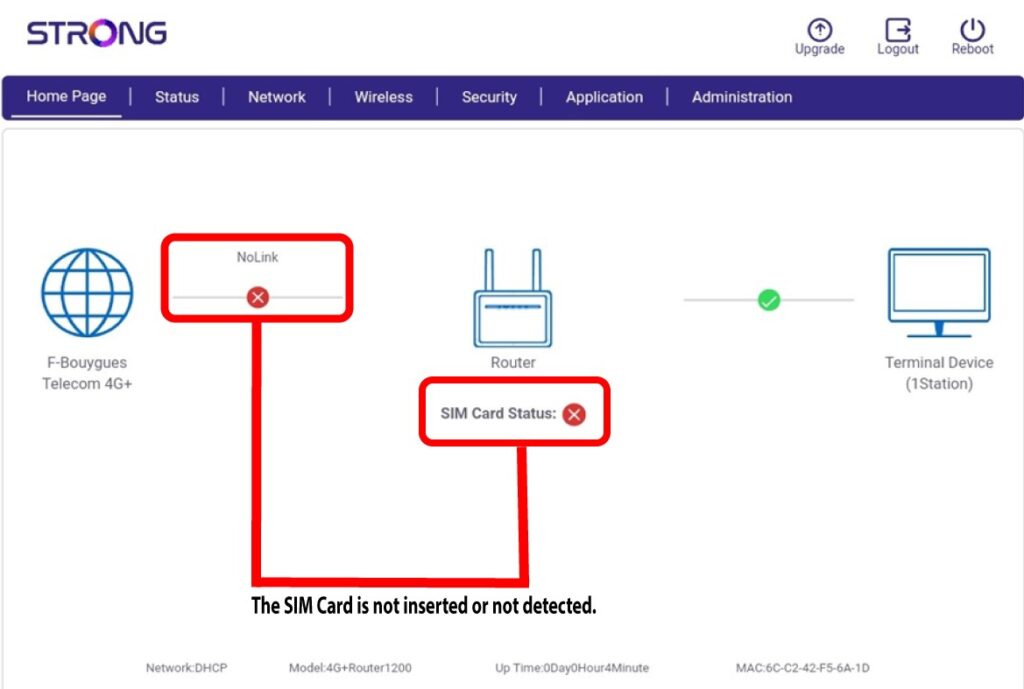
- Случај 1: СИМ картица није уметнута или није детектована и нема везе са мобилном мрежом.
Случај 2: СИМ картица је правилно уметнута и детектована, али нема везе са мобилном мрежом јер је СИМ картица закључана ПИН кодом.

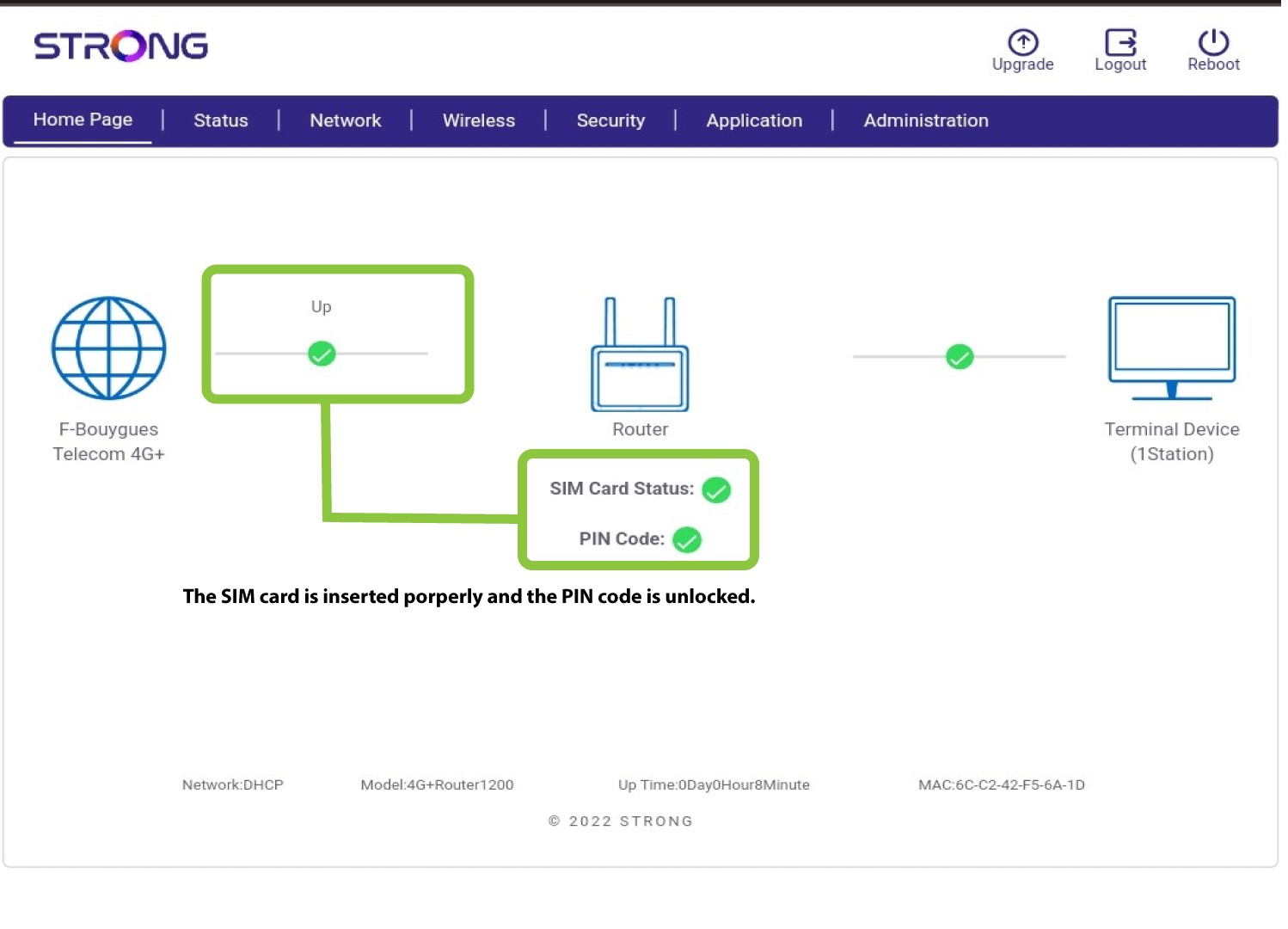
Случај 3 : СИМ картица је правилно уметнута и ПИН код је унет. Веза ради.