4К ГООГЛЕ ТВ БОКС С3+ | ДОЛБИ ВИСИОН АТМОС
Сва питања
4К ГООГЛЕ ТВ БОКС С3+ | ДОЛБИ ВИСИОН АТМОС
Зашто је и даље немогуће контролисати ниво јачине звука након деактивирања опције контроле јачине звука?
Ако и даље не можете да контролишете јачину звука помоћу даљинског управљача LEAP S3, пратите упутства у наставку да бисте „заборавили“ телевизор у подешавањима даљинског управљача.
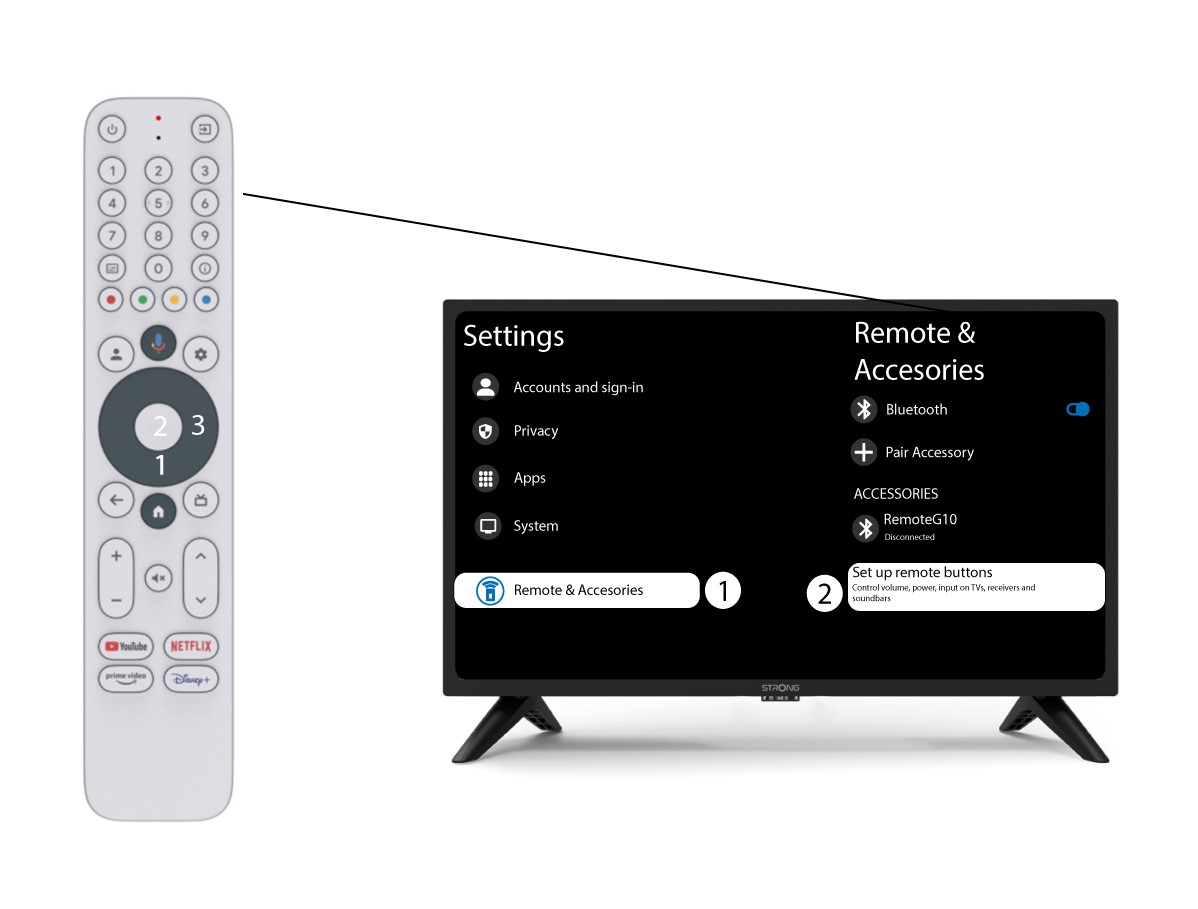
1 Подешавања
Притисните дугме Подешавање и притисните дугме ОК

2 Подешавања даљинског управљача и додатне опреме
Притисните дугме надоле неколико пута да бисте изабрали „Даљински управљач и додатна опрема“ и притисните дугме OK. Затим, притисните дугме ДОЛЕ неколико пута да бисте изабрали „Подешавање дугмади даљинског управљача “ и притисните дугме OK .
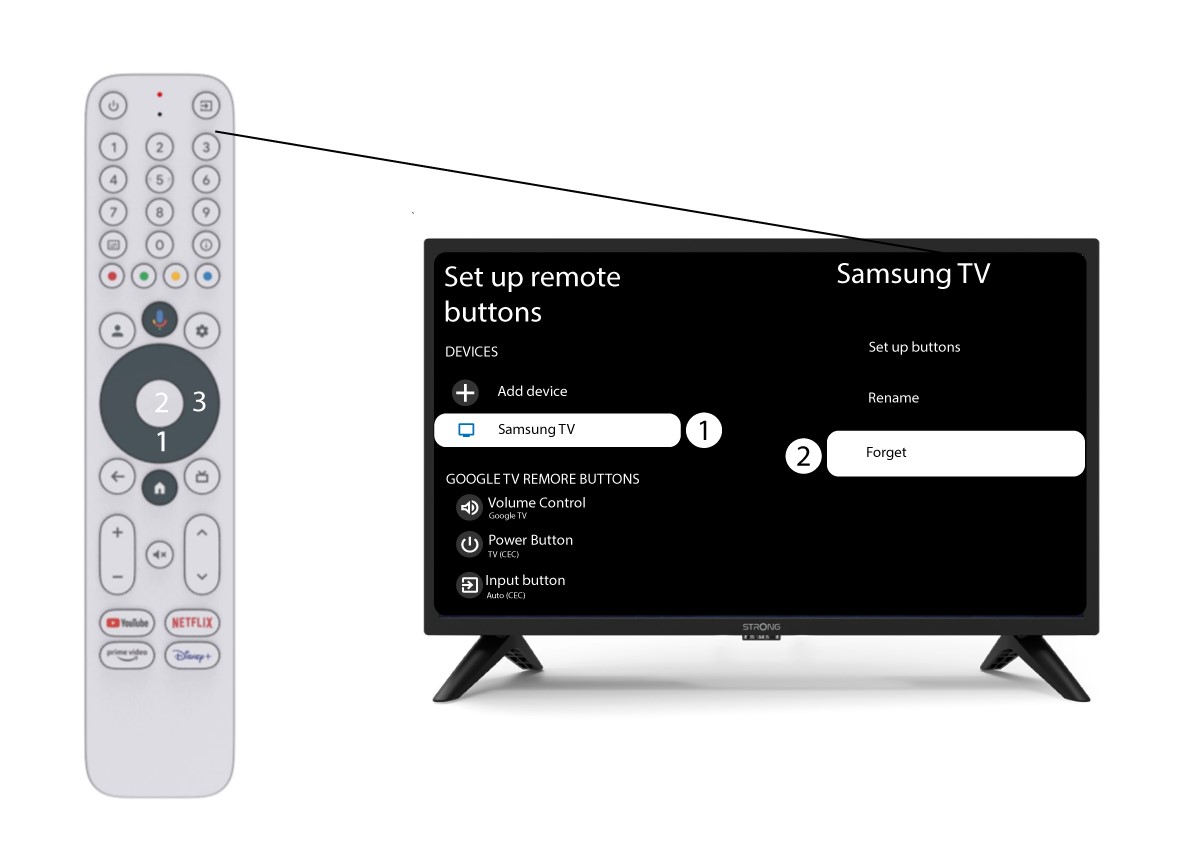
3 Заборавите телевизор повезан са даљинским управљачем
Ако је телевизор већ подешен и приказан на листи, морате га избрисати са листе да бисте га поново конфигурисали.
Да бисте то урадили, изаберите марку телевизора и изаберите „Заборави“ пре него што притиснете OK за потврду.
4 Проверите контролу јачине звука
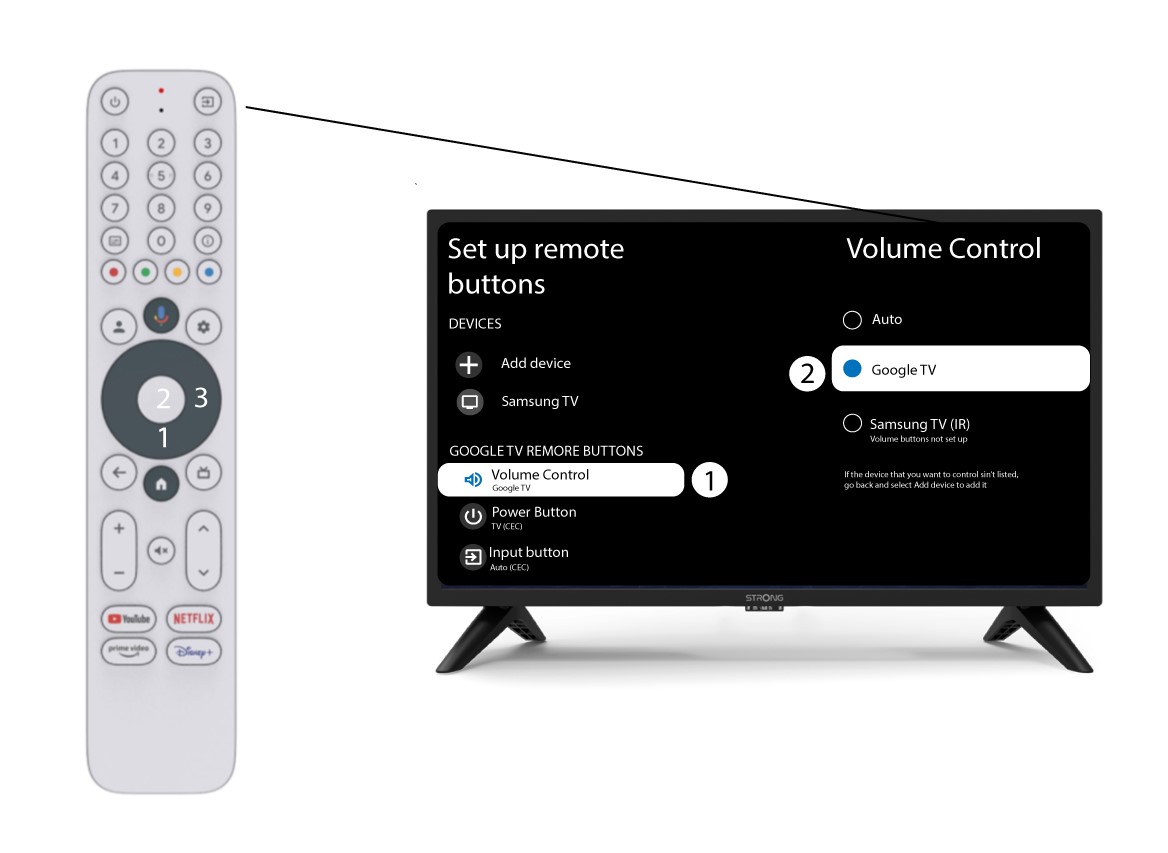
На крају, морате проверити да ли је контрола јачине звука подешена на Google TV. Ако није, изаберите је и контрола јачине звука би требало да ради исправно на оба даљинска управљача.