Inga föremål hittades.
LEAP
Inga föremål hittades.
Alla frågor
Inga föremål hittades.
LEAP
Inga föremål hittades.
Hur lägger jag till eller tar bort en app från startskärmen?
1Fall1: Lägga till en app
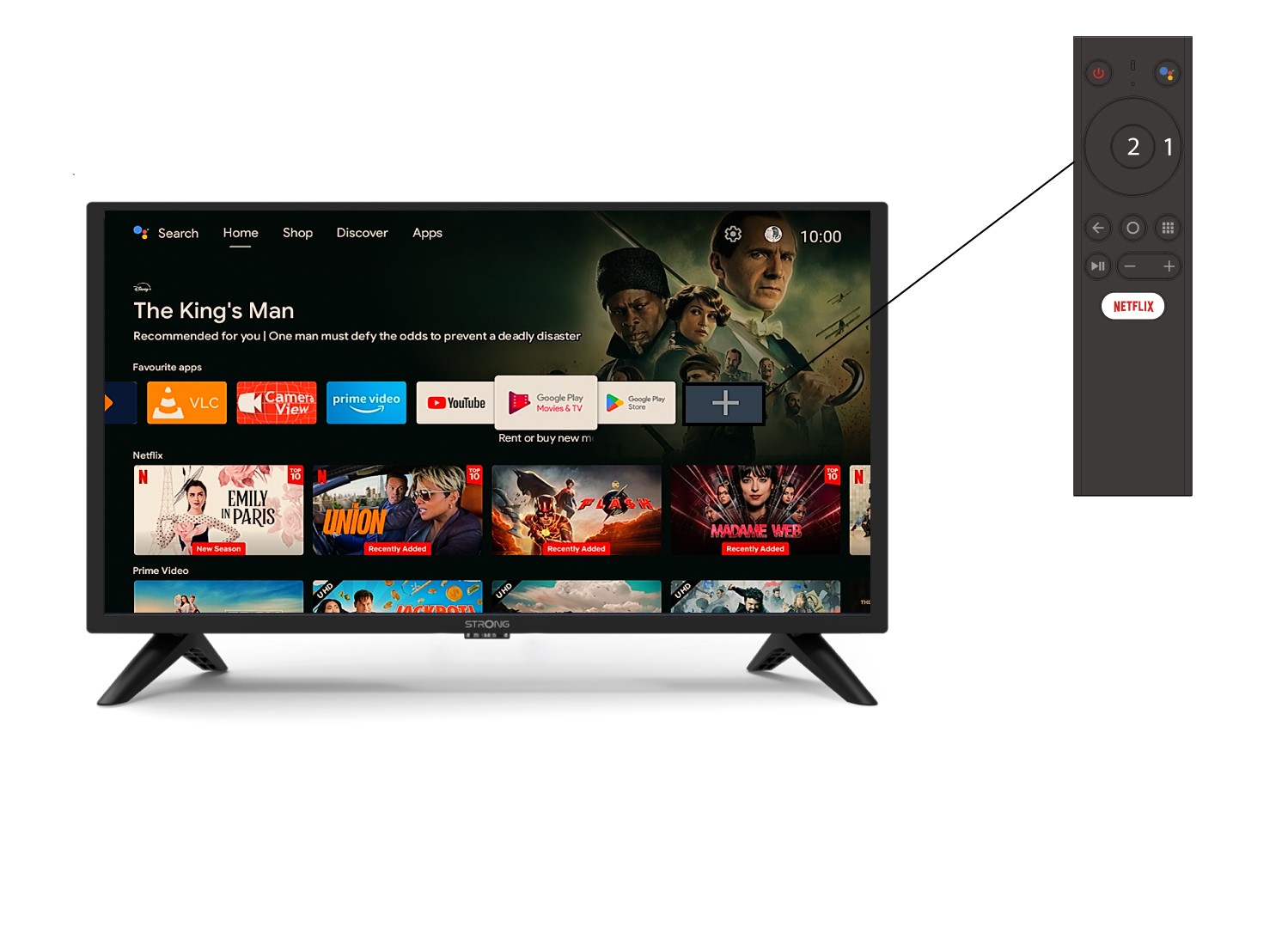
För att lägga till en app på startskärmen, gå till +-ikonen längst ner i listan över appar som redan finns på startskärmen och tryck på «OK».
2. App-lista
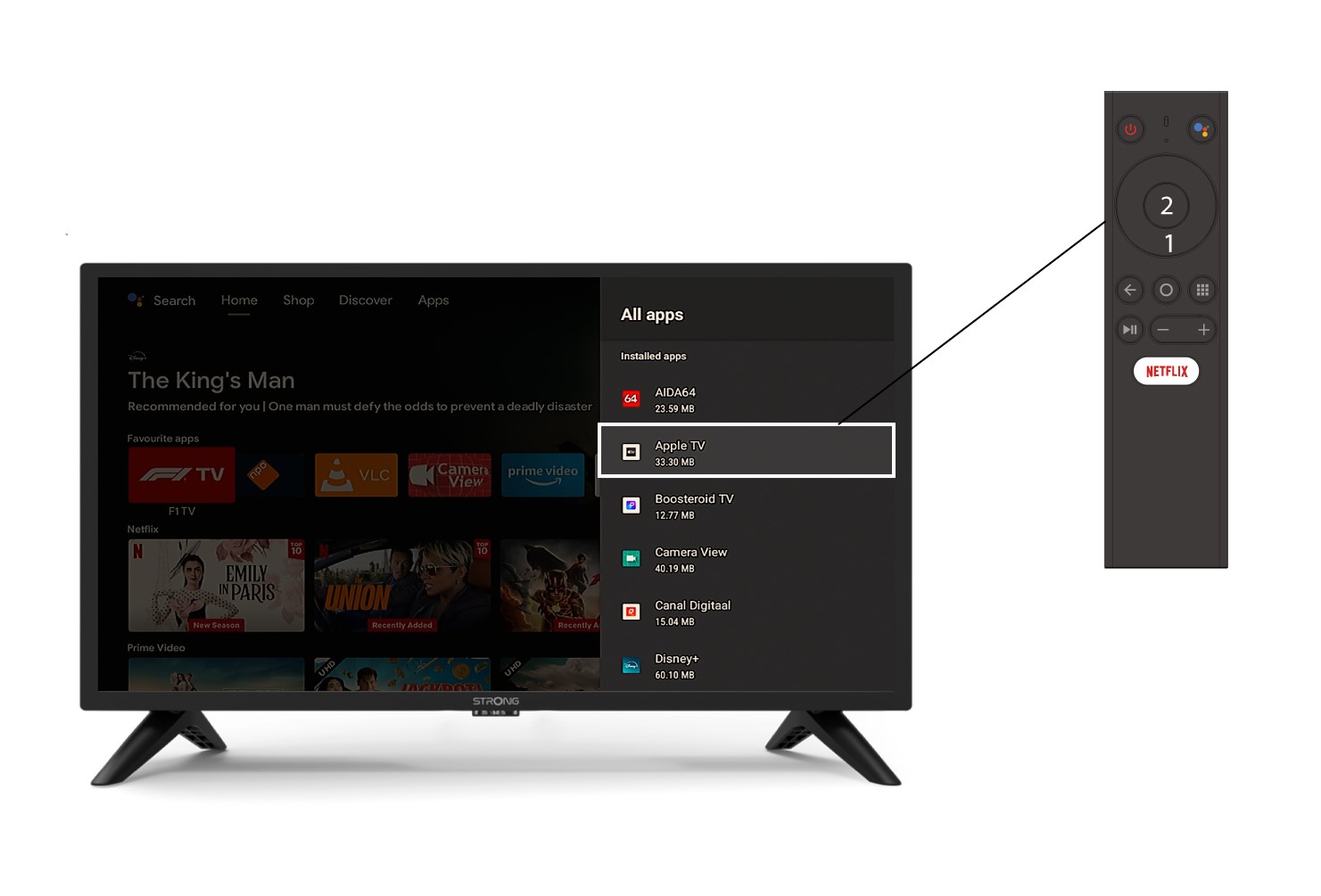
Därefter öppnas listan över appar. Välj den app du vill använda och tryck på OK-knappen på fjärrkontrollen.
3Fall2: Ta bort en app
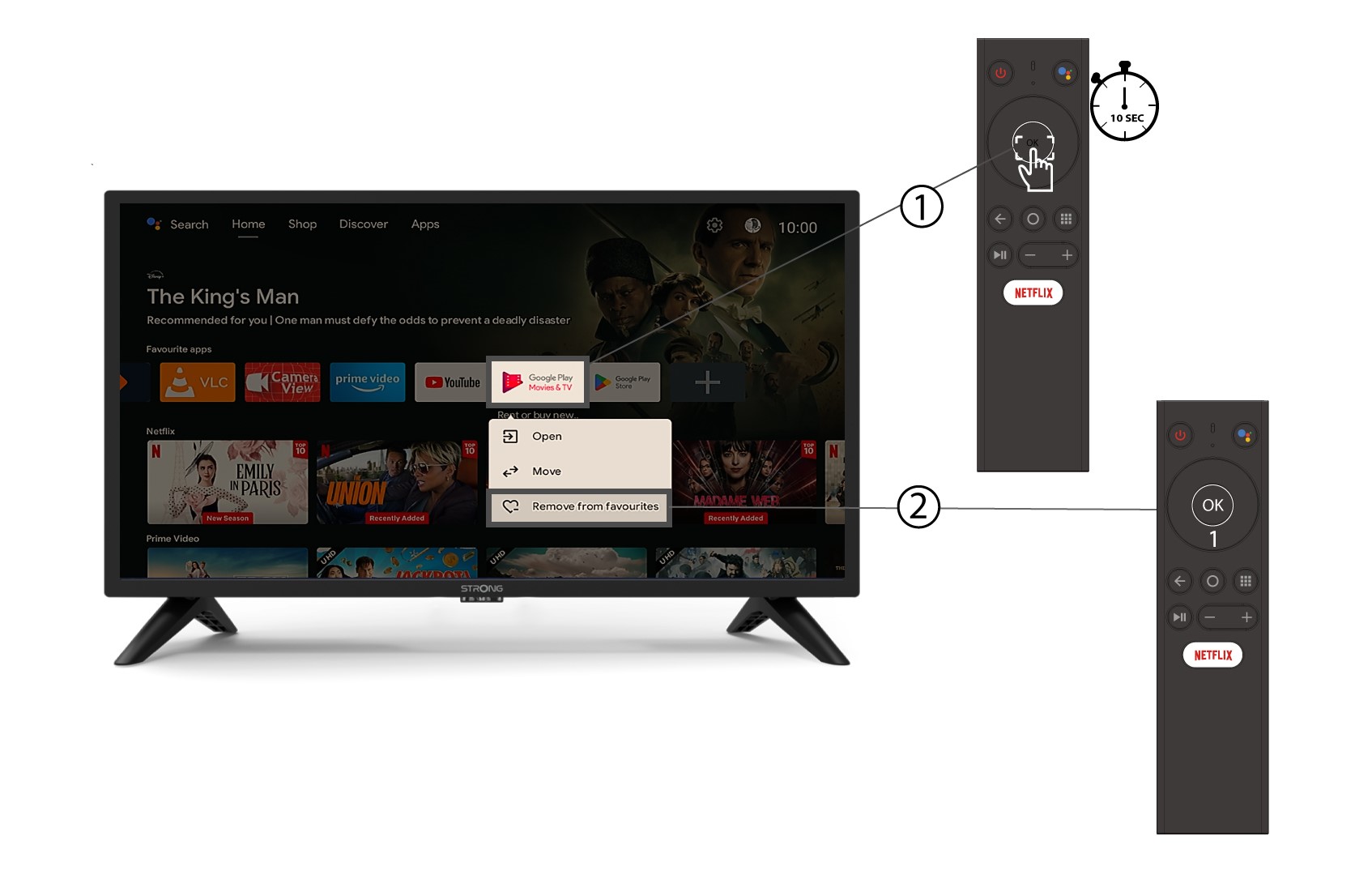
För att ta bort en app från startskärmen går du till den app du vill ta bort i listan över appar som redan finns på startskärmen, trycker länge på knappen «OK», ett fönster öppnas och väljer «Ta bort från favoriter».