LEAP
Alla frågor
LEAP
Jag har anslutit ett AZERTY-tangentbord via USB, men det känns igen som ett QWERTY-tangentbord. Varför?

Varning: Observera att det är Google som avgör vilka tangentbordslayouter som stöds för externa tangentbord. Det kan därför hända att din tangentbordslayout inte stöds. I så fall rekommenderar vi att du kontaktar tillverkaren av ditt tangentbord för att ta reda på om det finns någon app som kan göra ditt tangentbord kompatibelt.
1. Slåpå enheten
Sätt på din TV och din LEAP S1.
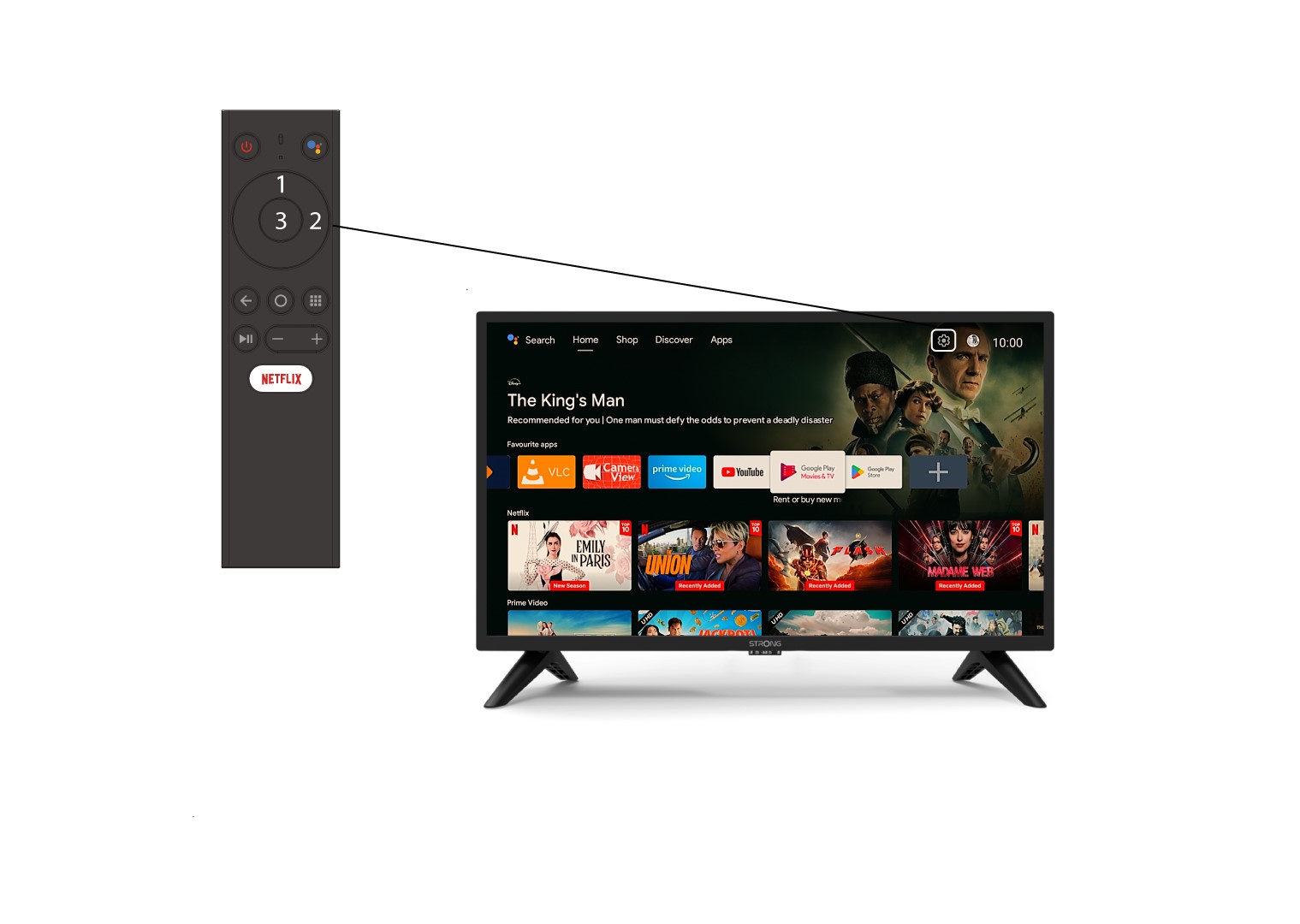
2. Gåtill inställningsmenyn
Leta reda på kugghjulsikonen (inställningsmenyn) längst upp till höger på skärmen och markera den med hjälp av pilarna på datorn. Tryck sedan på OK-knappen på fjärrkontrollen för att öppna inställningsmenyn.
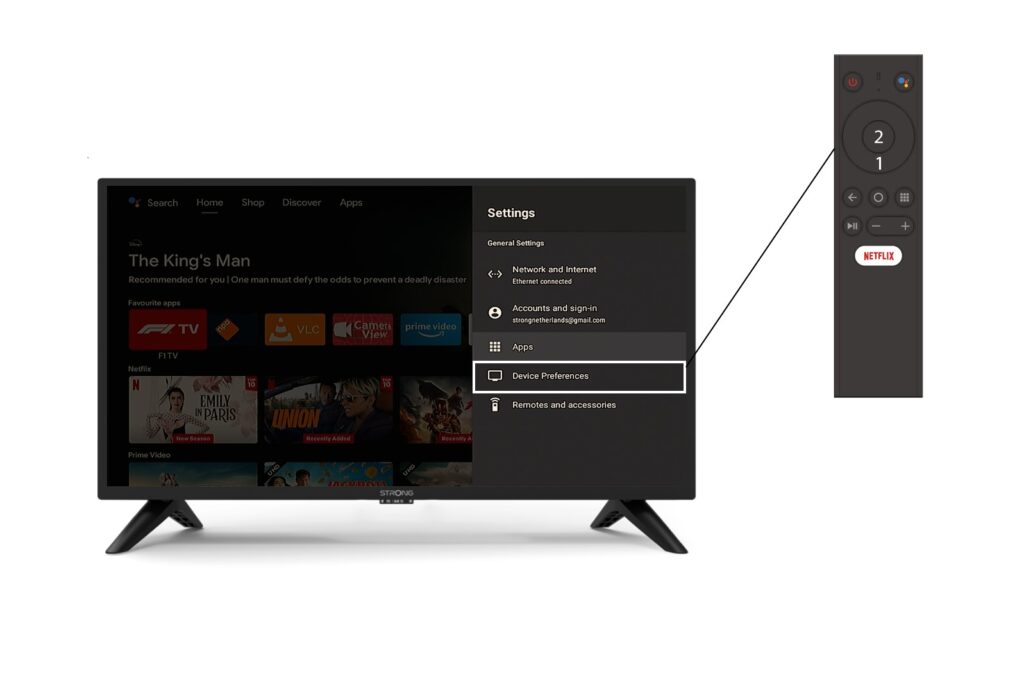
3Enhetsinställningar
Välj ”Enhetsinställningar” i inställningsmenyn och tryck på OK-knappen på fjärrkontrollen.
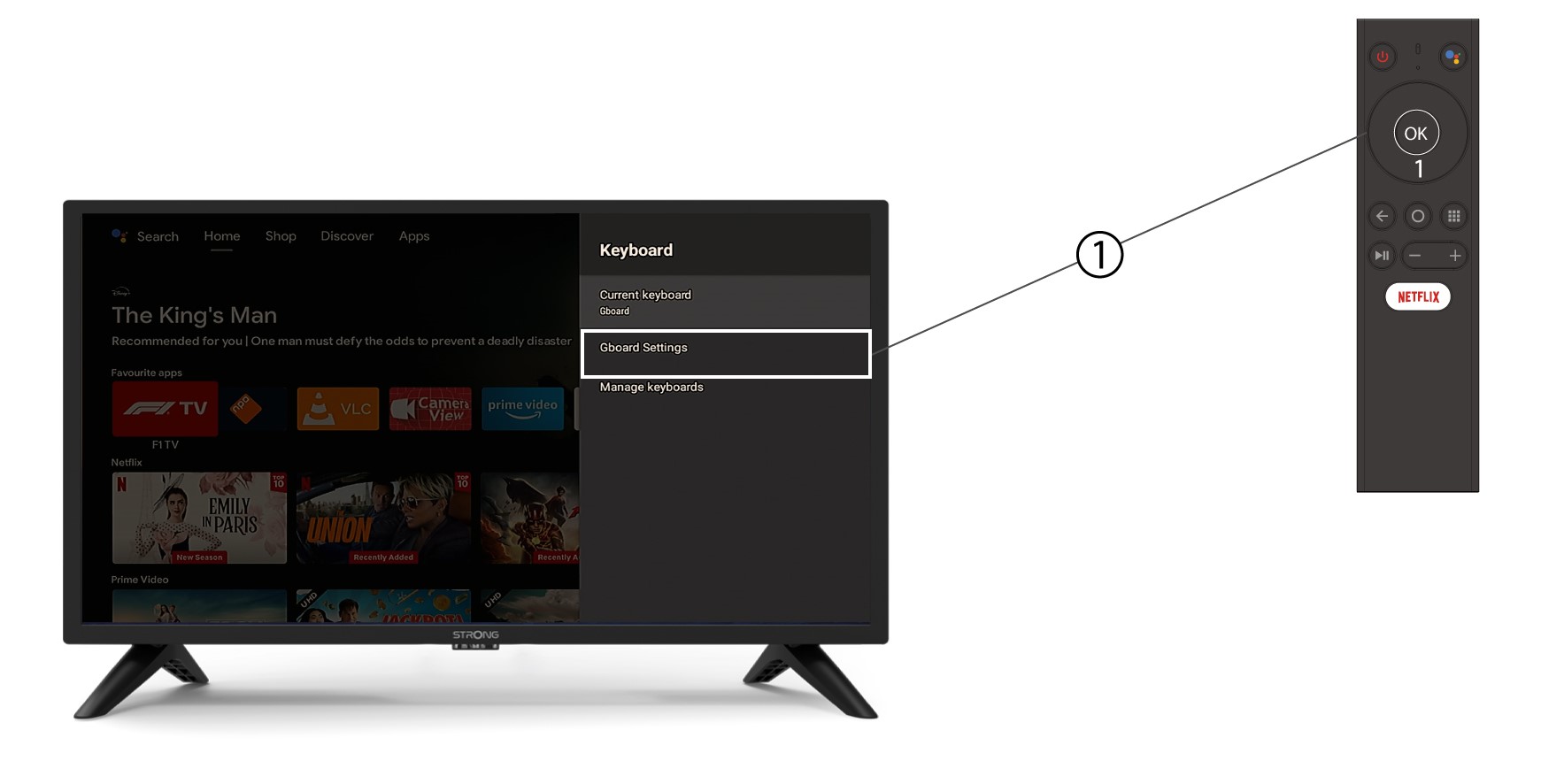
4Tangentbordsinställningar
I tangentbordsmenyn klickar du på ”Gboard-inställningar” och trycker på OK.
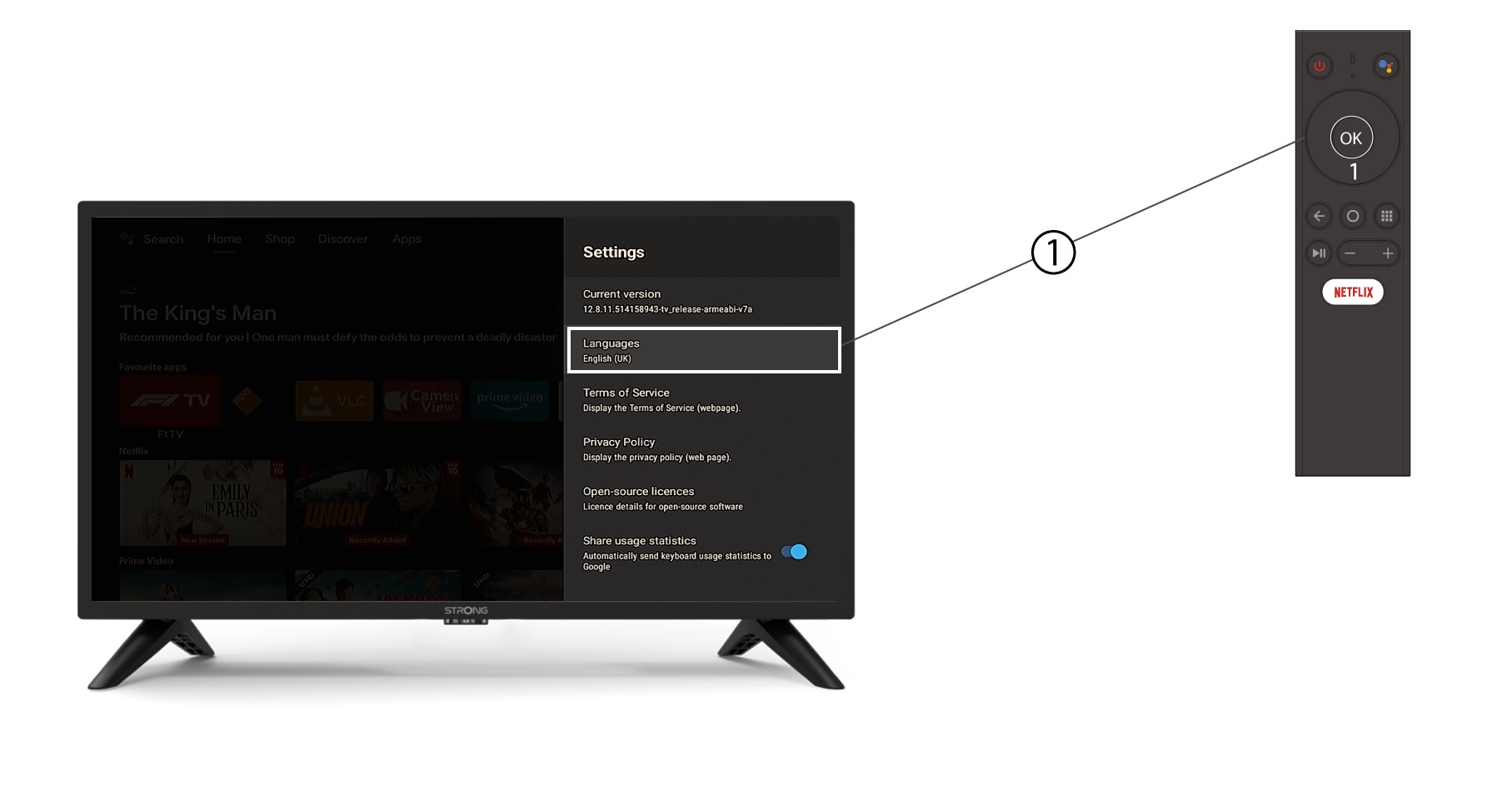
5Språkinställningar
I inställningsmenyn som öppnas klickar du på Språk, ställer sedan in värdet till engelska UK och trycker på OK.