4G+ AIRSPOT 520 Wi-Fi med pekskärm
Inga föremål hittades.
Inga föremål hittades.
Alla frågor
4G+ AIRSPOT 520 Wi-Fi med pekskärm
Inga föremål hittades.
Inga föremål hittades.
Hur ändrar jag SSID (Wi-Fi-nätverksnamn) och Wi-Fi-lösenordet? (Mi-Fi-skärmen)
Du kan redigera informationen om Wi-Fi-nätverket på skärmen på din Mi-Fi.
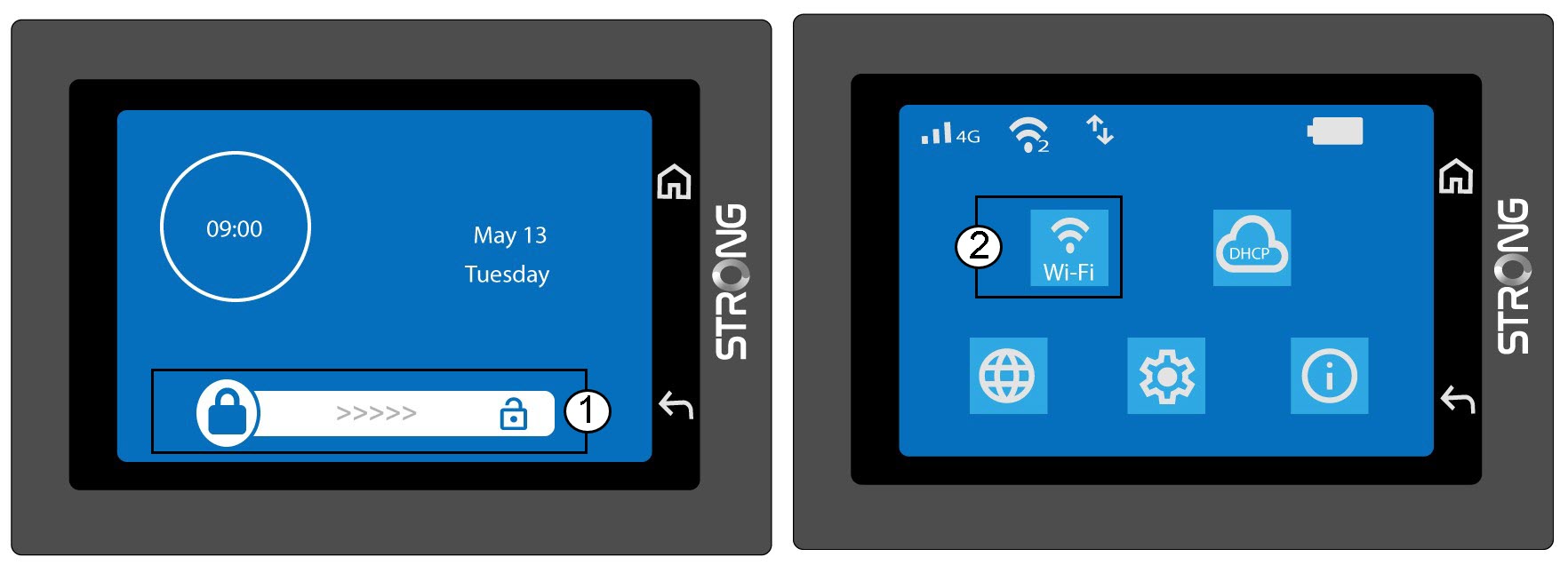
1ÖppnaWi-Fi-inställningarna
Lås upp skärmen och klicka på Wi-Fi-ikonen.
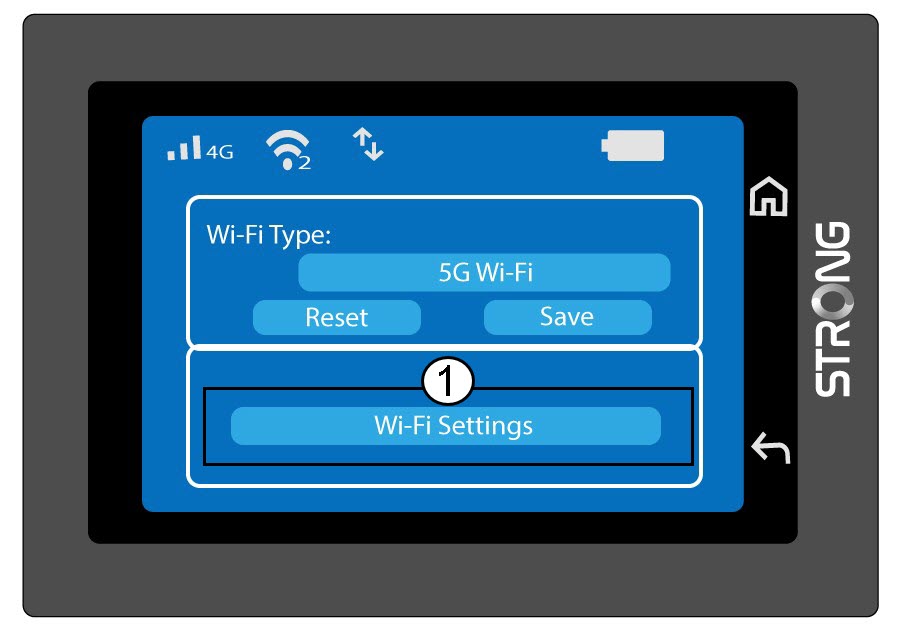
2. ÖppenWi-Fi-konfiguration
Klicka på ”Wi-Fi-inställningar”.
3Ändranätverksnamnet (SSID)
Klicka på pennikonen bredvid Wi-Fi-nätverkets namn, ange det nya namnet och tryck på (V) för att bekräfta.
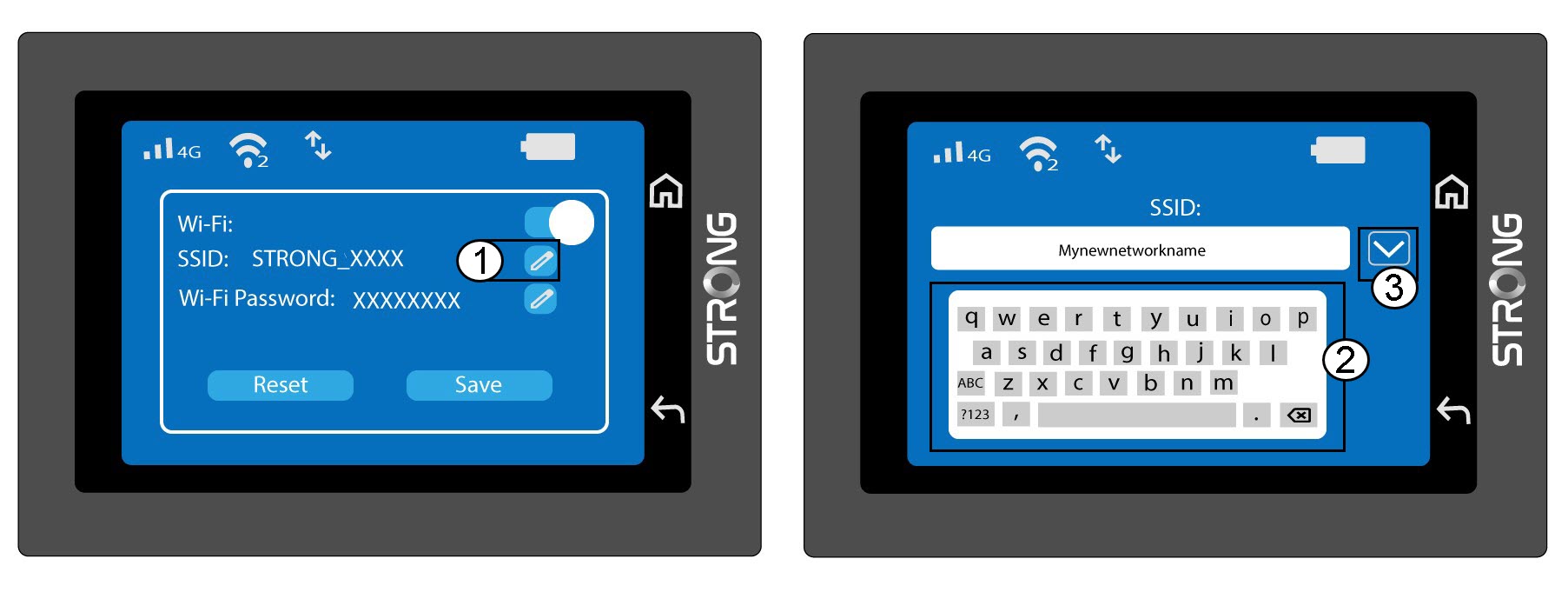
4. ÄndraWi-Fi-lösenordet
Klicka på pennikonen bredvid Wi-Fi-lösenordet, ange det nya lösenordet och tryck på (V) för att bekräfta.
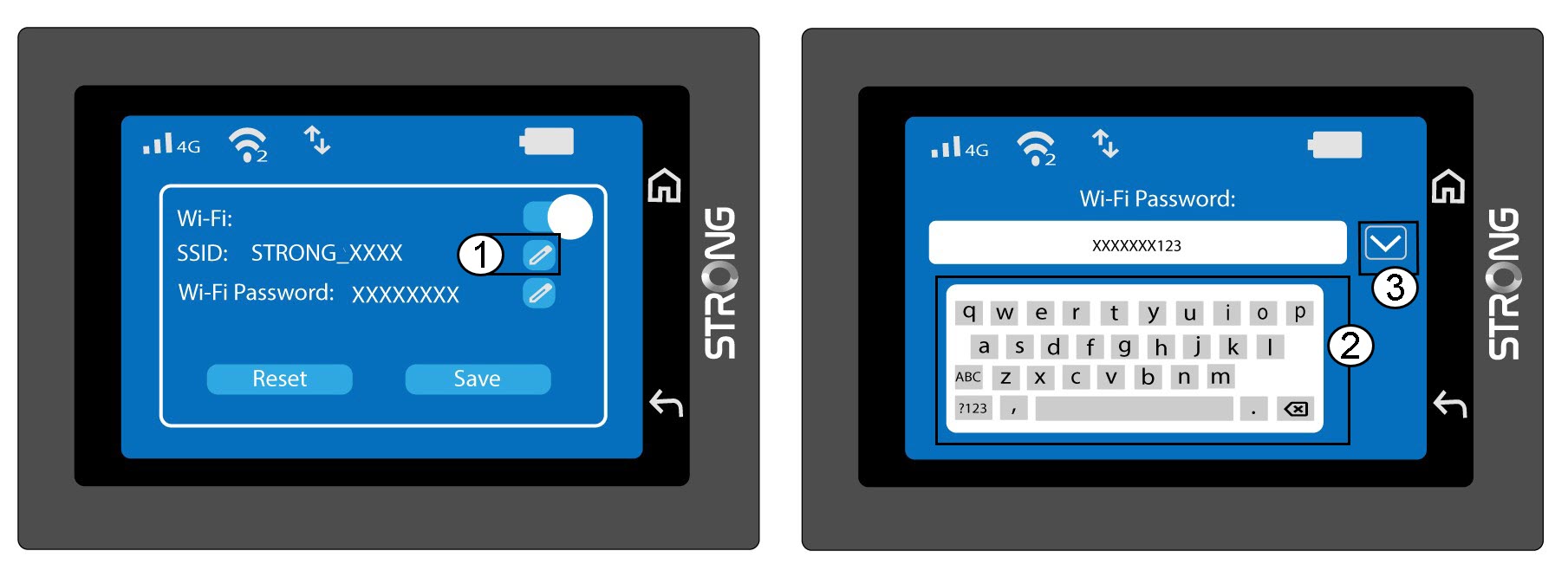
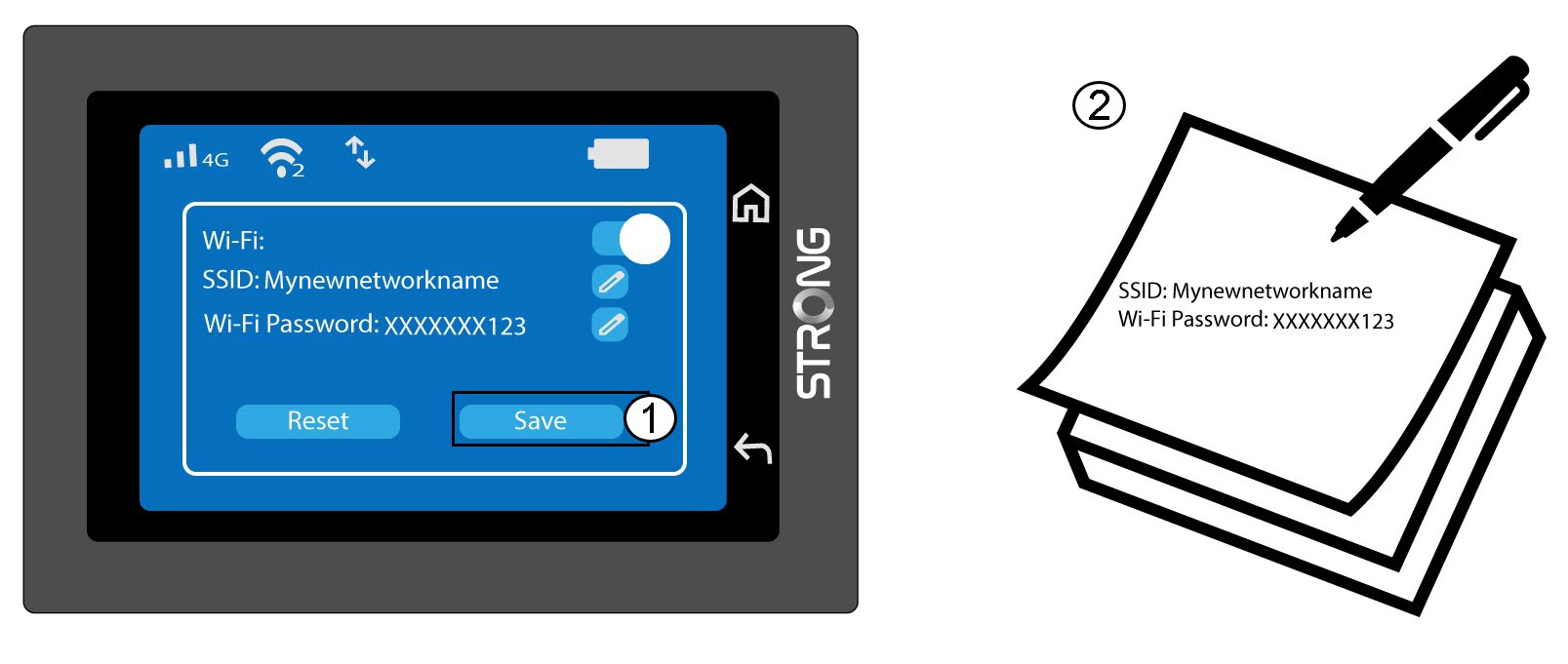
5Sparadina ändringar
Klicka på Spara och anteckna det nya nätverksnamnet och lösenordet så att du har dem till hands senare.