LEAP S3 | 4K Google TV med Dolby Vision
Alla frågor
LEAP S3 | 4K Google TV med Dolby Vision
Hur ändrar jag volyminställningarna på min LEAP S3 när volymen är för låg?
Om volymnivån på din LEAP S3 är för låg kan du följa anvisningarna nedan för att återställa inställningarna på din LEAP S3.
När du installerar din LEAP S3 kan du ställa in så att volymkontrollen sköts via HDMI-CEC. När detta alternativ är aktiverat kan du använda fjärrkontrollen till din LEAP S3 för att justera volymen på din TV.
Du kan aktivera eller inaktivera den här funktionen i TV:ns inställningar för bild och ljud. Standardvolymen på din LEAP S3 är inställd på en viss nivå, och den kan ibland vara för låg. Om volymen är för låg är det bättre att inaktivera det här alternativet.
Hur aktiverar eller inaktiverar man den här funktionen?
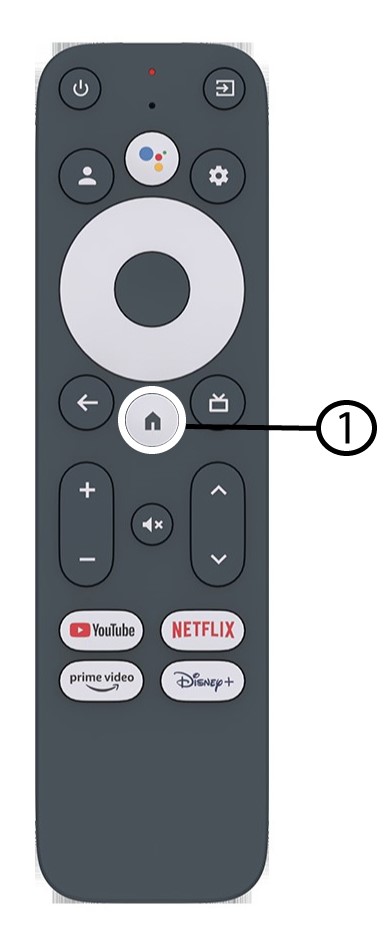
1Tryckpå knappen Inställningar
I det här fallet trycker du på knappen ”Inställningar” på din Google-fjärrkontroll och sedan på OK.

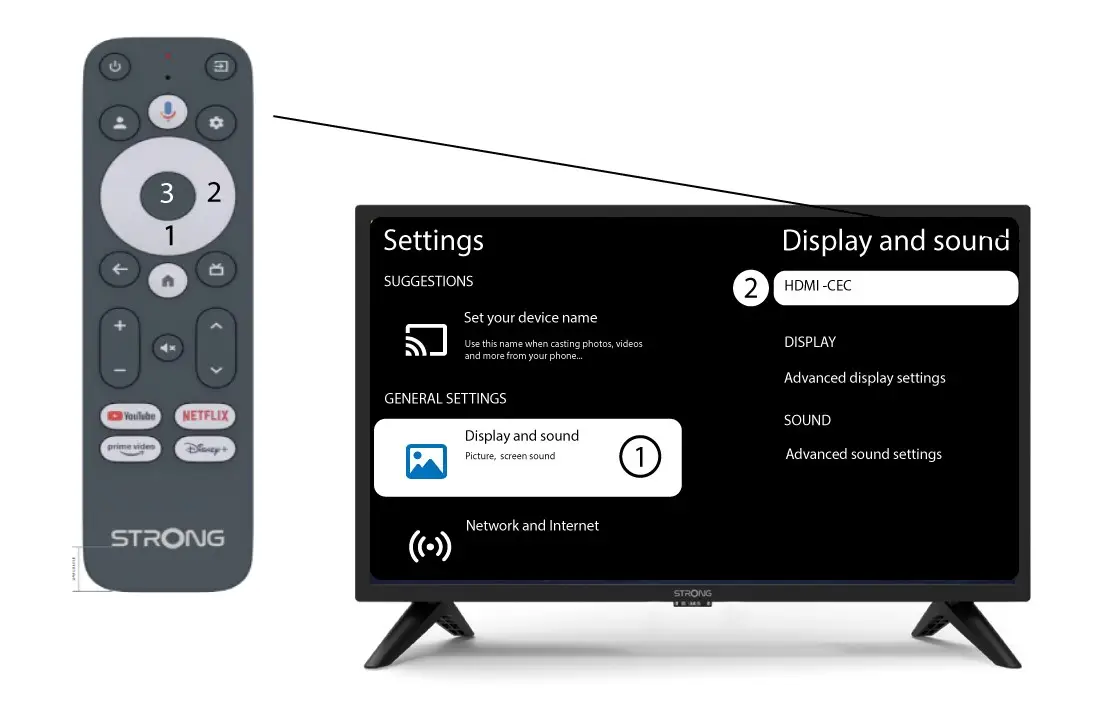
2Inställningar
På sidan Inställningar som visas på skärmen väljer du ”Skärm och ljud”. Tryck sedan på den högra navigeringsknappen och välj”HDMI-CEC”.
3Volymreglering
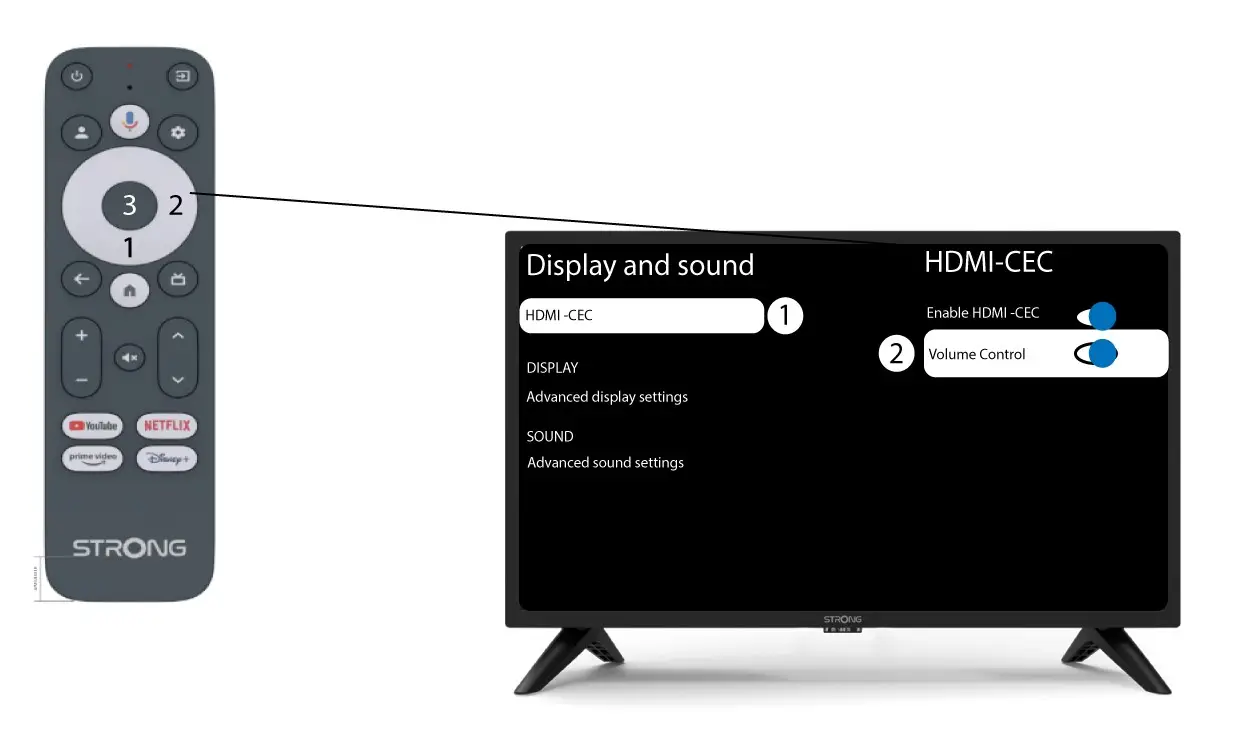
Välj ”Volymkontroll” och tryck på OK-knappen för att in switch era av den här funktionen
4Gåtillbaka till startsidan
Tryck på HOME-knappen för att återgå till startskärmen.
Volymjusteringen kan nu återigen göras med en fjärrkontroll av märk LEAP-S3 .