
Dubbelbandsrepeater 1200
Inga föremål hittades.
Inga föremål hittades.
Alla frågor
Dubbelbandsrepeater 1200
Inga föremål hittades.
Inga föremål hittades.
Hur uppdaterar jag firmware på min repeater?
1. Kontrolleraom det finns en uppdatering av firmware
Innan uppdateringen måste du gå till nedladdningsavsnittet på vår webbplats för att se om det finns en ny programvaruversion tillgänglig.
2Gåtill sidan för nedladdningar
Klicka på HJÄLP > Nedladdningar.

3Väljdin produkt
När du har gått till sidan ”Nedladdningar” klickar du på ”Hemmanätverk och repeater” och sedan på produktnumret.
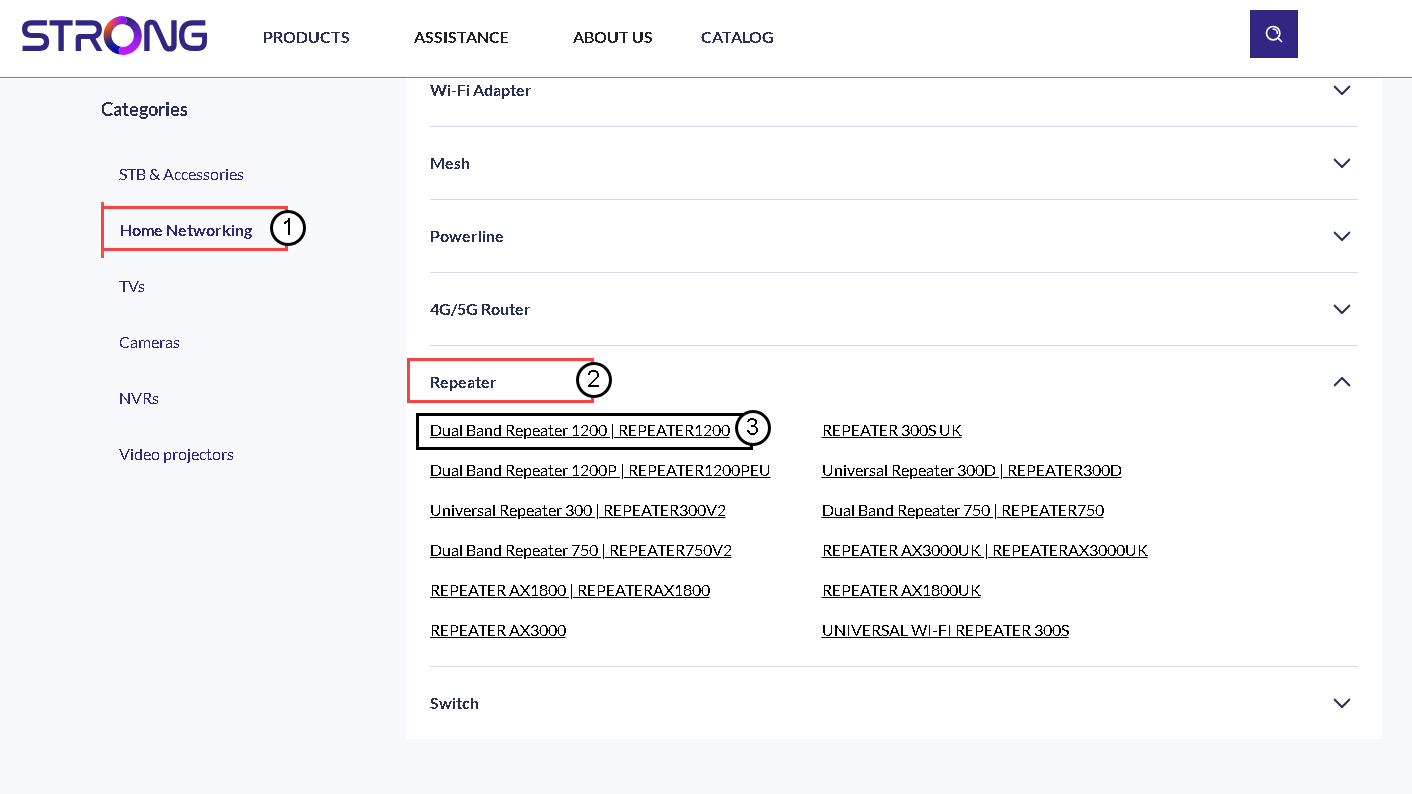
4. Laddaner firmware
På sidan nedan hittar du den nya programvaruversionen under avsnittet ”Firmware”. Om det finns en fil tillgänglig, vänligen ladda ner den.
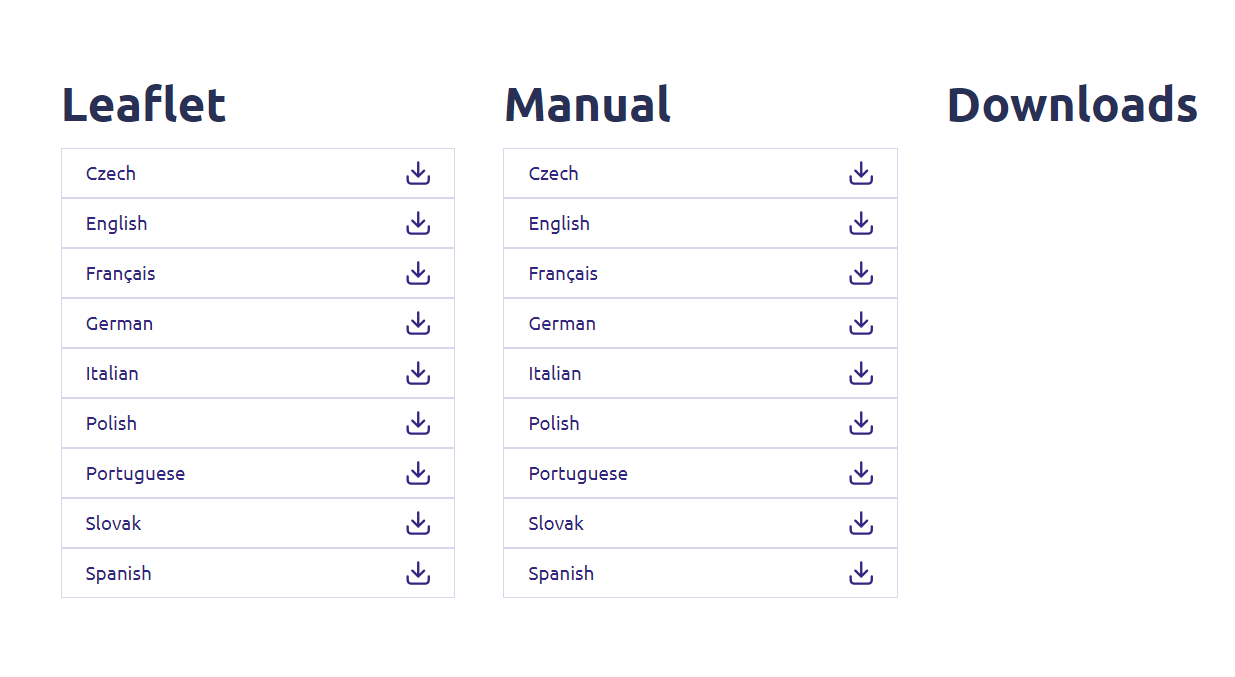
5 Ansluttill repeatern
När detta är klart ansluter du till repeaterns Wi-Fi-nätverk.

6Öppnawebbgränssnittet
Gå till webbgränssnittets webbadress.

7Öppnainställningsmenyn
Klicka på ”Inställningar”.
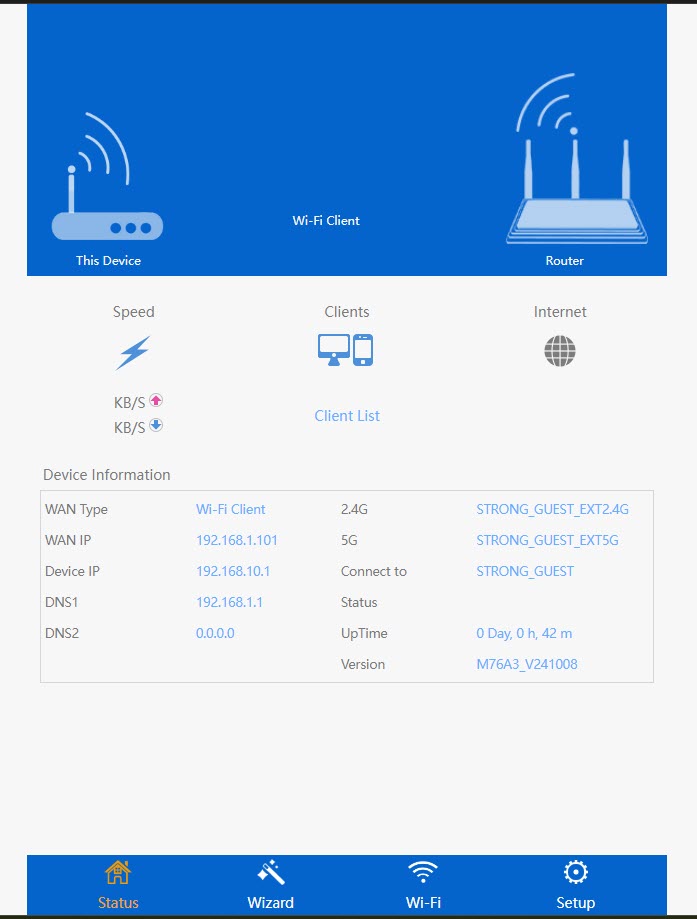
8. Startauppgraderingen av firmware
Klicka på ”Uppgradera firmware”.
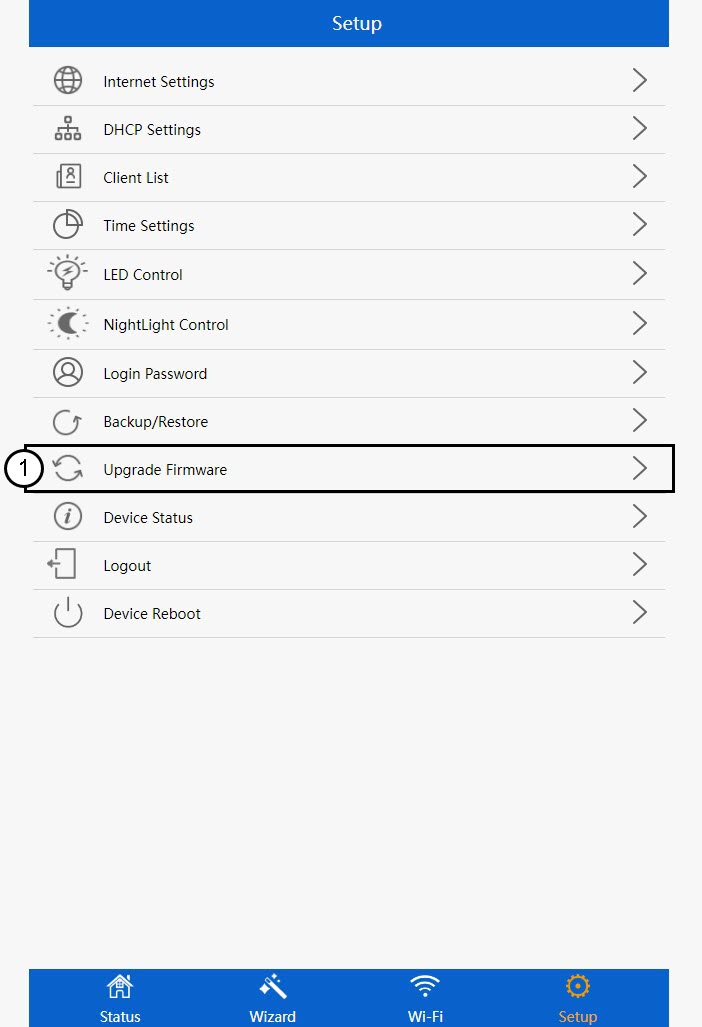
9. Tillämpauppdateringen
Välj din fil och klicka på ”Apply”. Därefter startar uppdateringen automatiskt.
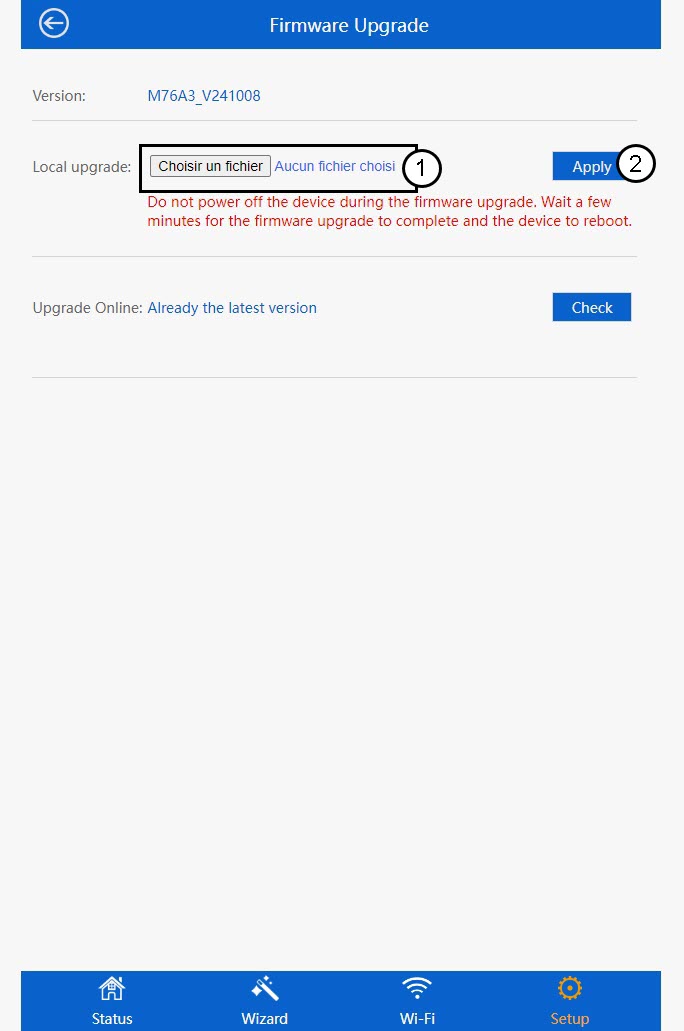
 Varning: Vänta tills uppdateringen är klar och enheten har startat om. Du måste ansluta till Wi-Fi igen efter uppdateringen.