ATRIA Wi-Fi 5 Mesh 1200 (3-pack)
Inga föremål hittades.
Inga föremål hittades.
Alla frågor
ATRIA Wi-Fi 5 Mesh 1200 (3-pack)
Inga föremål hittades.
Inga föremål hittades.
Hur använder jag WPS-funktionen?
Det är väldigt enkelt att aktivera WPS på din router.
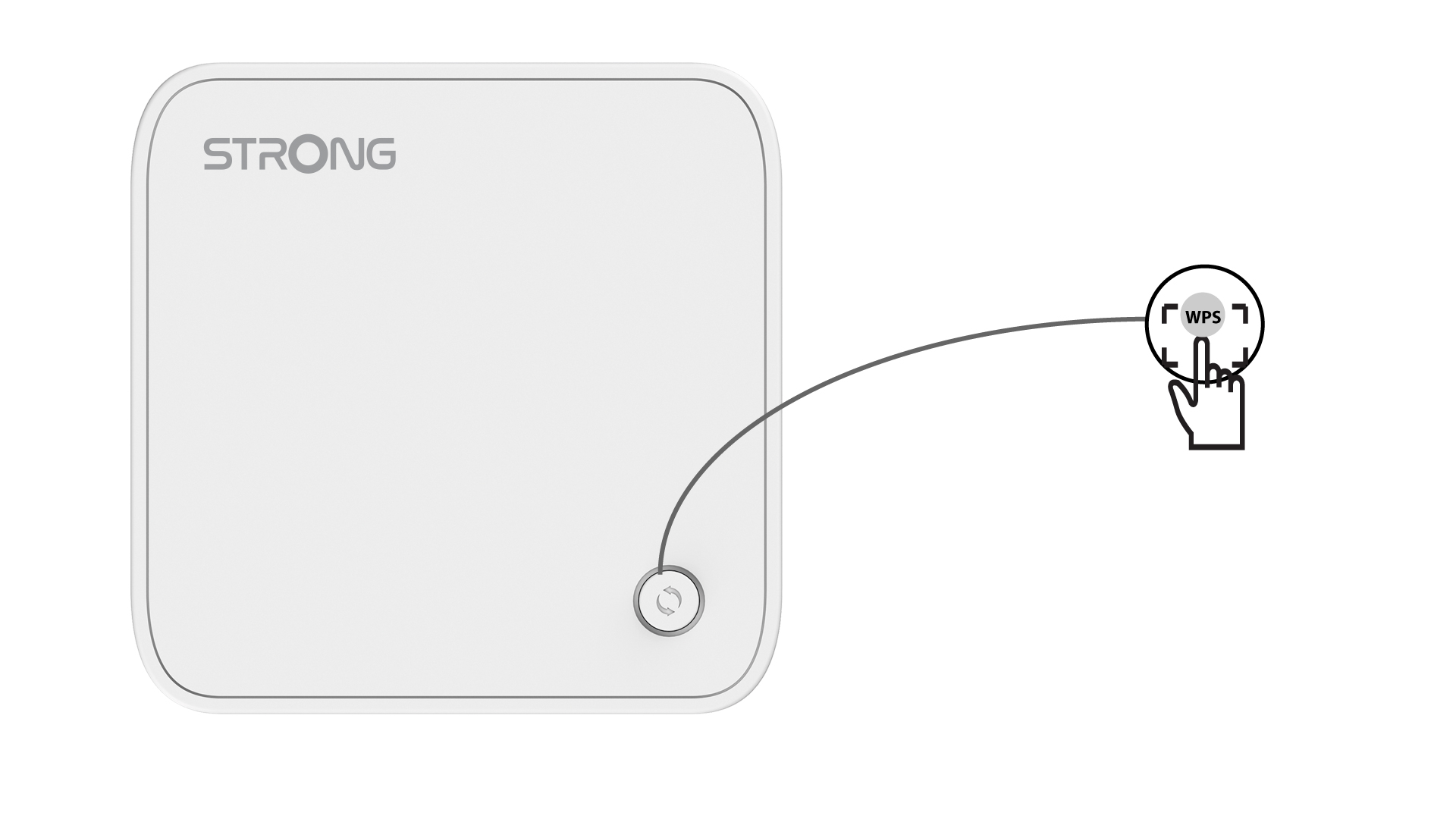
1AktiveraWPS på din huvud mesh -enhet
För att göra detta trycker du på WPS-knappen på enheten Mesh som är ansluten till din router/modem via RJ45.
2. Internetinställningar
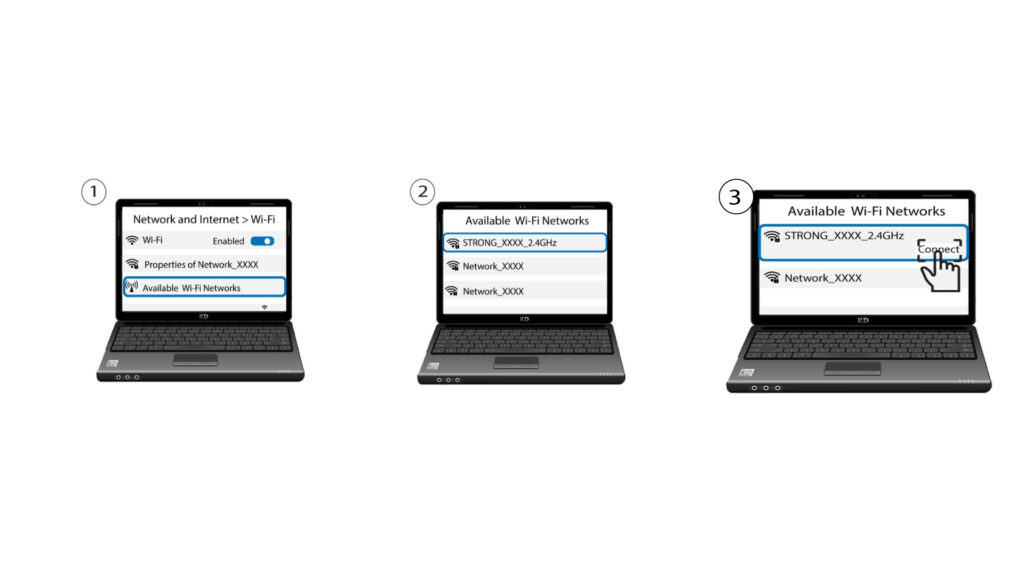
Gå nu till nätverksinställningarna på din enhet (mobil, dator, skrivare osv.) – den nya enheten som lagts till i nätverket bör visas där, och du kan nu ansluta till dess nätverk.