4K GOOGLE TV-BOX S3+ | DOLBY VISION ATMOS
Alla frågor
4K GOOGLE TV-BOX S3+ | DOLBY VISION ATMOS
Varför går det fortfarande inte att reglera volymnivån efter att man har inaktiverat alternativet för volymreglering?
Om du fortfarande inte kan reglera volymen med LEAP S3-fjärrkontrollen, följ anvisningarna nedan för att ”glömma” TV:n i fjärrkontrollens inställningar.
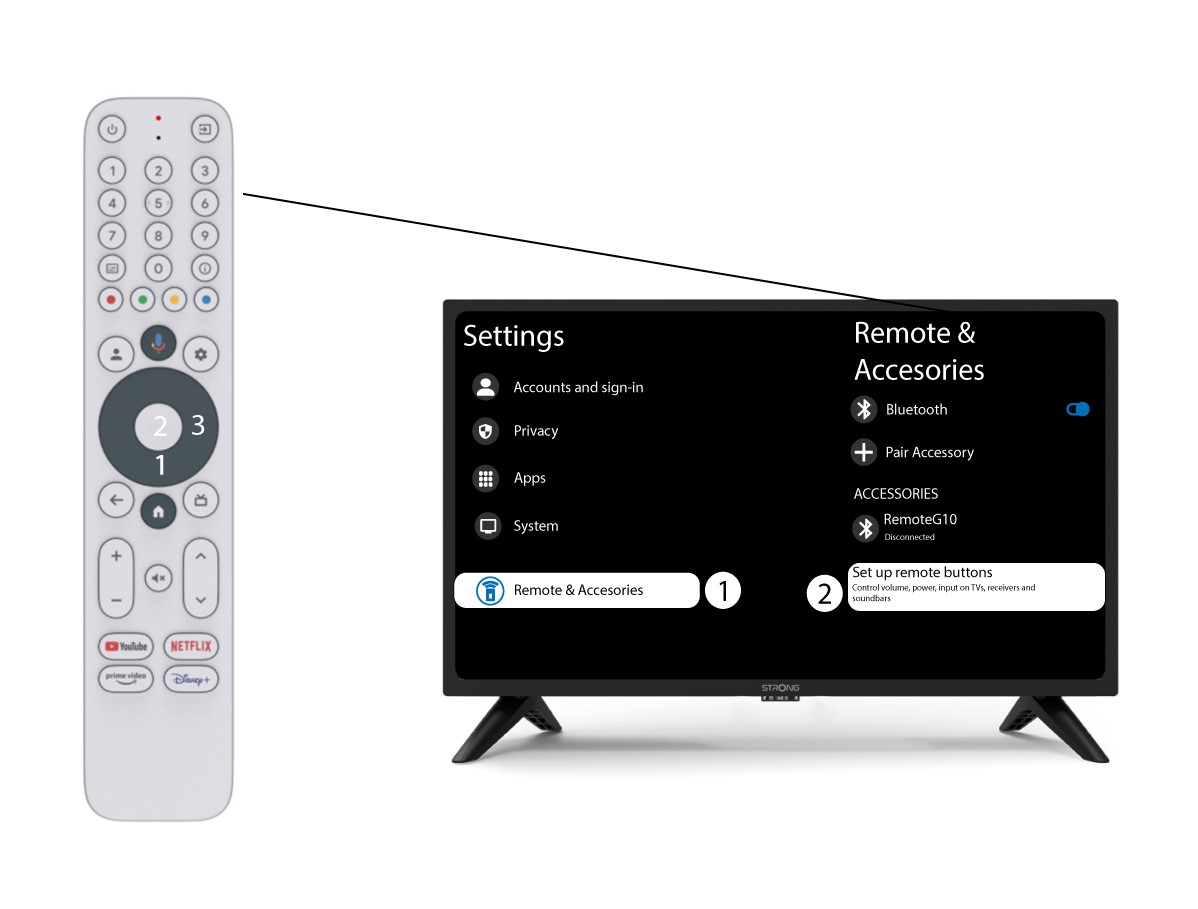
1Inställningar
Tryck på inställningsknappen och tryck sedan på OK

2Inställningar för fjärrkontrolloch tillbehör
Tryck flera gånger på nedåtknappen för att välja ”Fjärrkontroll och tillbehör” och tryck sedan på OK. Tryck därefter flera gånger på nedåtknappen för att välja ”Konfigurera fjärrkontrollens knappar”och tryck på OK.
3GlömTV:n som är kopplad till fjärrkontrollen
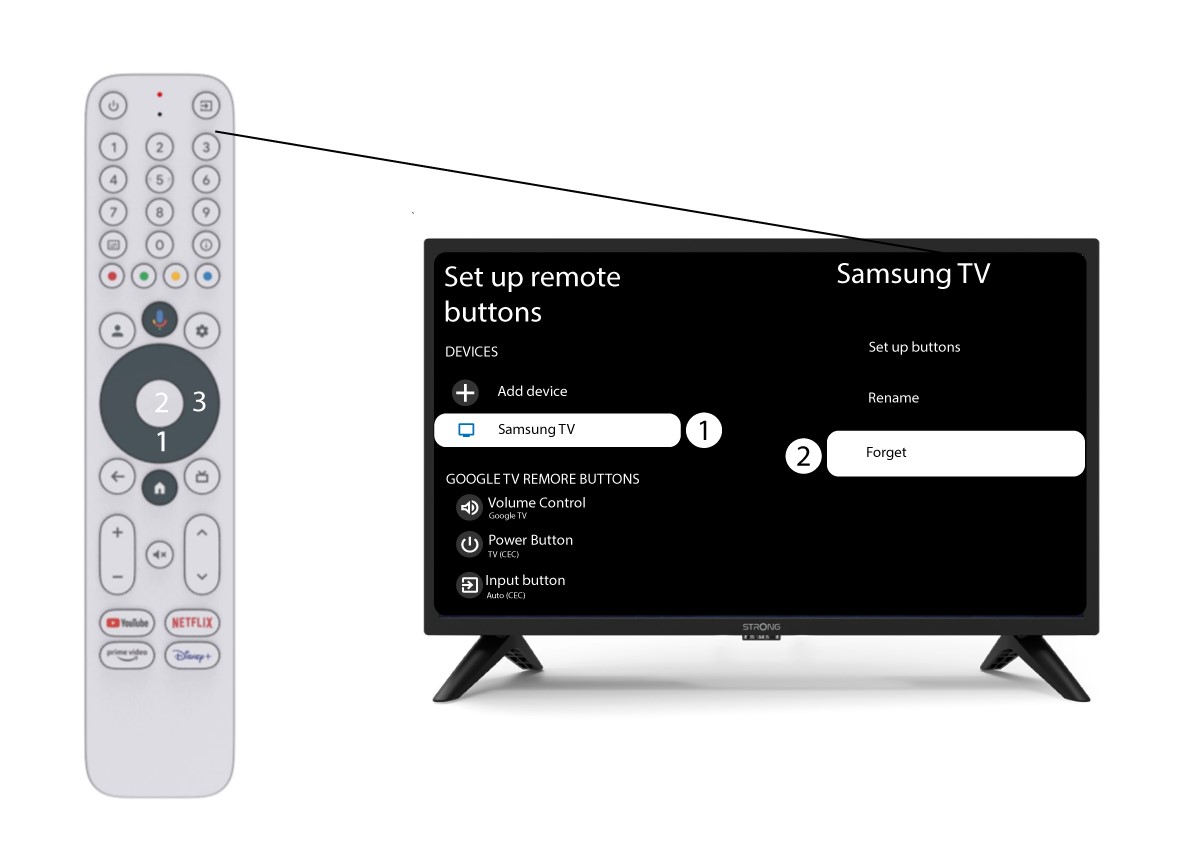
Om en TV redan är konfigurerad och visas i listan måste du ta bort den från listan för att kunna konfigurera om den.
För att göra detta väljer du TV-märket och väljer ”Glöm” innan du trycker på OK för att bekräfta.
4Kontrolleravolymreglaget
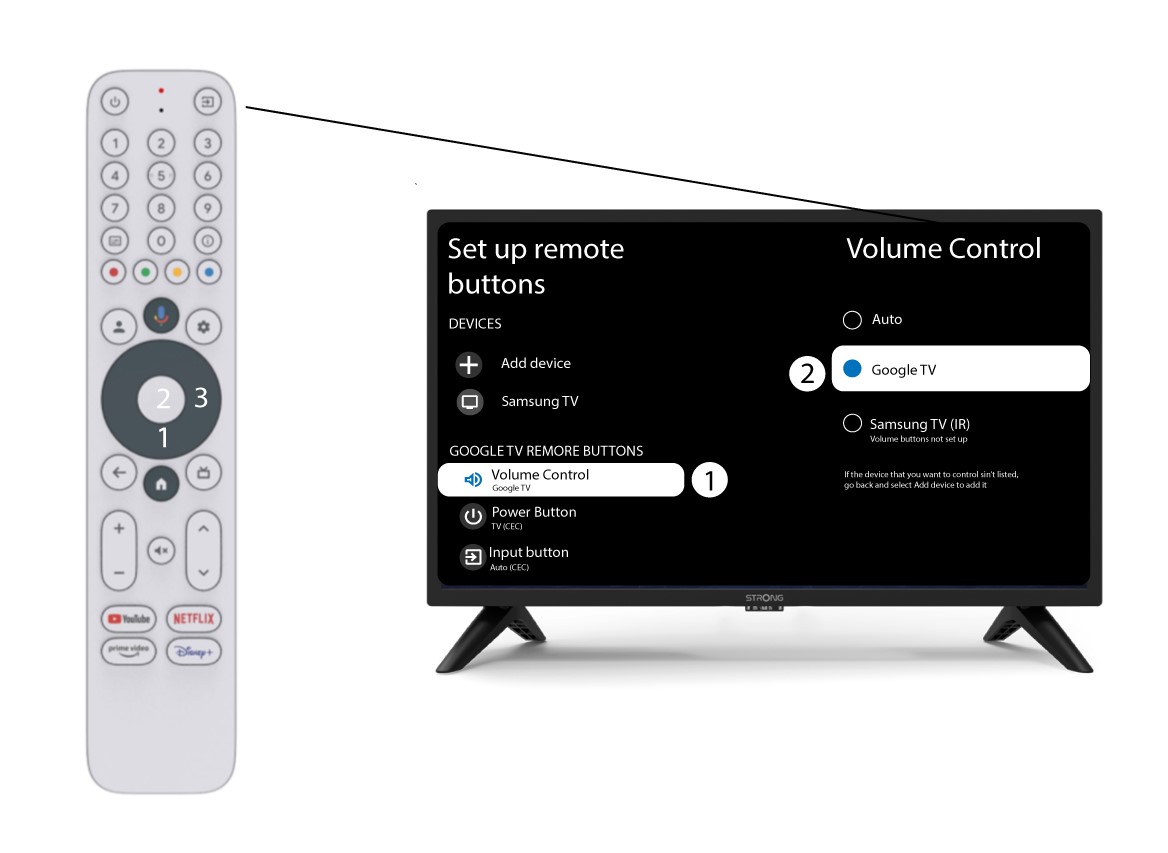
Slutligen måste du kontrollera om volymreglaget är inställt på Google TV. Om så inte är fallet, välj det så bör volymreglaget fungera som det ska på båda fjärrkontrollerna.