Нічого не знайдено.
LEAP
Нічого не знайдено.
Усі питання
Нічого не знайдено.
LEAP
Нічого не знайдено.
Як додати або видалити програму з головного екрану?
1Випадок1: Додавання програми
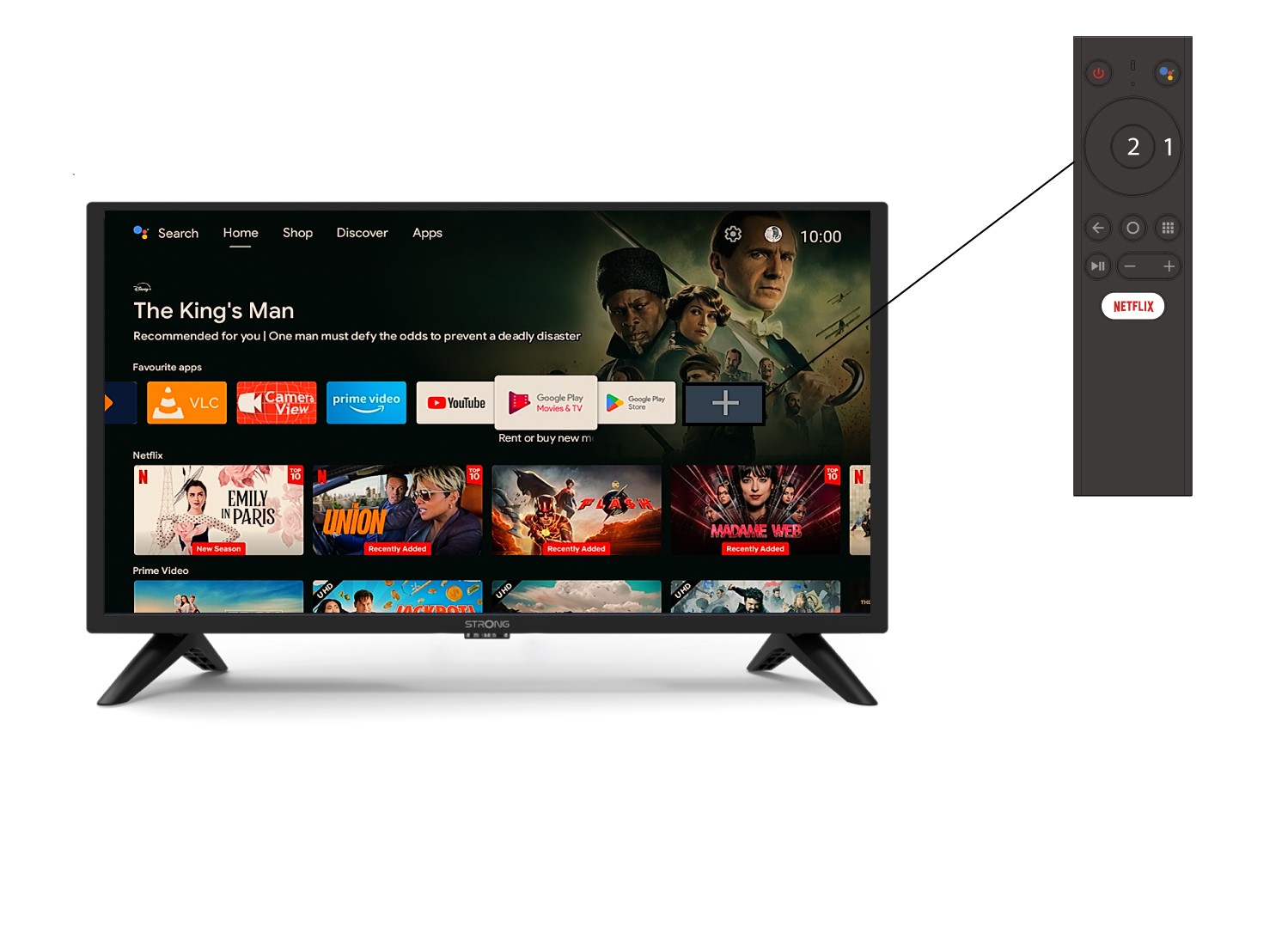
Щоб додати програму на головний екран, перейдіть до значка «+», розташованого в кінці списку програм, які вже знаходяться на головному екрані, та натисніть «ОК».
2Список додатків
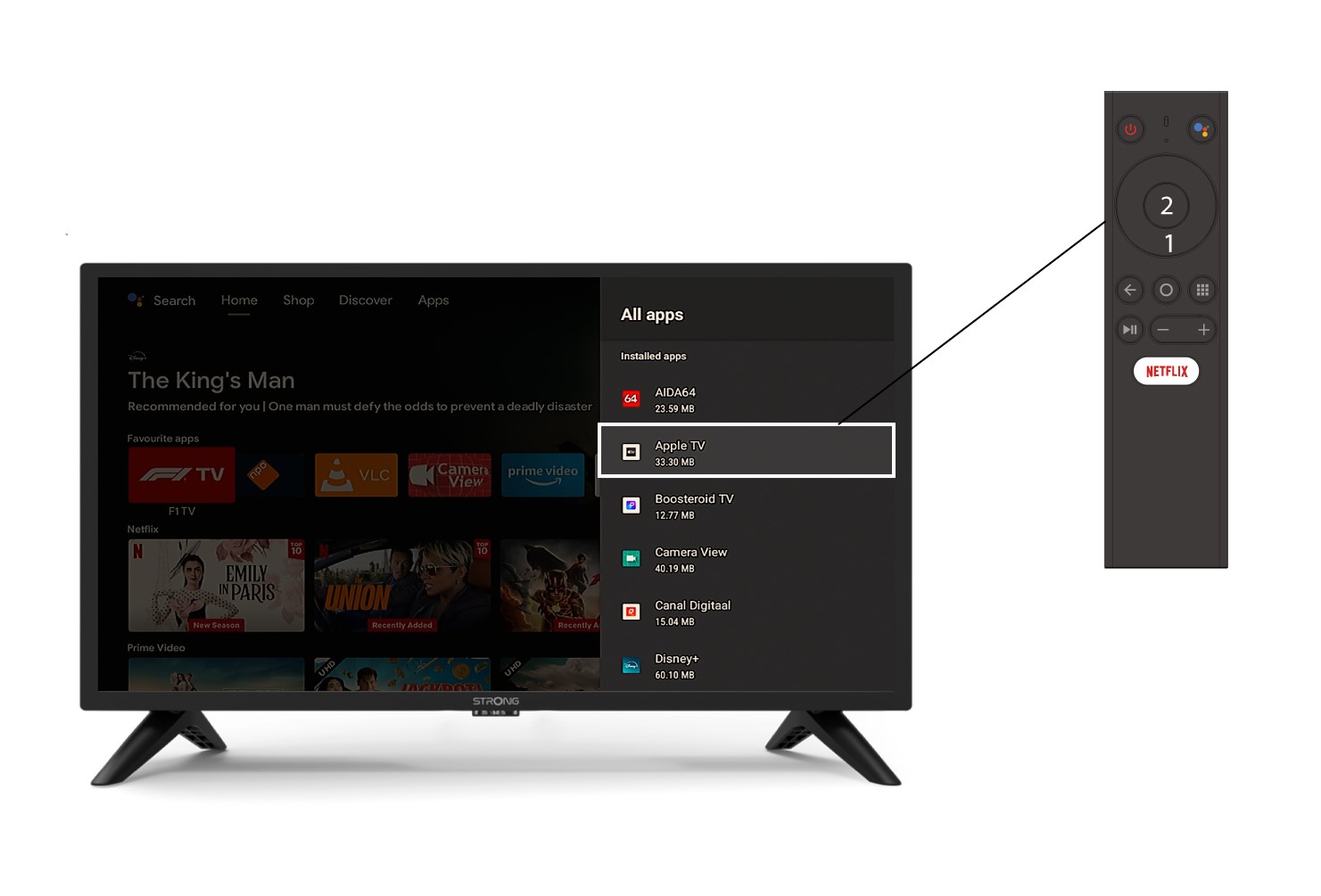
Після цього відкриється список програм; виберіть потрібну програму та натисніть кнопку «OK» на пульті дистанційного керування.
3Випадок2: Видалення програми
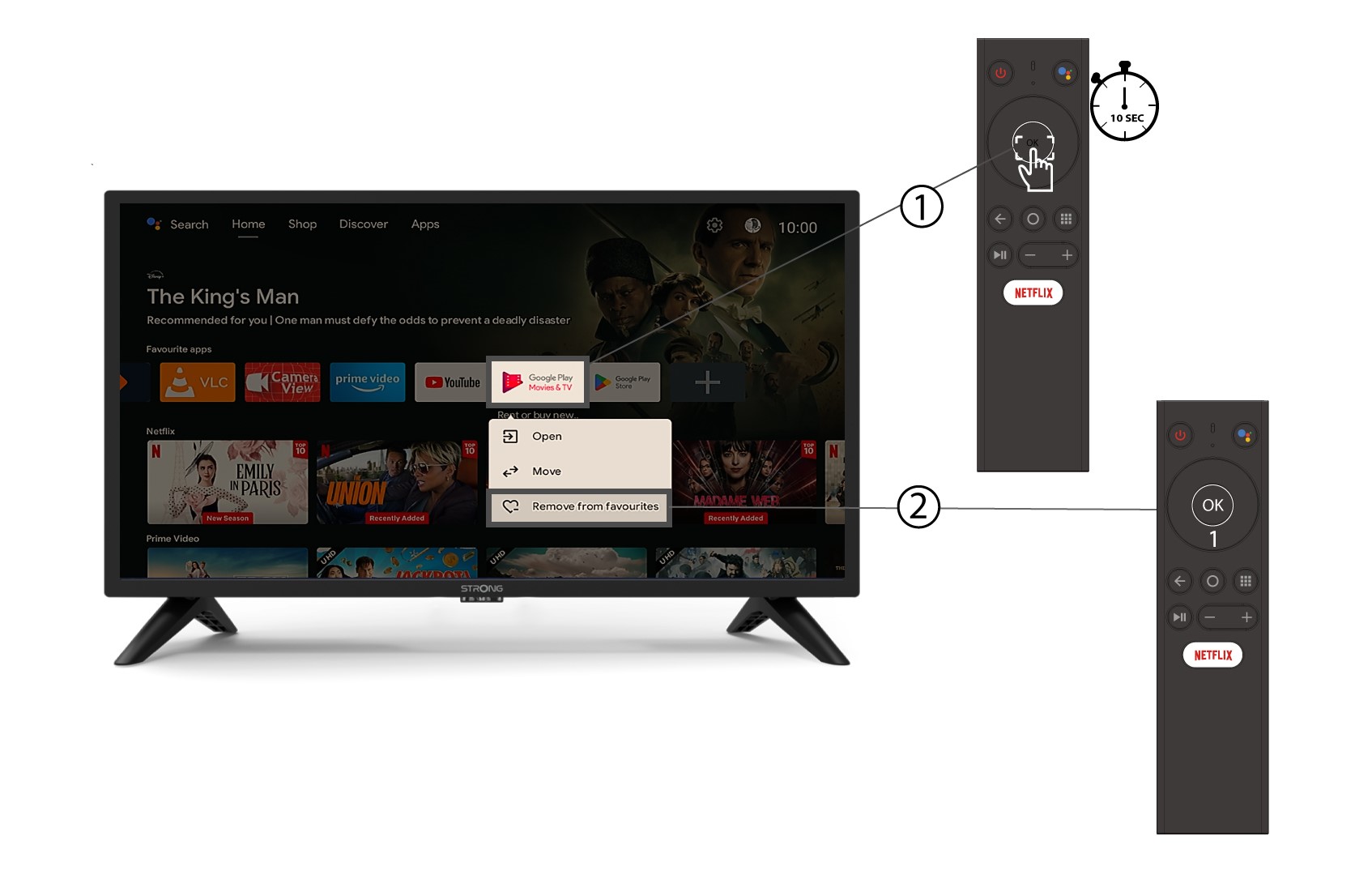
Щоб видалити додаток з головного екрана, у списку додатків, що вже знаходяться на головній сторінці, перейдіть до додатка, який потрібно видалити, натисніть і утримуйте кнопку «ОК» — з’явиться вікно, у якому слід вибрати «Видалити з обраного».