Нічого не знайдено.
LEAP
Нічого не знайдено.
Усі питання
Нічого не знайдено.
LEAP
Нічого не знайдено.
Як скинути налаштування пристрою LEAP S1 до заводських?

Попередження: під час скидання налаштувань пристрою до заводських всіх програм та індивідуальних налаштувань буде видалено. Вам доведеться заново встановити всі програми.
1. Увімкнітьпристрій
Увімкніть « TV » та пристрій LEAP S1.
2. Перейдітьдо меню «Налаштування»
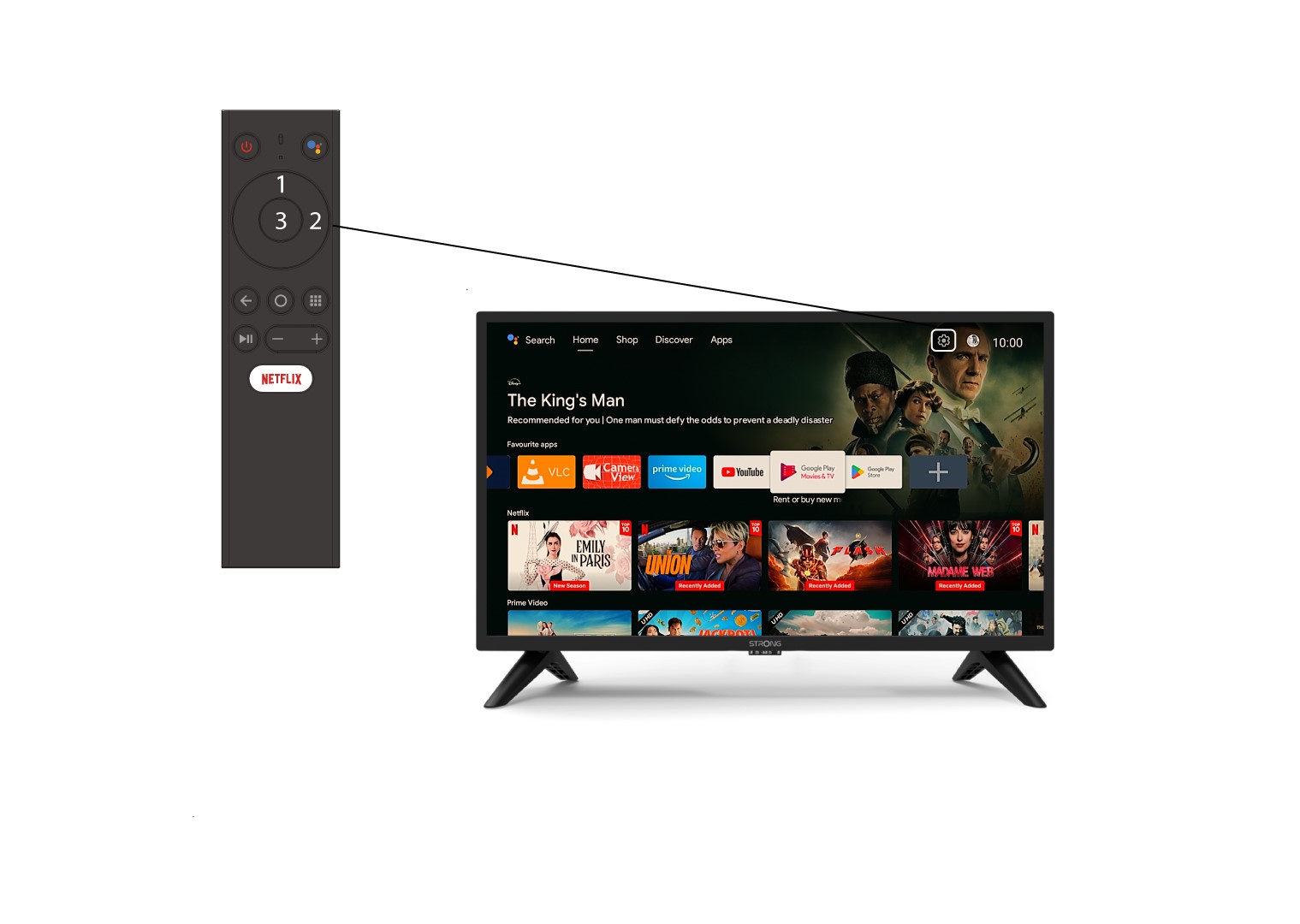
Знайдіть значок у вигляді шестерні (меню налаштувань) у правому верхньому куті екрана та виберіть його за допомогою стрілок на клавіатурі. Потім натисніть кнопку «ОК» на пульті дистанційного керування, щоб відкрити меню налаштувань.
3. Налаштування пристрою
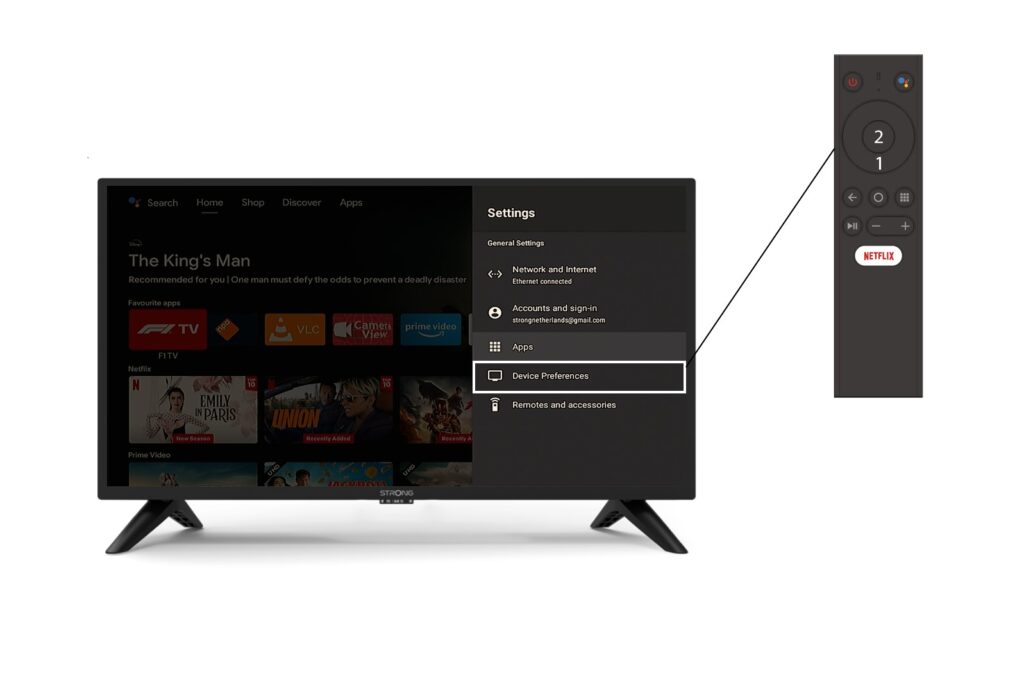
Виберіть пункт «Налаштування пристрою» в меню «Налаштування» та натисніть кнопку «ОК» на пульті дистанційного керування.
4Про
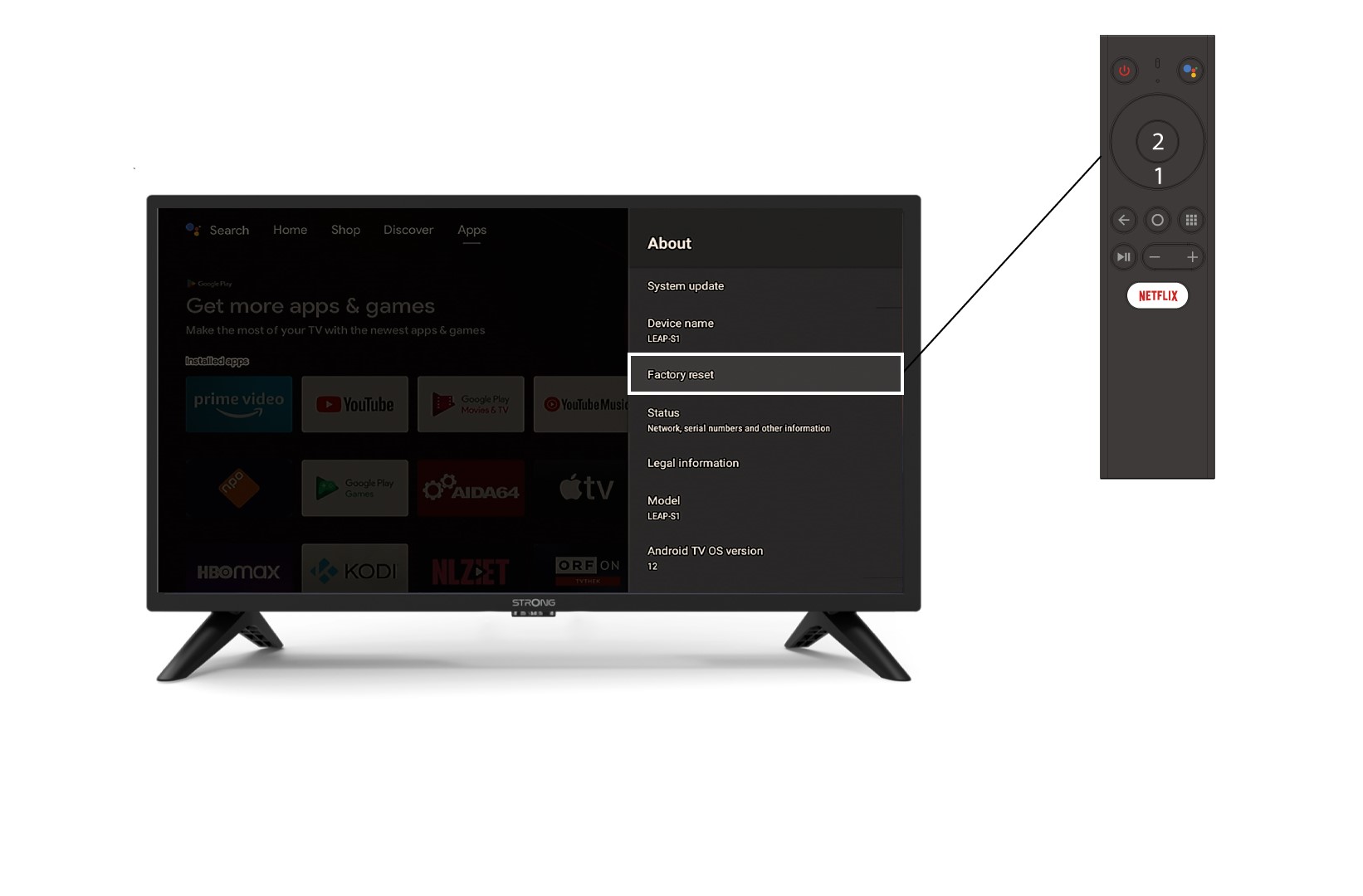
У меню «Про програму » виберіть пункт «Скидання до заводських налаштувань».