4G+ AIRHOME 710 зі знімними антенами 4G+
Усі питання
4G+ AIRHOME 710 зі знімними антенами 4G+
Як ввести PIN-код SIM-карти?
1. Підключітьсядо мережі Wi-Fi вашого маршрутизатор
Щоб ввести PIN-код SIM-карти, необхідно підключитися до веб-інтерфейсу. Для цього введіть на своєму пристрої SSID (ім’я мережі Wi-Fi) та пароль Wi-Fi пристрою « маршрутизатор ».

2. ВведітьIP-адресу веб-інтерфейсу користувача
Потім введіть у браузері таку IP-адресу: 192.168.188.1

3. Знайдітьсвої облікові дані для веб-інтерфейсу користувача
Будь ласка, зверніть увагу на етикетку, розташовану на задній панелі пристрою, щоб дізнатися своє ім’я користувача та пароль.

4. Введітьсвої облікові дані
Необхідно ввести ім'я користувача та пароль. Після цього натисніть «Увійти».

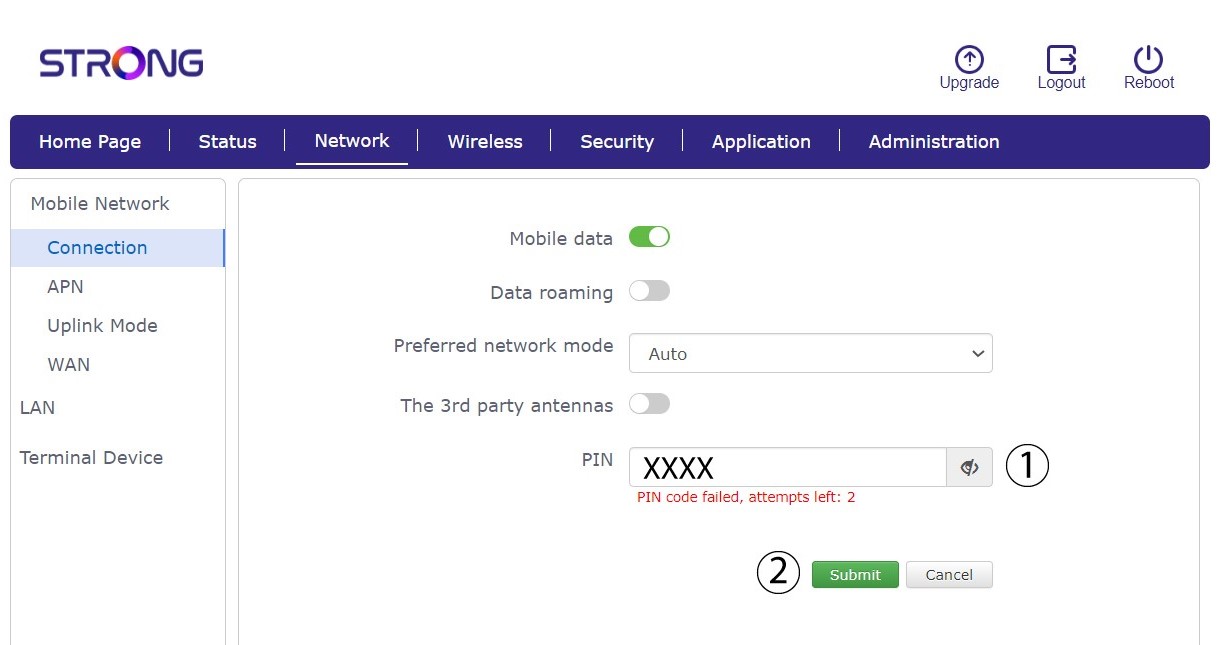
5. Перейдітьдо меню підключення
Під час першого підключення до веб-інтерфейсу користувача ви побачите попередження, в якому вам буде запропоновано ввести PIN-код, натиснувши кнопку підключення.

6. ВведітьPIN-код SIM-картки
Введіть свій PIN-код у відповідне поле та натисніть «Відправити».
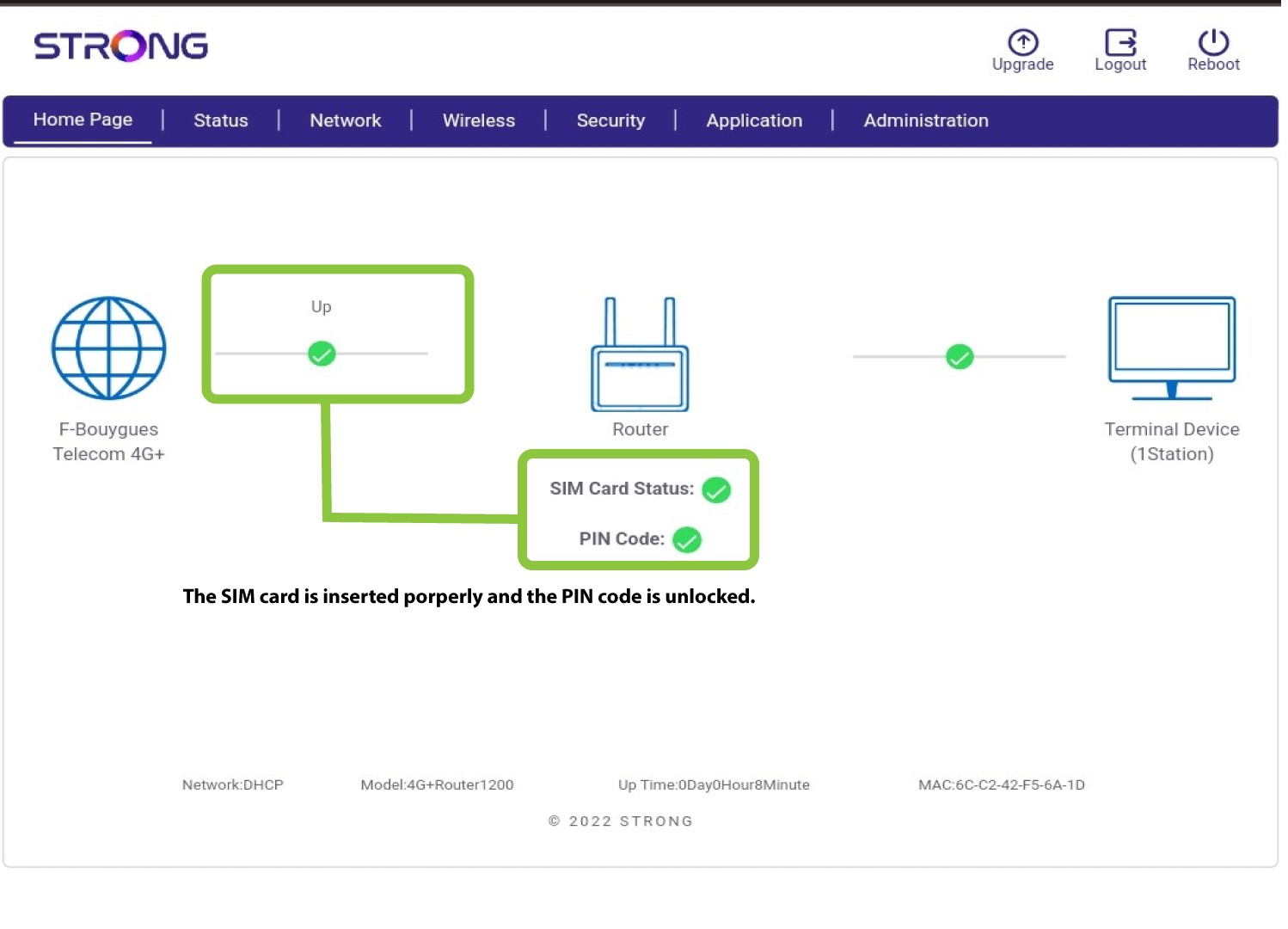
7.SIM-картка розблокована
SIM-картка розблокована, і її піктограма тепер стає зеленою, а поруч з нею відображається назва мережі.