
Повторювач AX1800
Нічого не знайдено.
Нічого не знайдено.
Усі питання
Повторювач AX1800
Нічого не знайдено.
Нічого не знайдено.
Як налаштувати статичну IP-адресу для мого пристрою Повторювач?
1. Підключітьсядо веб-інтерфейсу користувача
Дотримуйтесь цієї інструкції, щоб підключитися до веб-інтерфейсу користувача.
2. Стан системи
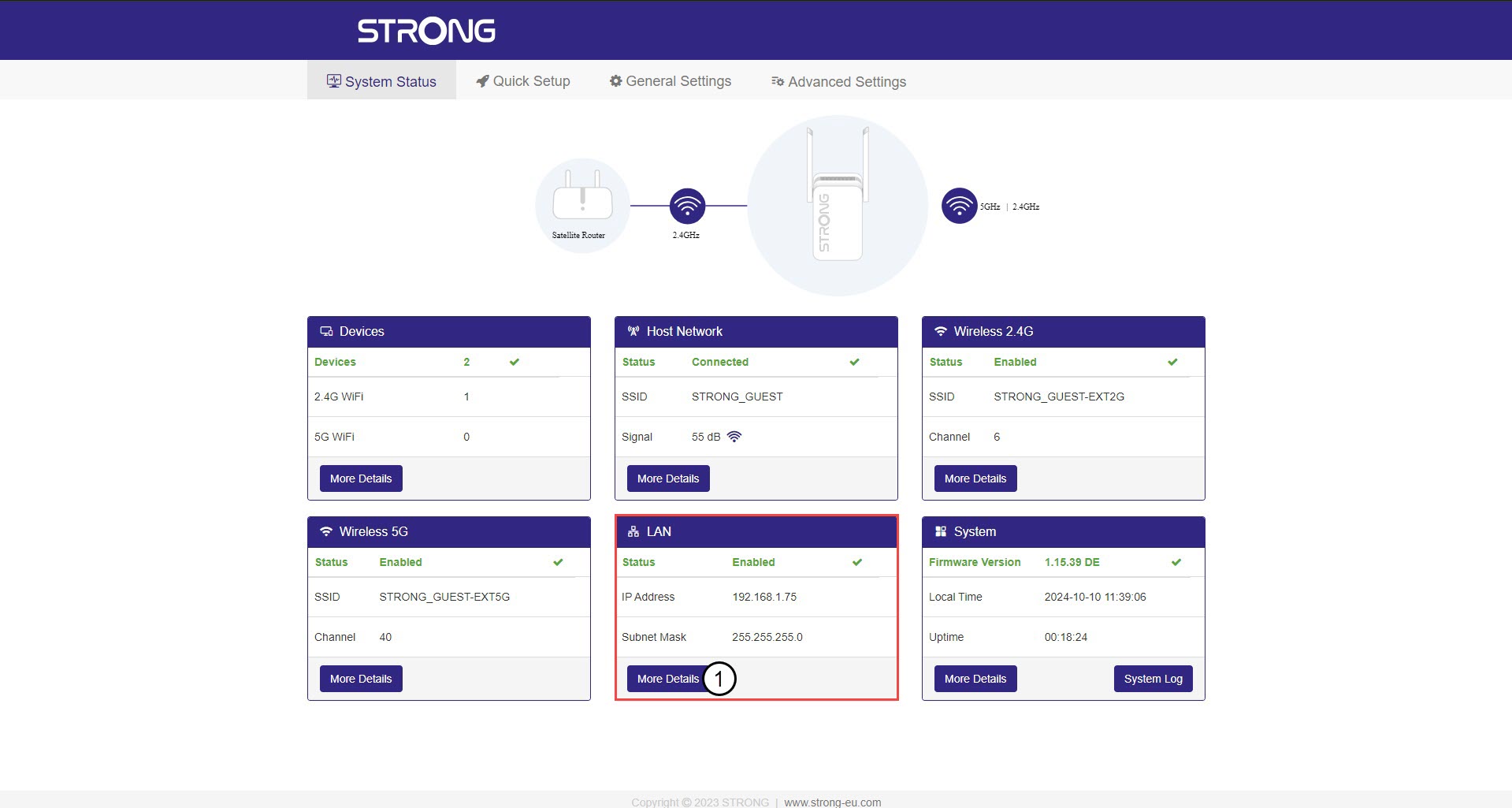
На екрані «Стан системи» натисніть кнопку «Детальніше» у розділі «LAN».
3. СтатичнаIP-адреса
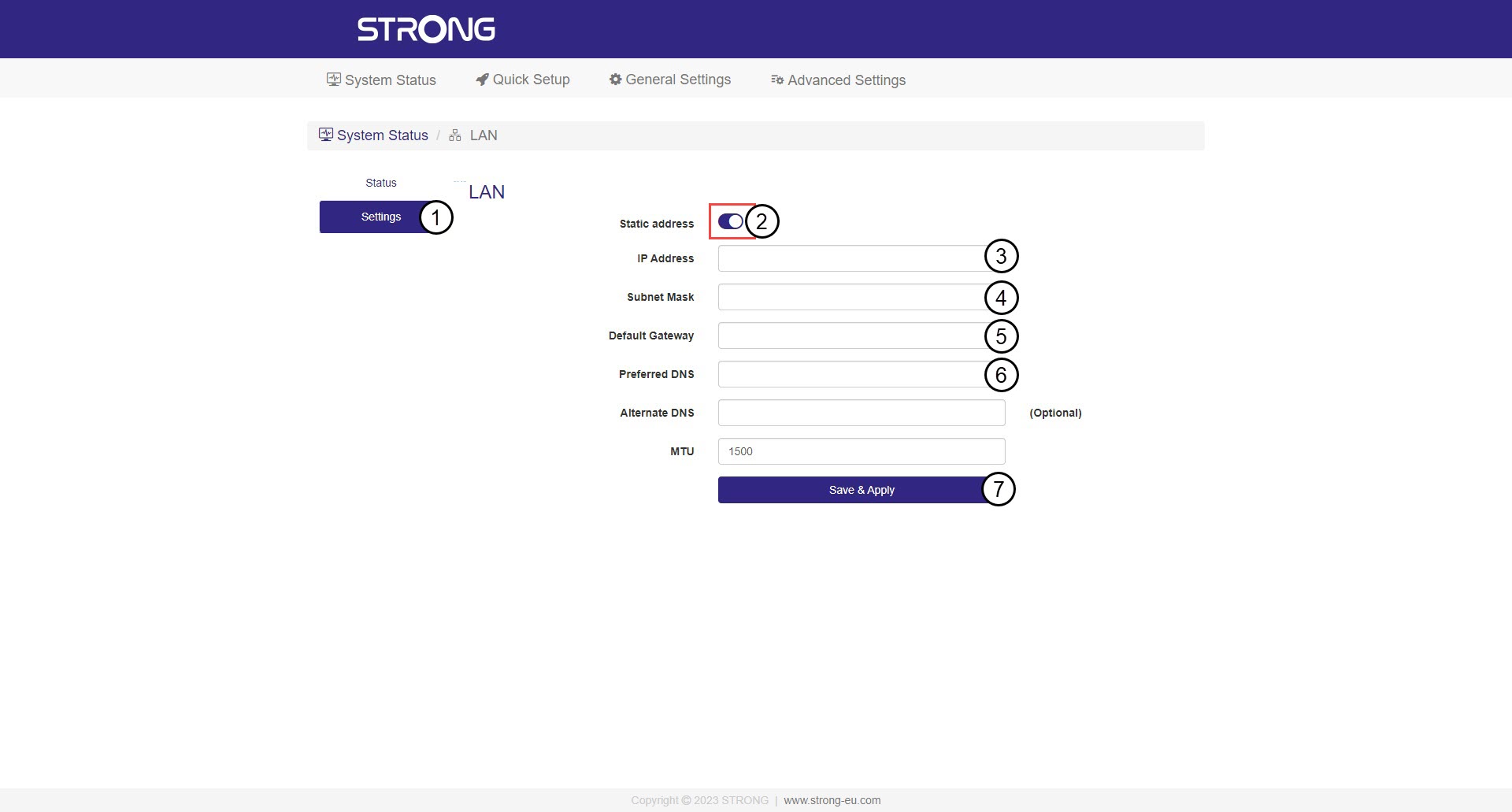
Натисніть «Налаштування » та перемикач «Статична адреса ». Потім введіть наступну інформацію, після чого натисніть «Зберегти та застосувати»:
- IP-адреса: Введіть IP-адресу сервера « Повторювач ».
- Маска підмережі: Виберіть маску підмережі зі списку
- Шлюз за замовчуванням: Введіть IP-адресу вашого Повторювач
- Бажаний DNS: Ви можете ввести те саме значення, що й у попередньому полі.

Увага: Запишіть нову IP-адресу вашої мережі. Відтепер ви будете використовувати її для підключення до веб-інтерфейсу.