
Dual Band Повторювач 1200
Нічого не знайдено.
Нічого не знайдено.
Усі питання
Dual Band Повторювач 1200
Нічого не знайдено.
Нічого не знайдено.
Як оновити прошивку мого пристрою « Повторювач »?
1. Перевіртенаявність оновлення прошивки
Перед оновленням необхідно зайти в розділ «Завантаження» на нашому веб-сайті, щоб перевірити, чи доступна нова версія програмного забезпечення.
2. Перейдітьна сторінку «Завантаження»
Натисніть «ДОПОМОГА» > «Завантаження».

3. Оберітьтовар
Перейшовши на сторінку «Завантаження», виберіть розділ «Домашня мережа» та « Повторювач », а потім натисніть на посилання на продукт.
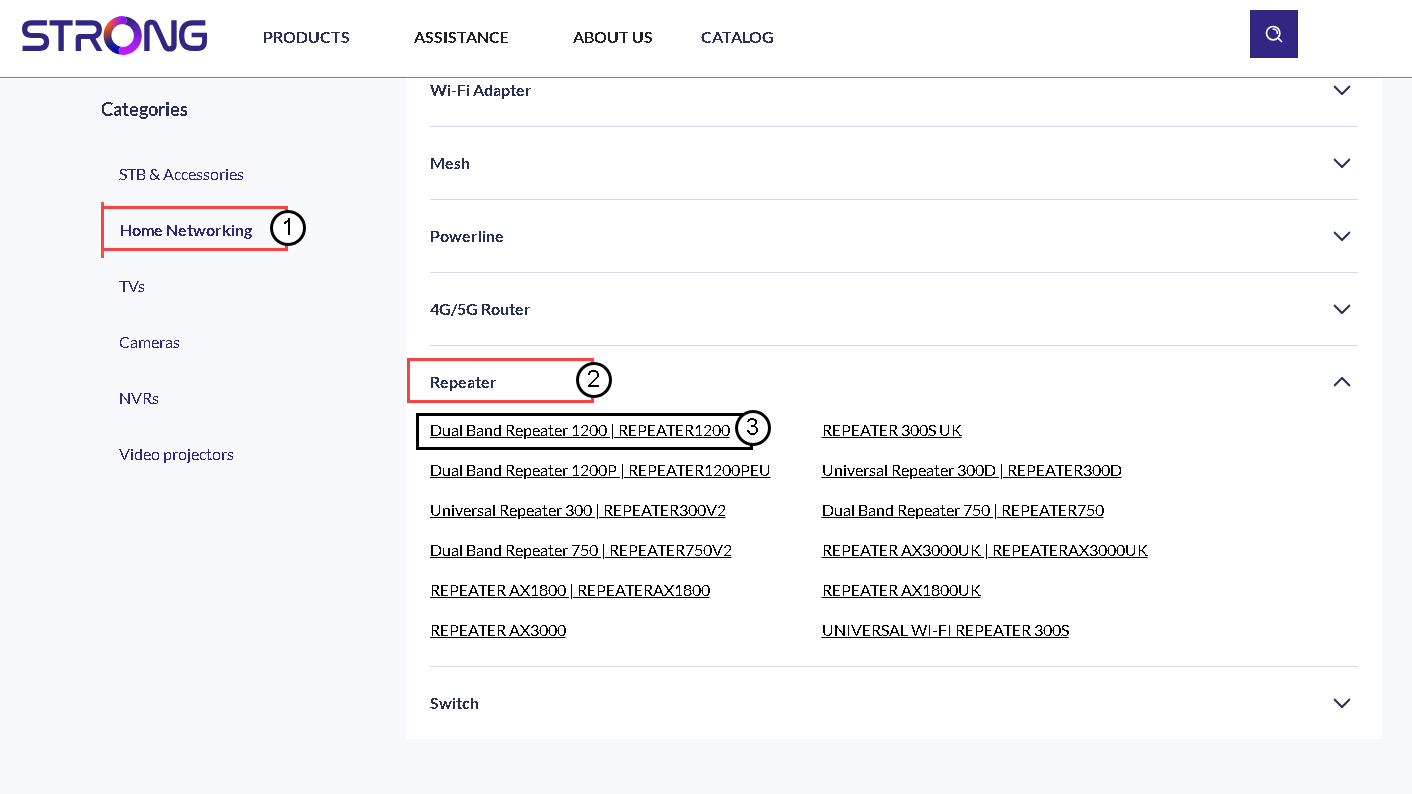
4Завантажитипрошивку
На сторінці нижче у розділі «Прошивка» ви знайдете нову версію програмного забезпечення. Якщо файл доступний, завантажте його.
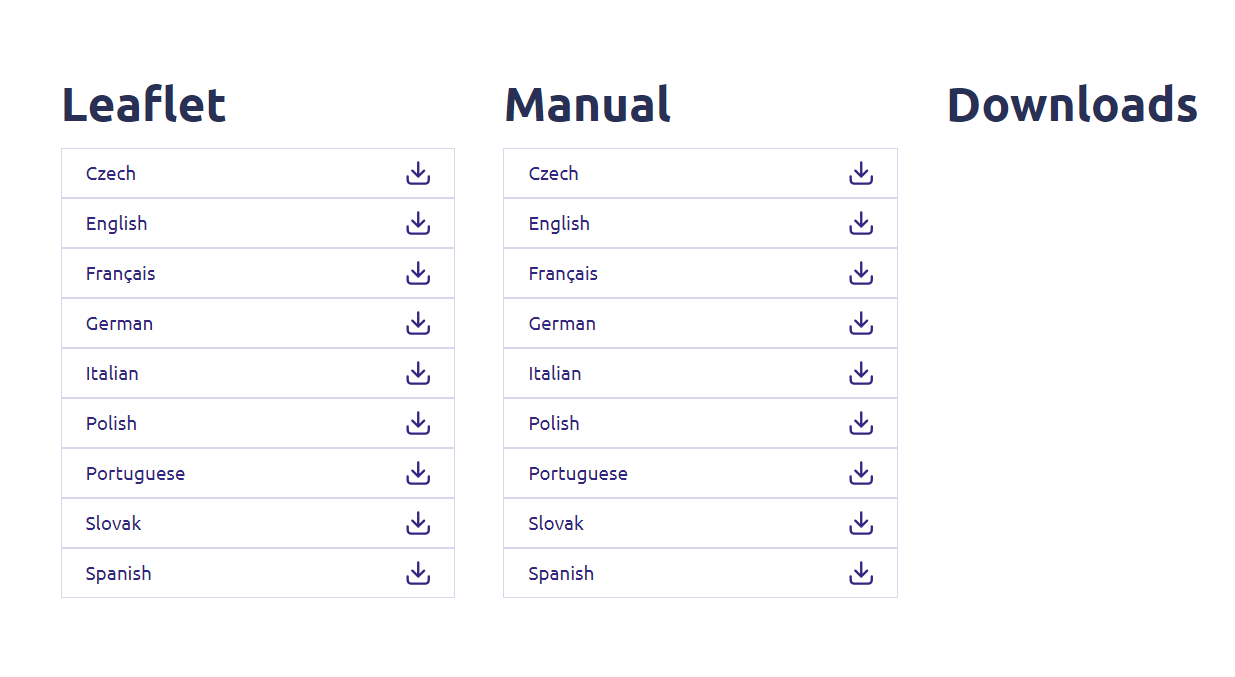
5 Підключітьсядо Повторювач
Після цього підключіться до мережі Wi-Fi « Повторювач ».

6. Увійтив веб-інтерфейс користувача
Перейдіть за URL-адресою веб-інтерфейсу користувача.

7Відкрийтеменю налаштувань
Натисніть «Налаштування».
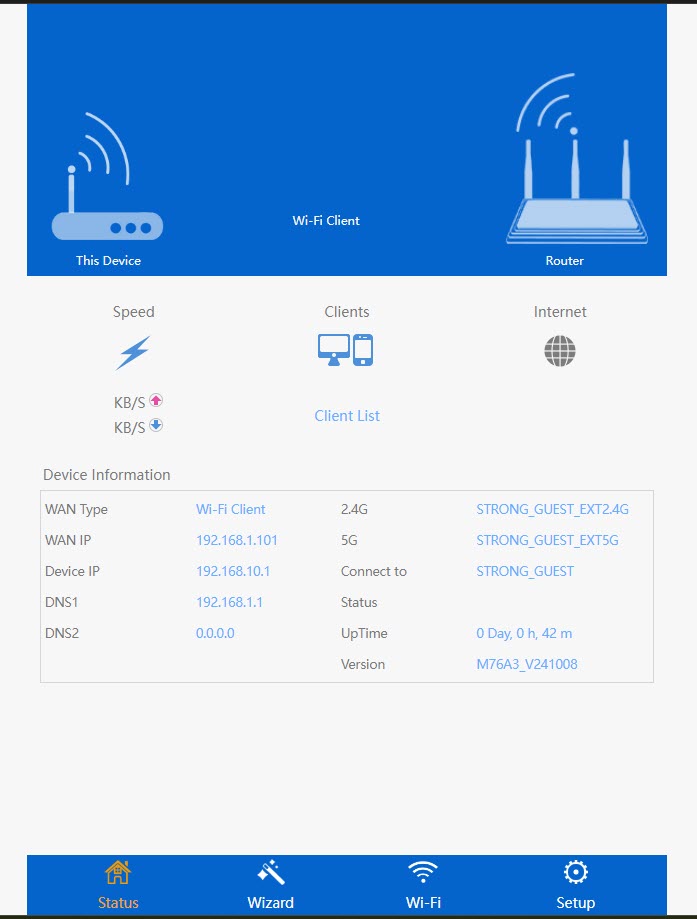
8. Запусконовлення прошивки
Натисніть «Оновити прошивку».
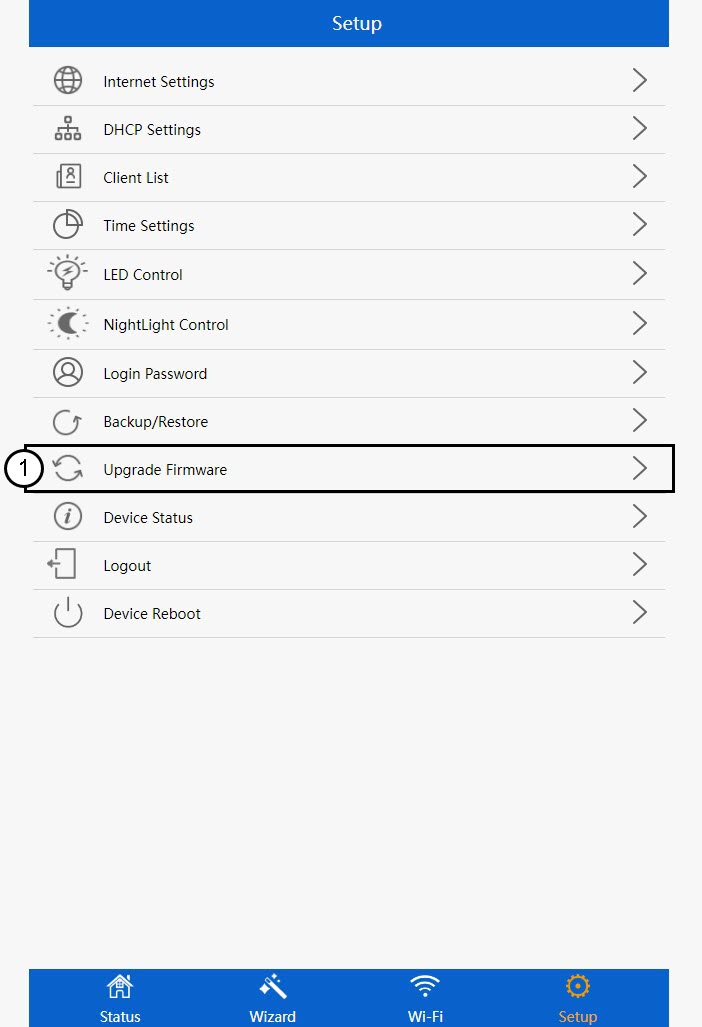
9Застосуватионовлення
Виберіть файл і натисніть «Застосувати». Після цього оновлення розпочнеться автоматично.
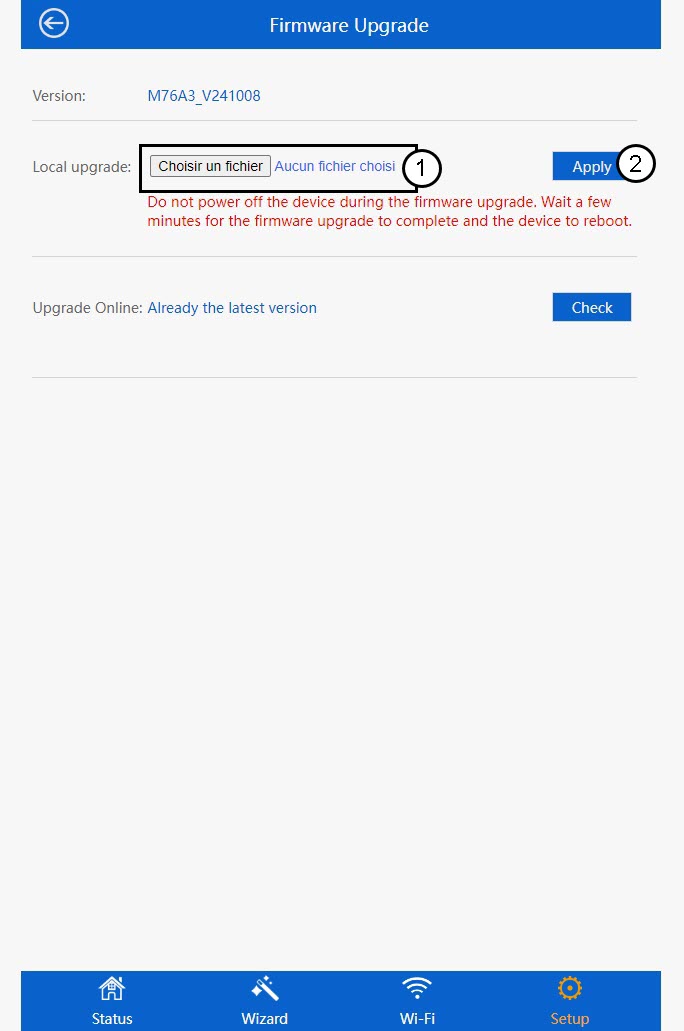
 Попередження: Будь ласка, дочекайтеся завершення оновлення та перезавантаження пристрою. Після оновлення необхідно знову підключитися до мережі Wi-Fi.