
ATRIA Wi-Fi 5 Mesh 2100 (2-пакет)
Нічого не знайдено.
Нічого не знайдено.
Усі питання
ATRIA Wi-Fi 5 Mesh 2100 (2-пакет)
Нічого не знайдено.
Нічого не знайдено.
Я забув пароль до мережі Wi-Fi « Mesh ». Як його можна дізнатися?
1. Стандартніоблікові дані
Пароль Wi-Fi за замовчуванням зазначений на нижній частині вашого пристрою, однак якщо ви його вже змінили, можливо, доведеться відновити заводські налаштування пристрою « Mesh 2100».
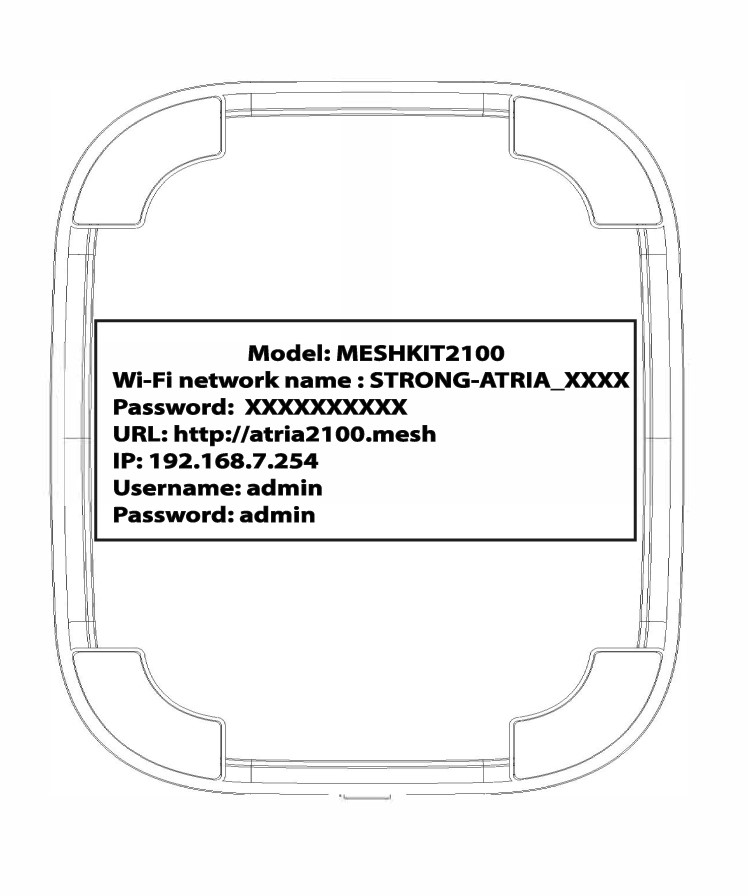
ВИПАДОК 1: Перегляд інформації про мережу Wi-Fi у веб-інтерфейсі користувача
Щоб підключитися до веб-інтерфейсу, скористайтеся цією інструкцією: Як отримати доступ до веб-інтерфейсу?
1. Бездротовамережа
Натисніть «WLAN » і «WLAN 2.4G». Потім натисніть значок у вигляді ока поруч із полем «PSK ».

2. Запишітьнову інформацію
Запишіть пароль на аркуші паперу.
ВИПАДОК 2: Перегляд інформації про мережу Wi-Fi в додатку
Щоб підключитися до веб-інтерфейсу, скористайтеся цією інструкцією: «Як користуватися додатком Atria Mesh ?»
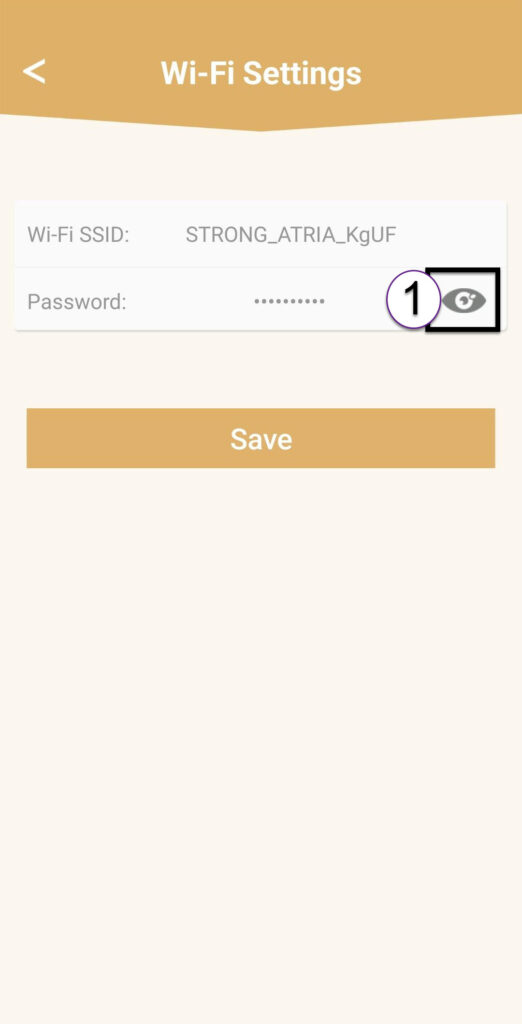
1 Налаштування Wi-Fi
Потім натисніть «Налаштування Wi-Fi».

2Password
Натисніть на піктограму у вигляді ока, щоб відобразити пароль.
3. Запишітьнову інформацію
Запишіть пароль на аркуші паперу.