
Powerline 600 Duo Wi-Fi UK V2
Всички въпроси
Powerline 600 Duo Wi-Fi UK V2
Как да променя името на SSID и паролата на Wi-Fi мрежата на Powerline 600?
1Свържете сес Wi-Fi мрежата на адаптера
Свържете се с Wi-Fi мрежата на Powerline 600.
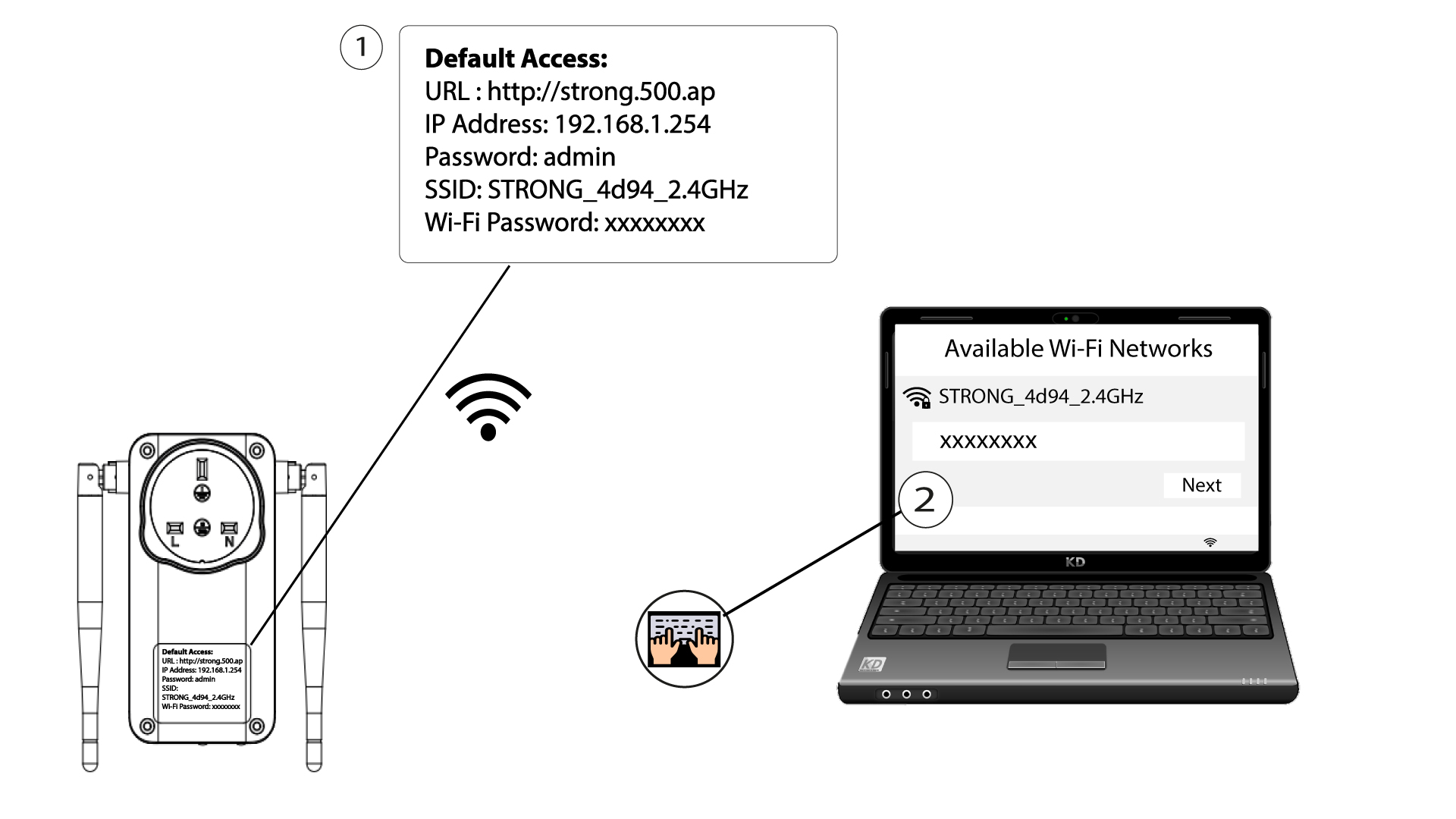
2. ОтворетеIP адреса на уеб интерфейса
За да отворите потребителския интерфейс, въведете URL адреса: http://strong.500.ap в адресната лента на вашия уеб браузър.

3Въведетеданните си за вход
След това въведете паролата: admin

4Бързанастройка
Отидете в менюто, изберете „Бърза настройка“, след това кликнете върху „Точка за достъп (AP) “ и натиснете „НАПРЕД“.

5. Промянана името и паролата на мрежата
Редактирайте SSID и паролата. Когато задавате новата парола, моля, избягвайте да използвате главното „I“ и малкото „l“, тъй като те лесно могат да бъдат объркани. Също така ви препоръчваме да създадете парола, състояща се от редуващи се главни букви, малки букви и цифри. Когато приключите с промените, кликнете върху „NEXT“, за да запазите.

6. Запишетеновата информация за мрежата
Моля, запишете новия SSID и паролата на лист хартия и след това свържете отново всичките си устройства към Wi-Fi мрежата „Powerline 600“, като използвате новите настройки.
