4G AIRHOME 310 със сменяеми 4G антени
Всички въпроси
4G AIRHOME 310 със сменяеми 4G антени
Как да свържа устройствата си чрез WPS?

Можете да използвате функцията WPS, за да настроите Wi-Fi връзката между рутера и компютрите ви (Linux/Windows), например. Не е възможно да свържете мобилен телефон чрез WPS. За да свържете лесно телефона си към Wi-Fi, моля, сканирайте QR кода, намиращ се на задната страна на рутера – това ще ви свърже автоматично с мрежата, без да е необходимо да въвеждате паролата за Wi-Fi.
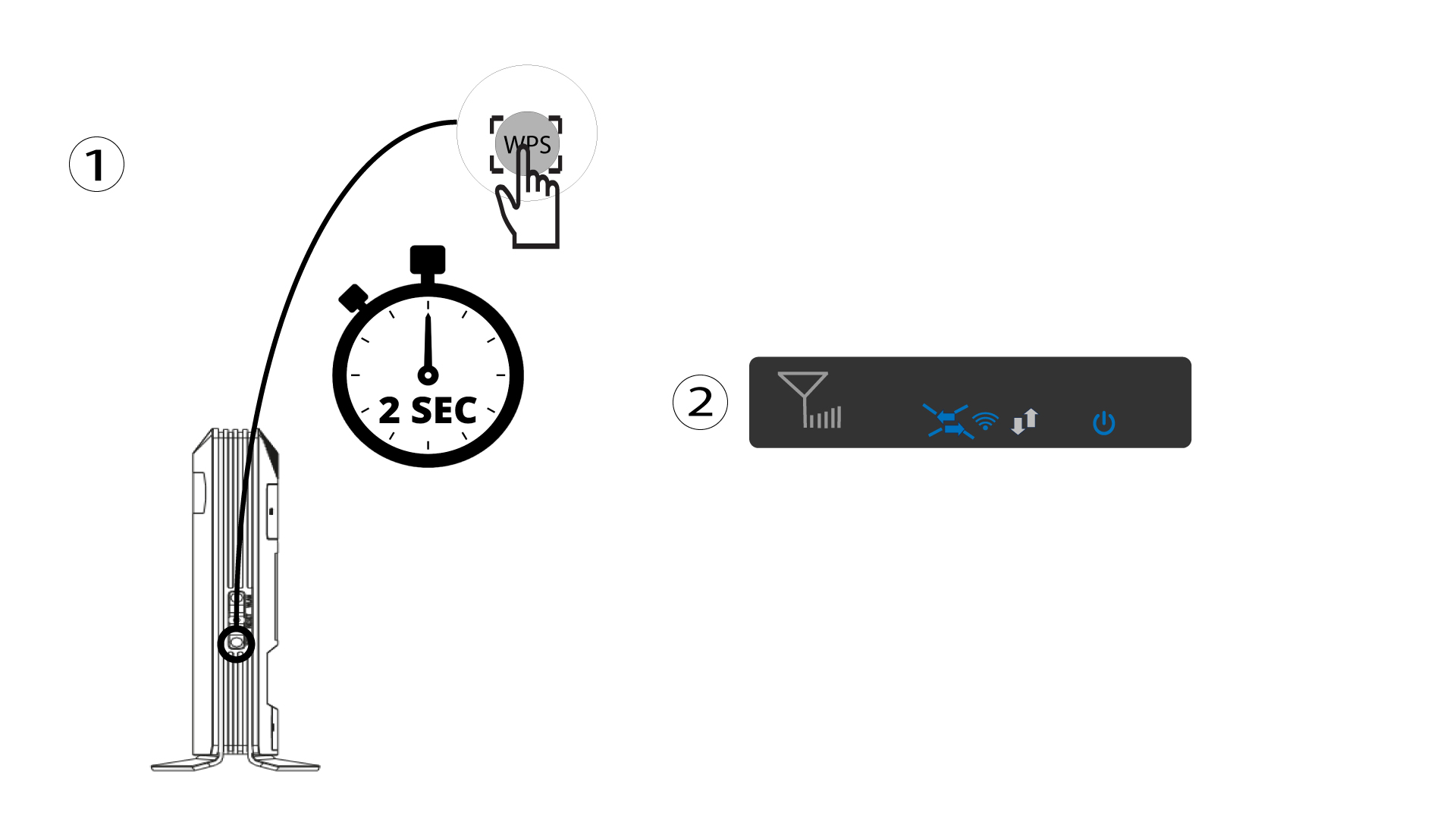
1 Натиснетебутона WPS
Натиснете бутона WPS и го задръжте натиснат в продължение на 2 секунди, за да позволите на всяко съвместимо устройство във вашия дом да се свърже автоматично с Wi-Fi мрежата на рутера. След като функцията бъде активирана, хоризонталните стрелки ще мигат в синьо.
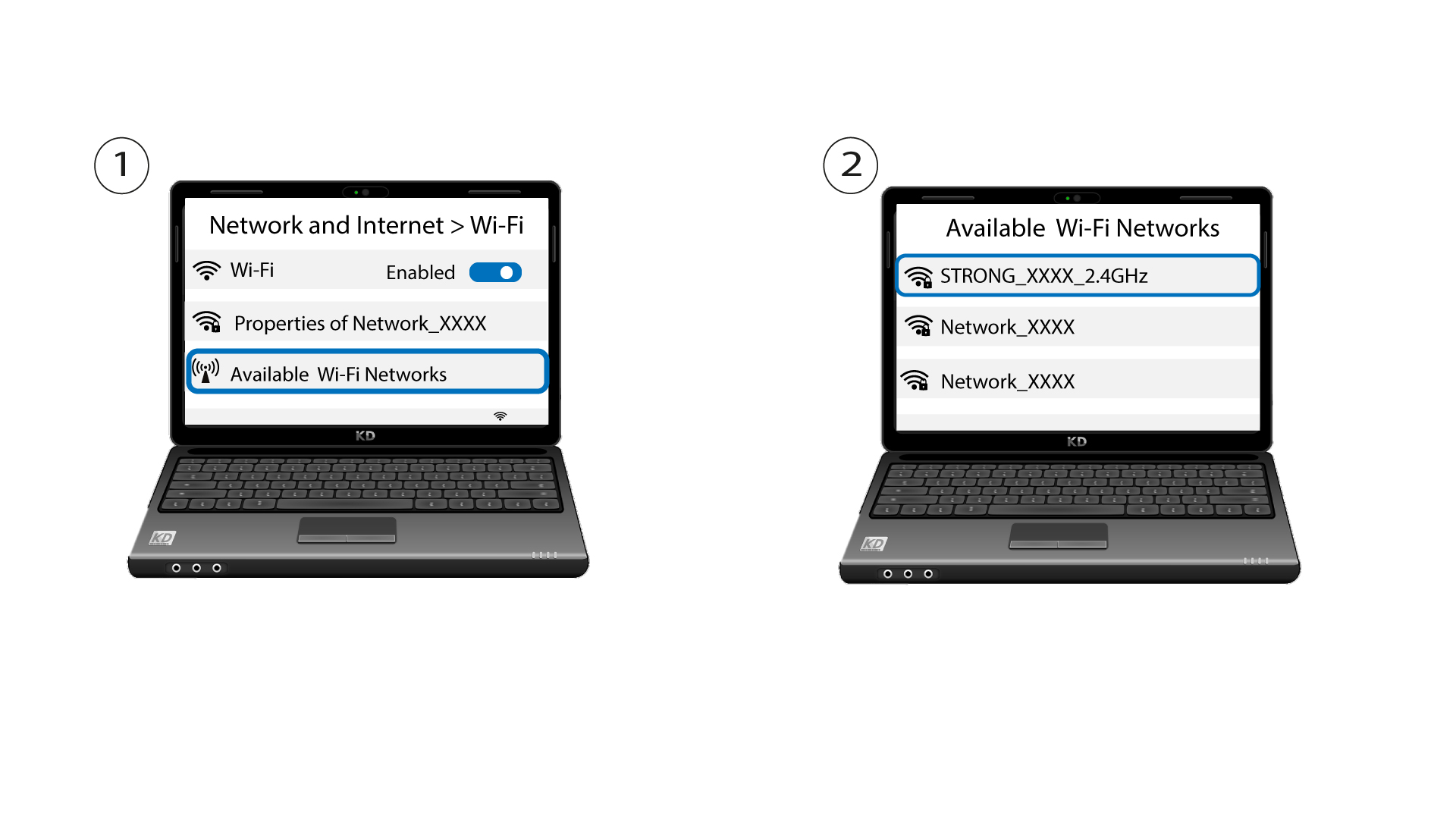
2ИзберетеWi-Fi мрежата от списъка с налични мрежи
Отворете настройките за Wi-Fi на компютъра или телефона си и кликнете върху името на рутера, за да го изберете.
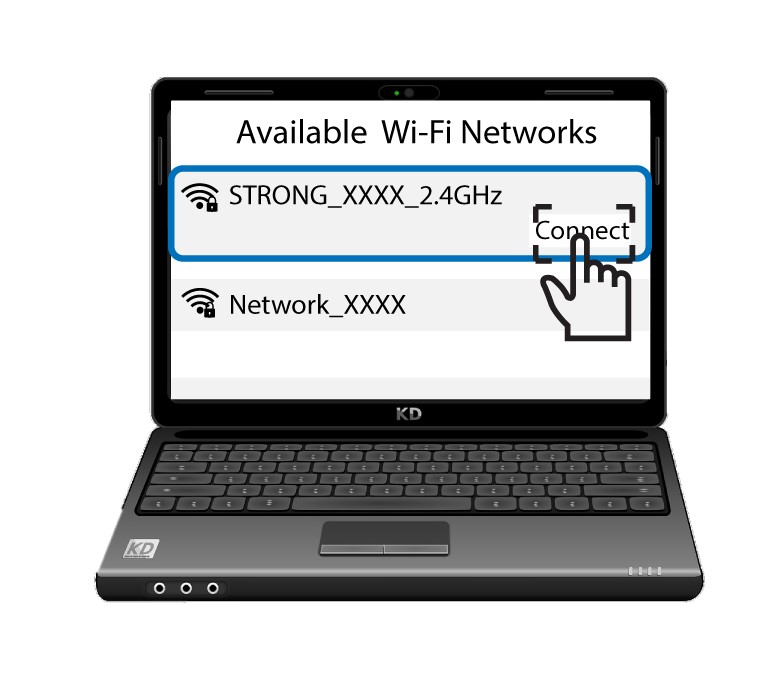
3. Свържете сес Wi-Fi мрежата
След това натиснете бутона „Свържи “.