
4G+ AIRHOME 710 със сменяеми 4G+ антени
Всички въпроси
4G+ AIRHOME 710 със сменяеми 4G+ антени
Как да възстановя фабричните настройки на рутера си? (Уеб интерфейс)
Понякога е възможно устройството ви да не работи правилно и да нямате достъп до интернет. В такъв случай ви препоръчваме да възстановите фабричните настройки на устройството и след това да го актуализирате, ако е необходимо.
Имате два начина да го направите: можете да възстановите фабричните настройки, като натиснете бутона за възстановяване, или да го направите чрез уеб интерфейса.
1. Свържете сес Wi-Fi мрежата на вашето устройство
Трябва да се свържете с Wi-Fi мрежата на вашето устройство.

2Отворетеуеб интерфейса на IP адреса
След това въведете следния IP адрес: 192.168.188.1 в браузъра си

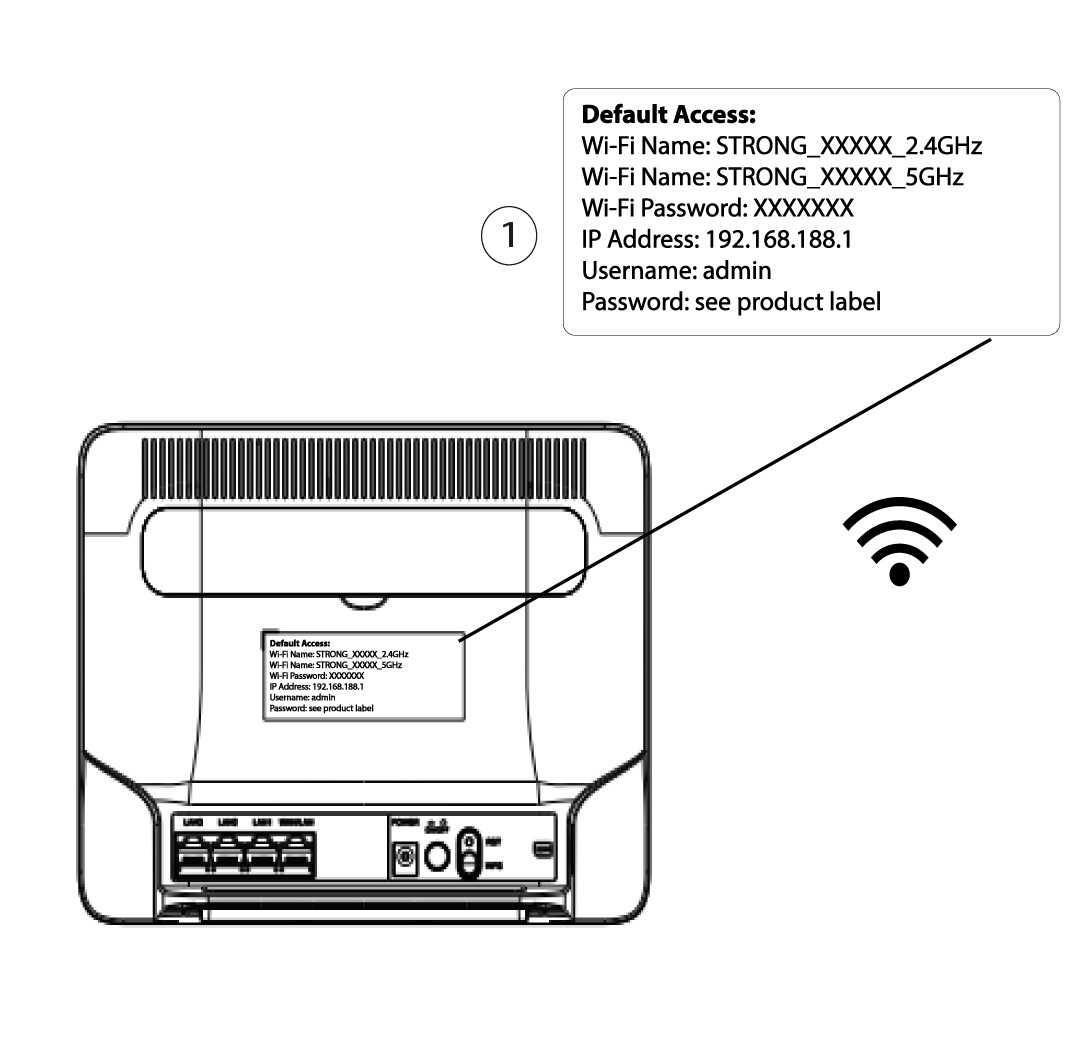
3. Намеретеданните си за достъп до уеб интерфейса
За да намерите данните си за достъп, моля, погледнете етикета, намиращ се на гърба на устройството ви.
4Въведетеданните си за вход
Трябва да въведете потребителското име и паролата, преди да натиснете „Вход“.

5Възстановяване
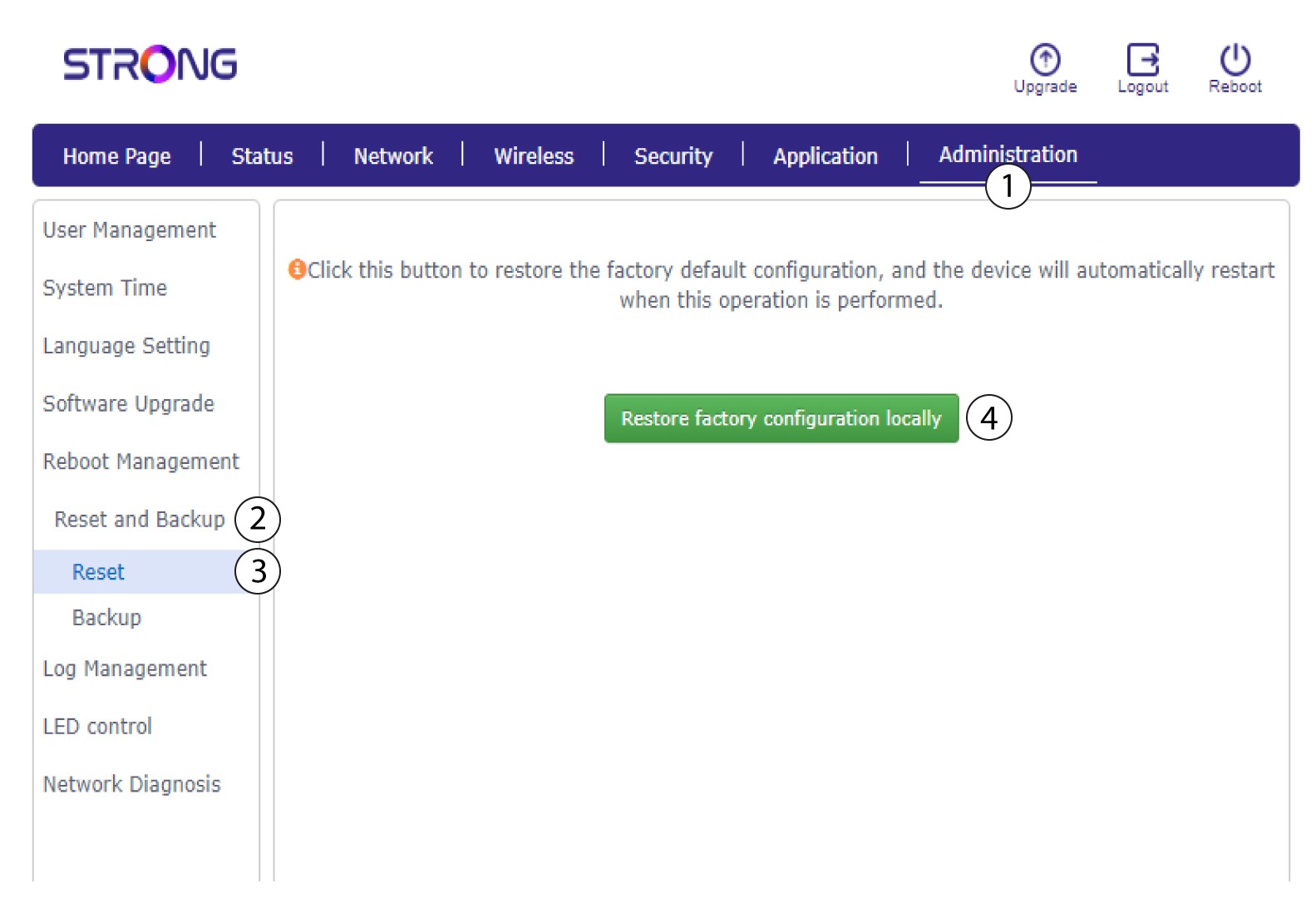
След това кликнете върху „Администриране“, „Възстановяване и архивиране“. След това кликнете върху „Възстановяване и възстановяване на фабричните настройки локално“.
6Потвърдетенулирането
Кликнете върху „Потвърди“ в появилия се изскачащ прозорец.
