
ATRIA Wi-Fi 6 Mesh 3000 UK 2-пакет)
Всички въпроси
ATRIA Wi-Fi 6 Mesh 3000 UK 2-пакет)
Как да организирам мрежата си „ Mesh “, за да оптимизирам Wi-Fi мрежата си?
За да оптимизирате обхвата, трябва да инсталирате усилвателя „ mesh “ на мястото, където имате проблеми с обхвата, за да покриете възможно най-голяма площ в дома си. Моля, уверете се, че устройствата „ mesh “ не са разположени в стая с носеща стена, тъй като колкото по-дебела е стената, толкова по-трудно може да я проникне Wi-Fi сигналът.
1Обхват
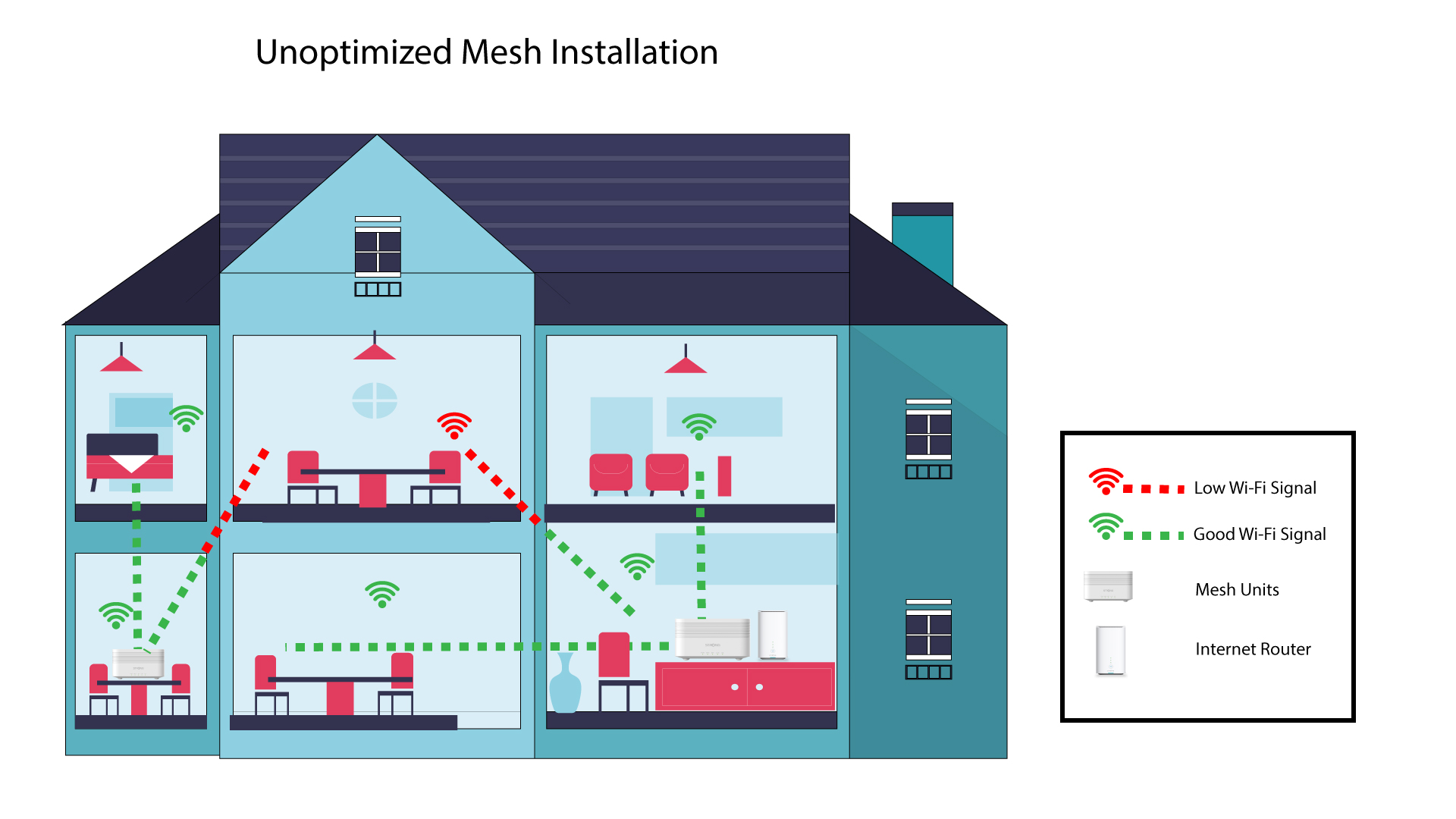
Следващата схема показва Wi-Fi покритието в една къща, в която възлите „ mesh “ не са разположени в подходящата част на къщата, за да осигурят адекватно покритие.
2. Разпореждане
Следващата схема показва Wi-Fi покритието в една къща, където възлите „ mesh “ са разположени в дясната част на къщата, за да се осигури адекватно покритие.
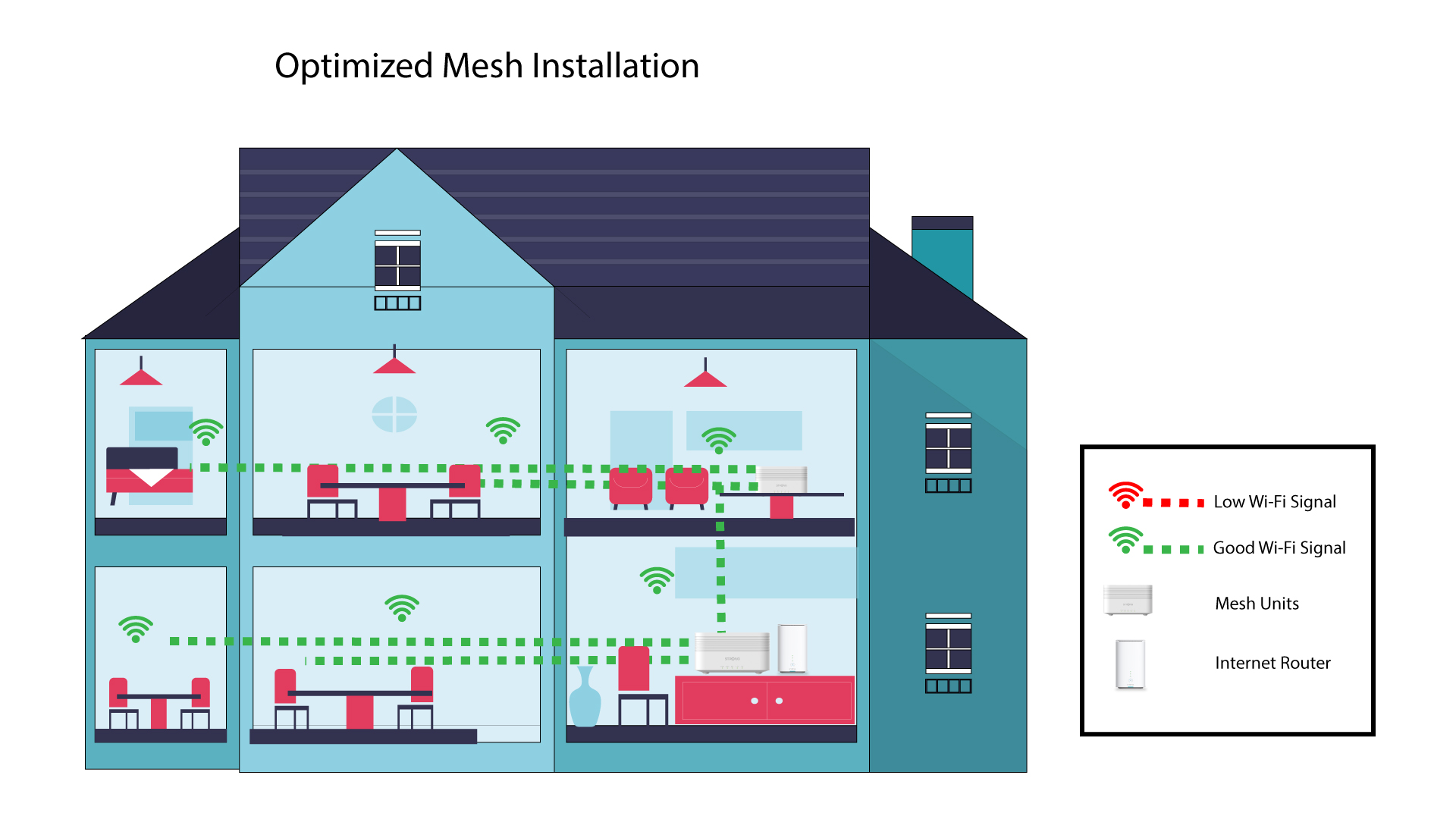
Ако имате голяма къща, можете да инсталирате няколко устройства „ mesh “, за да обхванете всички стаи.
В приложението можете да проверите дали обхватът, осигуряван от вашите възли „ mesh “ в дома ви, е задоволителен.
1. Обхват на приложението „Atria“
За да направите това, свържете се с Wi-Fi мрежата на вашия „ Mesh “ и отворете приложението на вашето устройство.
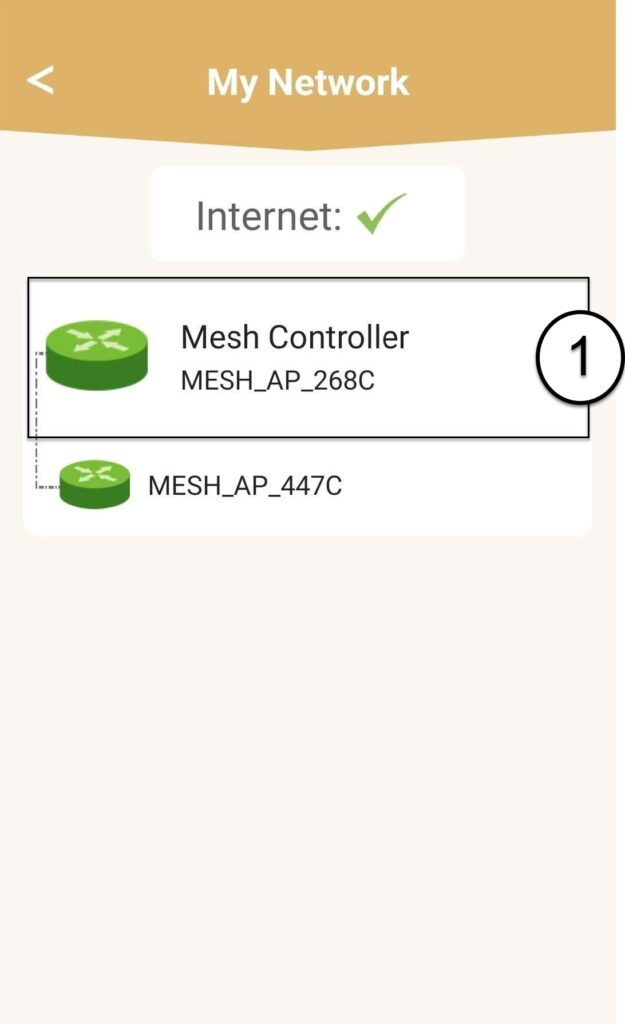
След това кликнете върху „Моите мрежи“.

2 Информация за устройството „Mesh “
Кликнете върху името на модула „ mesh “, за да видите информацията за него
3. Преименувайтеединиците
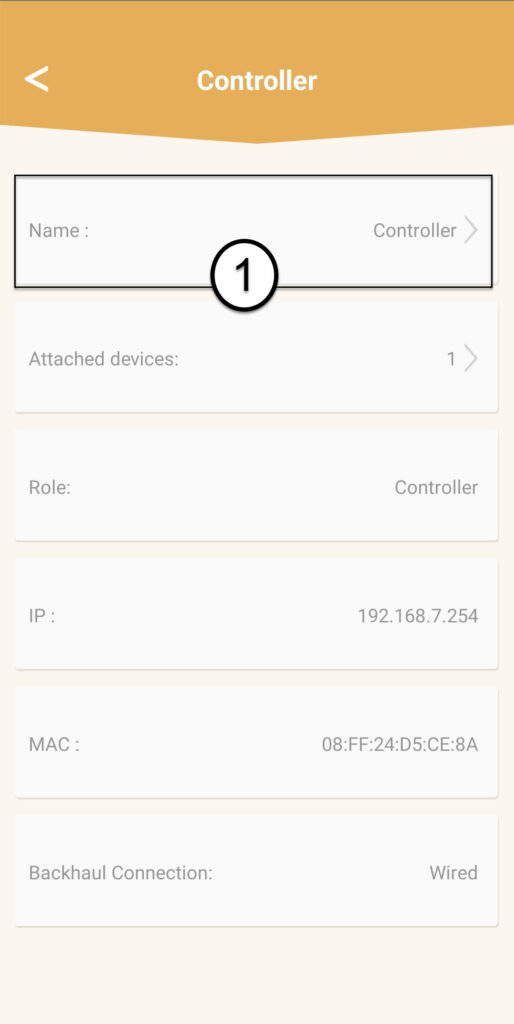
Кликнете върху полето за име и въведете ново име:
• Контролерът „ mesh “ трябва да бъде наименуван по следния начин: MeshAX3000-Main-Именастаята
• Агентите „ mesh “ трябва да бъдат наименувани по следния начин: MeshAX3000-Именастаята

Предупреждение: Ако устройството „ mesh “ се показва в сиво, това означава, че не осигурява достатъчно покритие и че трябва да промените местоположението му, за да оптимизирате мрежата „ mesh “.