Nebyly nalezeny žádné položky.
LEAP
Nebyly nalezeny žádné položky.
Všechny otázky
Nebyly nalezeny žádné položky.
LEAP
Nebyly nalezeny žádné položky.
Jak mohu přidat nebo odstranit aplikaci z domovské obrazovky?
1. Případ1: Přidání aplikace
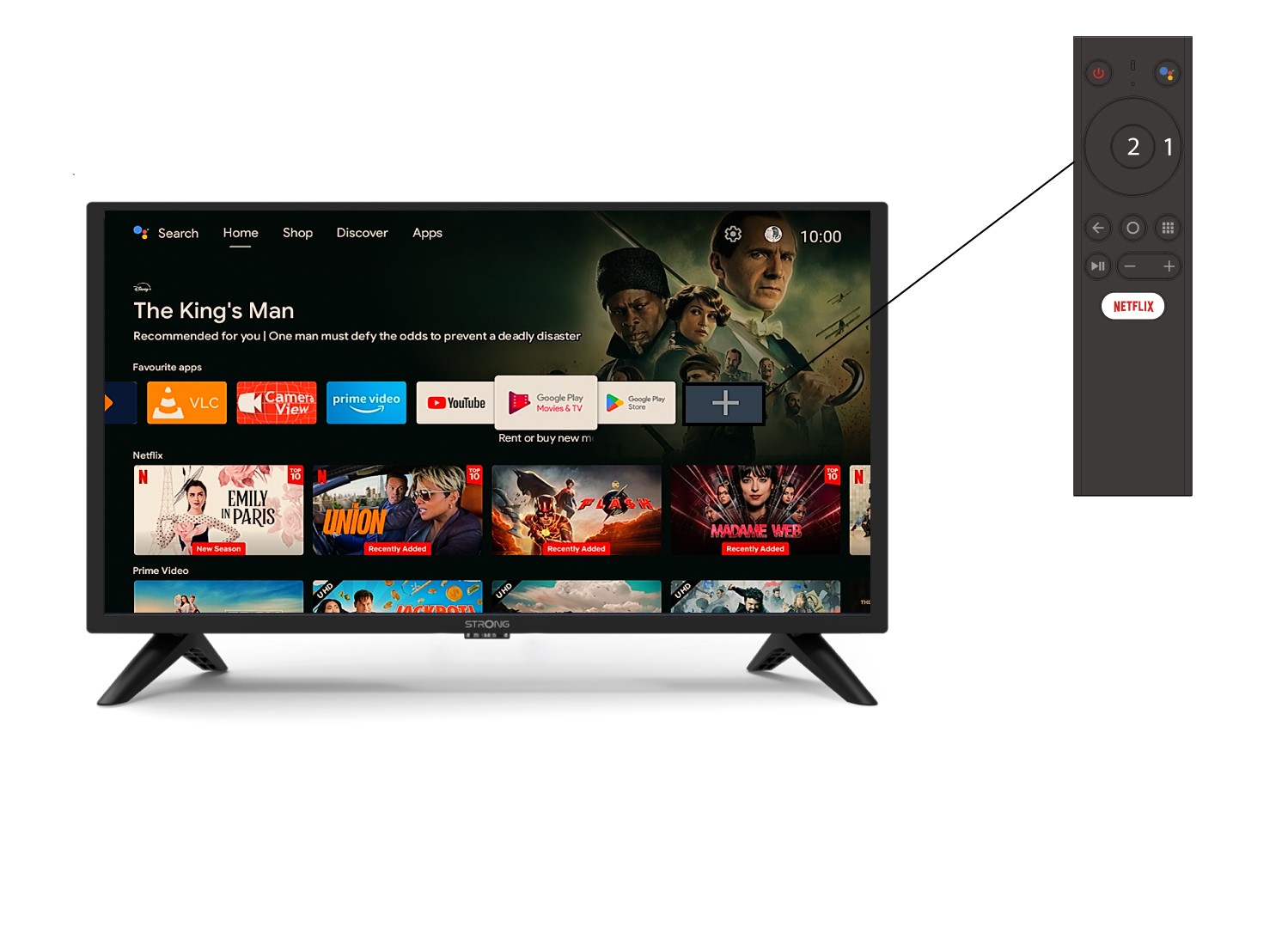
Chcete-li přidat aplikaci na domovskou obrazovku, přejděte na ikonu + umístěnou na konci seznamu aplikací, které se již na domovské obrazovce nacházejí, a stiskněte tlačítko „OK“.
2Seznam aplikací
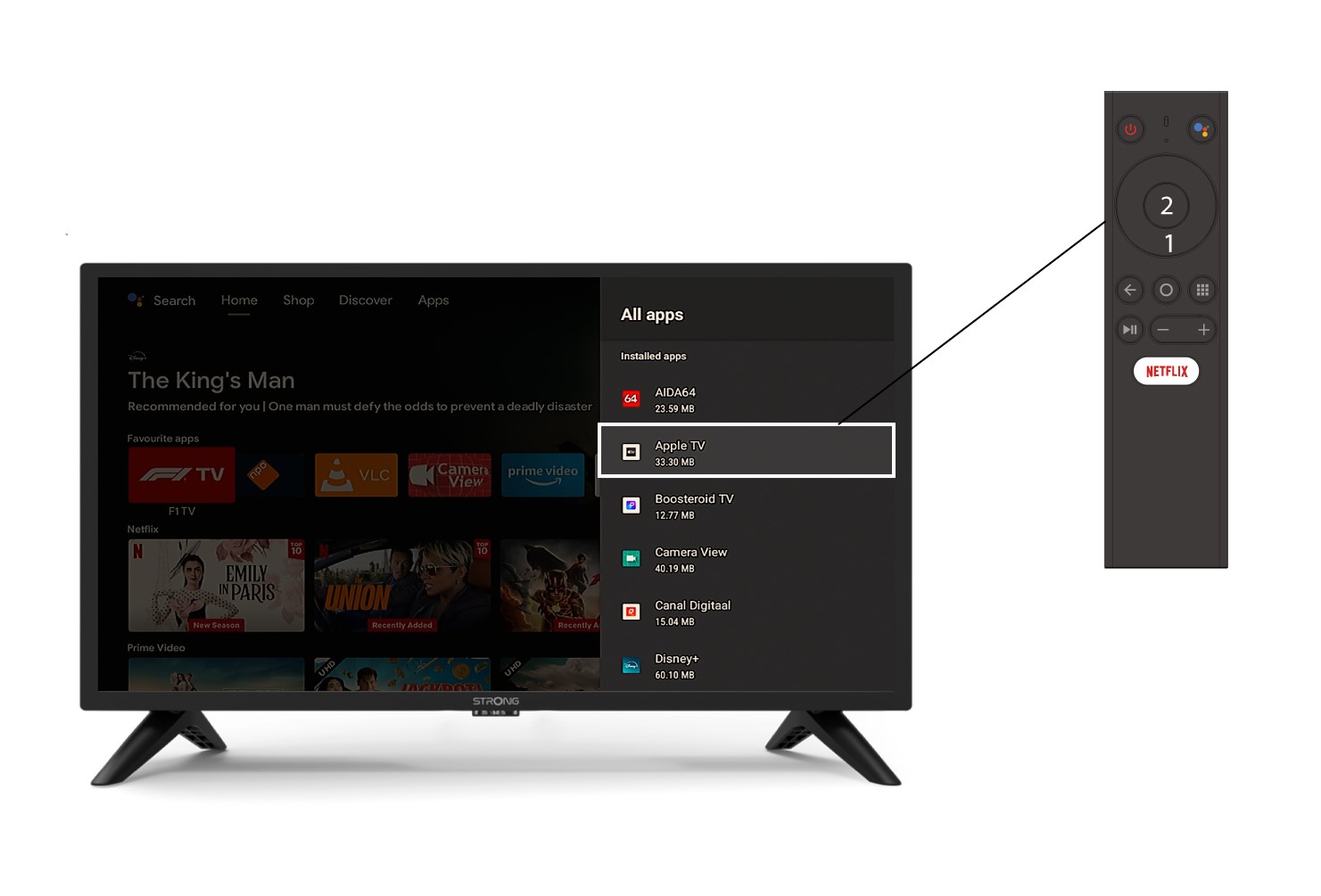
Poté se otevře seznam aplikací, vyberte požadovanou aplikaci a stiskněte tlačítko OK na dálkovém ovladači.
3. Případ2: Odinstalování aplikace
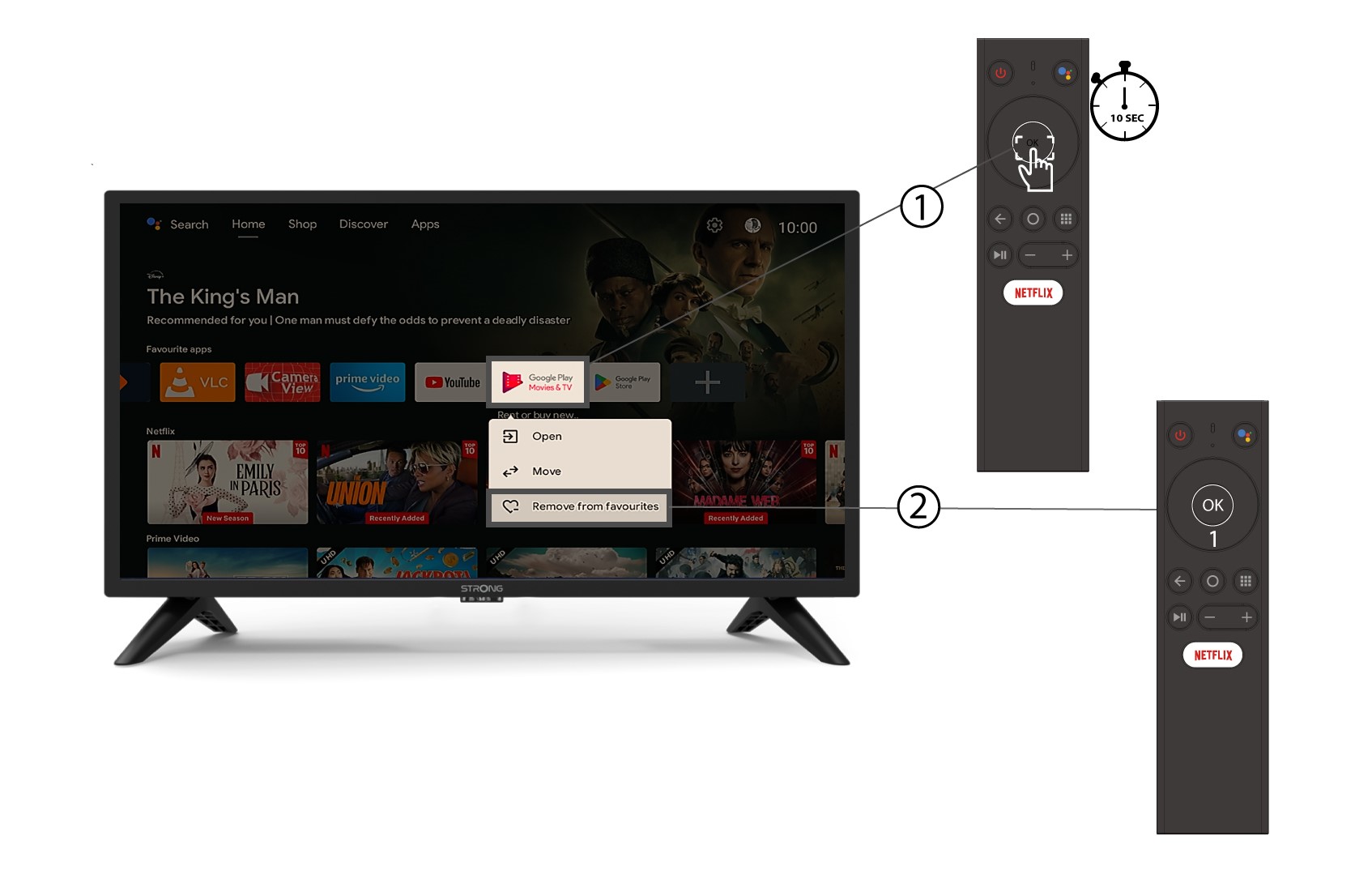
Chcete-li odstranit aplikaci z domovské obrazovky, přejděte v seznamu aplikací, které se již na domovské obrazovce nacházejí, k aplikaci, kterou chcete odstranit, dlouze stiskněte tlačítko „OK“, objeví se okno, ve kterém vyberte možnost „Odstranit z oblíbených“.