LEAP
Všechny otázky
LEAP
Připojil jsem klávesnici AZERTY přes USB, ale je rozpoznána jako klávesnice QWERTY. Proč?

Upozornění: Vezměte prosím na vědomí, že podporovaná rozložení klávesnic pro externí klávesnice určuje společnost Google. Je proto možné, že vaše rozložení klávesnice nebude podporováno. V takovém případě vám doporučujeme obrátit se na výrobce klávesnice a zjistit, zda existuje aplikace, díky níž by se vaše klávesnice stala kompatibilní.
1.Zapněte zařízení
Zapněte televizor a zařízení LEAP S1.
2. Přejdětedo nabídky Nastavení
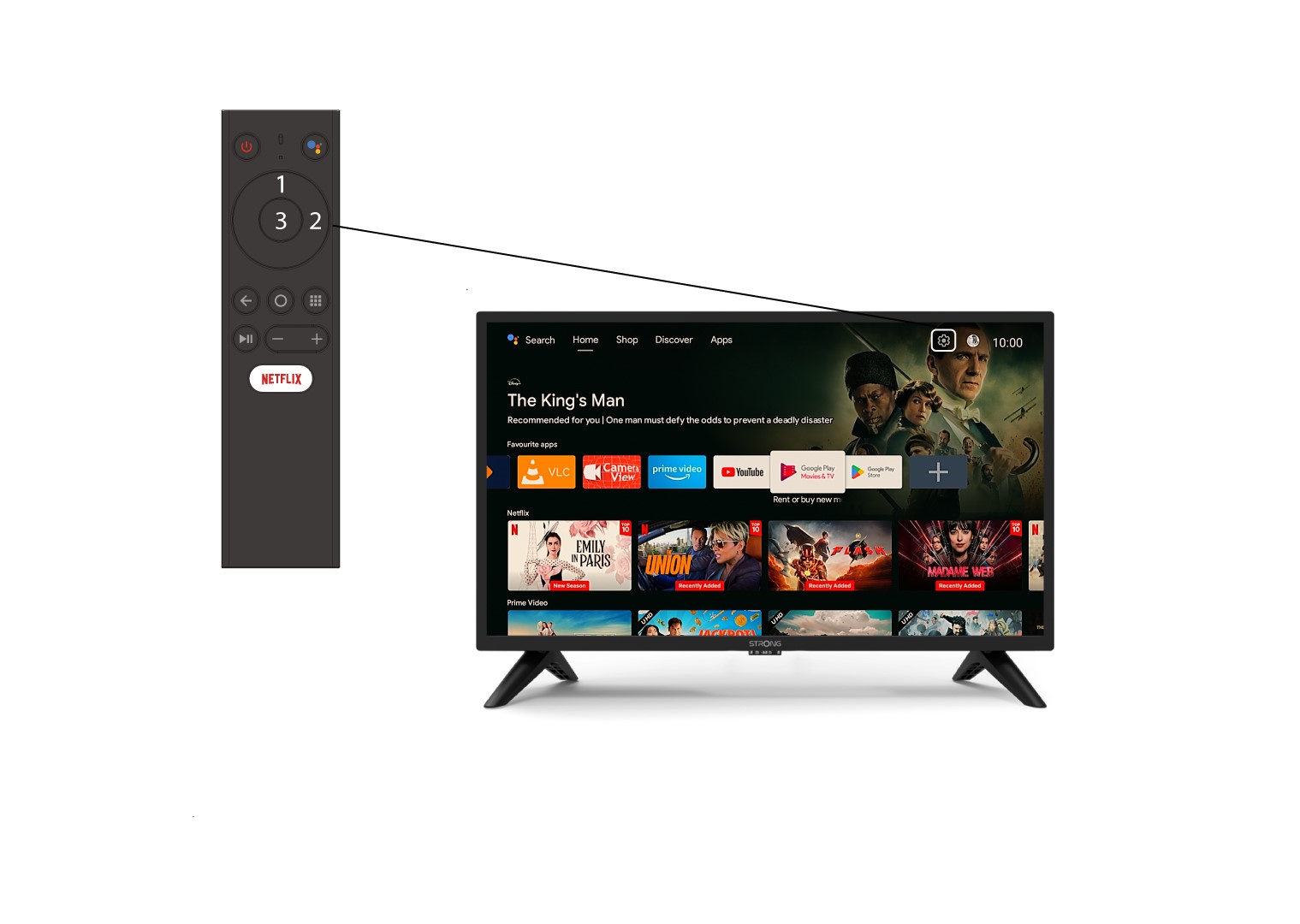
Najděte ikonu ozubeného kolečka (nabídka nastavení) v pravém horním rohu obrazovky a vyberte ji pomocí šipek na klávesnici počítače. Poté stiskněte tlačítko OK na dálkovém ovladači, čímž otevřete nabídku nastavení.
3. Nastavení zařízení
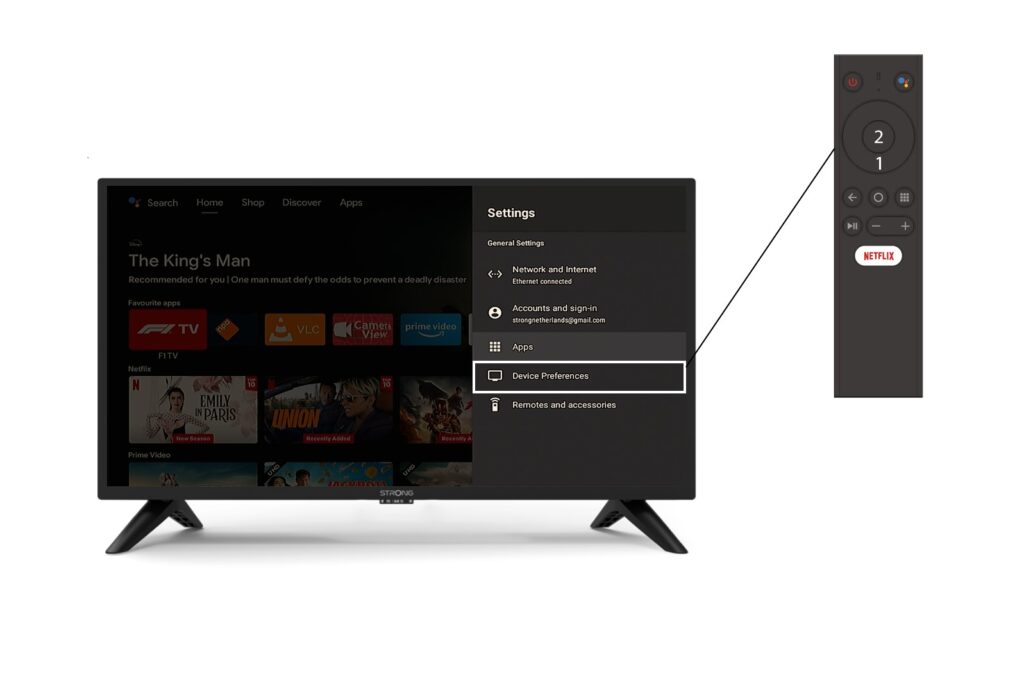
V nabídce Nastavení vyberte položku „Předvolby zařízení “ a stiskněte tlačítko OK na dálkovém ovladači.
4. Nastavení klávesnice
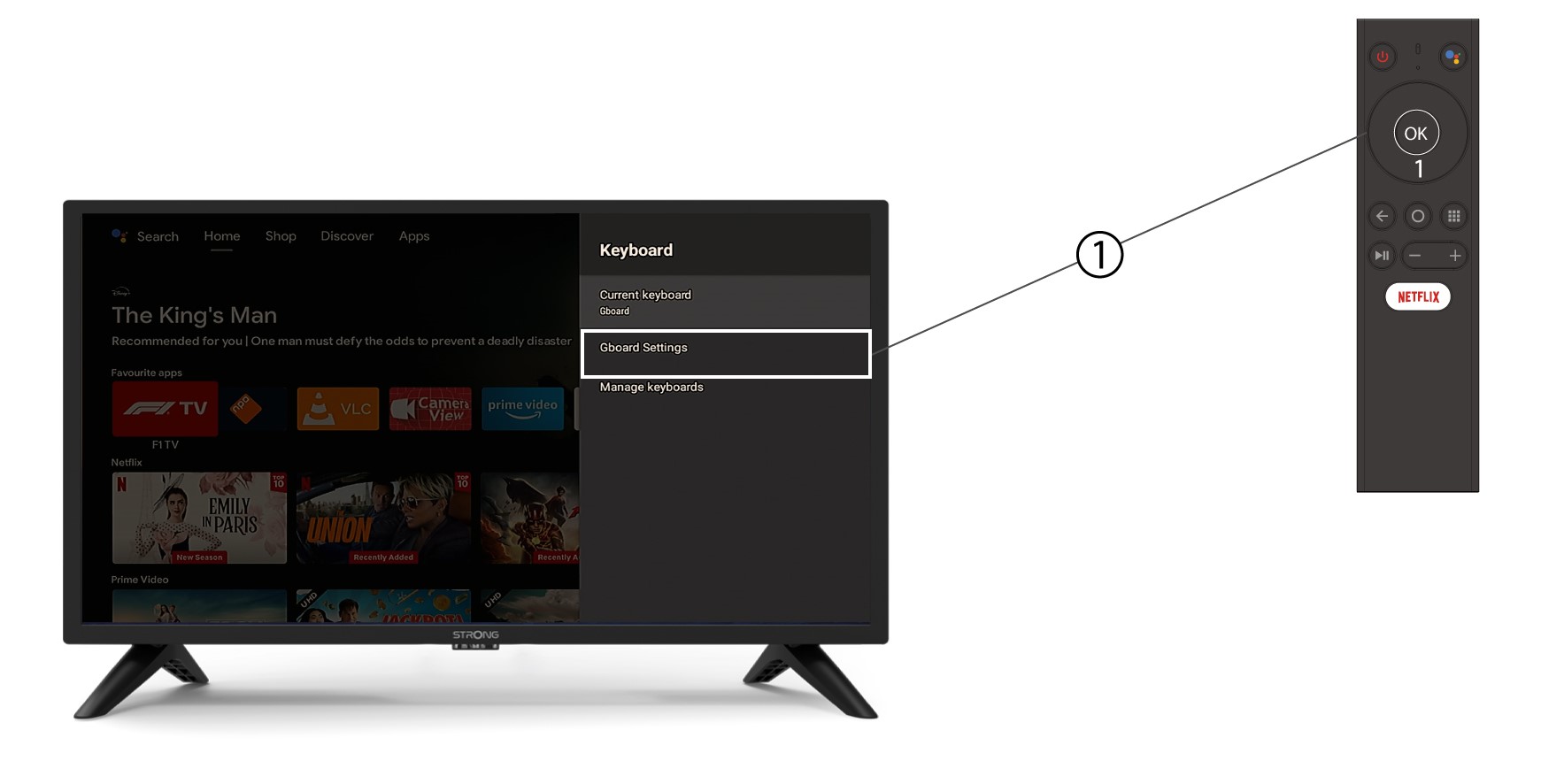
V nabídce klávesnice klikněte na „Nastavení Gboard“ a stiskněte tlačítko OK.
5. Nastavení jazyka
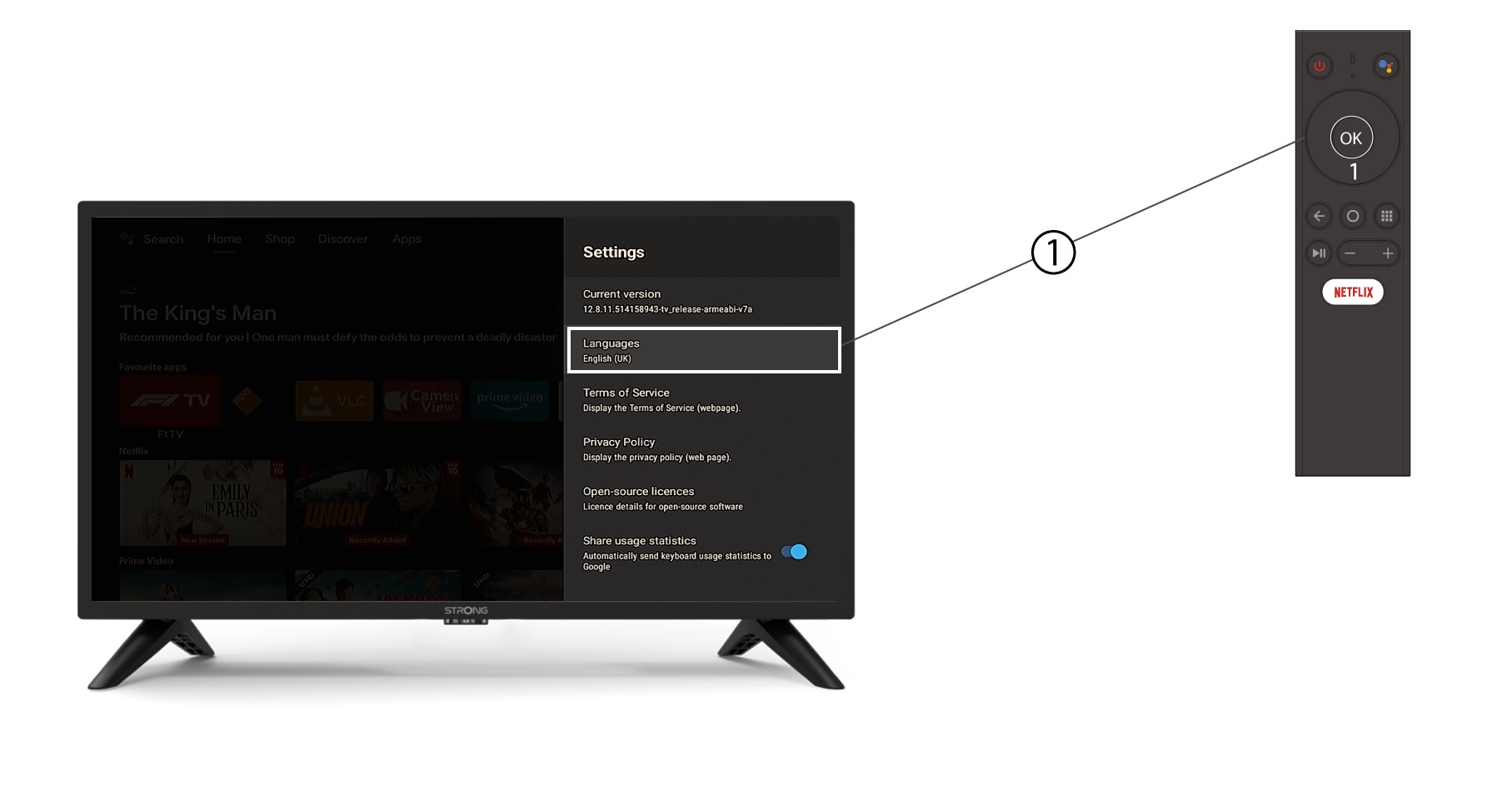
V nabídce Nastavení, která se otevře, klikněte na položku Jazyk, nastavte hodnotu na Angličtina ( UK ) a stiskněte tlačítko OK.