Mobilní Wi-Fi 4G+ AIRSPOT 520 s dotykovou obrazovkou
Nebyly nalezeny žádné položky.
Nebyly nalezeny žádné položky.
Všechny otázky
Mobilní Wi-Fi 4G+ AIRSPOT 520 s dotykovou obrazovkou
Nebyly nalezeny žádné položky.
Nebyly nalezeny žádné položky.
Jak mohu změnit SSID (název sítě Wi-Fi) a heslo k Wi-Fi? (Obrazovka Mi-Fi)
Údaje o síti Wi-Fi můžete upravit na obrazovce zařízení Mi-Fi.
1. Otevřetenastavení Wi-Fi
Odemkněte obrazovku a klikněte na ikonu Wi-Fi.
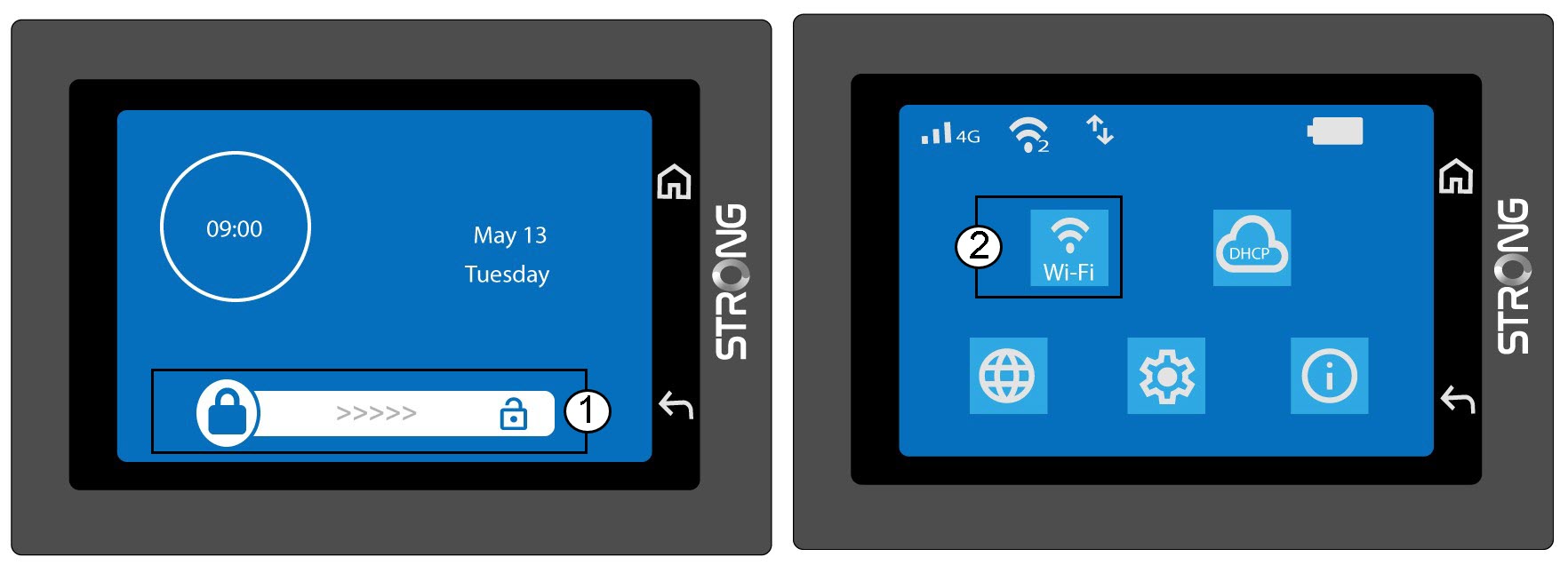
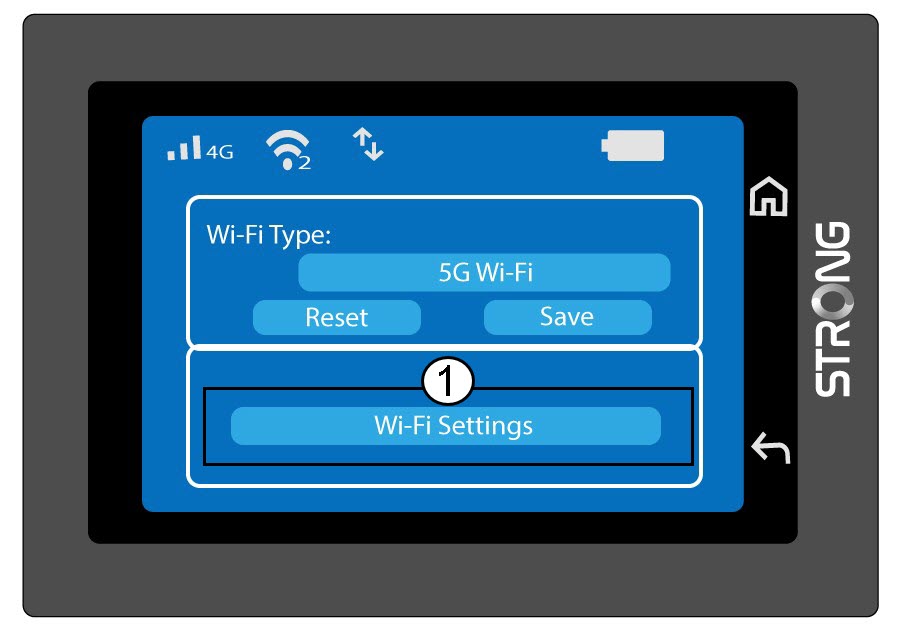
2. Otevřítnastavení Wi-Fi
Klikněte na „Nastavení Wi-Fi“.
3. Změnanázvu sítě (SSID)
Klikněte na ikonu pera vedle názvu sítě Wi-Fi, zadejte nový název a stisknutím klávesy (V) potvrďte.
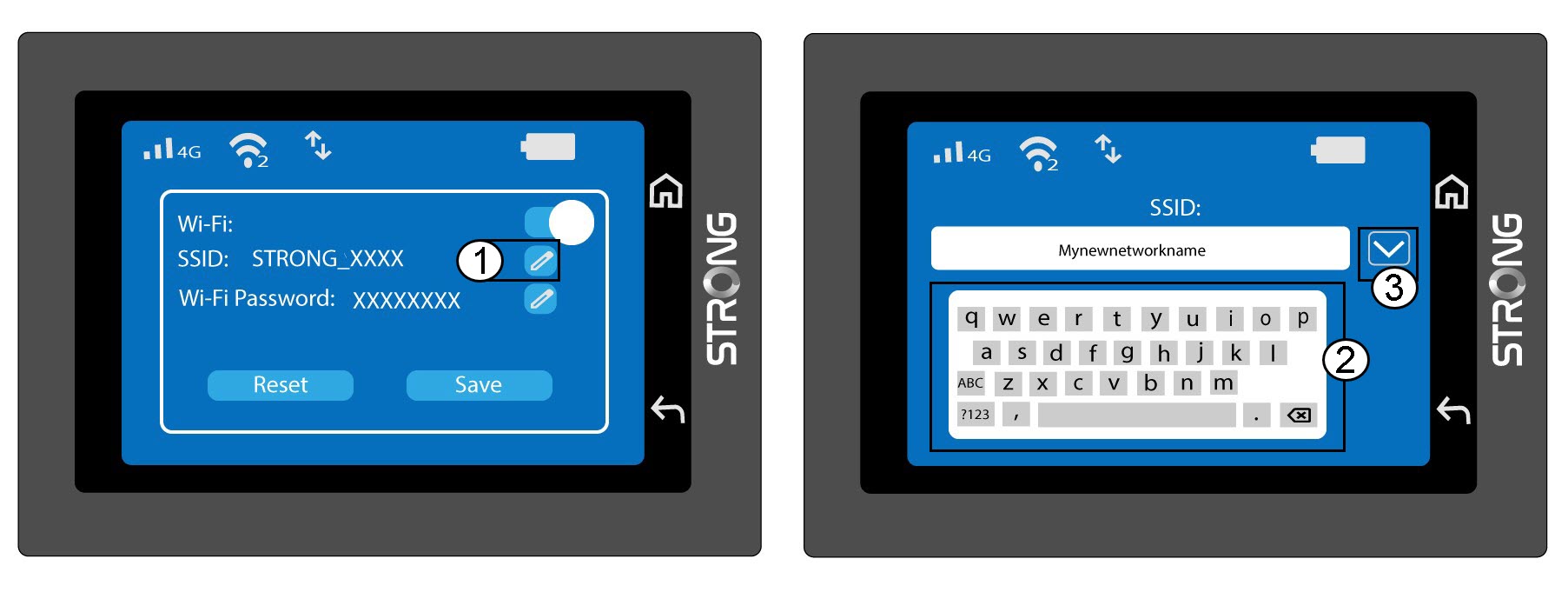
4. Změnahesla k Wi-Fi
Klikněte na ikonu pera vedle položky „Heslo k Wi-Fi“, zadejte nové heslo a stiskněte klávesu (V) pro potvrzení.
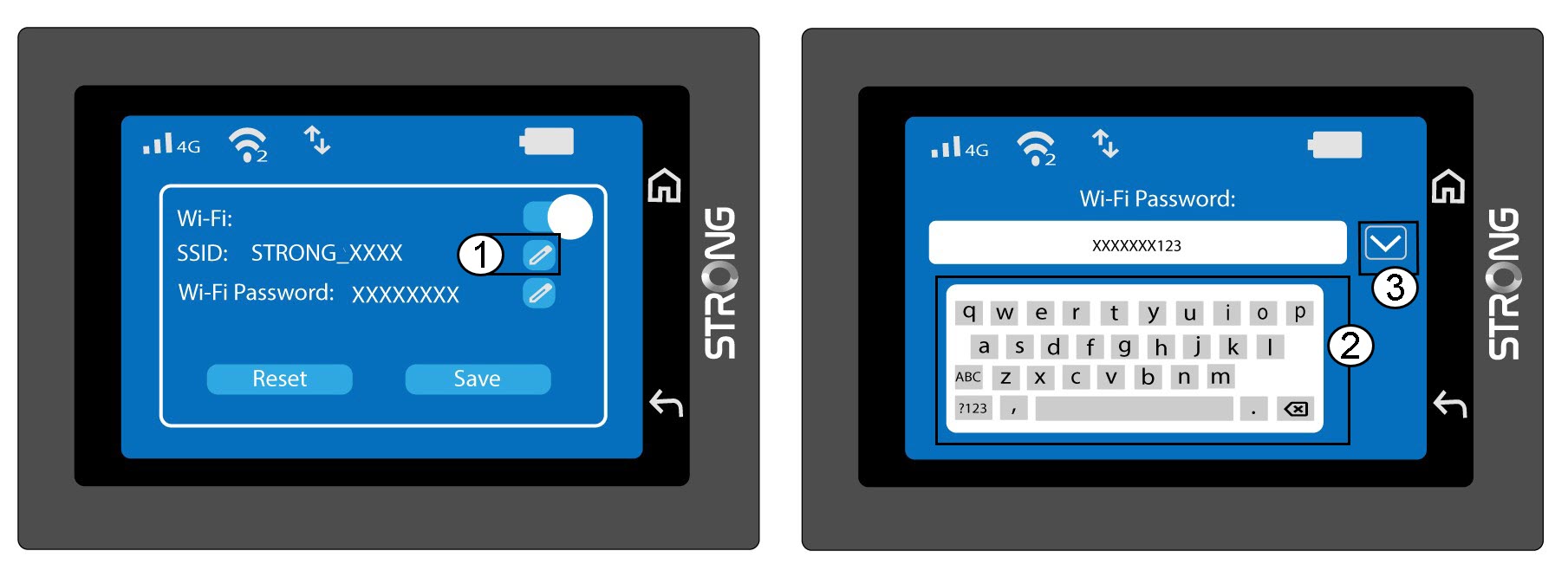
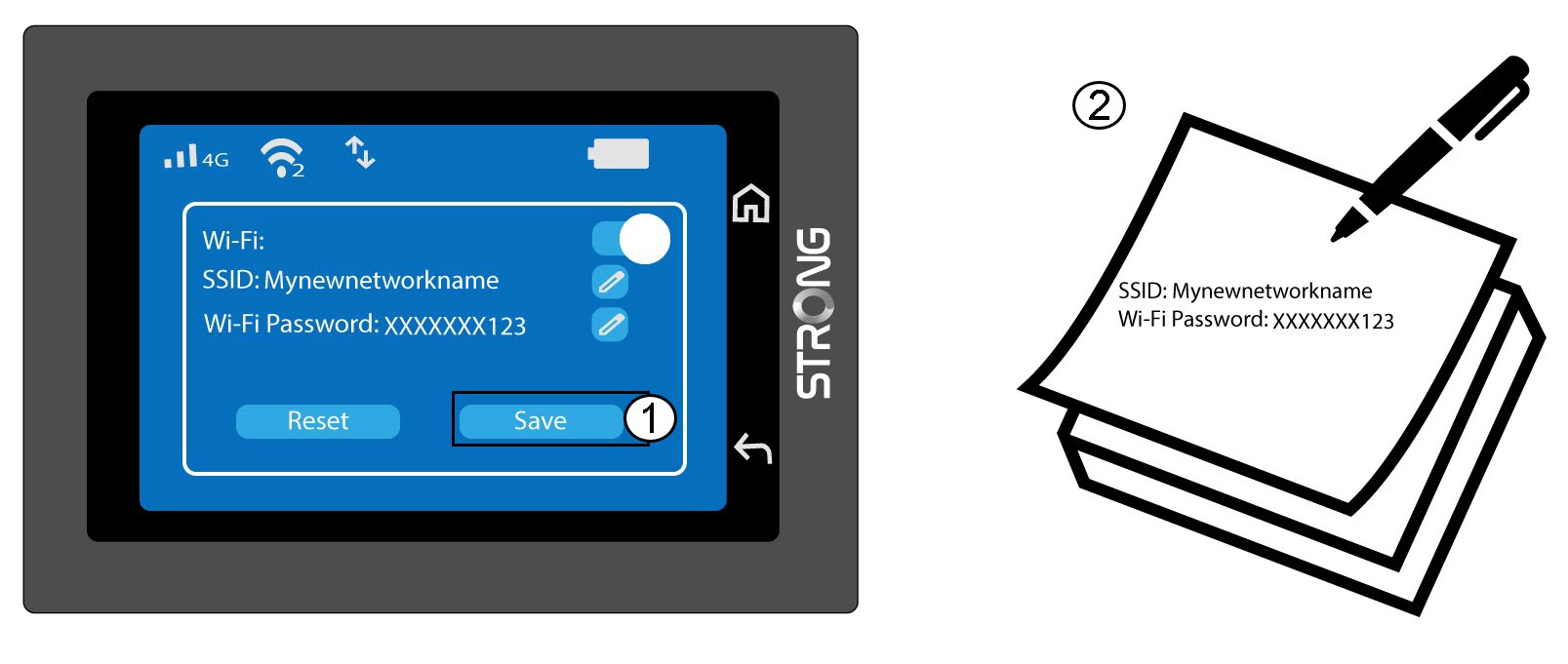
5. Uložtezměny
Klikněte na tlačítko „Uložit“ a poznamenejte si nový název sítě a heslo pro budoucí použití.