Dvoupásmový Repeater UK
Všechny otázky
Dvoupásmový Repeater UK
Jak mám nastavit svůj repeater?
Než začnete konfigurovat službu repeater, prostudujte si prosím následující postup, abyste zjistili umístění služby repeater: Jaké je nejvhodnější umístění pro službu repeater?
1. Připojte sek webovému uživatelskému rozhraní
Pro připojení k webovému uživatelskému rozhraní postupujte podle jednoho z následujících postupů:
- Jak se připojím k webovému uživatelskému rozhraní zařízení repeater? (kabel RJ45)
- Jak se připojím k webovému uživatelskému rozhraní zařízení repeater? (Wi-Fi)
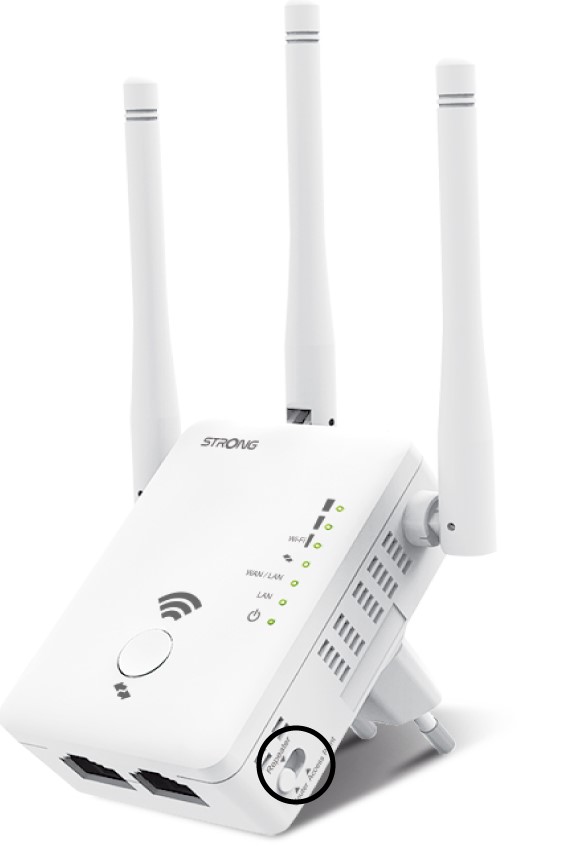
2. Vyberterežim „ repeater “
Na ovladači režimu switch , který se nachází na pravé straně vašeho repeater, vyberte polohu repeater .
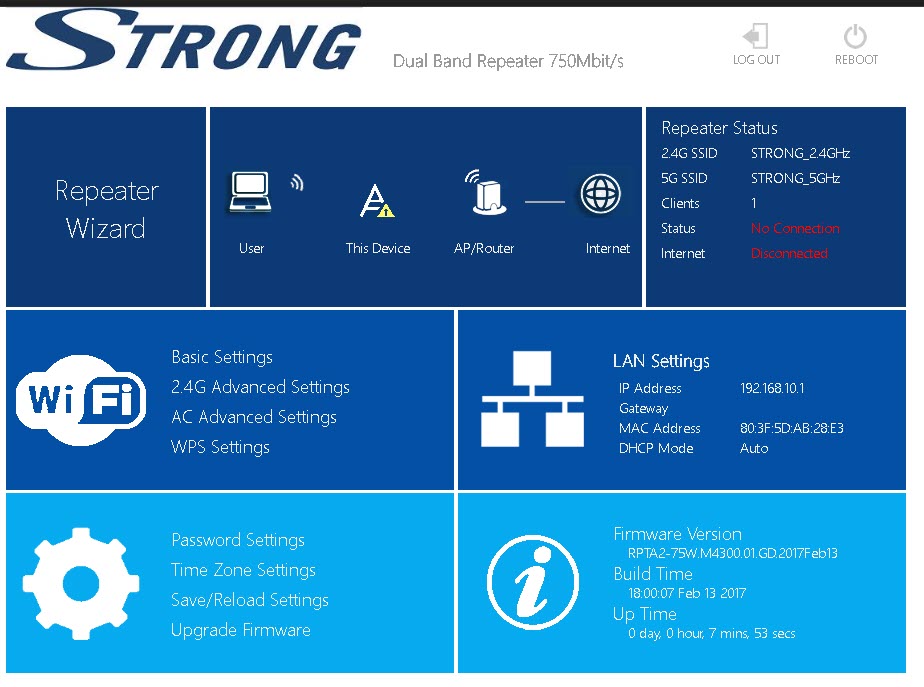
Průvodce opakováním 3
Klikněte na Průvodce nastavením službyRepeater .
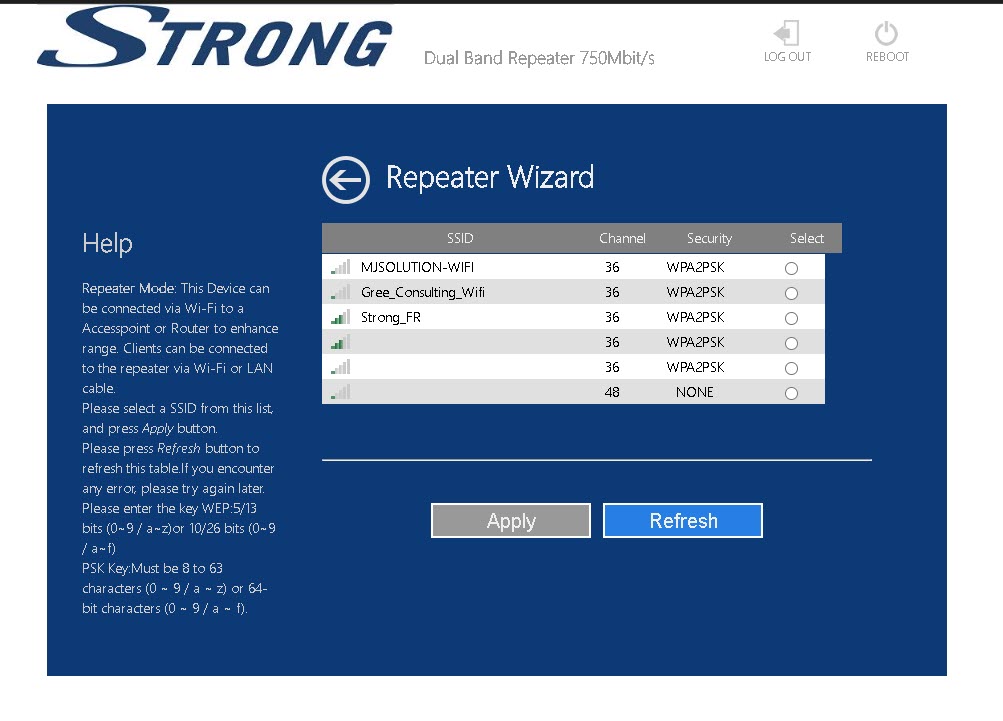
4. Skenování sítě
Váš repeater provede vyhledávání všech dostupných Wi-Fi sítí v pásmech 2,4 GHz a 5 GHz, aby určil hostitelskou síť. Vyberte název Wi-Fi sítě vašeho routeru. Poté klikněte na tlačítko Použít.
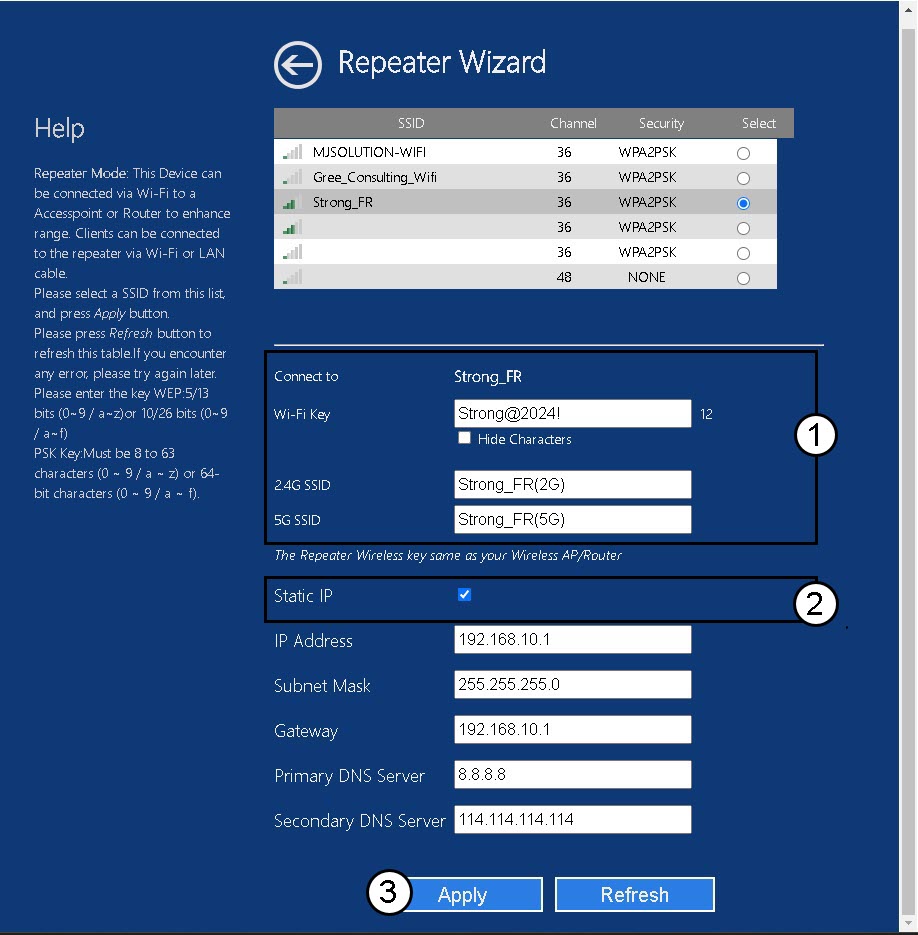
5. Zadejteúdaje o síti hostitele a síti repeater
Zadejte heslo k Wi-Fi svého routeru, zadejte názvy Wi-Fi sítí svého zařízení repeater a klikněte na tlačítko „Použít“.
TIP: Na stránce „Static IP“ ( box ) můžete nastavit statickou IP adresu svého účtu na repeater.
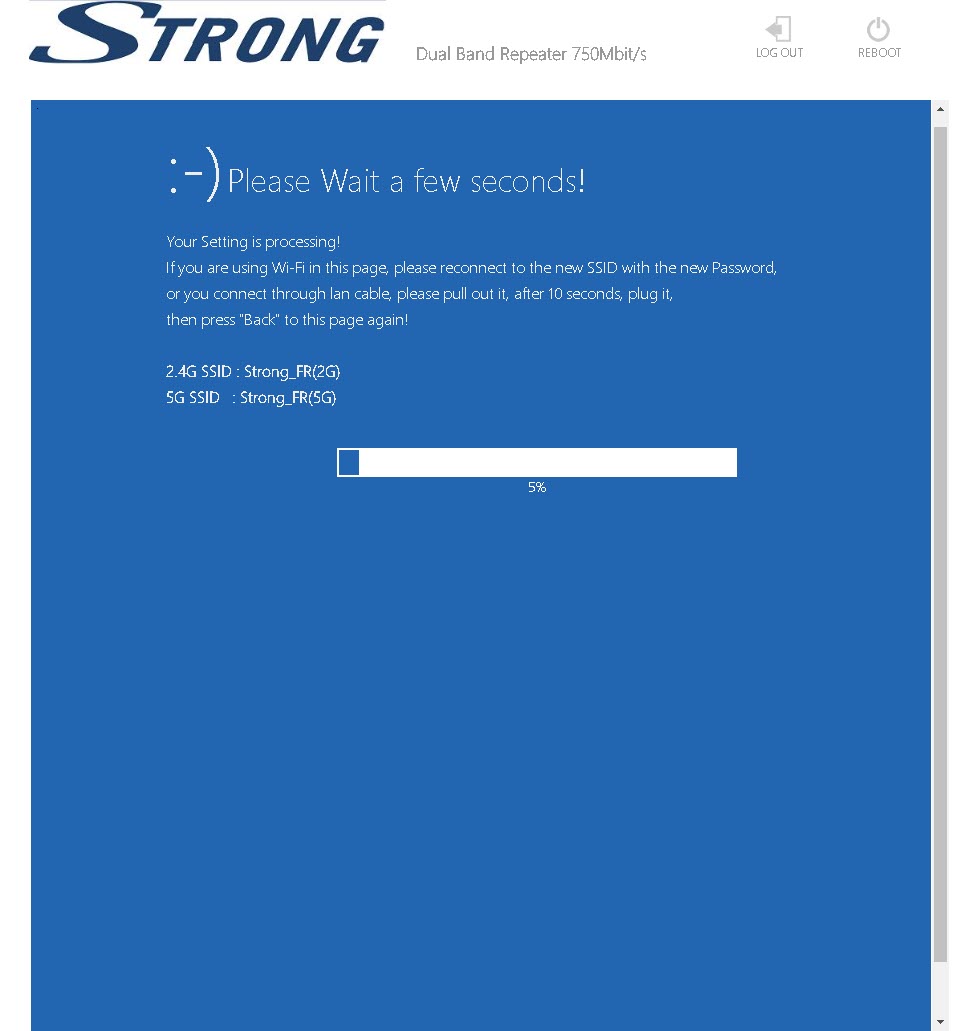
6Počkejteběhem konfigurace
Počkejte prosím, dokud se stránka repeater nenakonfiguruje.