
Dvoupásmový Repeater UK
Nebyly nalezeny žádné položky.
Nebyly nalezeny žádné položky.
Všechny otázky
Dvoupásmový Repeater UK
Nebyly nalezeny žádné položky.
Nebyly nalezeny žádné položky.
Po nastavení mého repeater se nemohu přihlásit do webového rozhraní (http://strong.ap750). Proč?

UPOZORNĚNÍ: Je normální, že se po dokončení nastavení nemůžete připojit k webovému uživatelskému rozhraní, protože se změnily přihlašovací údaje. Po dokončení nastavení se totiž vytvoří dvě Wi-Fi sítě. Abyste se mohli připojit k webovému uživatelskému rozhraní, musíte se připojit k jedné z těchto sítí.
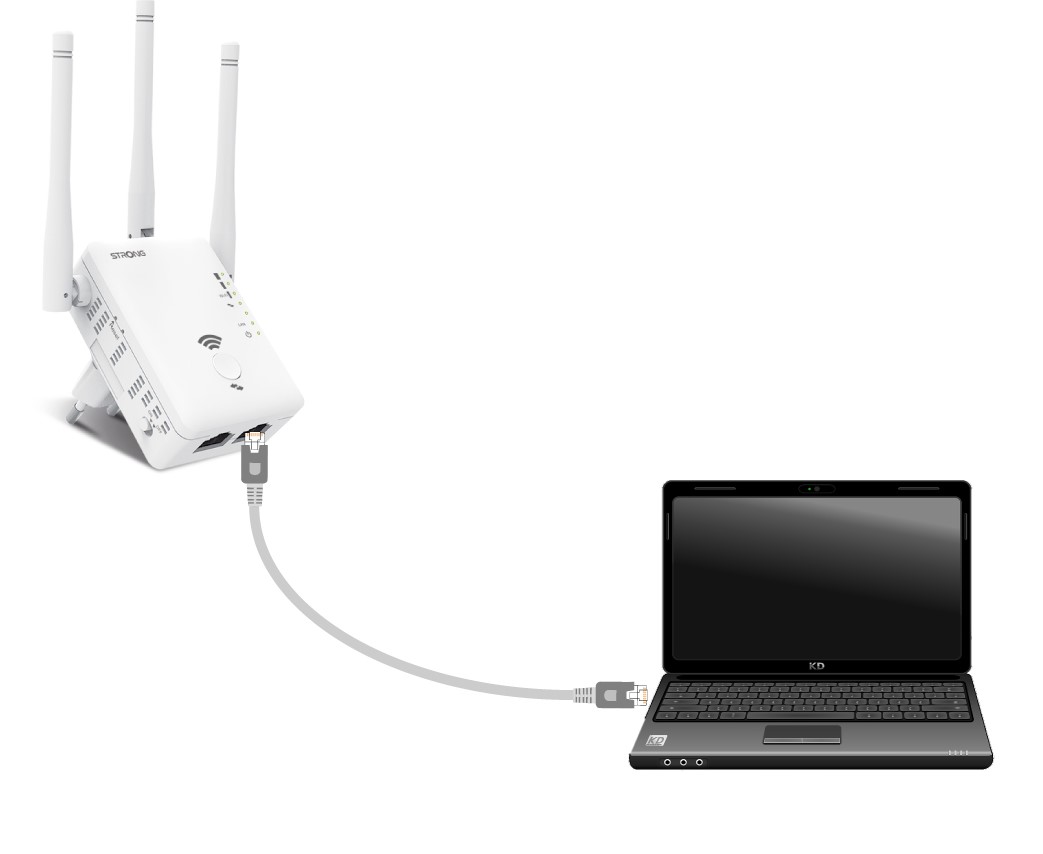
1. Připojterouter pomocí kabelu RJ45
Připojte zařízení „ repeater “ k počítači pomocí kabelu RJ45.
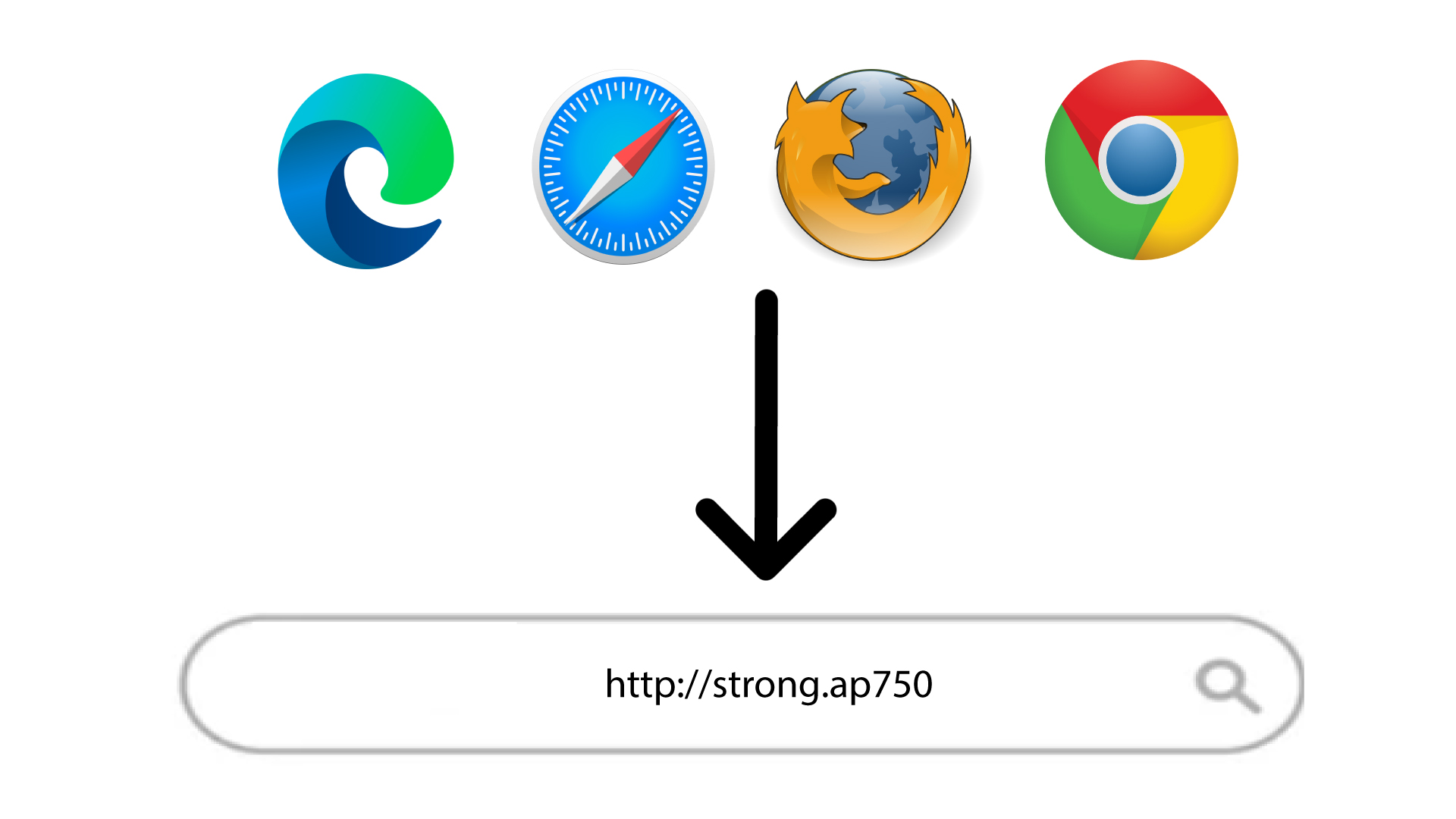
2. Přejdětena adresu URL webového uživatelského rozhraní
Zadejte adresu URL do prohlížeče.
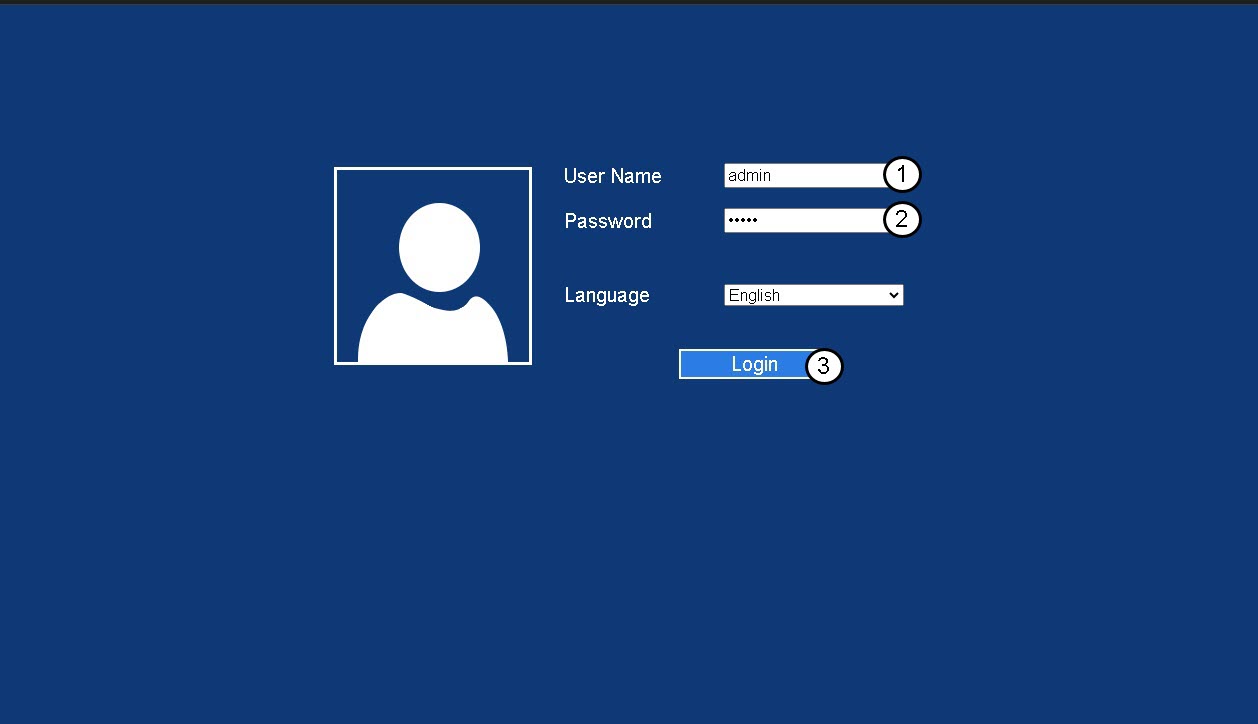
3. Přihlašovacístránka
Zadejte své správcovské heslo a klikněte na „Přihlásit se“.
4. Najděte IP adresu routeru
V informacích o zařízení vyhledejte IP adresu zařízení repeater
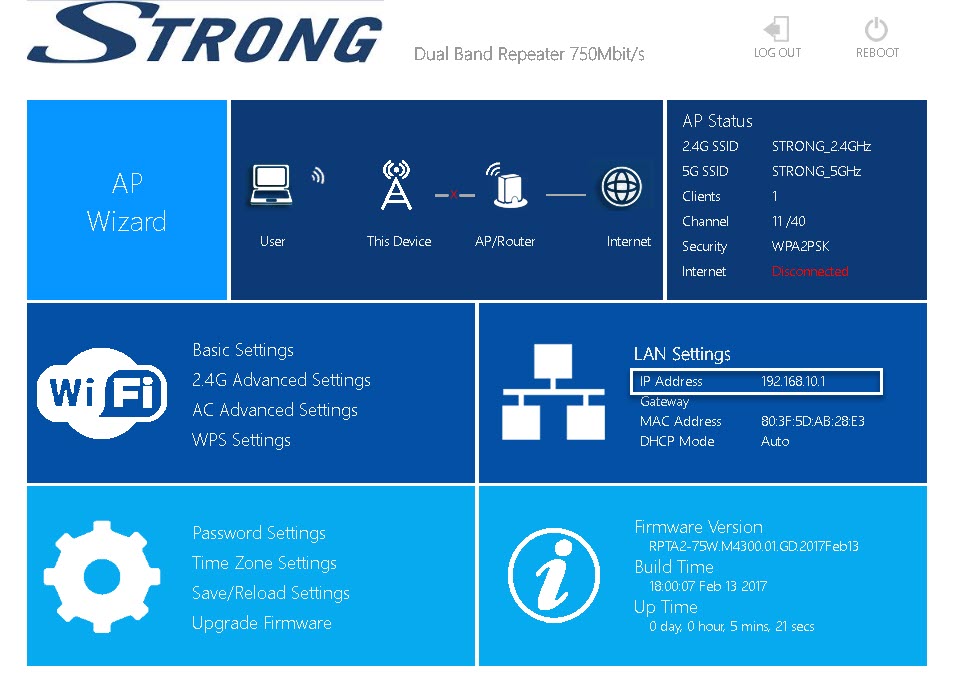
TIP: IP adresa vašeho zařízení repeater se změní, jakmile je nakonfigurováno pro připojení k Wi-Fi hostiteli.