4K GOOGLE TV BOX S3+ | DOLBY VISION ATMOS
Všechny otázky
4K GOOGLE TV BOX S3+ | DOLBY VISION ATMOS
Jak mohu změnit nastavení hlasitosti na svém LEAP S3, když je hlasitost příliš nízká?
Pokud je hlasitost vašeho zařízení LEAP S3 příliš nízká, můžete podle níže uvedeného postupu resetovat parametry zařízení LEAP S3.
Během instalace zařízení LEAP S3 můžete nastavit ovládání hlasitosti prostřednictvím rozhraní HDMI-CEC. Je-li tato možnost zapnutá, můžete pomocí dálkového ovladače k zařízení LEAP S3 nastavovat hlasitost televizoru.
Tuto funkci můžete zapnout nebo vypnout v nastavení obrazu a zvuku vašeho televizoru. Výchozí úroveň hlasitosti vašeho LEAP S3 je nastavena na určitou úroveň, která může být příliš nízká. Pokud je hlasitost příliš nízká, je lepší tuto možnost vypnout.
Jak lze tuto funkci zapnout nebo vypnout?
1. Stisknětetlačítko Nastavení
V takovém případě stiskněte tlačítko „Nastavení“ na dálkovém ovladači Google a poté stiskněte tlačítko „OK“.

2. Nastavení
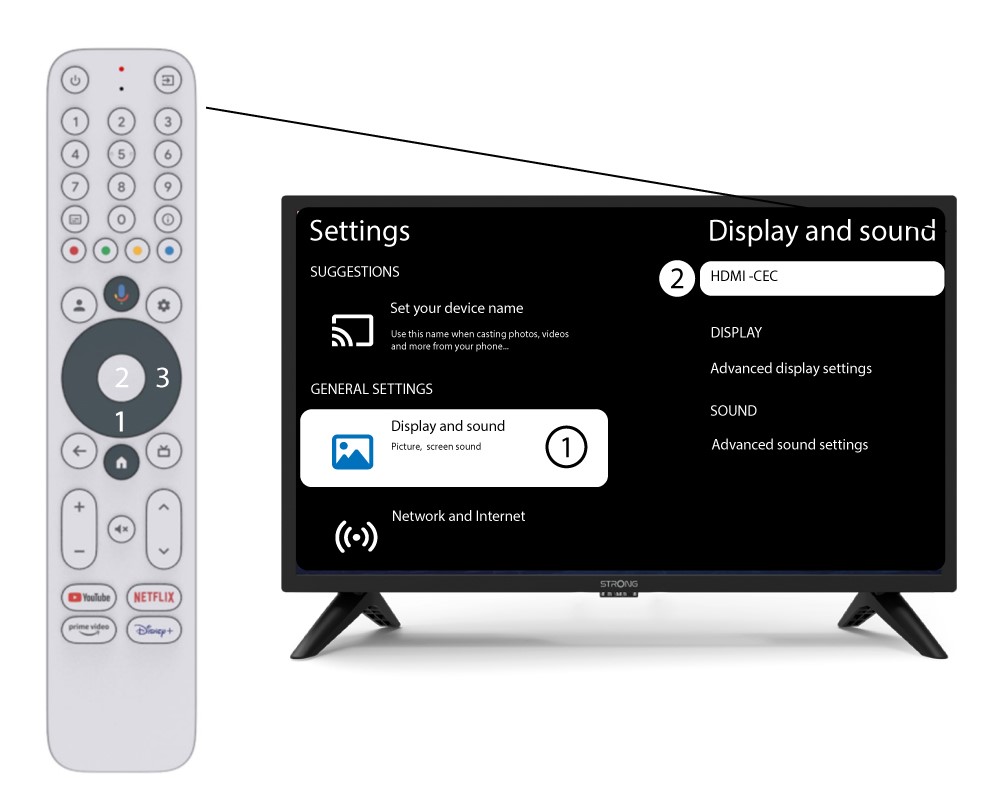
Na stránce „Nastavení“, která se zobrazí na obrazovce, vyberte položku „Zobrazení a zvuk“. Poté stiskněte pravé navigační tlačítko a vyberte položku„HDMI-CEC“.
3. Ovládání hlasitosti
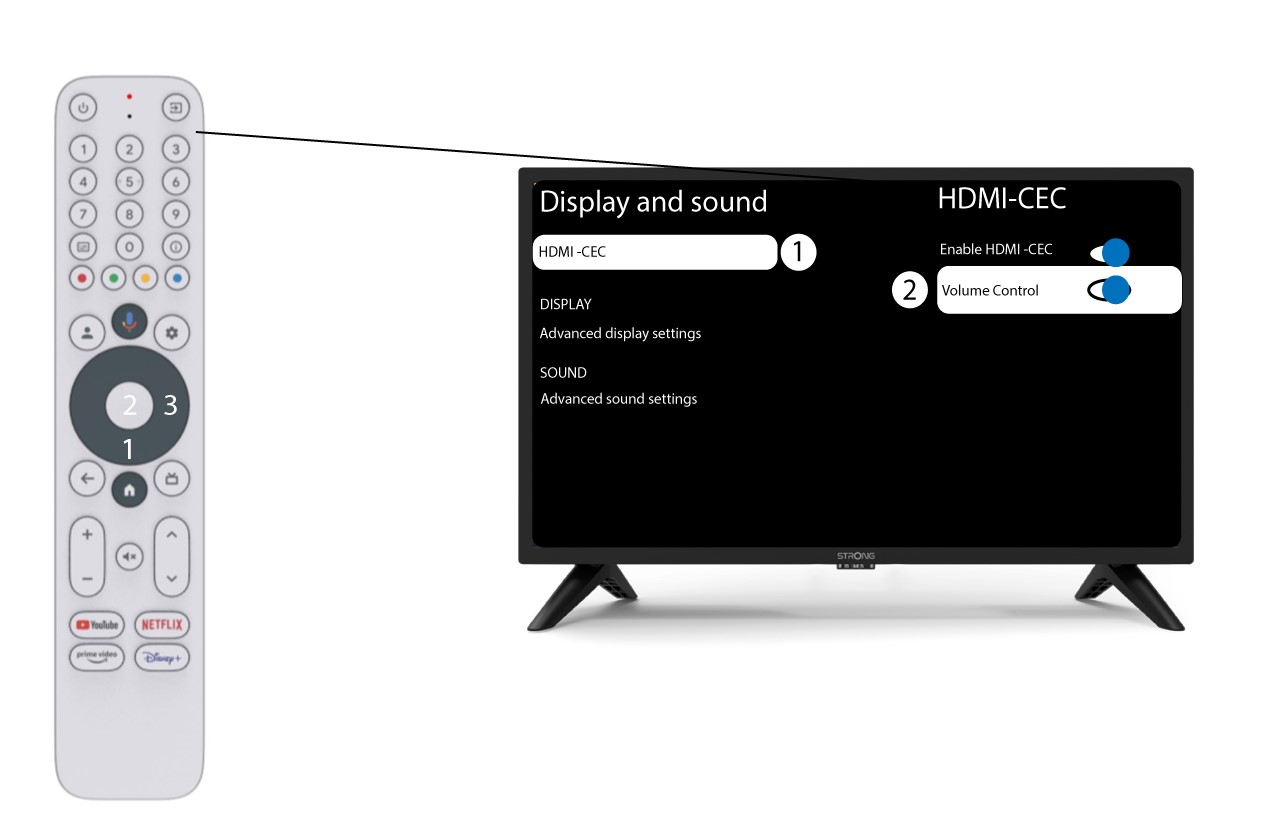
Vyberte možnost „Ovládání hlasitosti“ a stisknutím tlačítka OK tuto funkci vypněte ( switch ).
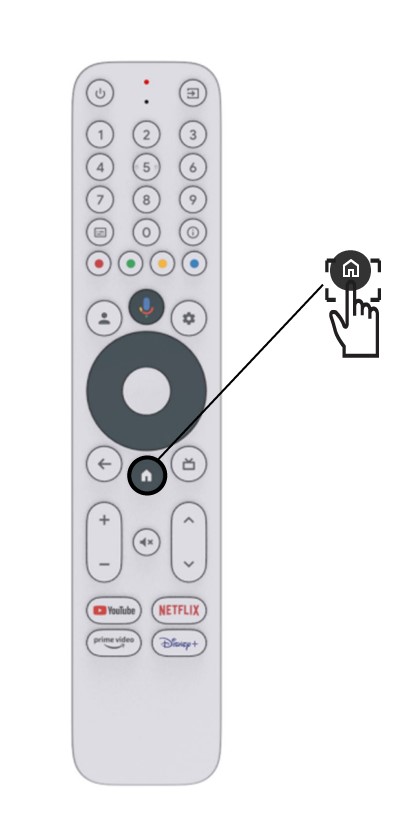
4Vrátitse na úvodní stránku
Stisknutím tlačítka HOME se vrátíte na úvodní obrazovku.
Nastavení hlasitosti lze nyní opět provádět pomocí dálkového ovladače LEAP-S3 .