
Repeater AX1800
Nebyly nalezeny žádné položky.
Nebyly nalezeny žádné položky.
Všechny otázky
Repeater AX1800
Nebyly nalezeny žádné položky.
Nebyly nalezeny žádné položky.
Jak nastavím statickou IP adresu pro svůj server repeater?
1. Připojte sek webovému uživatelskému rozhraní
Chcete-li se připojit k webovému uživatelskému rozhraní, postupujte podle následujících pokynů.
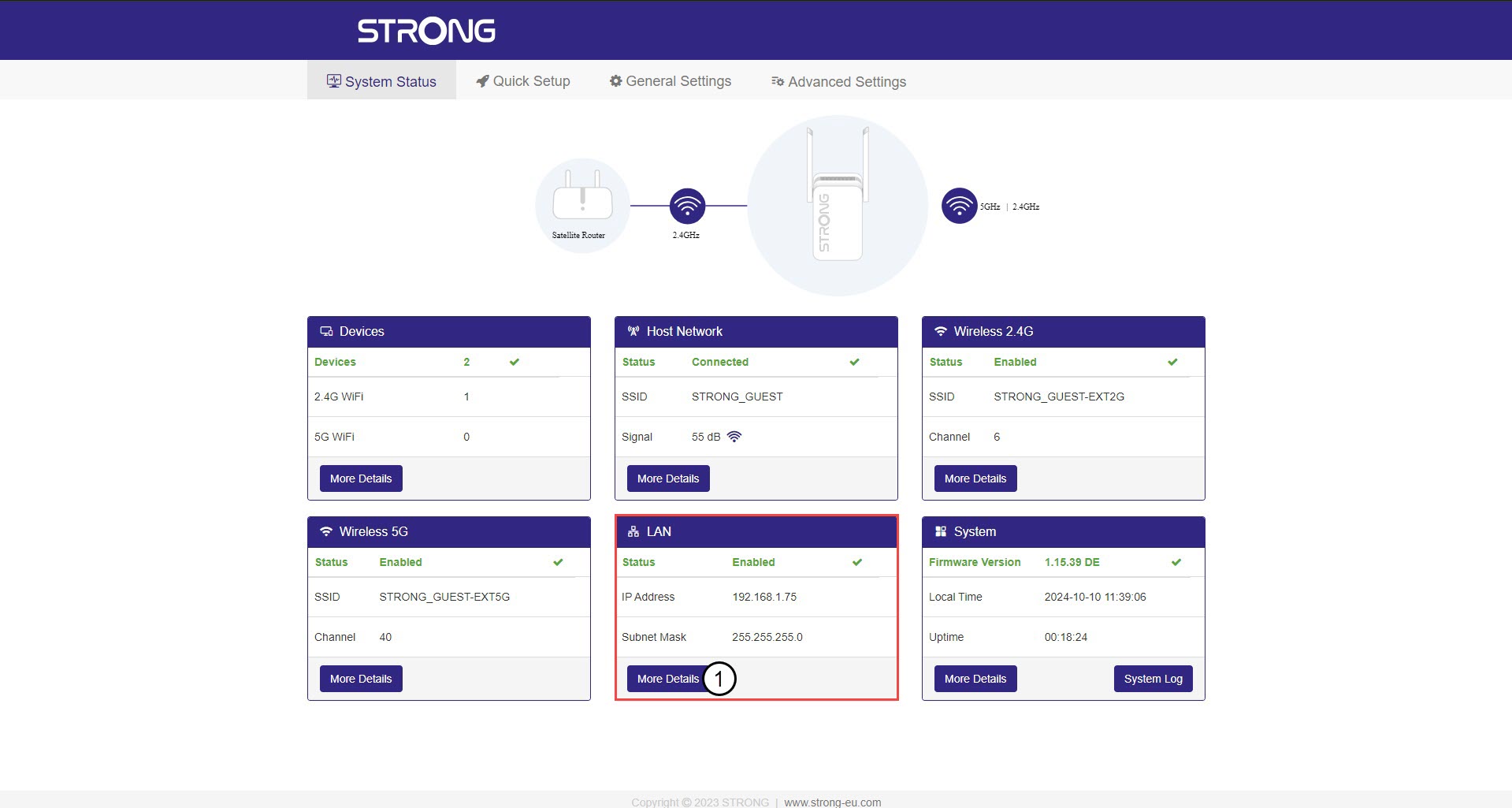
2 Stav systému
Na obrazovce „Stav systému“ klikněte v části „LAN“ na tlačítko „Další podrobnosti “.
3. StatickáIP adresa
Klikněte na „Nastavení“ a přepněte přepínač „Statická adresa “. Poté zadejte následující údaje a klikněte na „Uložit a použít“:
- IP adresa: Zadejte IP adresu pro službu repeater.
- Maska podsítě: Vyberte masku podsítě ze seznamu
- Výchozí brána: Zadejte IP adresu vašeho repeater
- Preferovaný DNS: Můžete zadat stejnou hodnotu jako v předchozím poli.
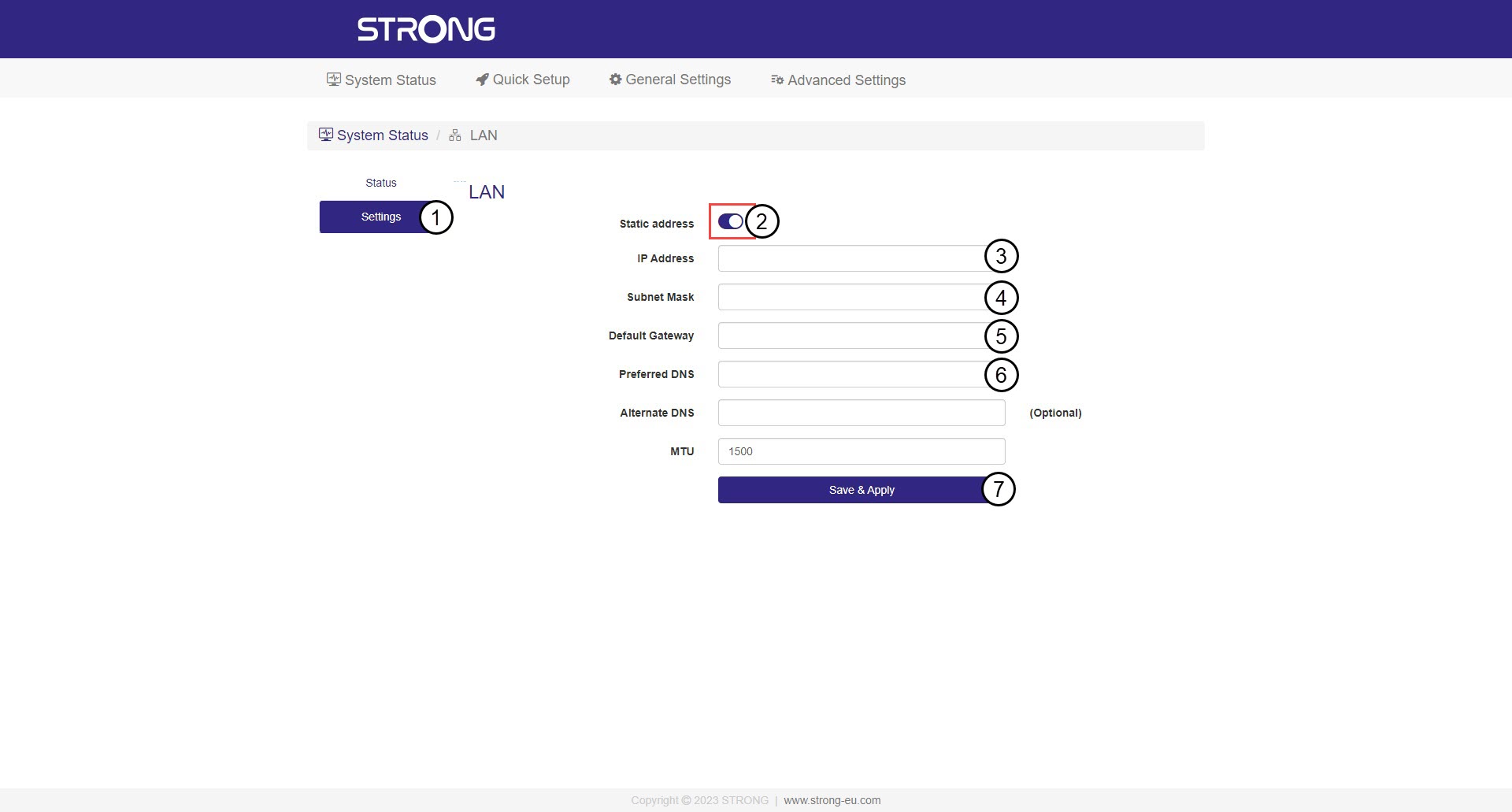

Upozornění: Poznamenejte si novou IP adresu vaší sítě. Od nynějška ji budete používat pro připojení k webovému uživatelskému rozhraní.