
Repeater AX1800
Všechny otázky
Repeater AX1800
Jak mohu aktualizovat firmware svého zařízení repeater?
1Přejdětedo sekce ke stažení na stránce https://www.strong-eu.com/
Před aktualizací je nutné přejít do sekce „Ke stažení“ na našich webových stránkách a zkontrolovat, zda je k dispozici nová verze softwaru.
2 Stáhnout
Chcete-li se dostat ke staženým souborům, klikněte v horní liště na položku „Pomoc a stahování“ a poté na příslušnou položku v podnabídce.

3Zadejtečíslo produktu
Jakmile se dostanete na stránku „Stahování“, klikněte na Domácí síť a repeater a klikněte na označení produktu.
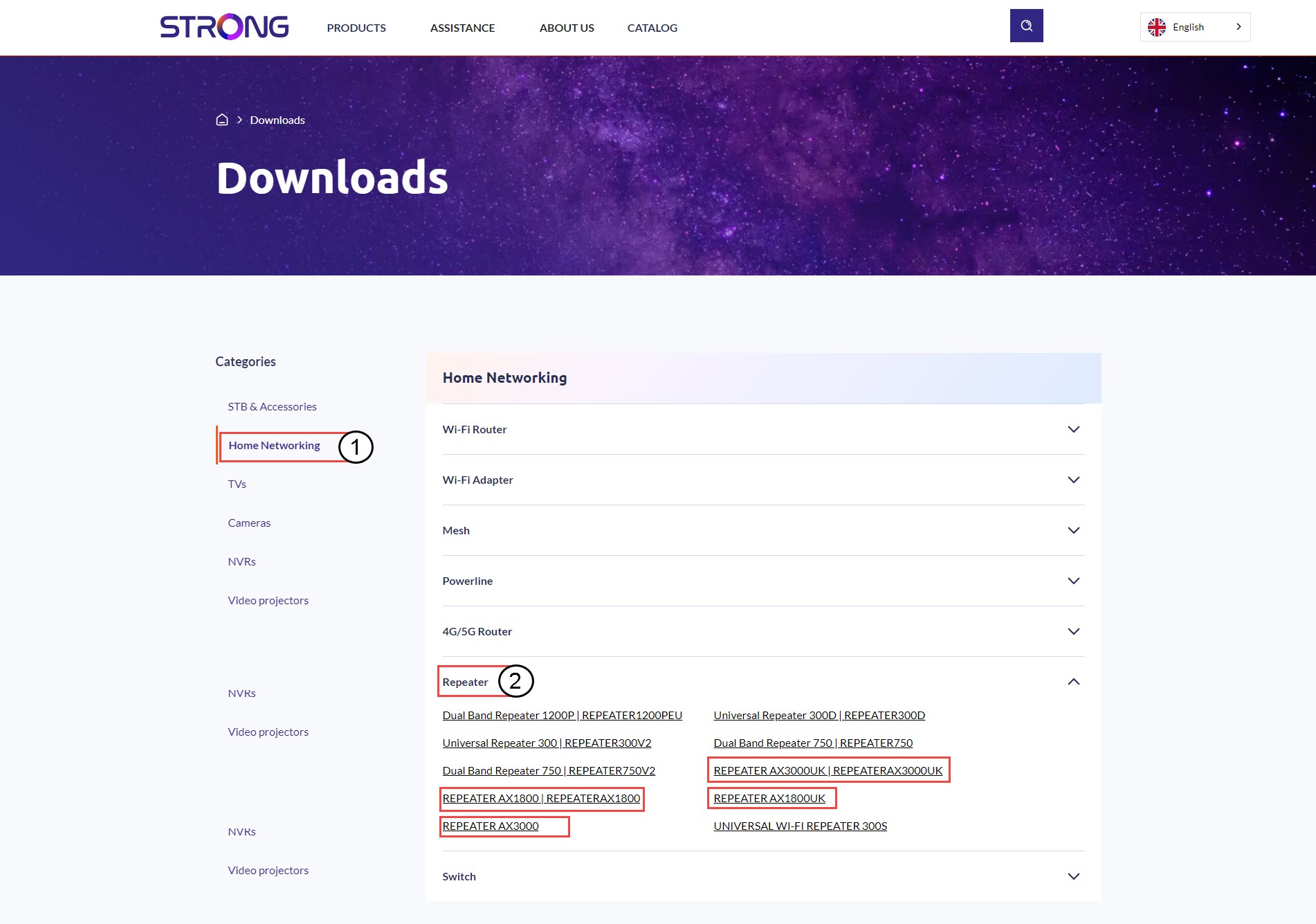
4. Část věnovaná firmwaru
Na níže uvedené stránce najdete novou verzi softwaru v sekci „Firmware“.
Pokud na stránce pro stahování nevidíte sekci věnovanou firmwaru, znamená to, že není k dispozici žádná nová verze softwaru.
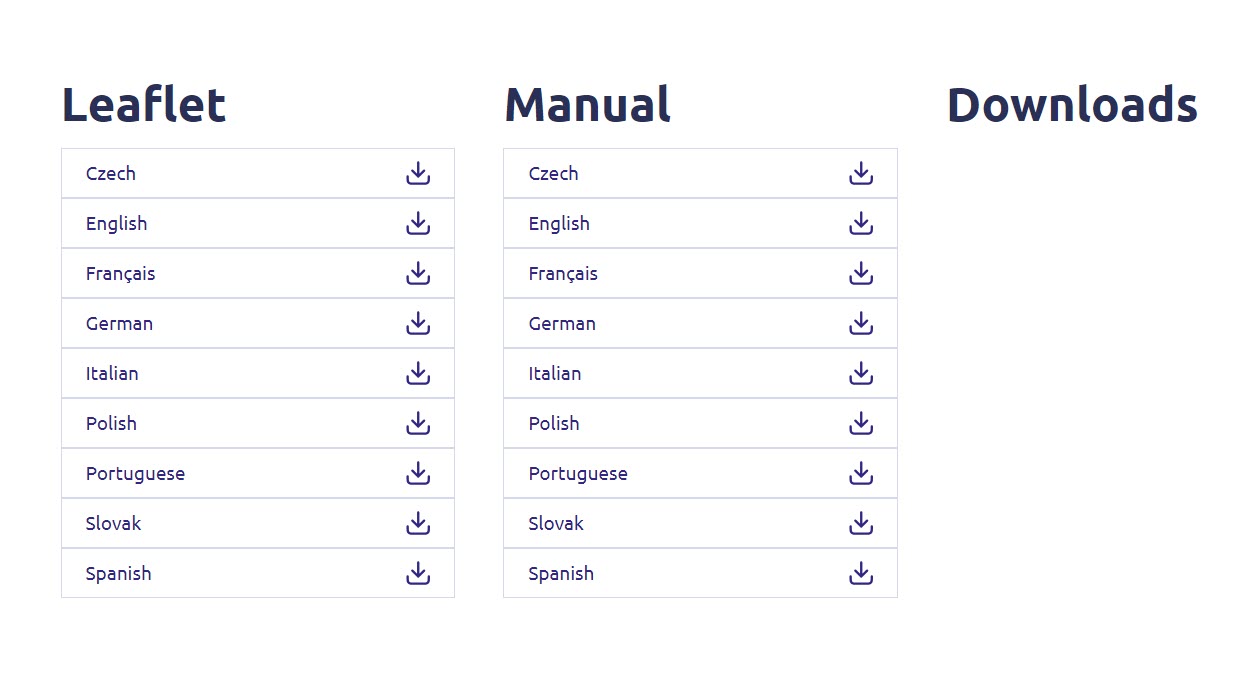
5. Připojte sek webovému uživatelskému rozhraní
Chcete-li se připojit k webovému uživatelskému rozhraní, postupujte podle následujících pokynů.
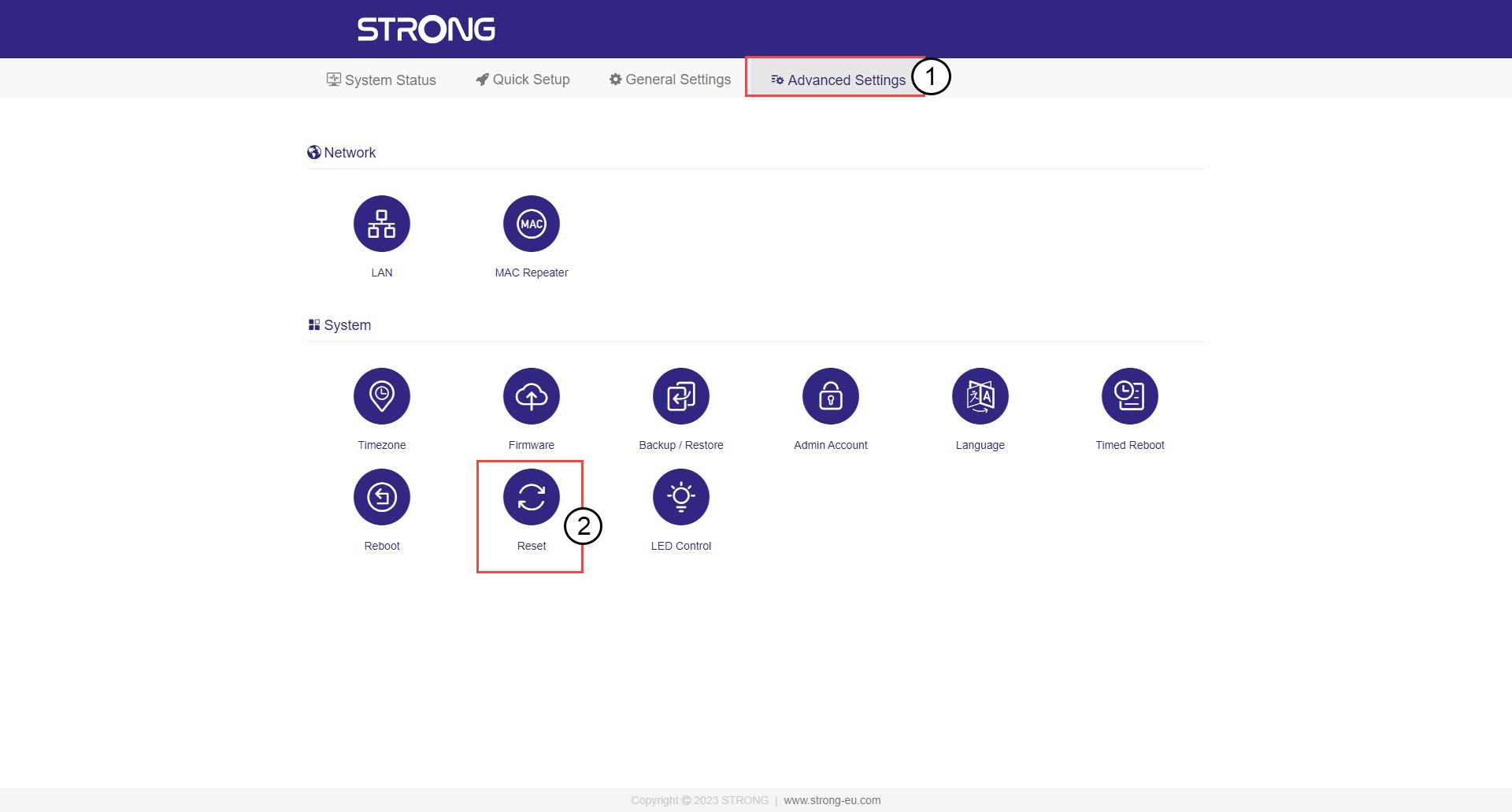
6. Firmware
Klikněte na „Pokročilá nastavení “ a „Firmware“.
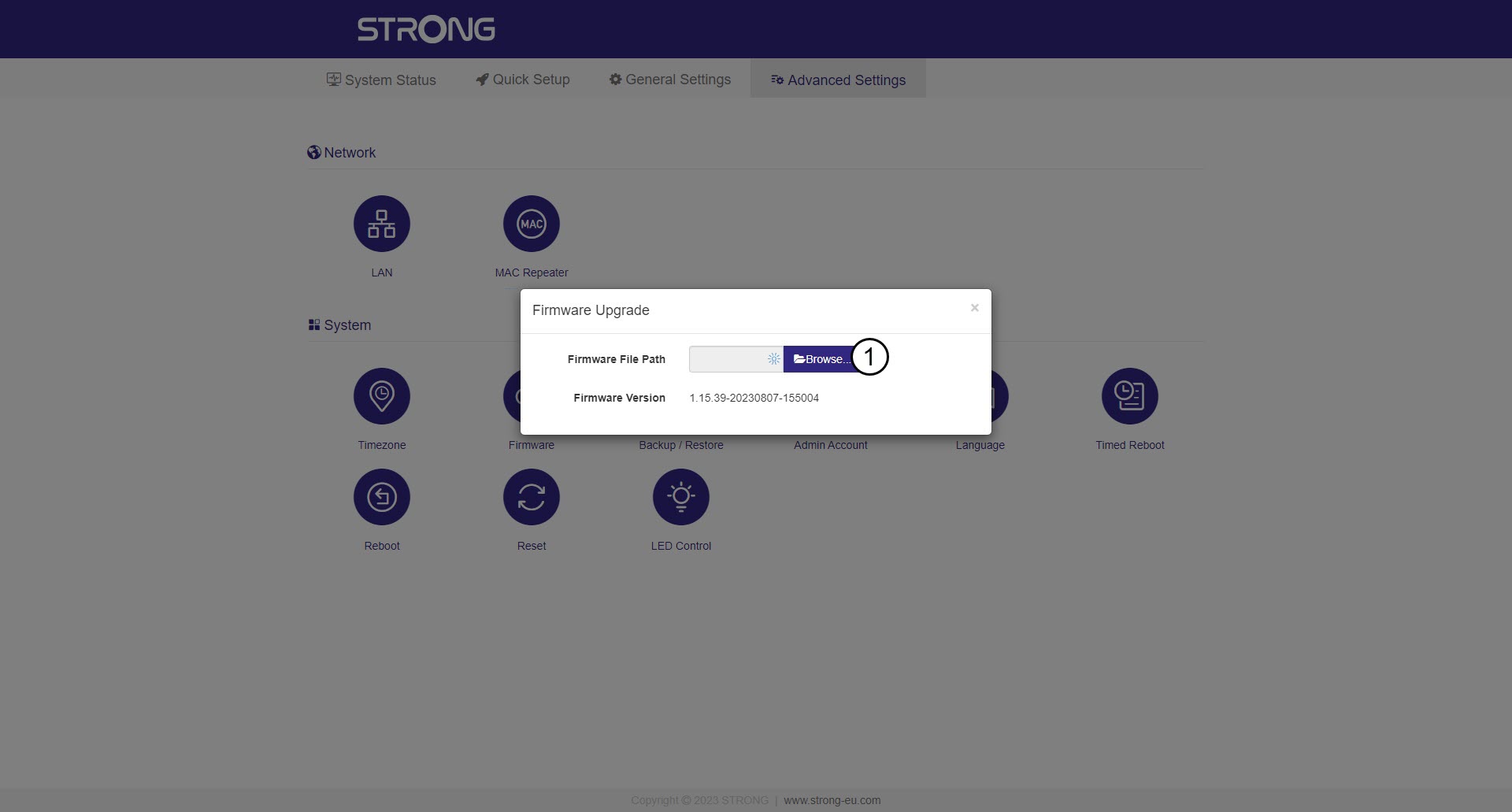
7Vybertesoubor s firmwarem, který jste si stáhli
Vyberte soubor a aktualizace se spustí automaticky.

Upozornění: Počkejte, až se aktualizace dokončí a zařízení se restartuje. Po dokončení aktualizace se musíte znovu připojit k síti Wi-Fi na adrese
.