
4G AIRHOME 210 UK pevnými 4G anténami
Nebyly nalezeny žádné položky.
Nebyly nalezeny žádné položky.
Všechny otázky
4G AIRHOME 210 UK pevnými 4G anténami
Nebyly nalezeny žádné položky.
Nebyly nalezeny žádné položky.
Po vložení SIM karty do routeru nemám připojení k internetu, proč?
Existuje řada důvodů, které mohou vysvětlovat, proč po vložení SIM karty nefunguje vaše připojení k internetu.
- První možnou příčinou může být nesprávné zasunutí SIM karty. Zkontrolujte prosím její polohu podle schématu, které znázorňuje postup zasunutí.
Případ 1: Převod karty Micro SIM na kartu SIM plné velikosti
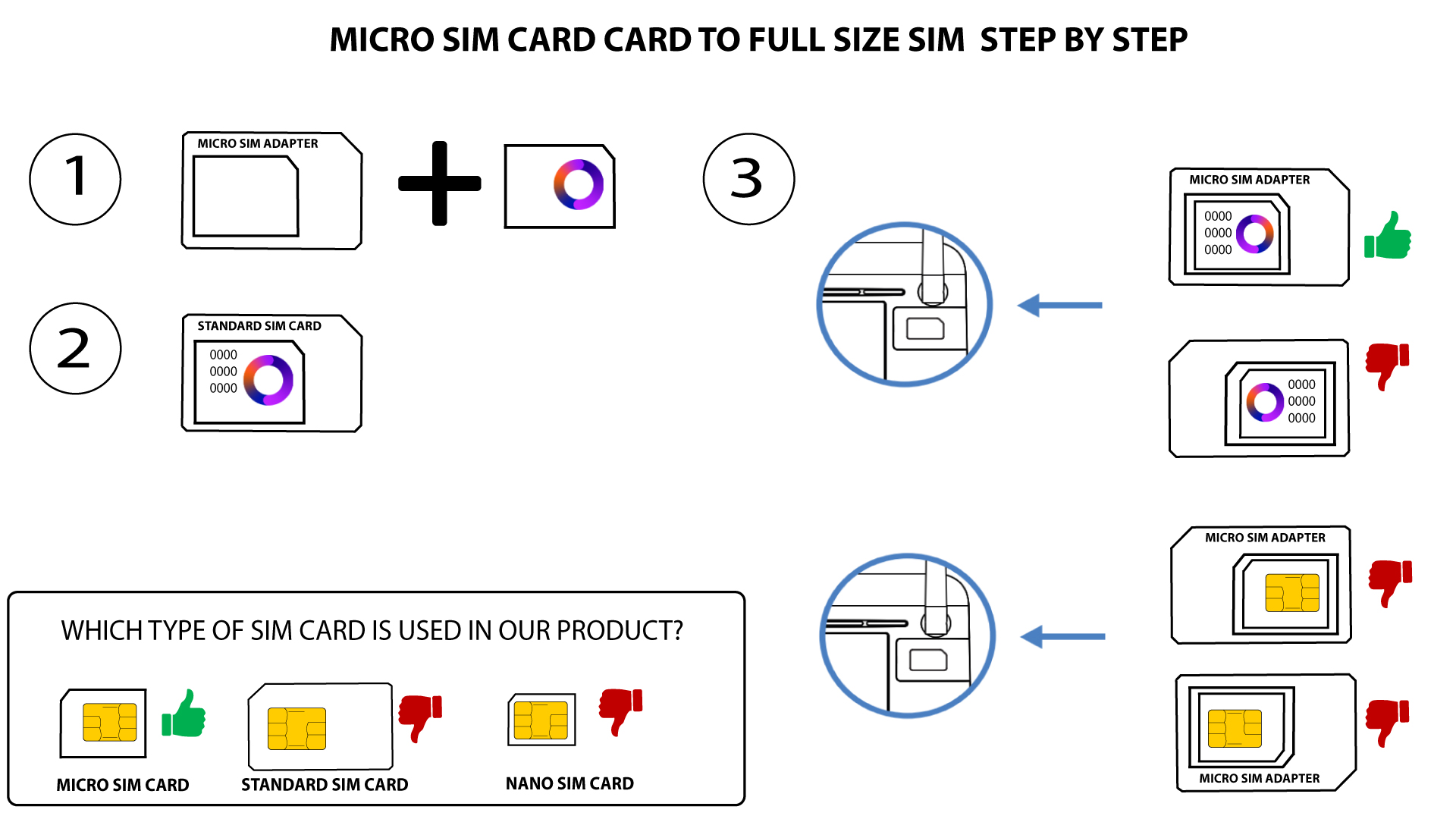
PŘÍPAD 2: Převod nano SIM karty na SIM kartu standardní velikosti
- Dalším důvodem může být to, že je vaše SIM karta uzamčena kódem PIN. Chcete-li ji odemknout, musíte se přihlásit do webového rozhraní a zadat kód PIN. Postupujte podle pokynů popsaných v následující části: Jak zadám kód PIN své SIM karty?
- Konečně je také možné, že zařízení vaši SIM kartu sice detekuje, ale automaticky ji nerozpozná. V takovém případě se musíte přihlásit do webového uživatelského rozhraní a zkontrolovat nastavení APN vašeho operátora. Tento postup je popsán v následující části: Jak zkontrolovat a upravit nastavení APN mého operátora?