
ATRIA Wi-Fi 5 Mesh 1200 (balení po 3 kusech)
Všechny otázky
ATRIA Wi-Fi 5 Mesh 1200 (balení po 3 kusech)
Zapomněl jsem heslo k Wi-Fi síti „ Mesh “. Jak ho mohu zjistit?
Výchozí heslo k Wi-Fi je uvedeno na spodní straně zařízení; pokud jste jej však již změnili, bude možná nutné obnovit výchozí tovární nastavení zařízení Mesh 1200.

1 PŘÍPAD1: Informace o síti v webovém uživatelském rozhraní
Chcete-li se připojit k webovému uživatelskému rozhraní, postupujte podle následujících pokynů: Jak se dostanu do webového uživatelského rozhraní?
2. Nastavení Wi-Fi
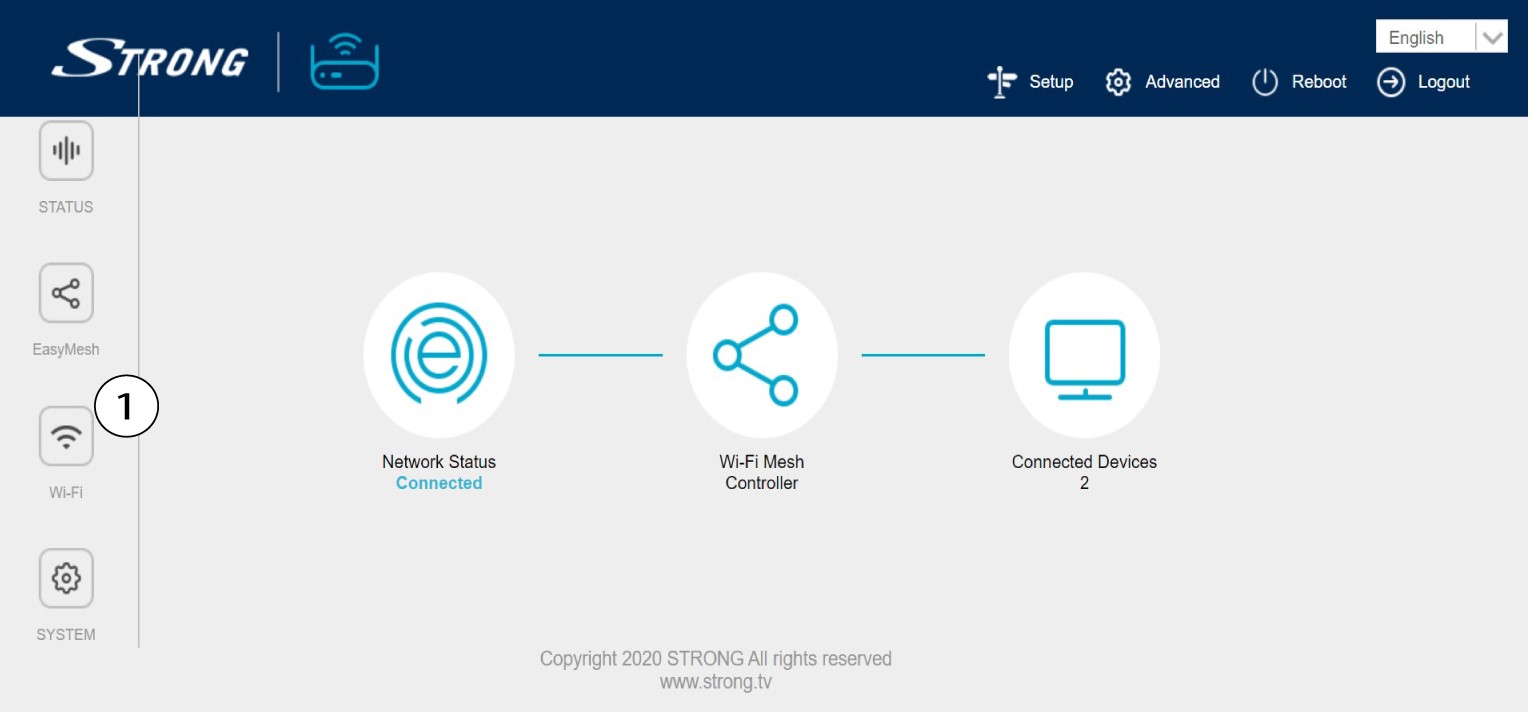
Klikněte na položku „Wi-Fi“ v levém panelu.
32,4 G WLAN
V síti 5G WLAN nebo 2,4G WLAN se název vaší Wi-Fi sítě zobrazí v poli SSID a heslo k této síti si můžete zobrazit na stránce
zaškrtnutím políčka „Zobrazit box “ vpravo od pole „Wi-Fi klíč“.

4. Zapištesi tyto informace
Zapište si heslo na kousek papíru.

1PŘÍPAD2: Informace o síti v aplikaci
Chcete-li se připojit k webovému uživatelskému rozhraní, postupujte podle následujících pokynů: Jak používat aplikaci Atria „ Mesh “?
2. Nastavení Wi-Fi
Klikněte na položku „Wi-Fi“ v levém panelu.

3Zobrazitheslo
Kliknutím na ikonu oka zobrazíte heslo.

4. Zapištesi tyto informace
Zapište si heslo na kousek papíru.