LEAP S3 | 4K Google TV s podporou Dolby Vision
Všechny otázky
LEAP S3 | 4K Google TV s podporou Dolby Vision
Proč není možné regulovat hlasitost ani po deaktivaci možnosti ovládání hlasitosti?
Pokud stále nemůžete ovládat hlasitost pomocí dálkového ovladače LEAP S3, postupujte podle níže uvedených pokynů a v nastavení dálkového ovladače televizor „vymažte“.
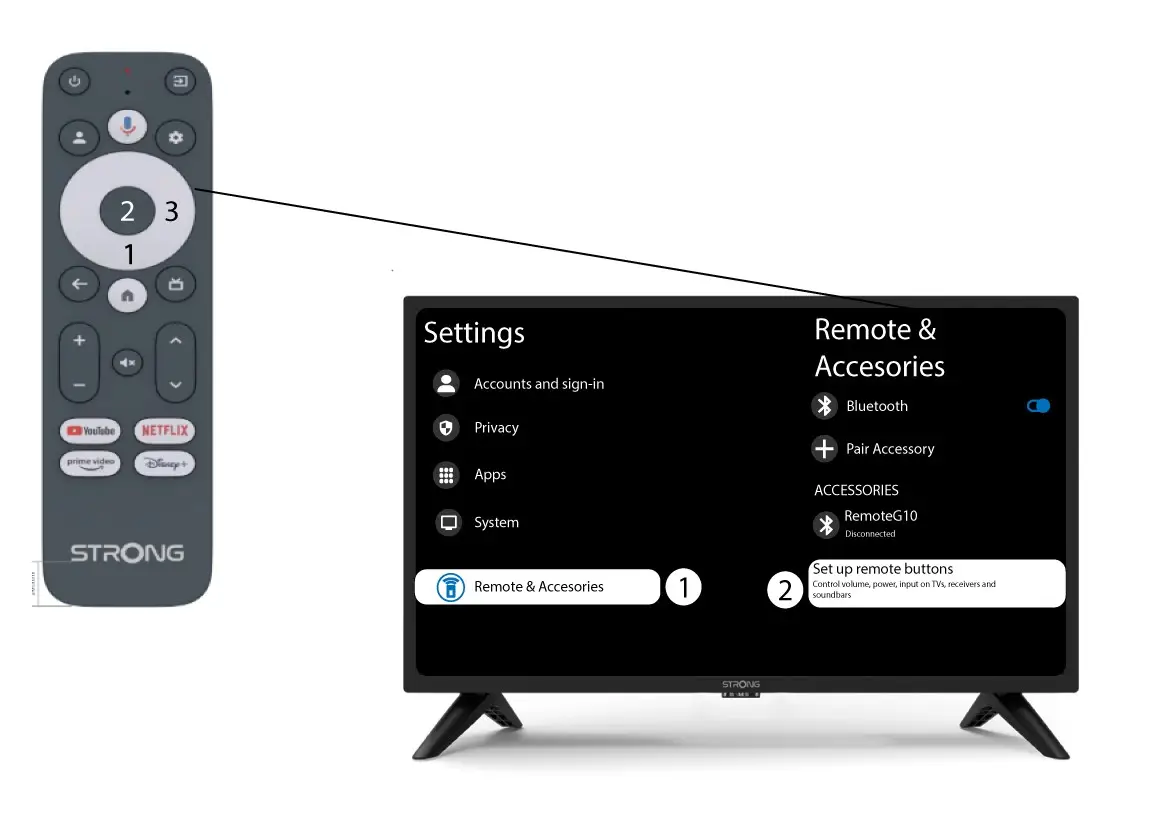
1Nastavení
Stiskněte tlačítko Nastavení a poté tlačítko OK

2. Nastavení dálkového ovladačea příslušenství
Několikrát stiskněte tlačítko dolů, abyste vybrali položku „Dálkové ovládání a příslušenství“, a stiskněte tlačítko OK. Poté několikrát stiskněte tlačítko DOLŮ, abyste vybrali položku „Nastavení tlačítek dálkového ovládání“, a stiskněte tlačítko OK.
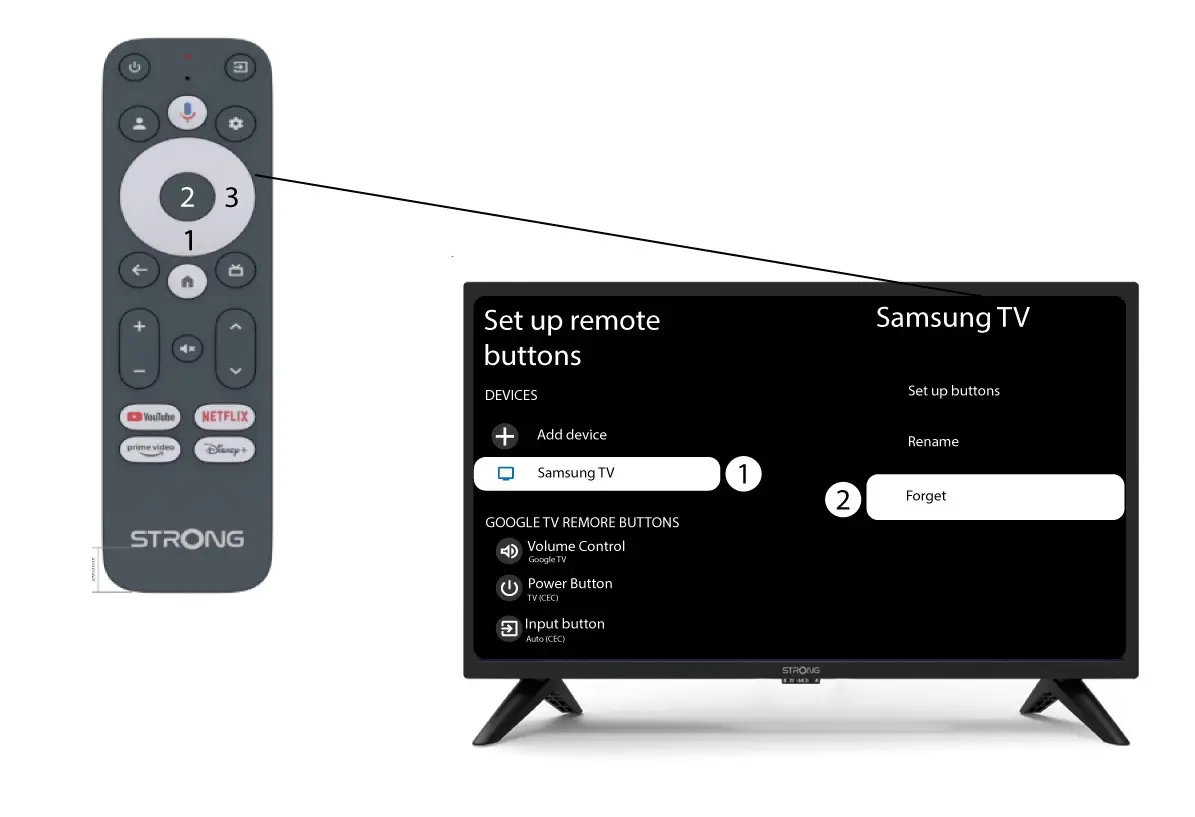
3Zapomeňtena televizi napojenou na dálkové ovládání
Pokud je televizor již nastaven a zobrazen v seznamu, musíte jej ze seznamu odstranit, abyste jej mohli znovu nakonfigurovat.
Chcete-li to provést, vyberte značku televizoru a zvolte možnost „Zapomenout“ a poté stiskněte tlačítko OK pro potvrzení.
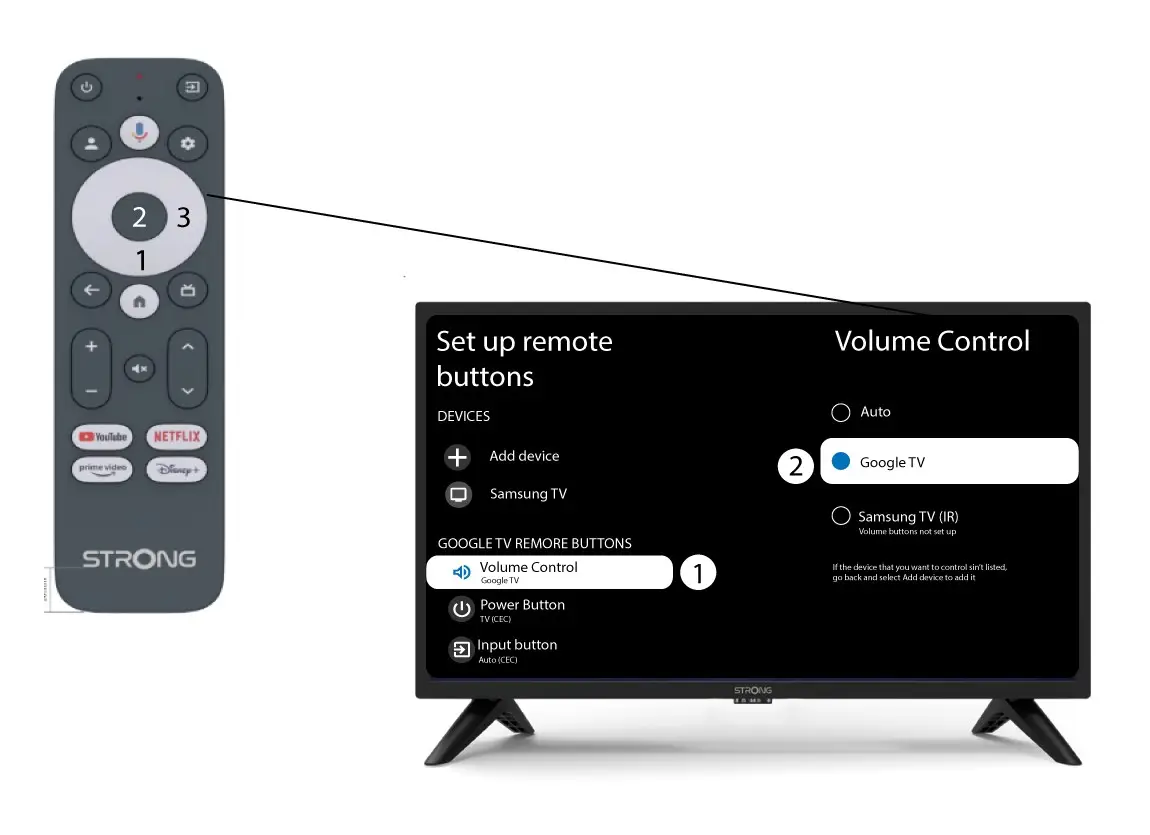
4. Zkontrolujteovládání hlasitosti
Na závěr je třeba zkontrolovat, zda je ovládání hlasitosti nastaveno na Google TV. Pokud tomu tak není, vyberte tuto možnost – ovládání hlasitosti by pak mělo správně fungovat na obou dálkových ovladačích.