ATRIA Wi-Fi 6 Mesh 3000 (2-pak)
Alle spørgsmål
ATRIA Wi-Fi 6 Mesh 3000 (2-pak)
Hvordan konfigurerer jeg mit Wi-Fi- mesh -netværk?

Advarsel: For at konfigurere dit » Mesh «-netværk henvises der til den hurtigvejledning (QIG), der findes i afsnittet » boks « i produktets dokumentation.
Bemærk, at du skal gentage denne fremgangsmåde for hver Mesh -enhed, du ønsker at tilføje til dit Mesh -netværk.
1. Eksempel1: WPS-knappen
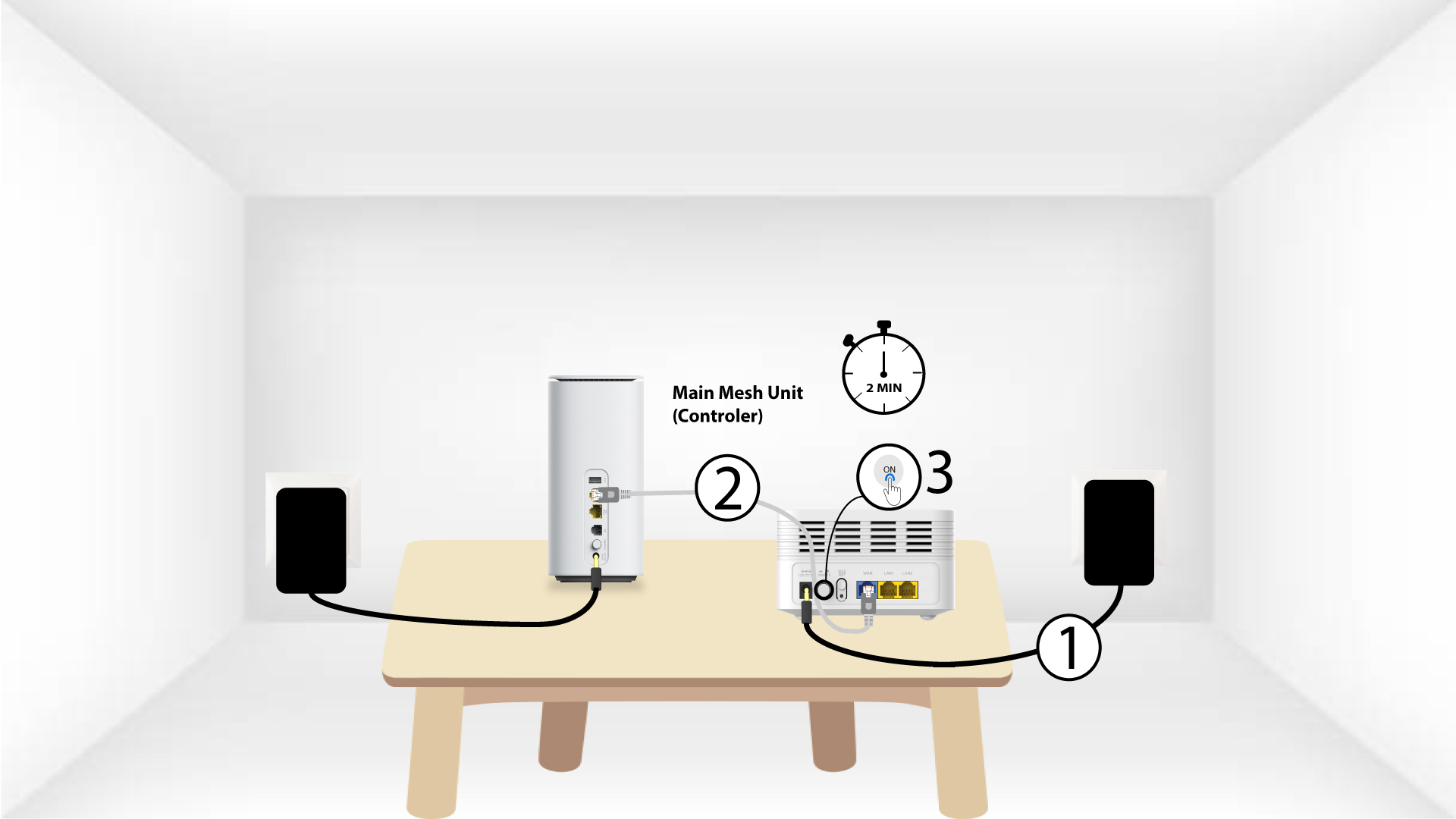
Du skal sætte stikket i »Mesh «-enheden og tilslutte den til dit modem ved hjælp af et RJ45-kabel, inden du trykker på tænd/sluk-knappen.
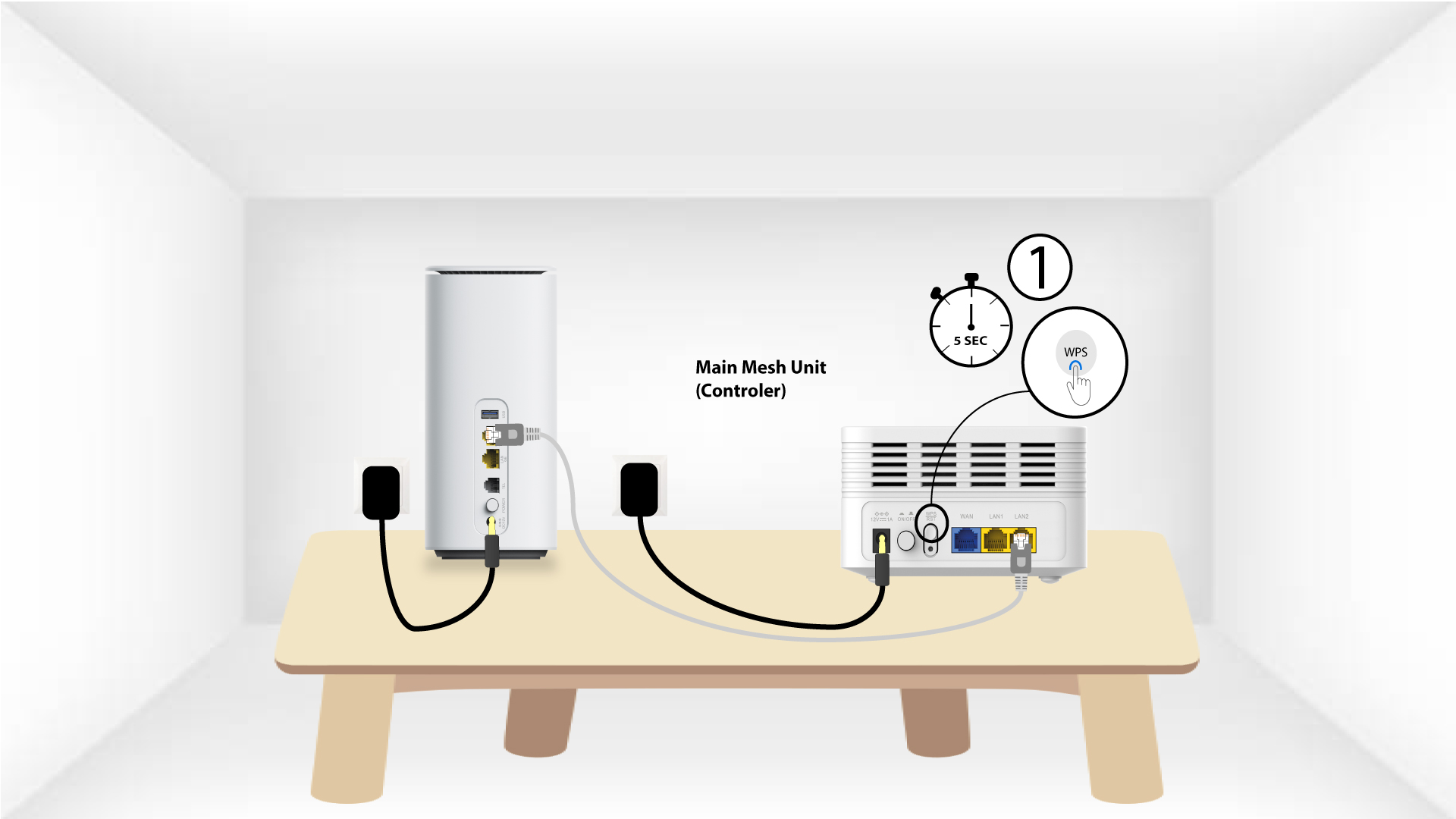
2Hoved Mesh WPS
Tryk på WPS-knappen på mesh , der er tilsluttet dit modem, i 5 sekunder.
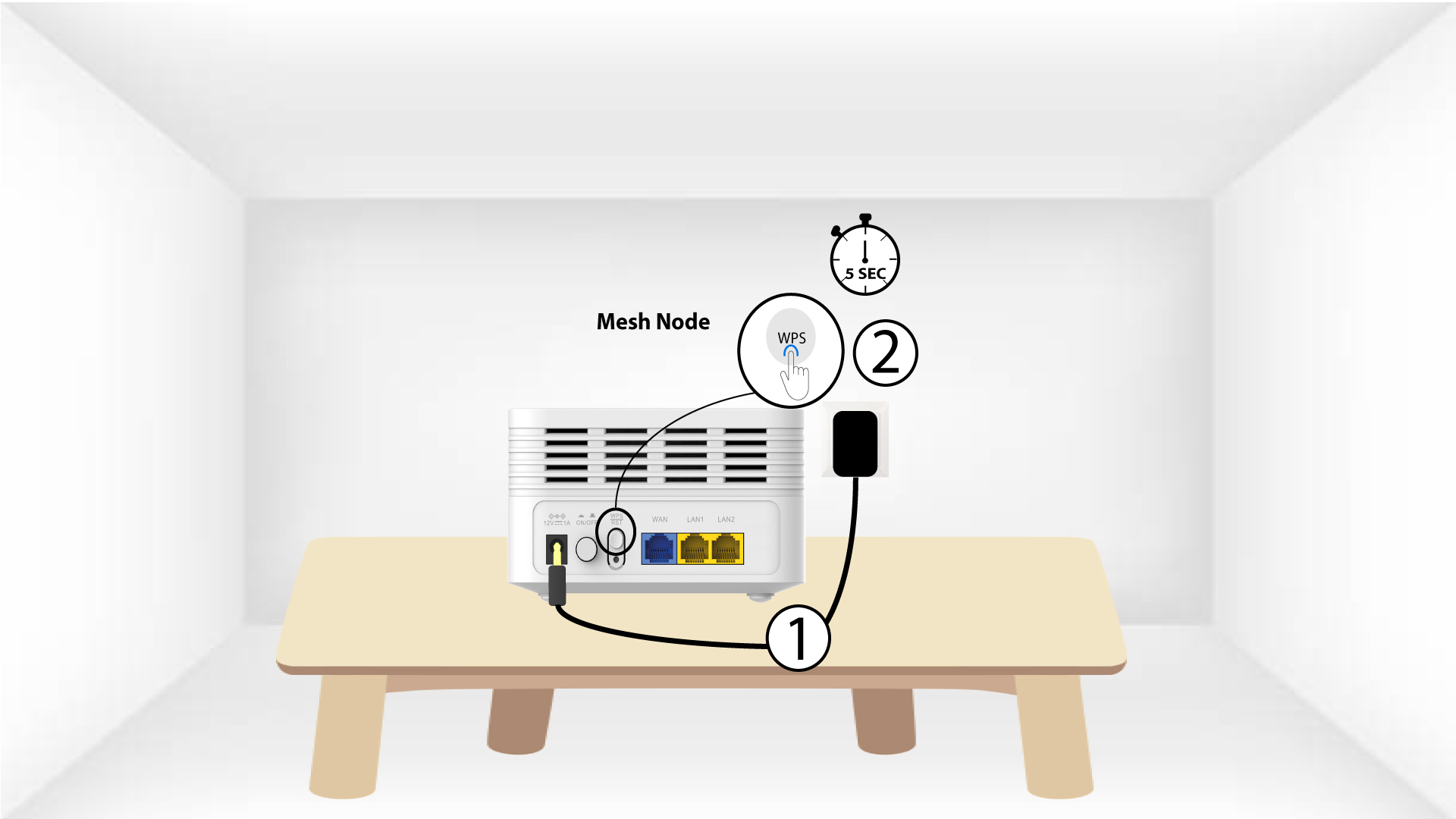
3Second- Mesh -enhed WPS
Sæt den anden » Mesh «-enhed i en stikkontakt, og tryk på WPS-knappen i 5 sekunder.
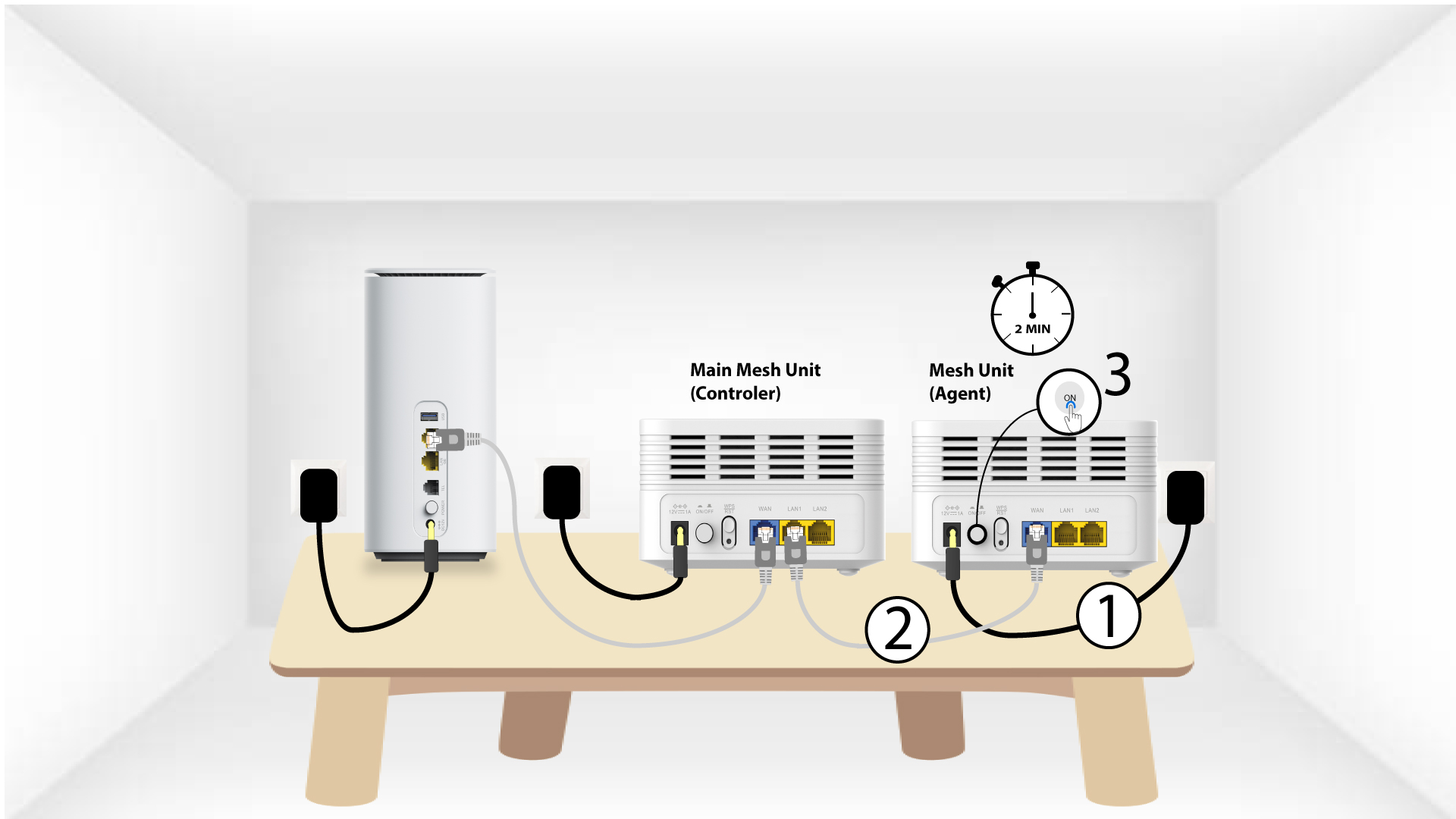
1. Eksempel2: Ethernet-kabel (RJ45)
Du skal sætte stikket i Mesh -enheden og tilslutte den til dit modem ved hjælp af et RJ45-kabel i WLAN-porten, inden du trykker på tænd/sluk-knappen.
2. Ethernet-kabel i LAN-portene på begge Mesh
Tilslut hoved Mesh senheden (controlleren) til Mesh senheden (agenten) via RJ45-stik i begge LAN-porte på de to Mesh.