
4G+ AIRSPOT 520 Mobil Wi-Fi med Touchscreen
Ingen varer fundet.
Ingen varer fundet.
Alle spørgsmål
4G+ AIRSPOT 520 Mobil Wi-Fi med Touchscreen
Ingen varer fundet.
Ingen varer fundet.
Hvordan indtaster jeg min PIN-kode? (Mi-Fi-skærm)
Når du sætter dit SIM-kort i for første gang, vil enheden bede dig om at indtaste PIN-koden.
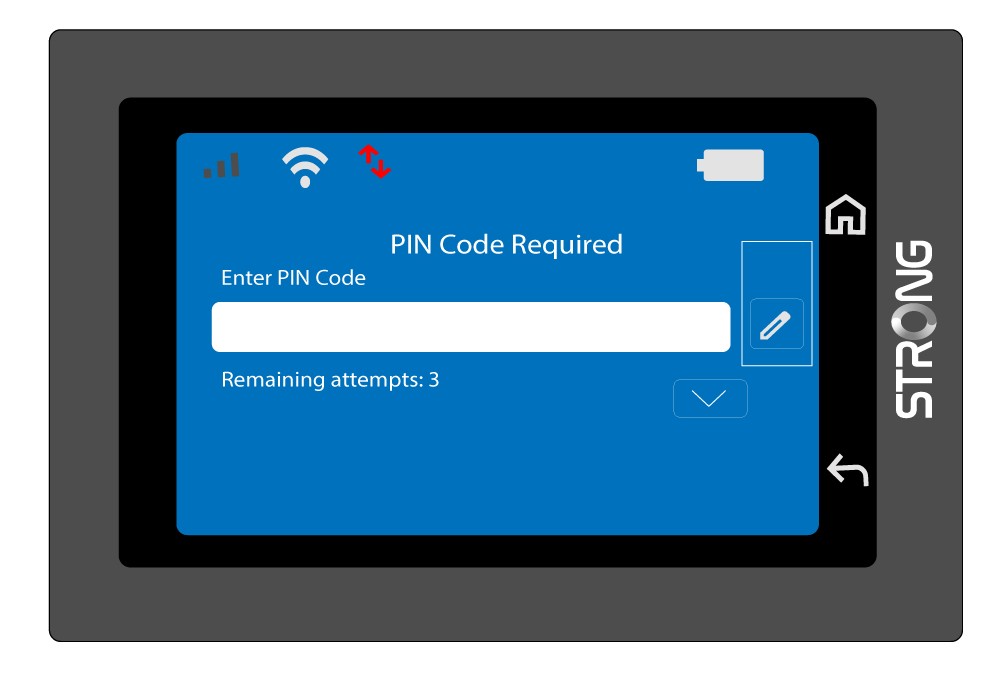
1Åbntastaturet
Klik på pen-ikonet for at åbne det numeriske tastatur.
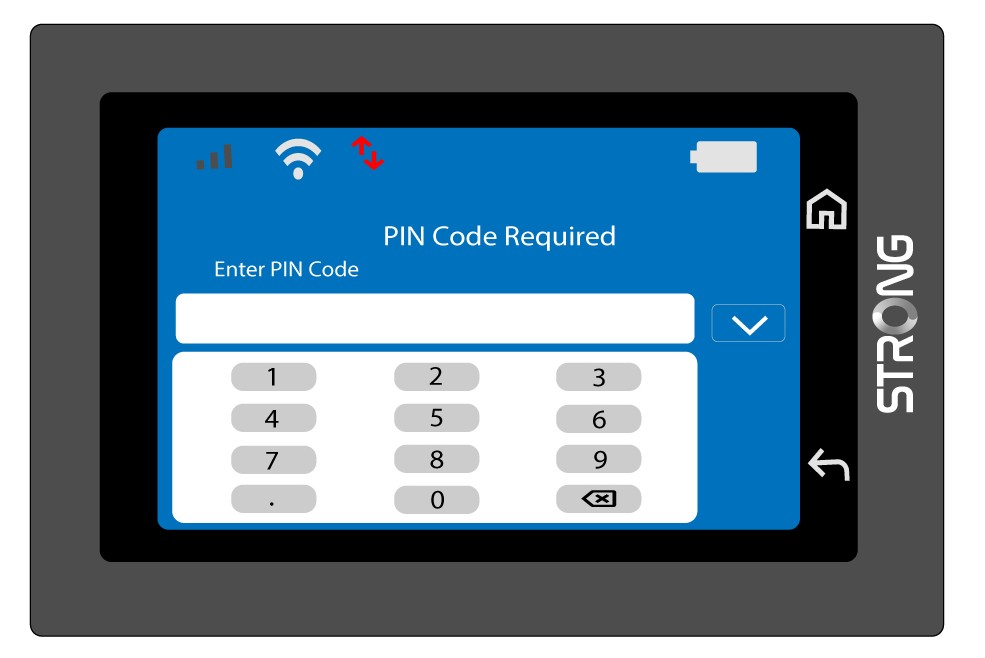
2IndtastPIN-koden
Indtast din PIN-kode ved hjælp af det numeriske tastatur, og tryk derefter på (v)-ikonet for at bekræfte.
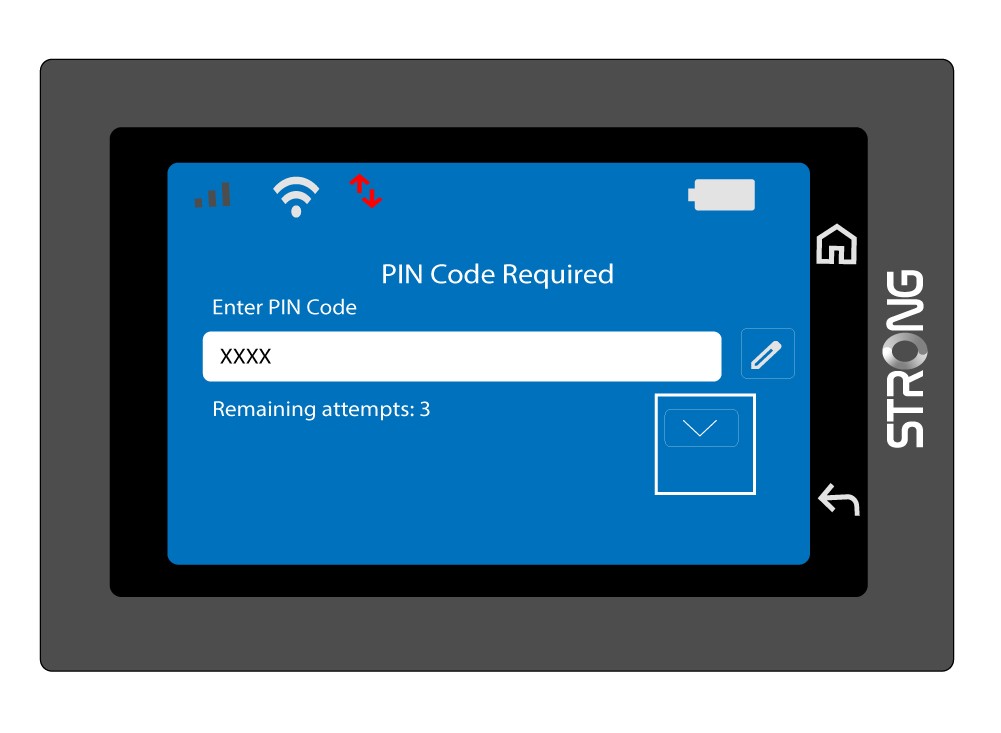
3Bekræftkoden
Bekræft PIN-koden på hovedskærmen.
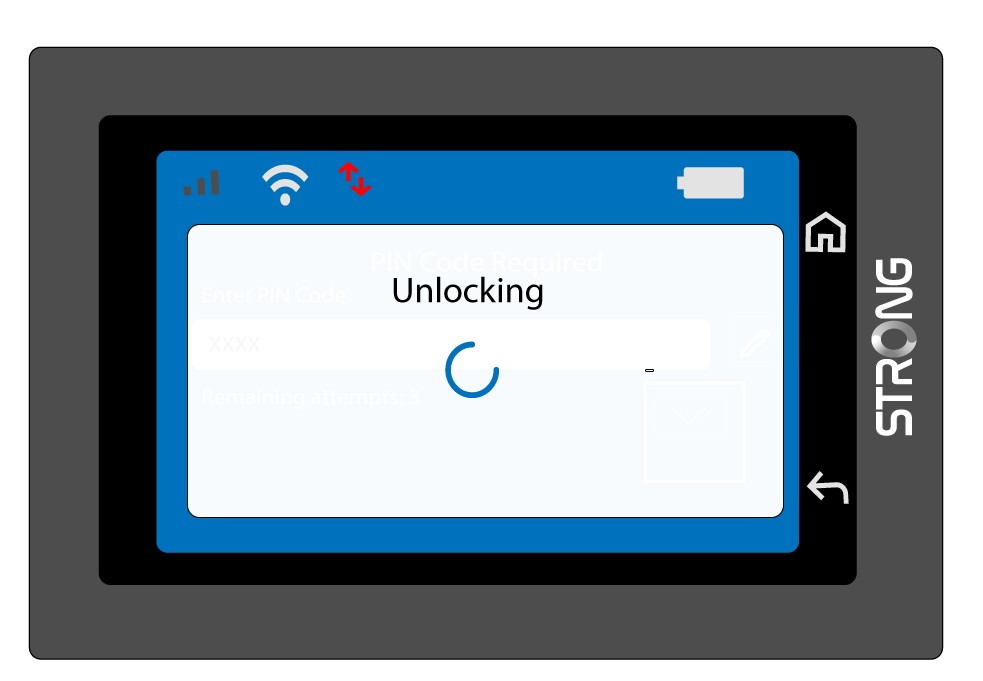
4Ventpå bekræftelse
Vent, indtil oplåsningsmeddelelsen forsvinder fra skærmen.
5Klartil brug
Du bør nu se følgende skærmbillede.
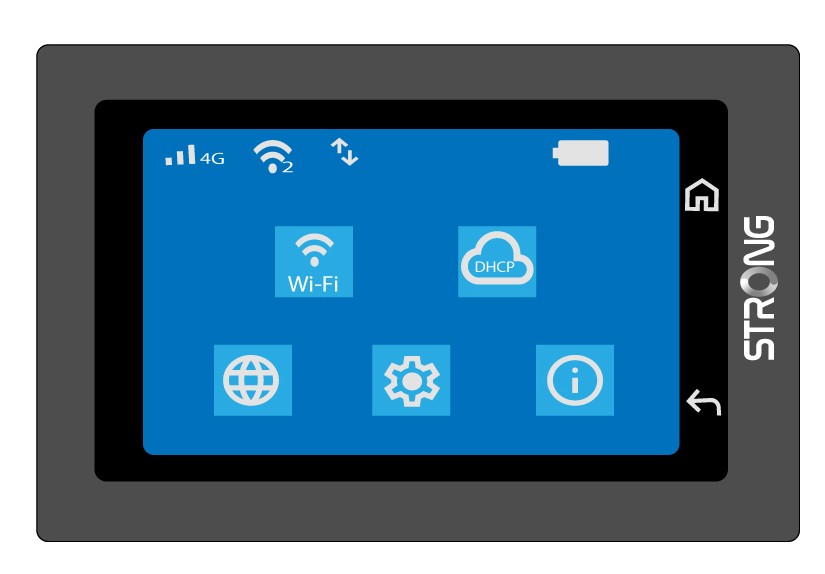
Efter den første vellykkede indtastning gemmer Mi-Fi-enheden din PIN-kode.