Dual Band Repeater 1200
Ingen varer fundet.
Ingen varer fundet.
Alle spørgsmål
Dual Band Repeater 1200
Ingen varer fundet.
Ingen varer fundet.
Hvordan indstiller jeg en statisk IP-adresse på min repeater?
1. Opret forbindelsetil repeateren
Du skal oprette forbindelse til repeateren via RJ45 eller til et af de Wi-Fi-netværk, der blev oprettet efter konfigurationen.

2Åbnwebgrænsefladen
Indtast URL-adressen for at åbne webgrænsefladen i din browser

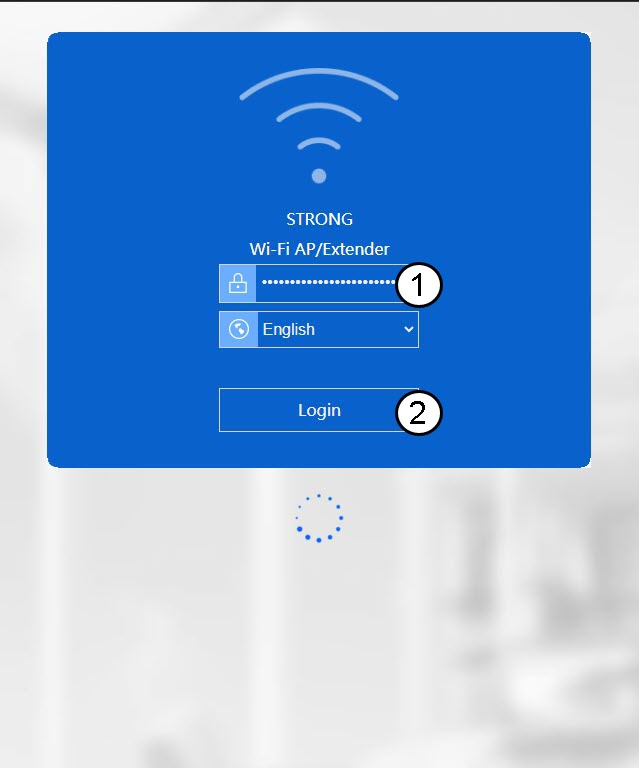
3Logind på webgrænsefladen
Indtast dine administratoroplysninger.
4. Åbnopsætningsmenuen
Klik på »Opsætning«.
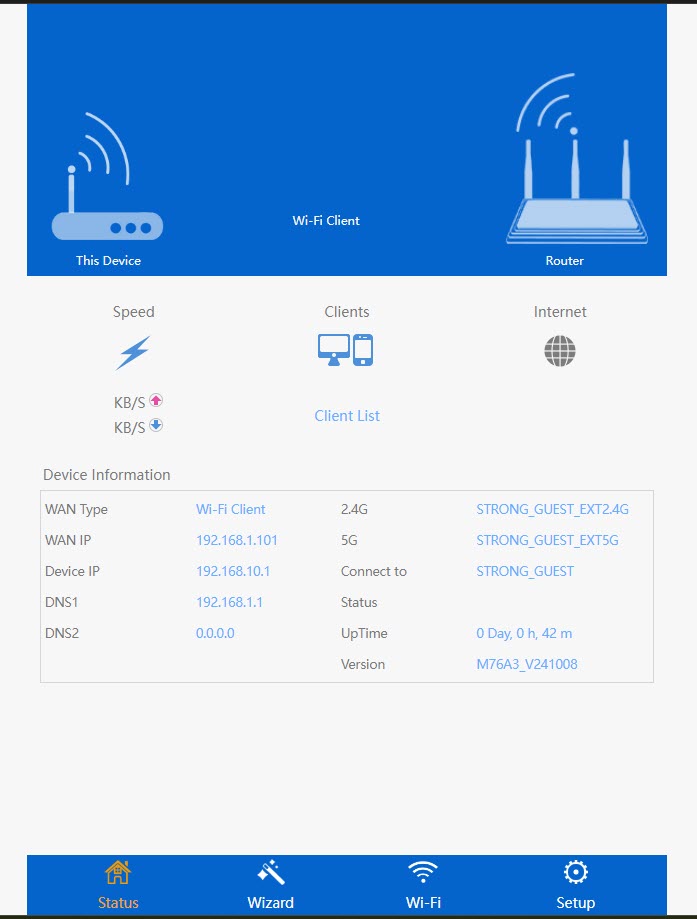
5Gåtil internetindstillinger
Klik på » Internetindstillinger «
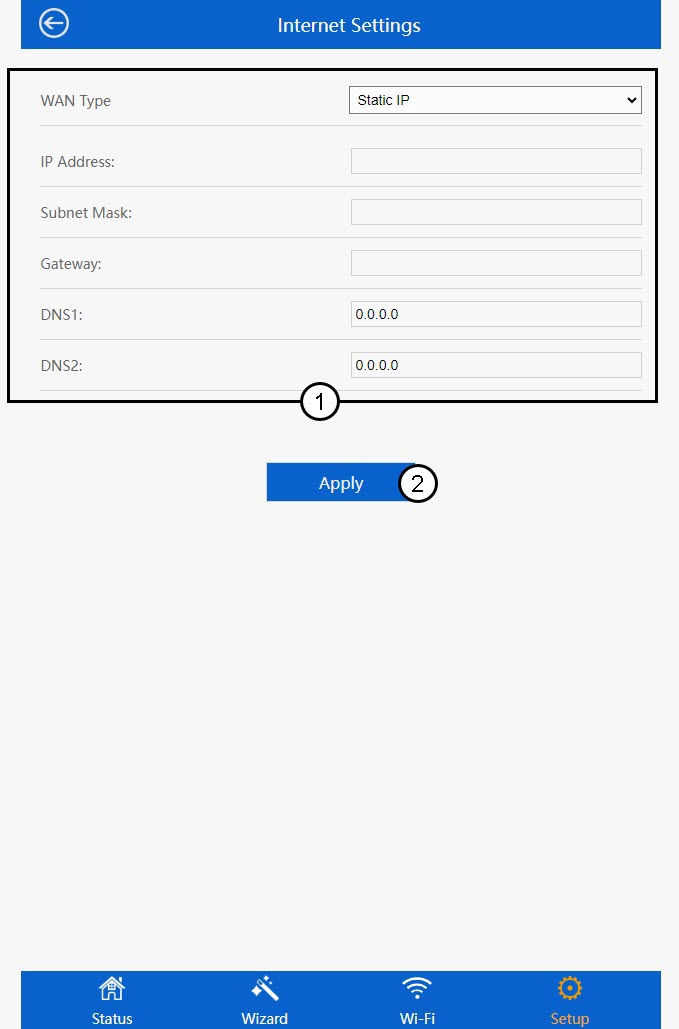
6. Konfigurerden statiske IP-adresse
På siden »Internetindstillinger« skal du indtaste følgende oplysninger, inden du klikker på »Gem og anvend«:
- WAN-type: Vælg værdien »Statisk IP « på listen.
- IP-adresse: Indtast repeaterens IP-adresse.
- Undernetmaske: Vælg undernetmasken fra listen
- Gateway: Indtast IP-adressen på din repeater
- DNS1: Indtast en DNS-adresse.
- DNS2: Indtast en DNS-adresse.