
Dual Band Repeater 1200
Ingen varer fundet.
Ingen varer fundet.
Alle spørgsmål
Dual Band Repeater 1200
Ingen varer fundet.
Ingen varer fundet.
Hvordan opdaterer jeg firmwaren på min repeater?
1. Tjek, om der er en firmwareopdatering
Inden opdateringen skal du gå ind på download-sektionen på vores hjemmeside for at se, om der er en ny softwareversion tilgængelig.
2Gåtil siden med downloads
Klik på HJÆLP > Downloads.

3Vælgdit produkt
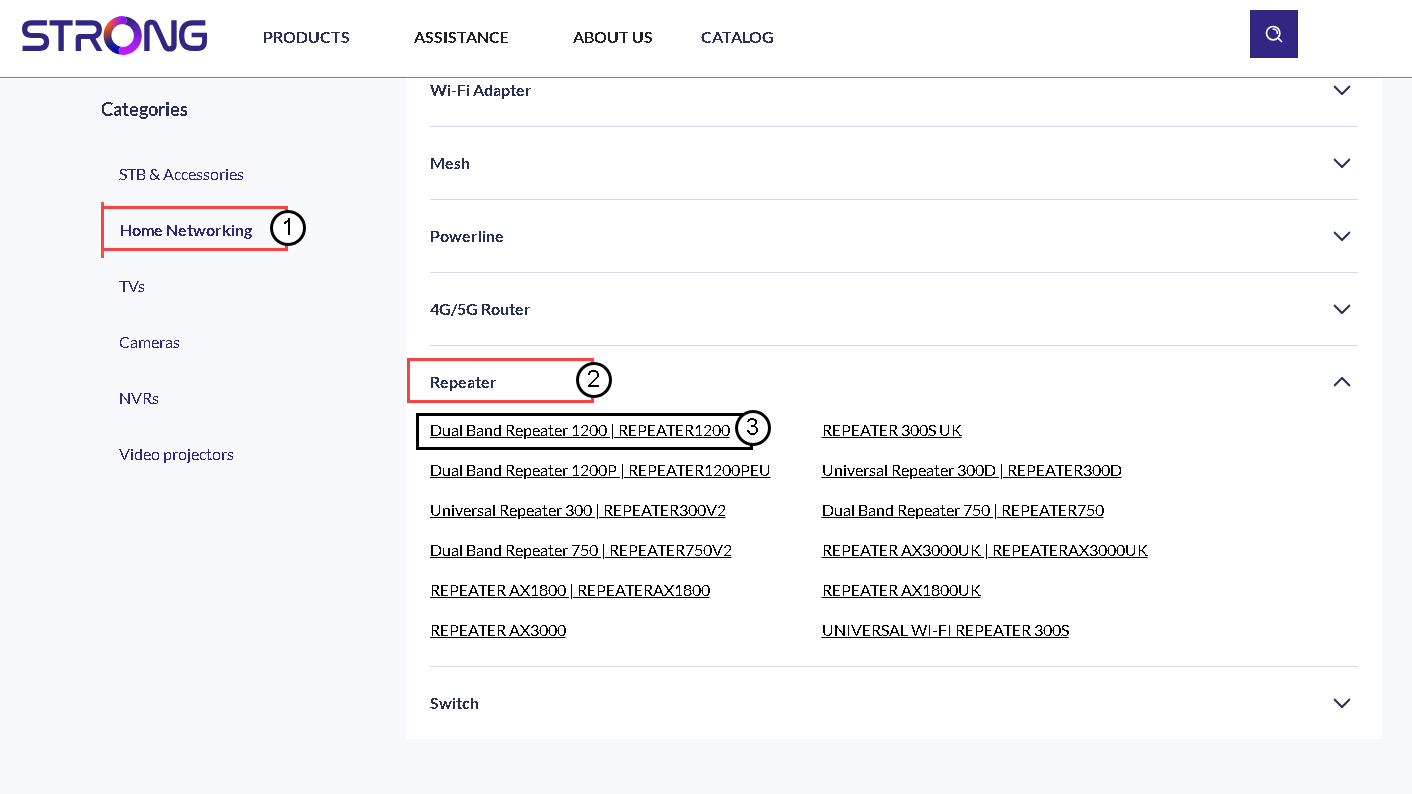
Når du er kommet til siden »Downloads«, skal du klikke på »Hjemmenetværk og repeater« og derefter klikke på produktkoden.
4. Downloadfirmwaren
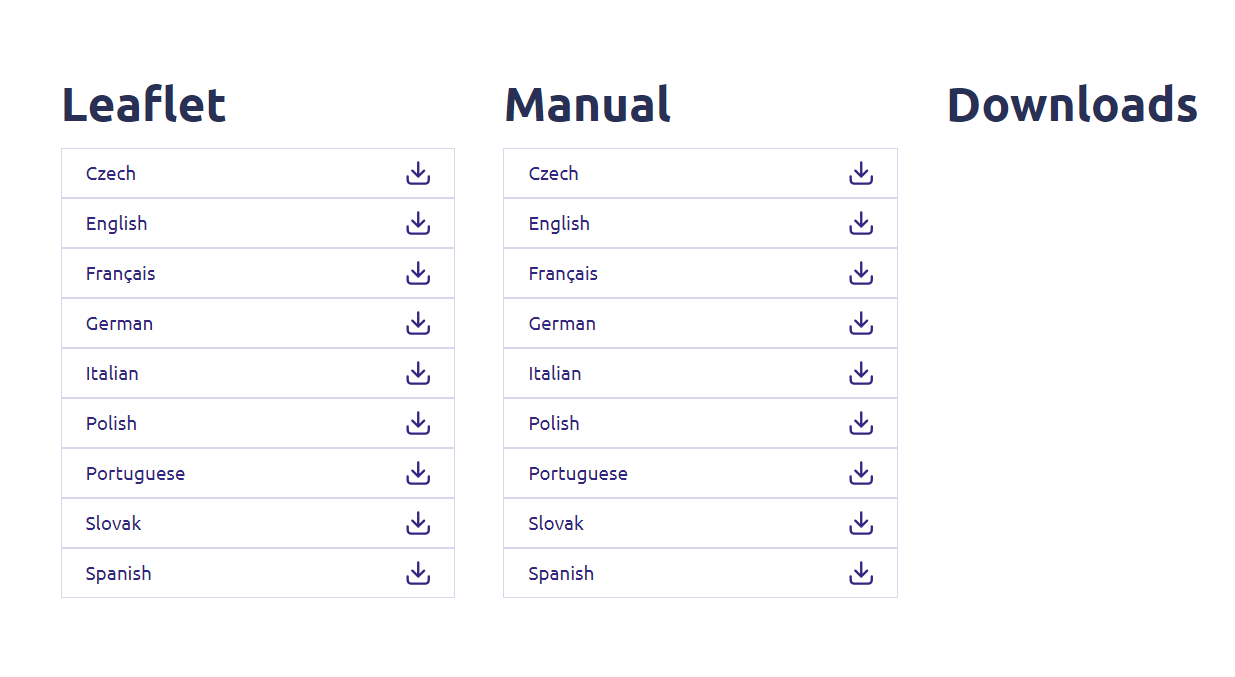
På siden nedenfor finder du den nye softwareversion under afsnittet om firmware. Hvis der er en fil tilgængelig, bedes du downloade den.
5Tilsluttil repeateren
Når dette er gjort, skal du oprette forbindelse til repeaterens Wi-Fi.

6Åbnwebgrænsefladen
Gå til webgrænsefladens URL.

7. Åbnopsætningsmenuen
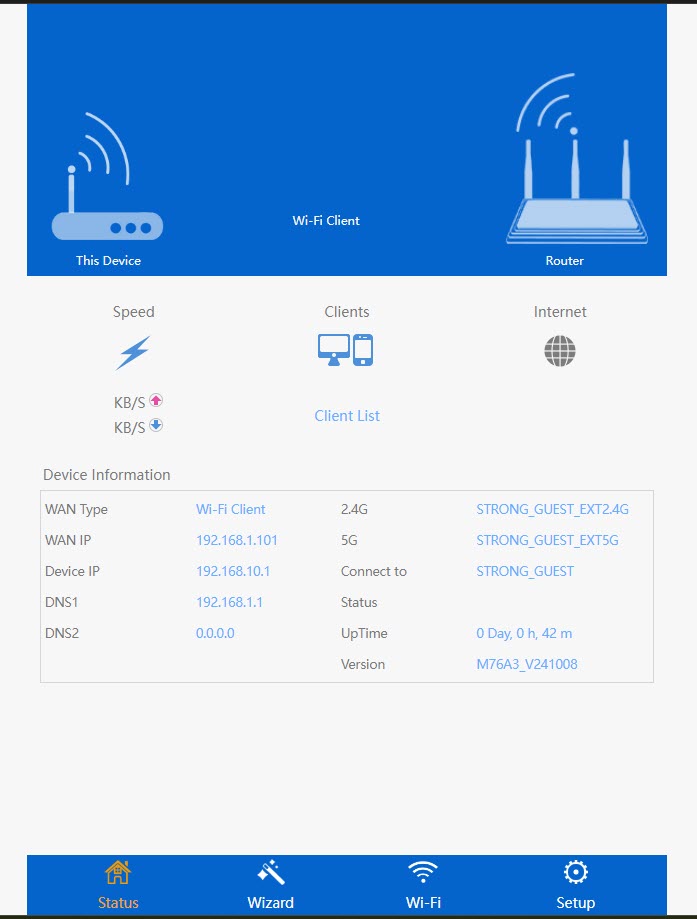
Klik på »Opsætning«.
8Startfirmwareopgraderingen
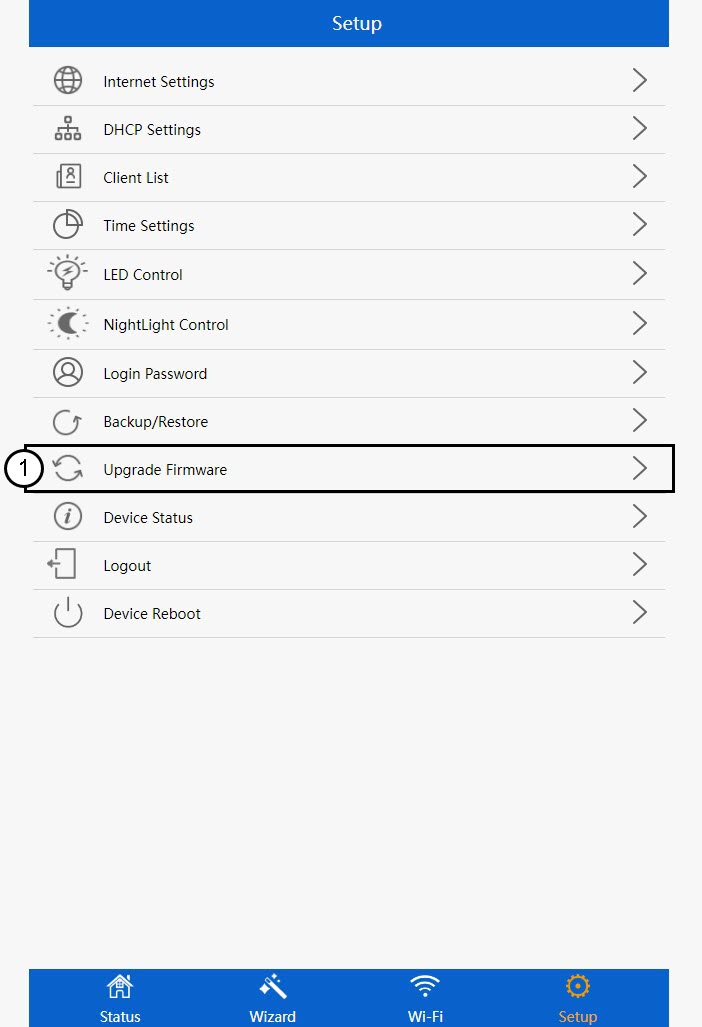
Klik på »Opgrader firmware«.
9Anvendopdateringen
Vælg din fil, og klik på »Anvend«. Derefter starter opdateringen automatisk.
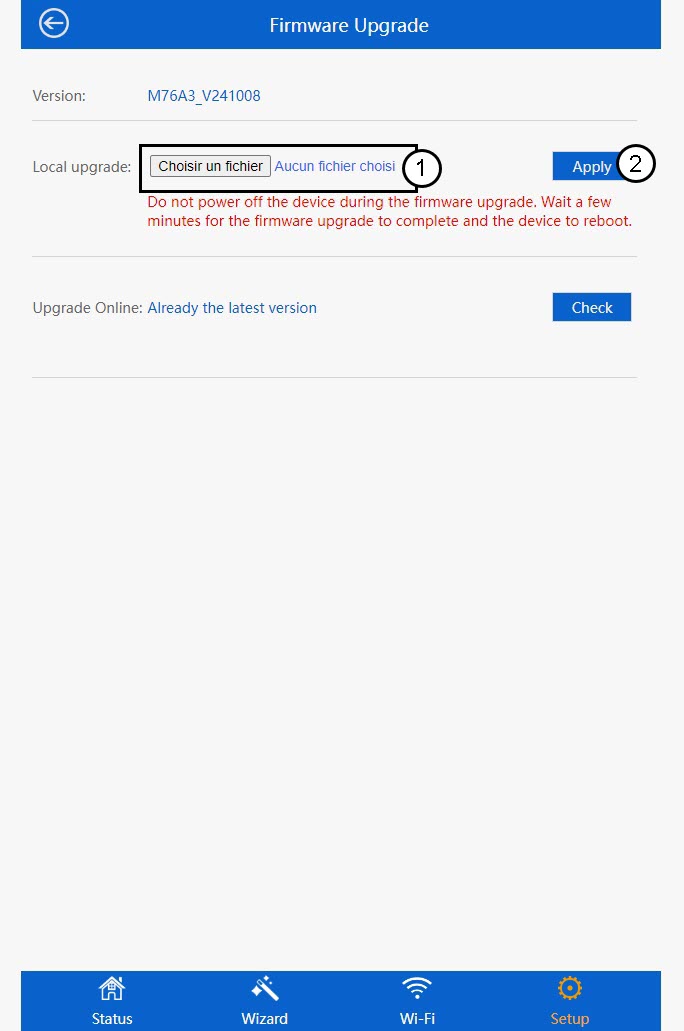
 Advarsel: Vent, indtil opdateringen er færdig, og enheden er genstartet. Du skal oprette forbindelse til Wi-Fi igen efter opdateringen.