Keine Artikel gefunden.
4K GOOGLE TV BOX S3+ | DOLBY VISION ATMOS
Keine Artikel gefunden.
Alle Fragen
Keine Artikel gefunden.
4K GOOGLE TV BOX S3+ | DOLBY VISION ATMOS
Keine Artikel gefunden.
Wie kann ich eine App auf dem Startbildschirm hinzufügen oder ihre Reihenfolge ändern?
1Fall1: Eine App hinzufügen
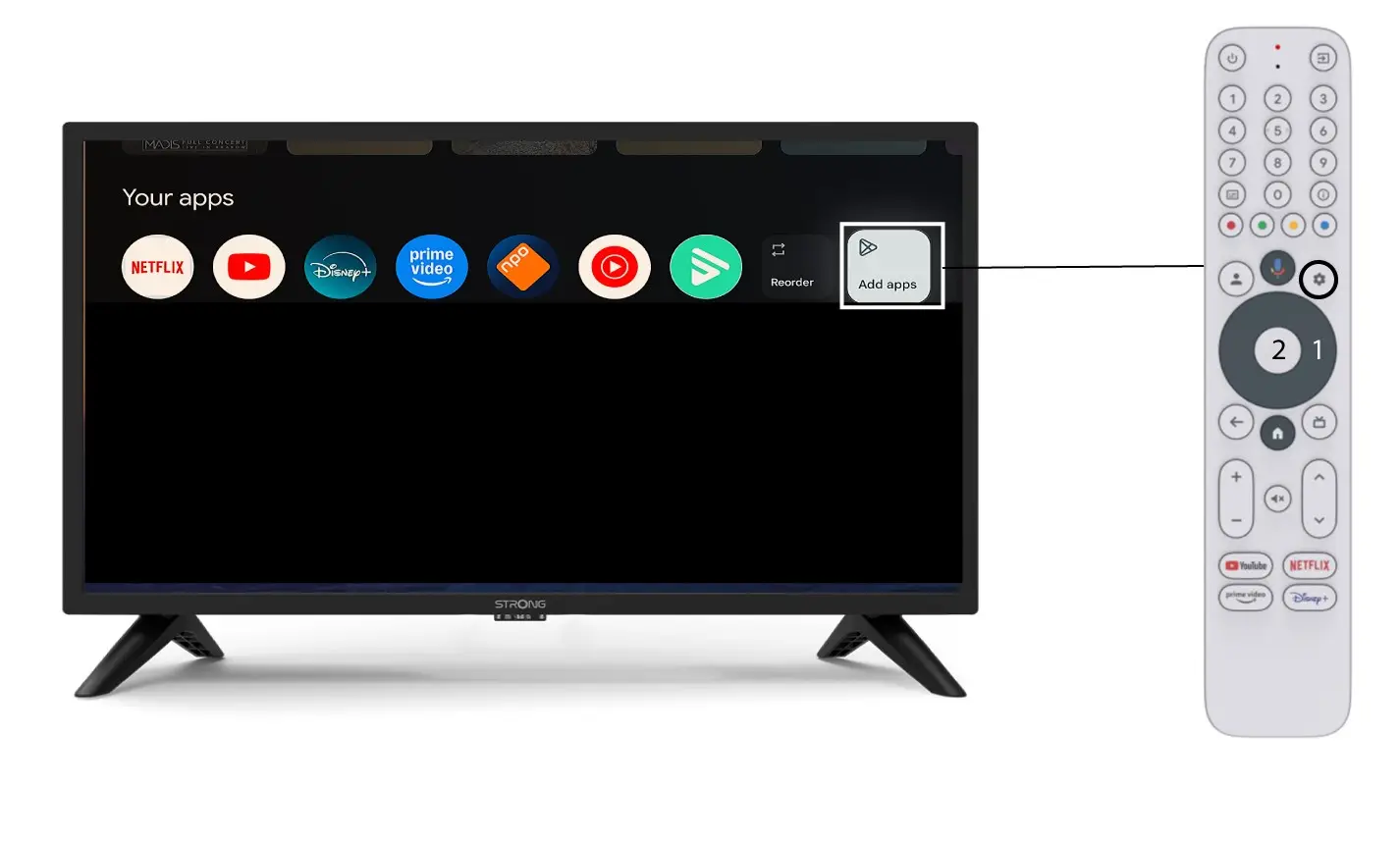
Um eine App auf dem Startbildschirm hinzuzufügen, tippen Sie auf die Schaltfläche „Apps hinzufügen“ am Ende der Liste der bereits auf dem Startbildschirm vorhandenen Apps und tippen Sie anschließend auf „OK“.
2App-Liste
Daraufhin öffnet sich die Liste der Anwendungen. Wählen Sie die gewünschte Anwendung aus und drücken Sie die OK-Taste auf Ihrer Fernbedienung.
Bitte beachten Sie, dass es nicht möglich ist, Apps aus den Favoriten zu entfernen. Sie müssen die App deinstallieren, wenn Sie möchten, dass sie von dieser Seite verschwindet.

3Fall2: Apps neu anordnen
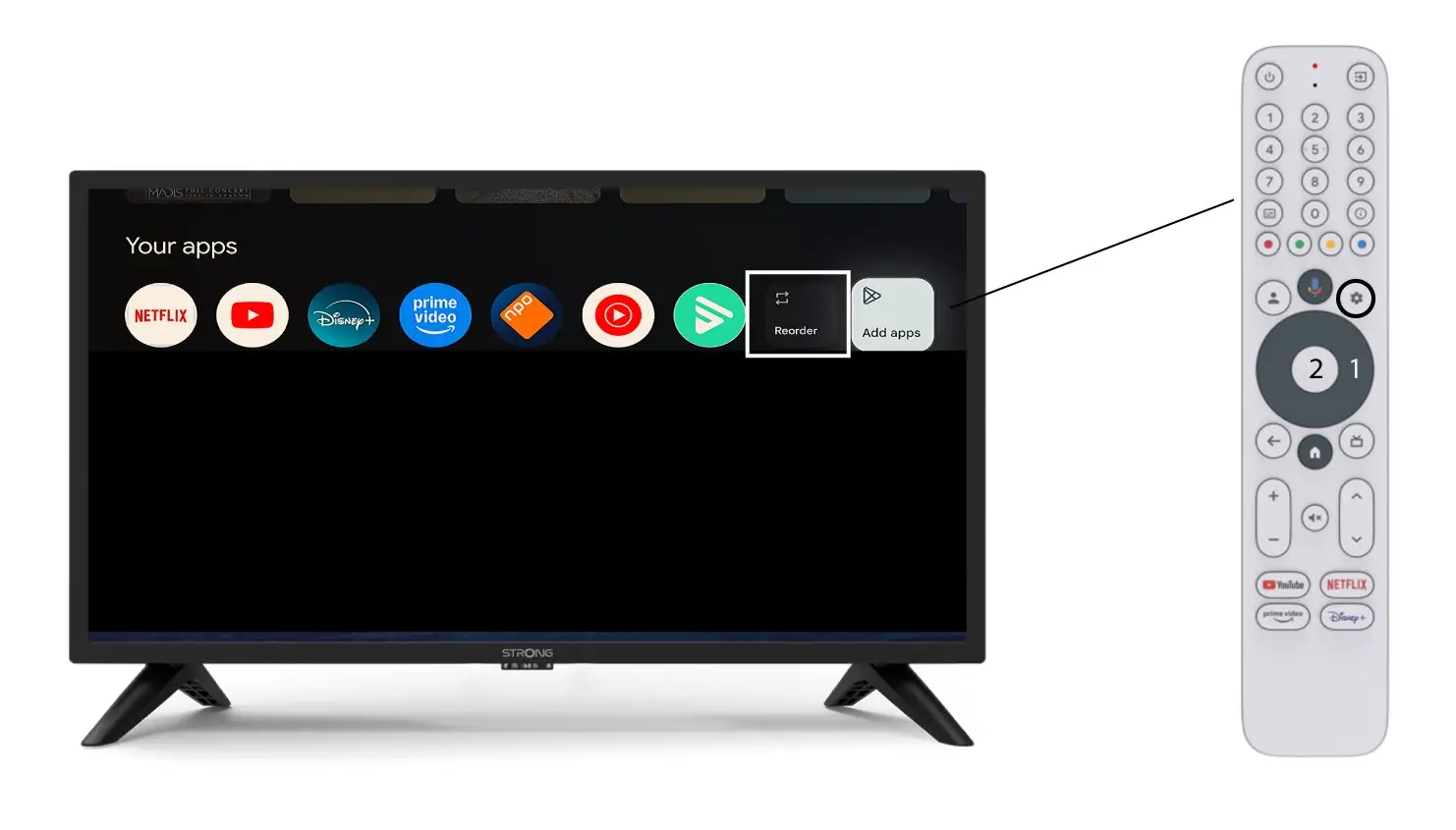
Um die Reihenfolge der auf der Startseite angezeigten Apps zu ändern, klicken Sie auf „Neu anordnen“.