Keine Artikel gefunden.
4K GOOGLE TV BOX S3+ | DOLBY VISION ATMOS
Keine Artikel gefunden.
Alle Fragen
Keine Artikel gefunden.
4K GOOGLE TV BOX S3+ | DOLBY VISION ATMOS
Keine Artikel gefunden.
Wie löscht man eine Anwendung?
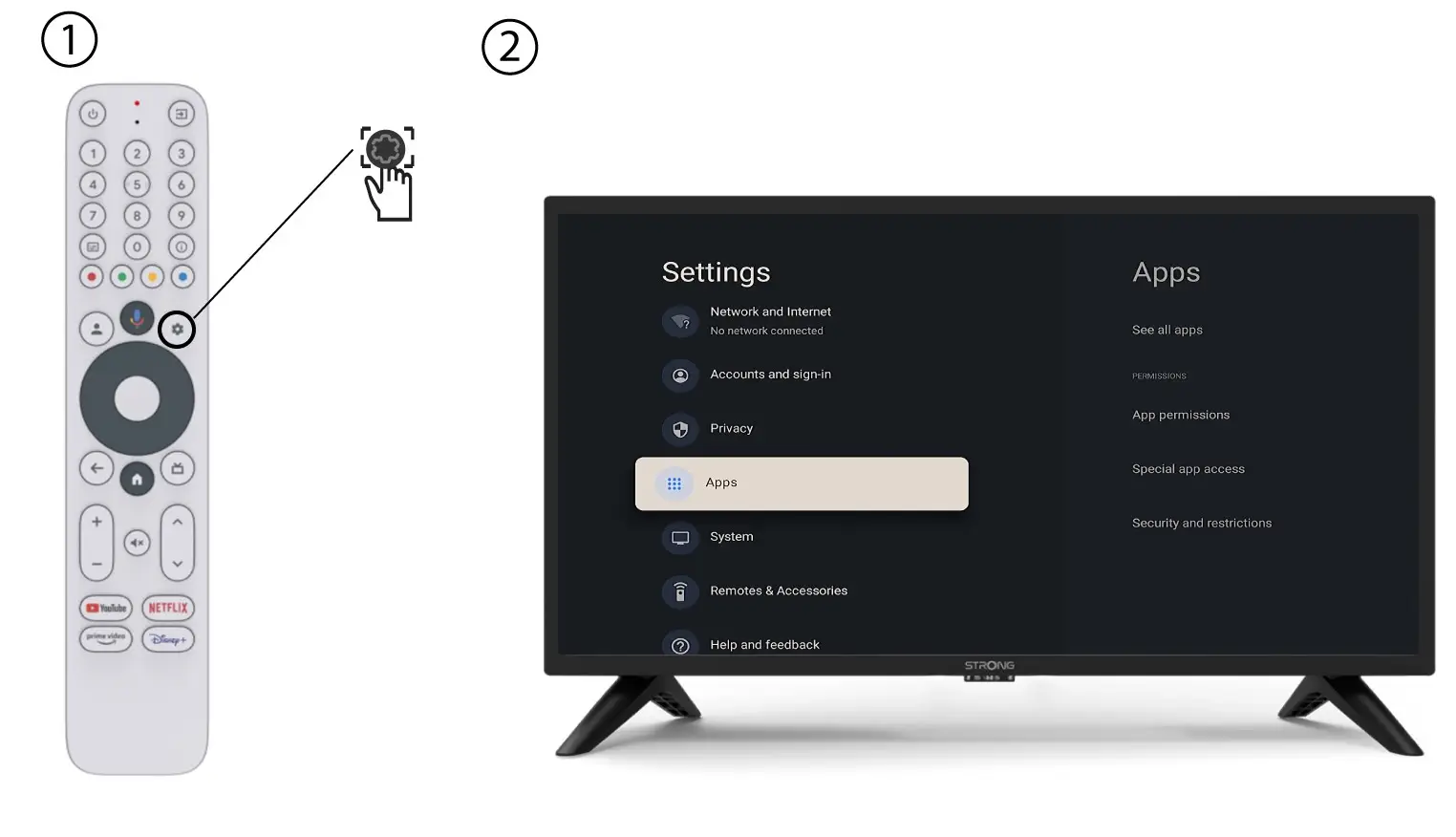
1Einstellungen
Drücken Sie die Taste „Einstellungen“ auf der Fernbedienung (Zahnrad-Symbol). Das Einstellungsmenü wird auf Ihrem Fernsehbildschirm angezeigt.
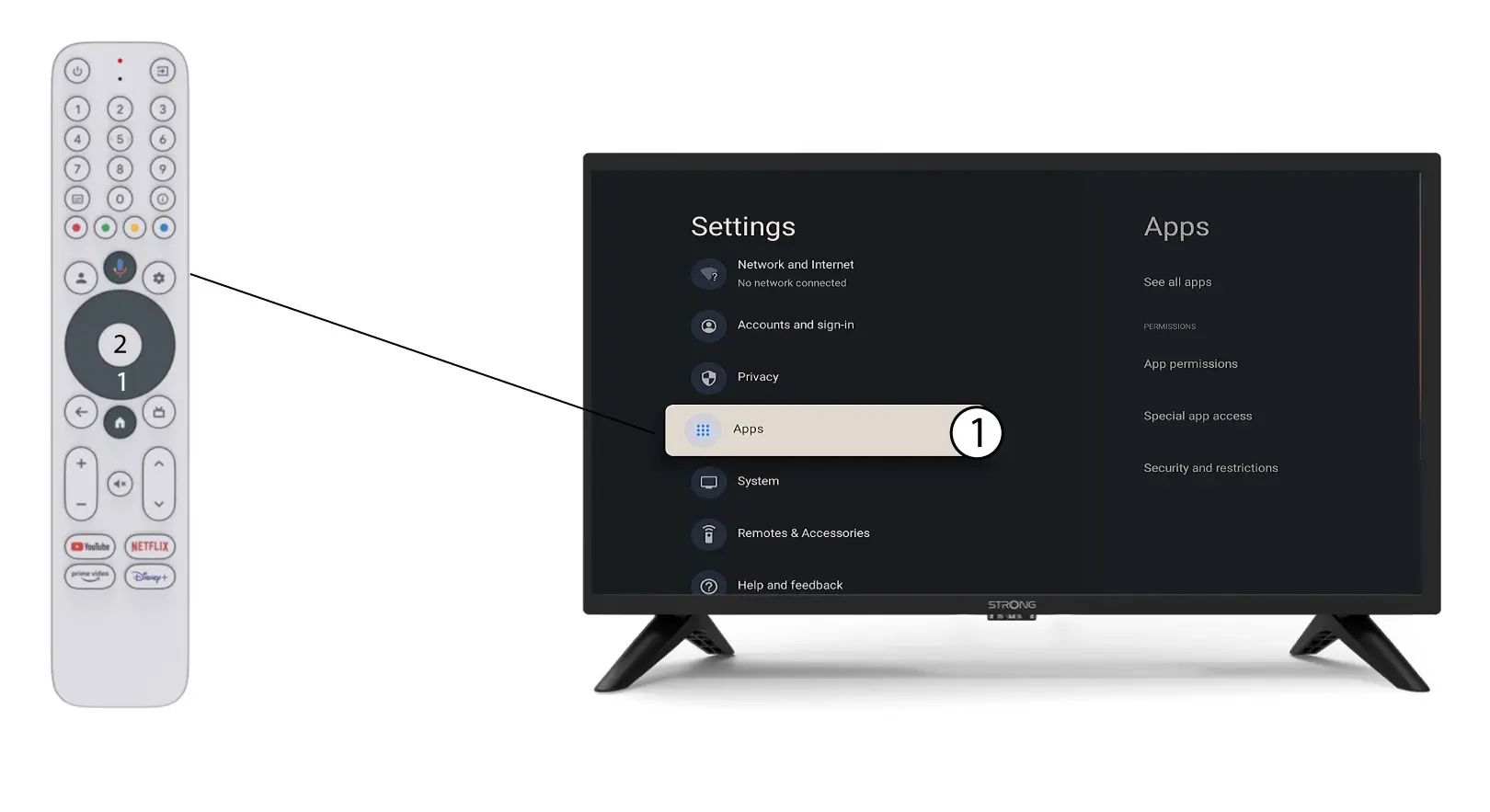
2Apps
Klicken Sie auf „Apps“ und drücken Sie „OK“, um die Liste der auf Ihrem Gerät installierten Apps aufzurufen.
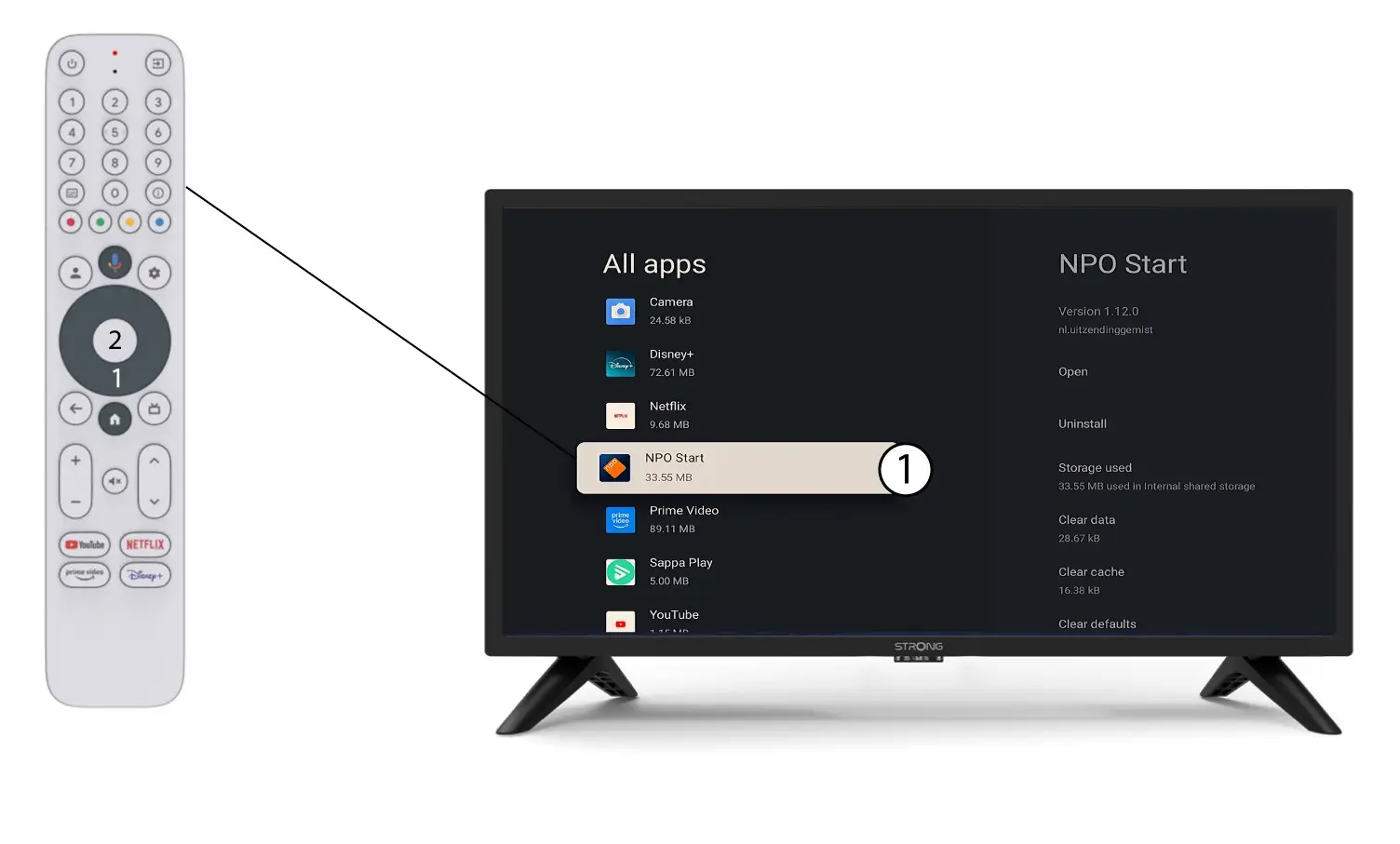
Liste der 3 Apps
Wählen Sie die App in der Liste aus und drücken Sie auf „OK“.
4Deinstallieren
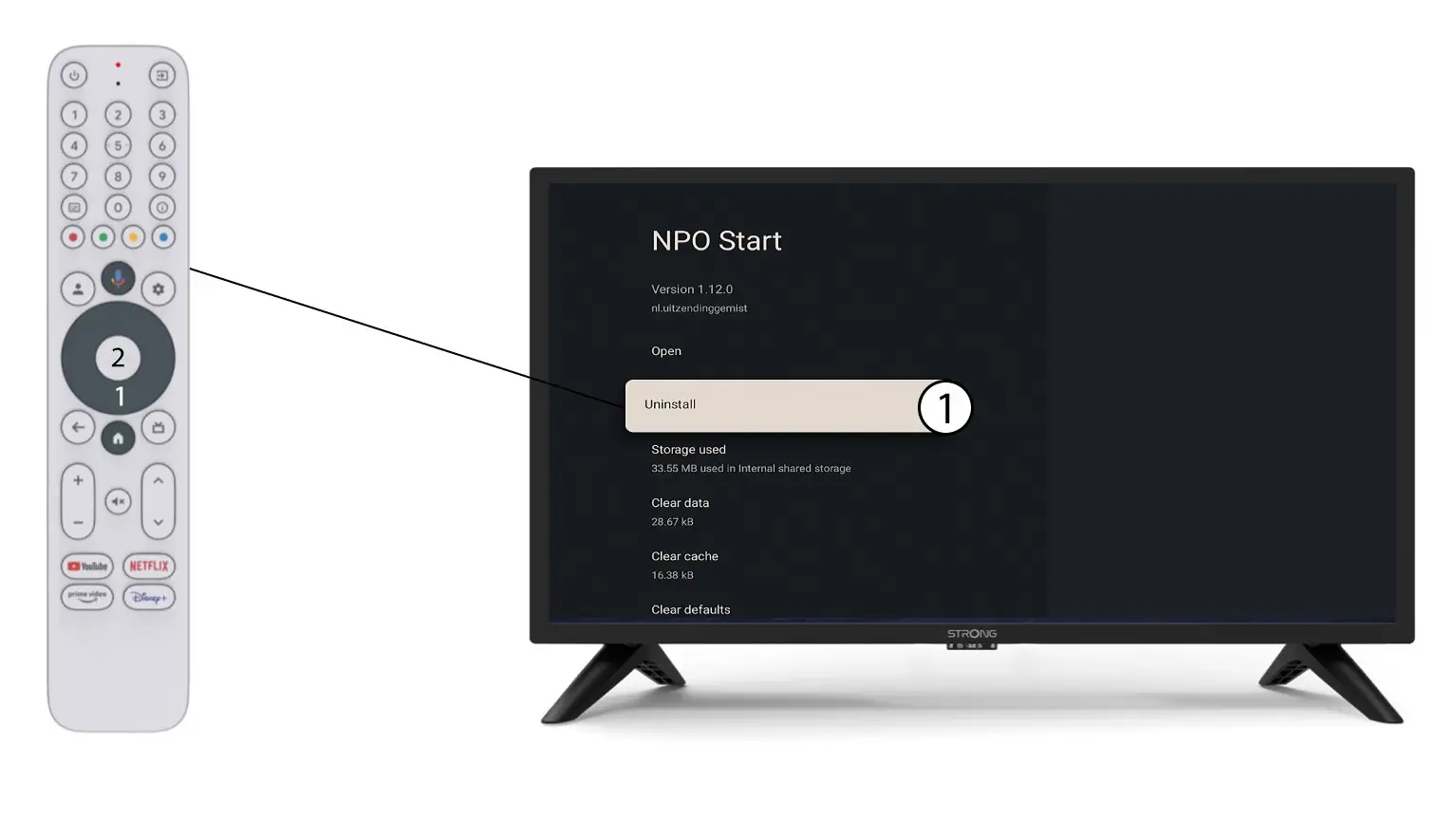
Wählen Sie in der Liste „Deinstallieren “ aus und klicken Sie auf „OK“.