
4G+ AIRSPOT 520 WLAN-Hotspot mit Touchscreen
Keine Artikel gefunden.
Keine Artikel gefunden.
Alle Fragen
4G+ AIRSPOT 520 WLAN-Hotspot mit Touchscreen
Keine Artikel gefunden.
Keine Artikel gefunden.
Wie gebe ich meinen PIN-Code ein? (Mi-Fi-Bildschirm)
Wenn Sie Ihre SIM-Karte zum ersten Mal einlegen, werden Sie vom Gerät aufgefordert, den PIN-Code einzugeben.
1. Rufen Siedie Tastatur auf
Klicken Sie auf das Stiftsymbol, um den Ziffernblock aufzurufen.
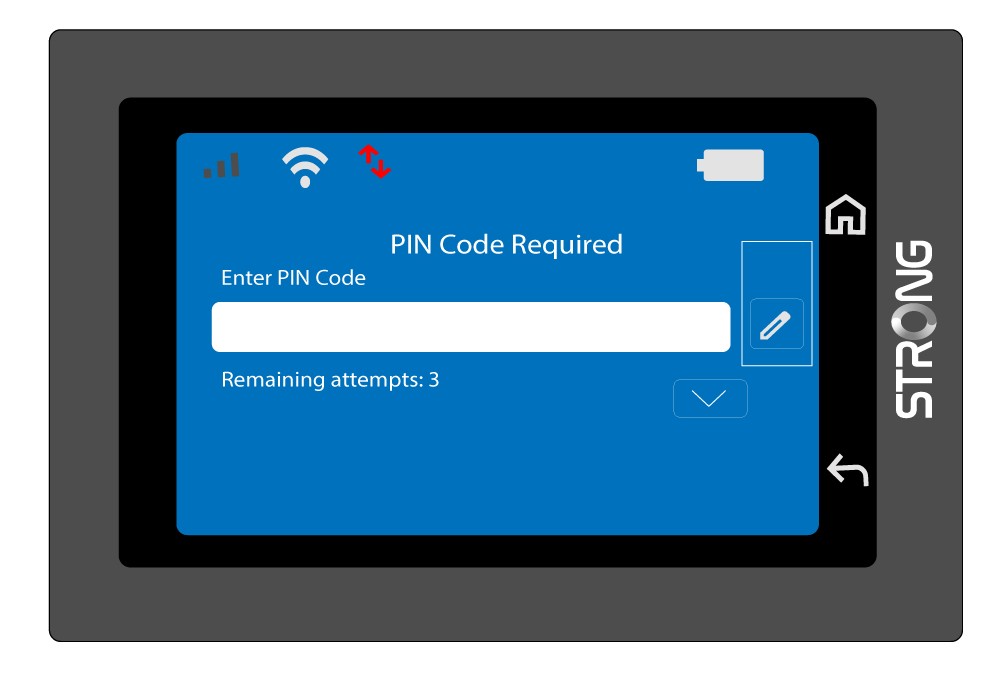
2. Geben Sieden PIN-Code ein
Geben Sie Ihren PIN-Code über den Ziffernblock ein und tippen Sie anschließend zur Bestätigung auf das (v)-Symbol.
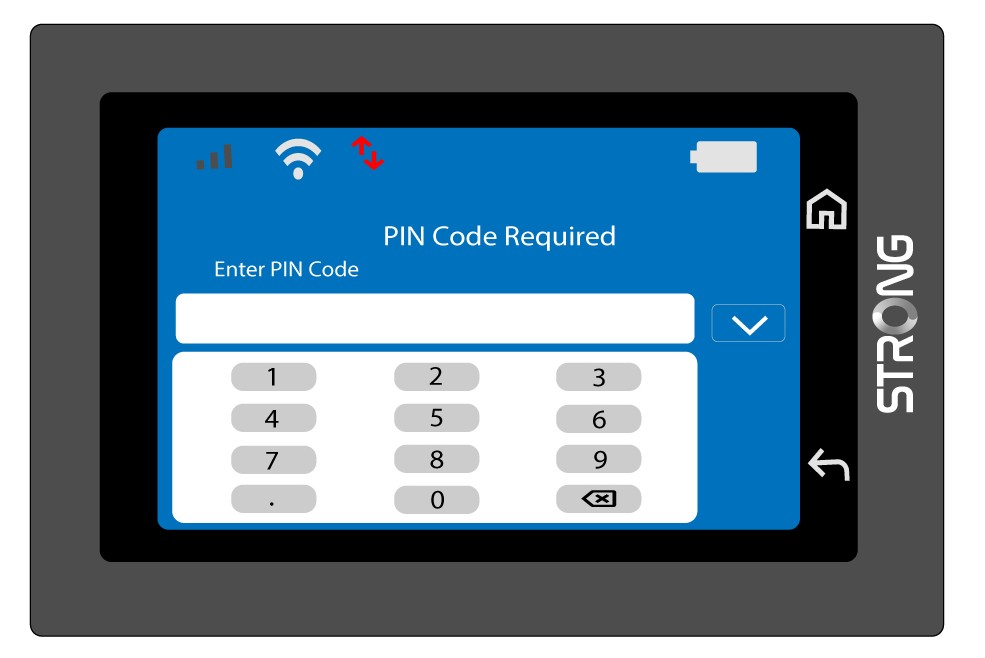
3. Bestätigen Sieden Code
Bestätigen Sie den PIN-Code auf dem Hauptbildschirm.
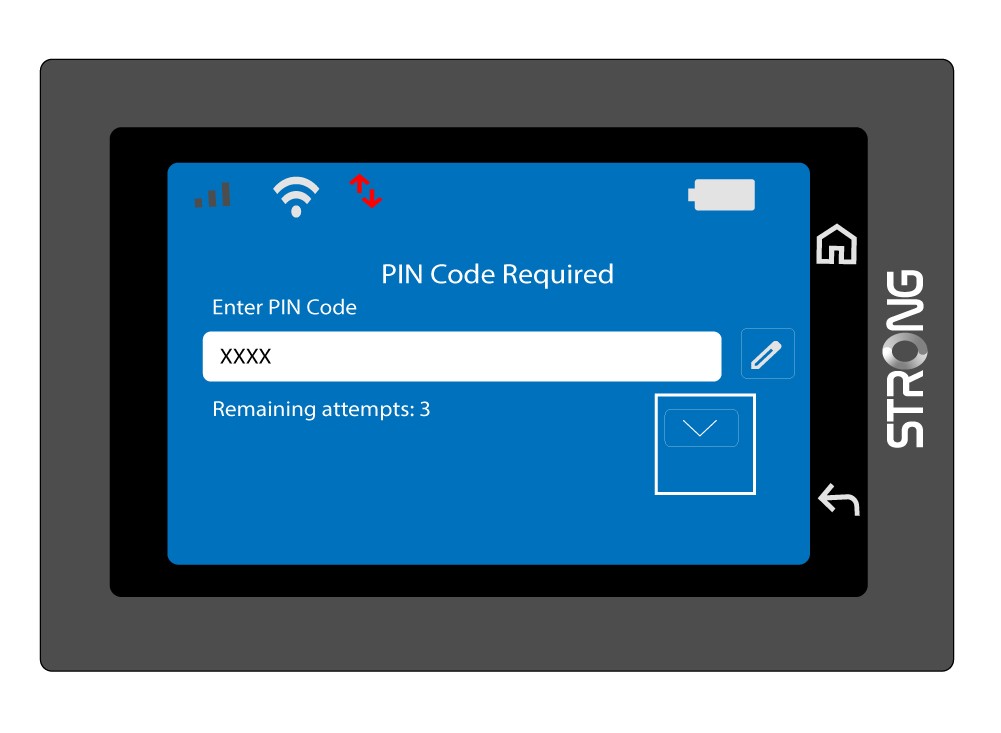
4. Warten Sieauf die Bestätigung
Warten Sie, bis die Entsperrmeldung vom Bildschirm verschwindet.
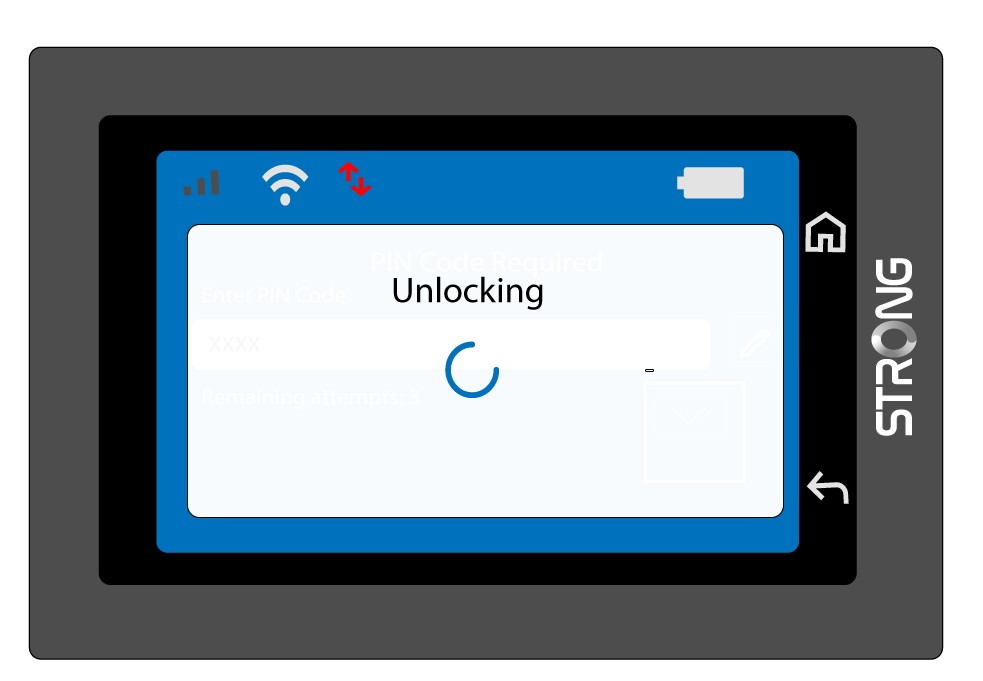
5Sofort einsatzbereit
Sie sollten nun den folgenden Bildschirm sehen.
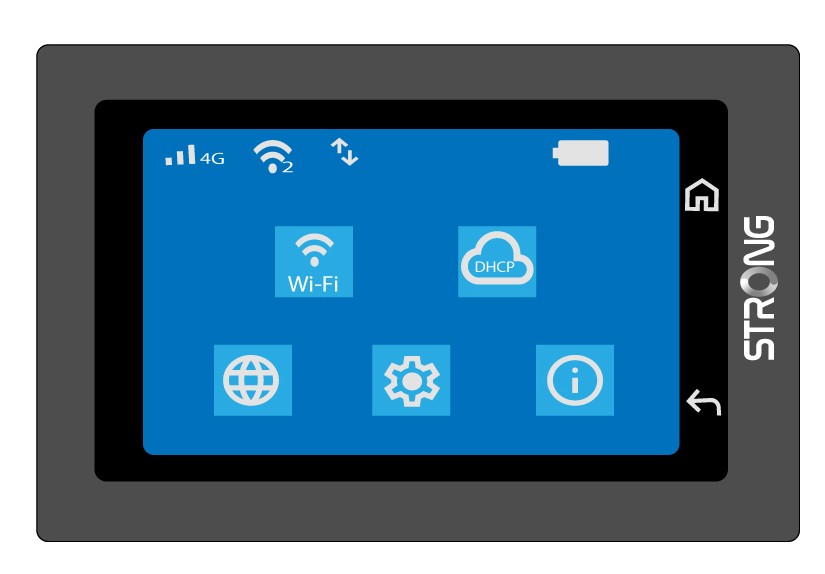
Nach der ersten erfolgreichen Eingabe speichert das Mi-Fi Ihren PIN-Code.