4G AIRSPOT 220 WLAN-Hotspot mit Display
Alle Fragen
4G AIRSPOT 220 WLAN-Hotspot mit Display
Wie setze ich meinen Router auf die Werkseinstellungen zurück?
Es kann vorkommen, dass Ihr Gerät nicht ordnungsgemäß funktioniert und Sie keinen Internetzugang haben. In diesem Fall empfehlen wir Ihnen, Ihr Gerät auf die Werkseinstellungen zurückzusetzen und anschließend gegebenenfalls die Firmware erneut zu aktualisieren.
Sie haben zwei Möglichkeiten: Sie können das Gerät entweder durch Drücken der Reset-Taste oder über die Web-Benutzeroberfläche zurücksetzen.
FALL 1: Reset-Taste.
Entfernen Sie dazu die Abdeckung auf der Rückseite des Routers und drücken Sie die RESET-Taste 2 Sekunden lang mit einer Büroklammer.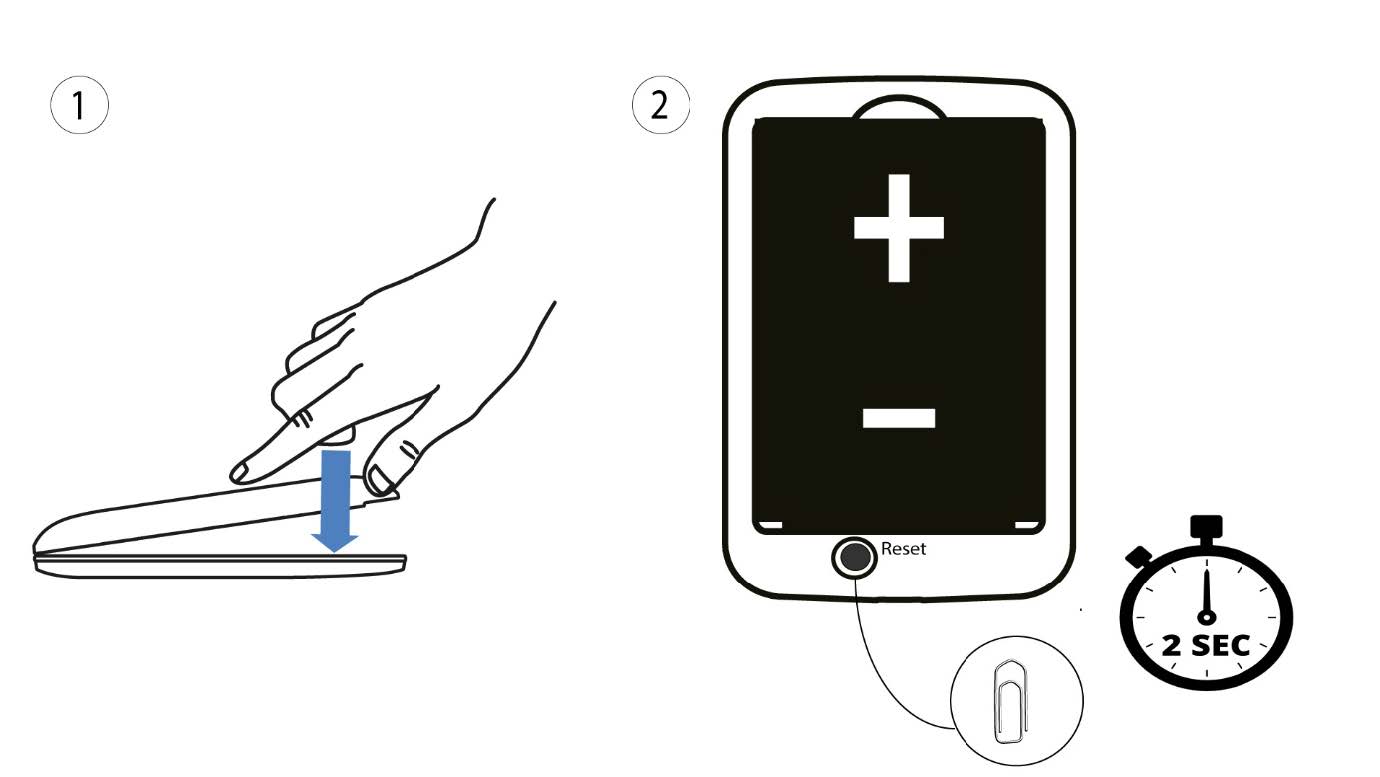
1Fall2: Zurücksetzen über die Web-Benutzeroberfläche
1. Sie müssen eine Verbindung zum WLAN Ihres Geräts herstellen.

2. Rufen Siedie IP-Adresse der Web-Benutzeroberfläche auf
Geben Sie dann die folgende IP-Adresse in Ihren Browser ein: 192.168.188.1.

3Anmelden
Sie müssen das Passwort eingeben.

4Einstellungen
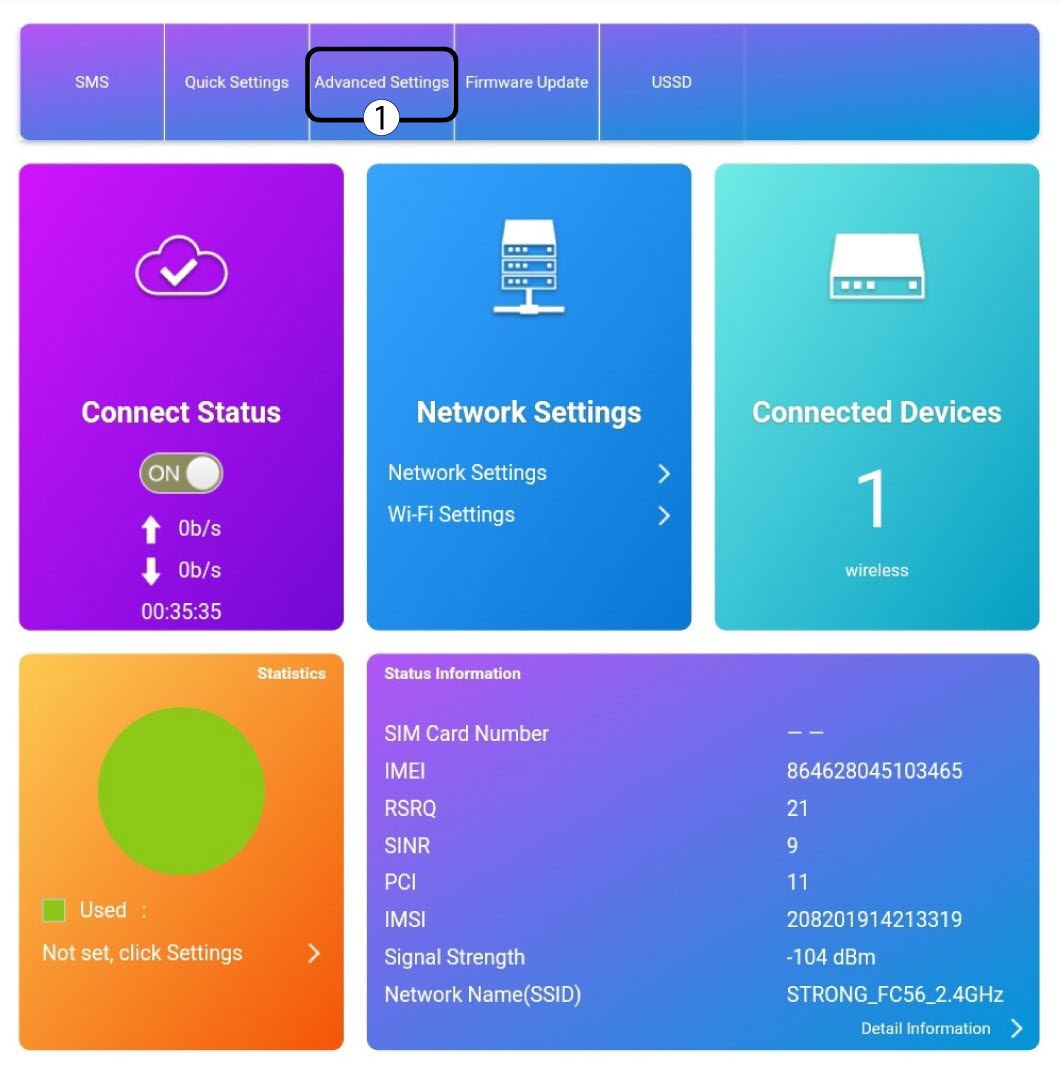
Klicken Sie anschließend auf „Erweiterte Einstellungen“.
5 Auf Werkseinstellungen zurücksetzen
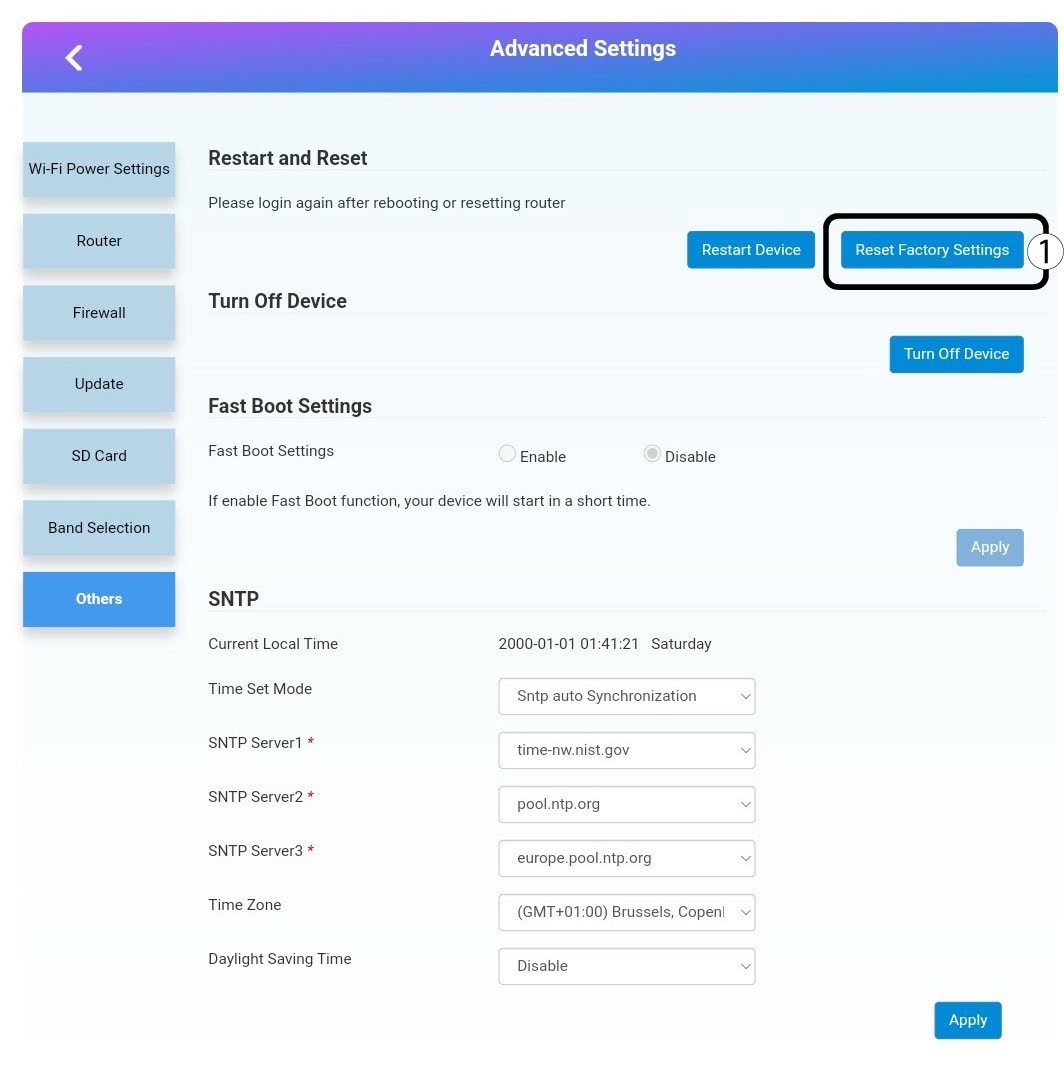
Klicken Sie auf „Sonstiges“. Klicken Sie im Abschnitt „Neustart und Zurücksetzen “ auf „Auf Werkseinstellungen zurücksetzen“.
6Bestätigung
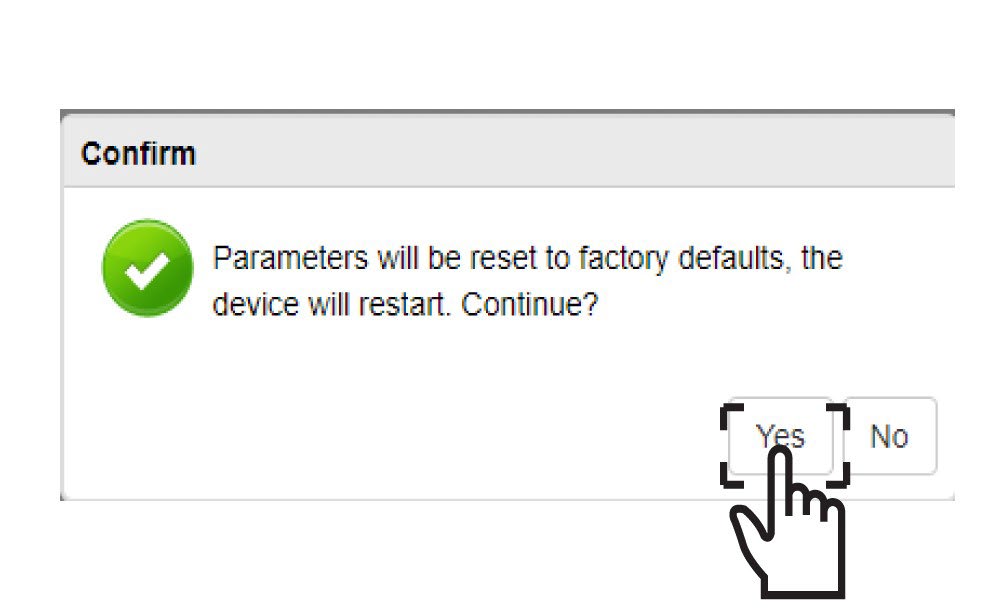
Klicken Siein der Popup-Meldung auf„Ja “.