Μίνι δρομολογητής 4G AIRHOME 300 με αποσπώμενες κεραίες 4G
Όλες οι ερωτήσεις
Μίνι δρομολογητής 4G AIRHOME 300 με αποσπώμενες κεραίες 4G
Πώς μπορώ να αλλάξω τον κωδικό PIN της κάρτας SIM;
1. Συνδεθείτεστο Wi-Fi του δρομολογητή
Πρέπει να συνδεθείτε στο περιβάλλον χρήστη μέσω διαδικτύου (Web UI). Για να το κάνετε αυτό, εισαγάγετε το SSID και τον κωδικό πρόσβασης του δρομολογητή στη συσκευή σας.

2. Μεταβείτεστη διεύθυνση IP του περιβάλλοντος χρήστη ιστού
Στη συνέχεια, πληκτρολογήστε την ακόλουθη διεύθυνση IP στον περιηγητή σας: 192.168.0.1

3Σελίδα σύνδεσης
Μόλις μεταβείτε στη διεύθυνση IP, κάντε κλικ στο «Σύνδεση».

4Εισάγετετα στοιχεία σύνδεσής σας
Πρέπει να εισαγάγετε το όνομα χρήστη και τον κωδικό πρόσβασης. Στη συνέχεια, κάντε κλικ στο κουμπί «Σύνδεση».

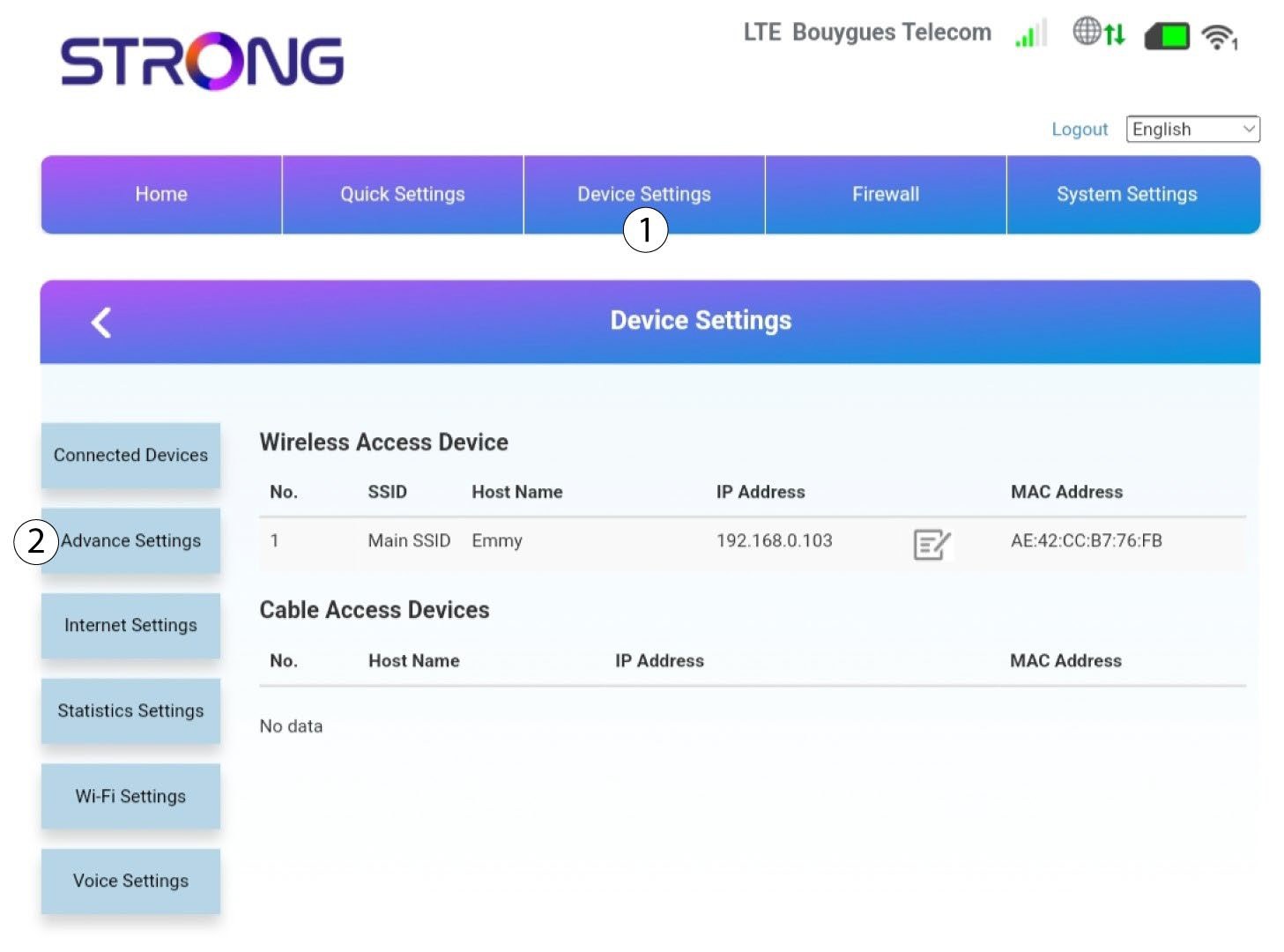
5. Ρυθμίσεις για προχωρημένους
Στη συνέχεια, κάντε κλικ στην επιλογή «Ρυθμίσεις συσκευής » και στην καρτέλα «Σύνθετες ρυθμίσεις ».
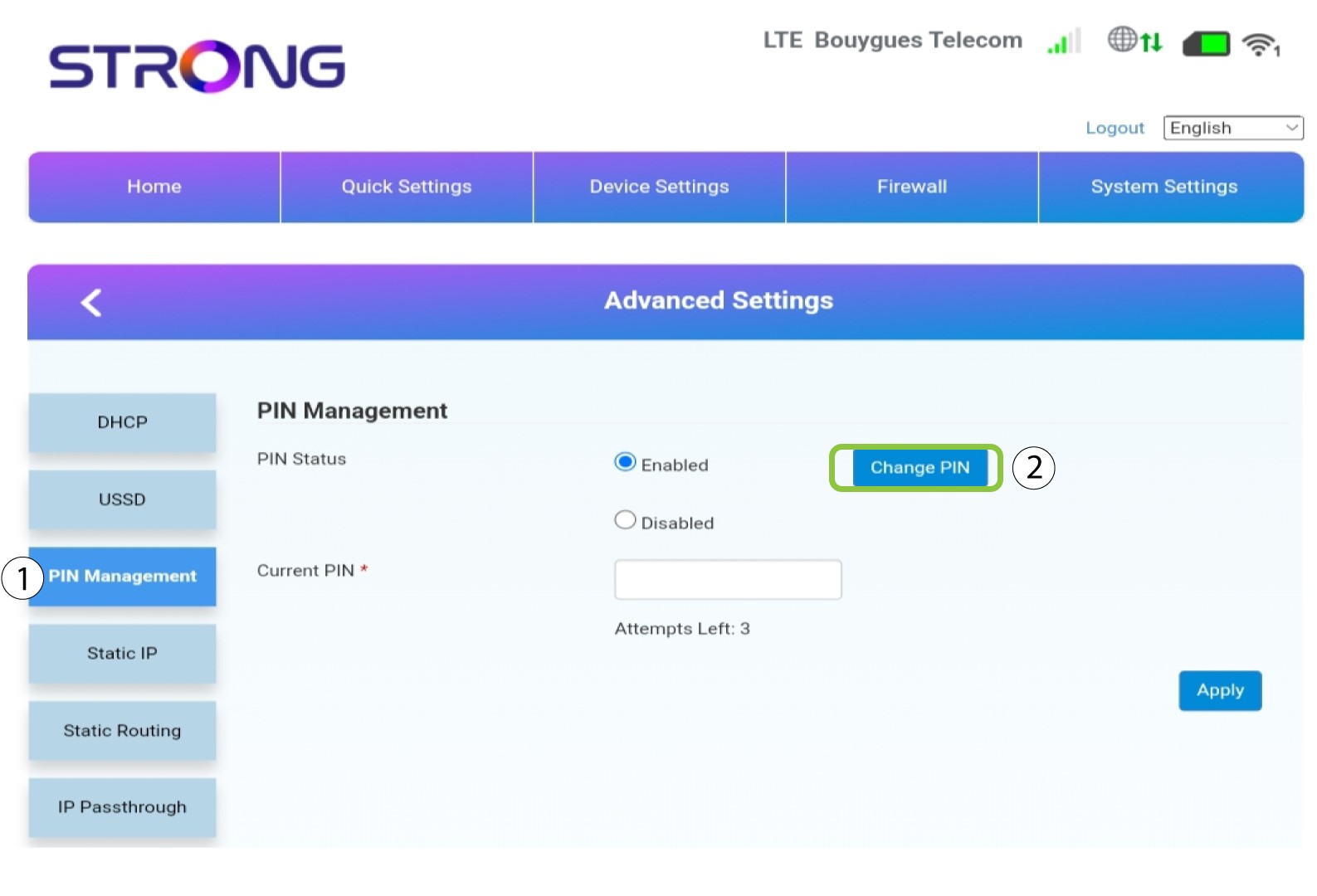
Διαχείριση 6PIN
Κάντε κλικ στις επιλογές «Διαχείριση PIN » και «Αλλαγή PIN».
7Serο νέος κωδικός PIN
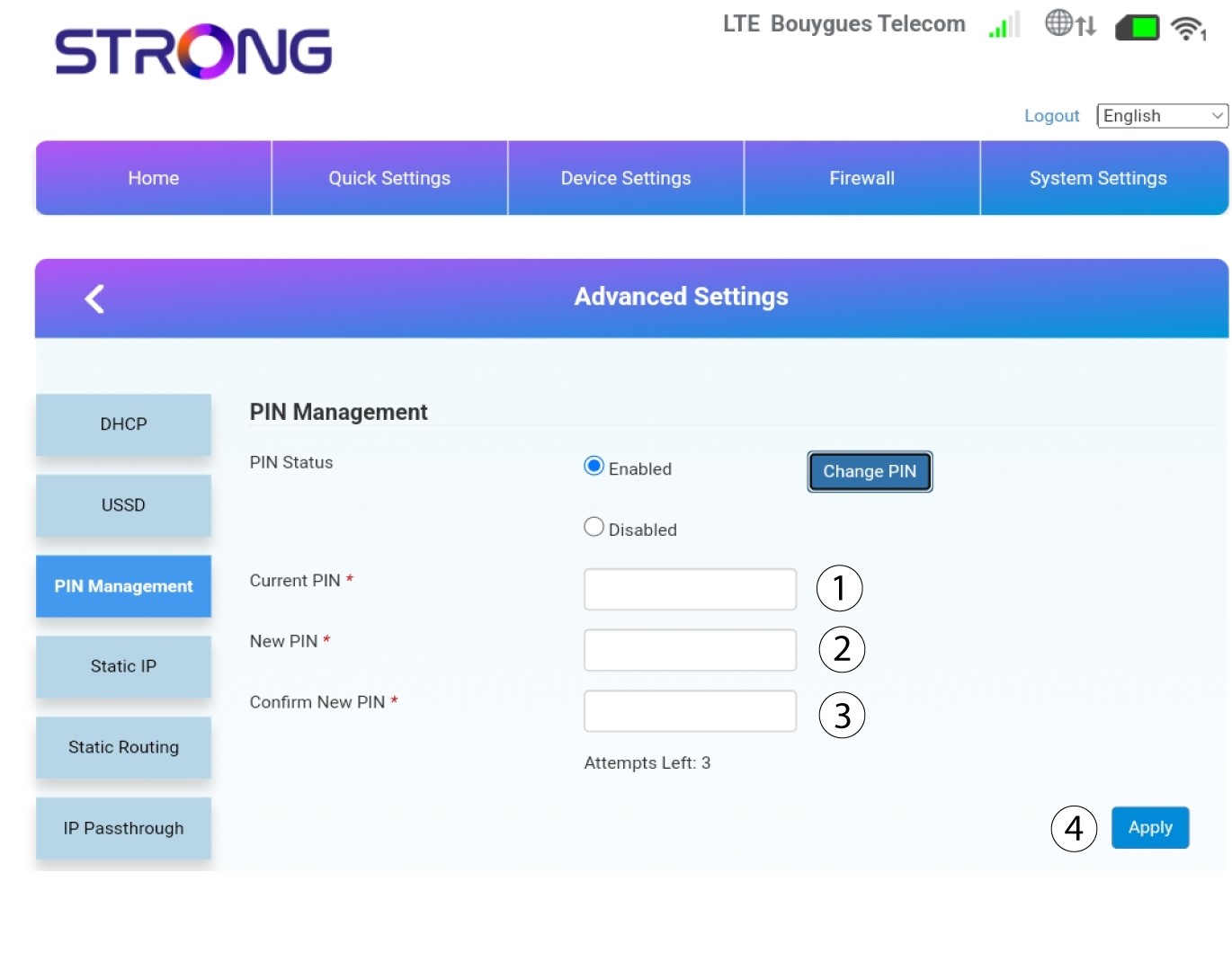
Εισάγετε τις παρακάτω πληροφορίες και πατήστε «Εφαρμογή»:
• Τρέχων κωδικός PIN: εισάγετε τον κωδικό PIN της κάρτας SIM σας.
• Νέος κωδικός PIN: εισάγετε τον νέο κωδικό PIN.
• Επιβεβαίωση νέου κωδικού PIN: εισάγετε τον ίδιο κωδικό PIN με αυτόν του προηγούμενου πεδίου.