Μίνι δρομολογητής 4G AIRHOME 300 με αποσπώμενες κεραίες 4G
Όλες οι ερωτήσεις
Μίνι δρομολογητής 4G AIRHOME 300 με αποσπώμενες κεραίες 4G
Πώς μπορώ να συνδέσω τις συσκευές μου μέσω του WPS;

Μπορείτε να χρησιμοποιήσετε τη λειτουργία WPS για να ρυθμίσετε τη σύνδεση Wi-Fi μεταξύ του δρομολογητή σας και των υπολογιστών σας ή/και του εκτυπωτή σας, για παράδειγμα. Δεν είναι δυνατή η σύνδεση κινητού τηλεφώνου μέσω της λειτουργίας WPS. Για να συνδέσετε εύκολα το τηλέφωνό σας στο Wi-Fi, παρακαλώ σαρώστε τον κωδικό QR που βρίσκεται στο πίσω μέρος του δρομολογητή σας· έτσι θα συνδεθείτε αυτόματα στο δίκτυο χωρίς να χρειαστεί να εισαγάγετε τον κωδικό πρόσβασης Wi-Fi.
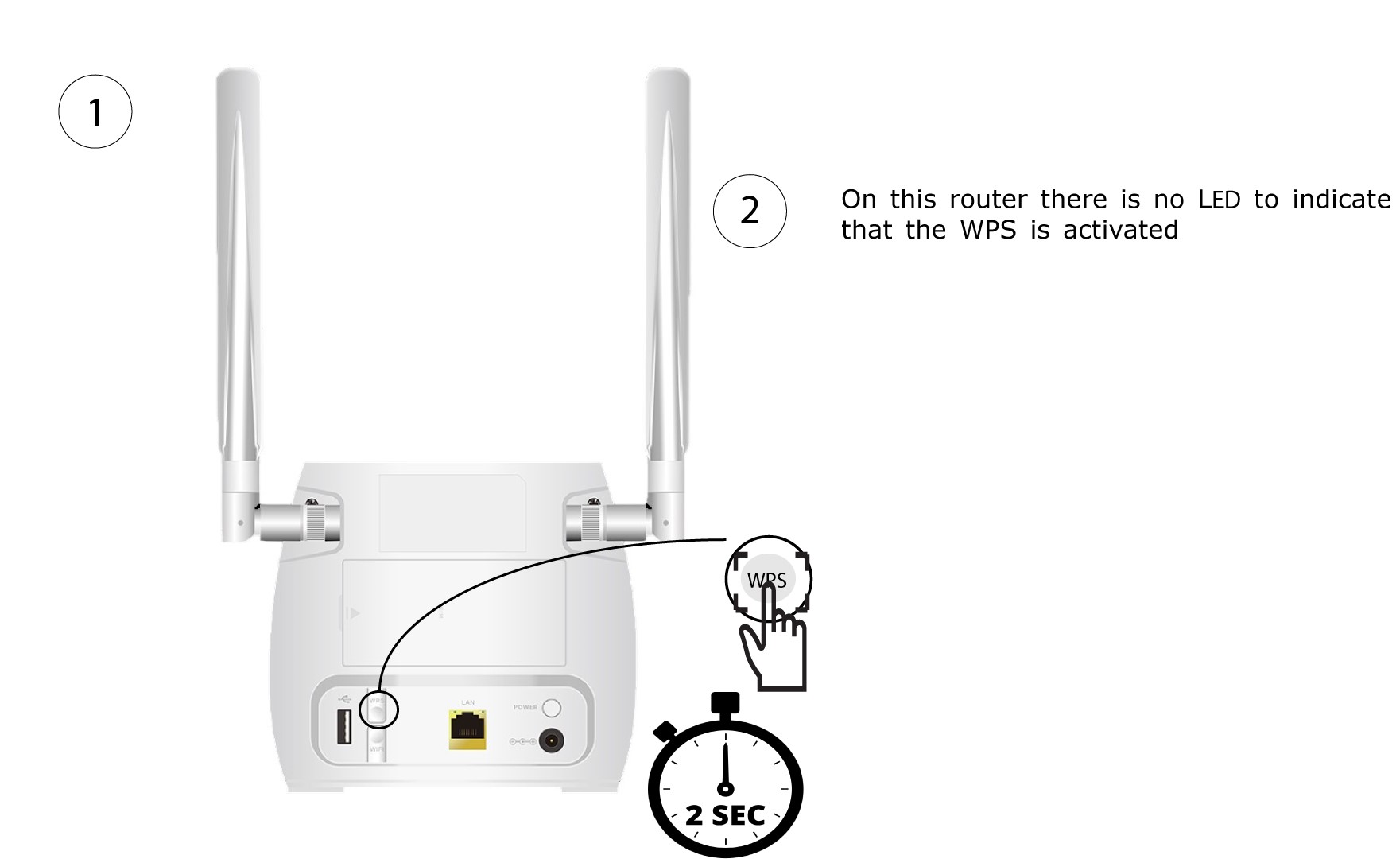
1 Πατήστετο κουμπί WPS
Πατήστε το κουμπί WPS που βρίσκεται στο πίσω μέρος του δρομολογητή για 2 δευτερόλεπτα, ώστε οποιαδήποτε συμβατή συσκευή στο σπίτι σας να συνδεθεί αυτόματα στο δίκτυο Wi-Fi του δρομολογητή.
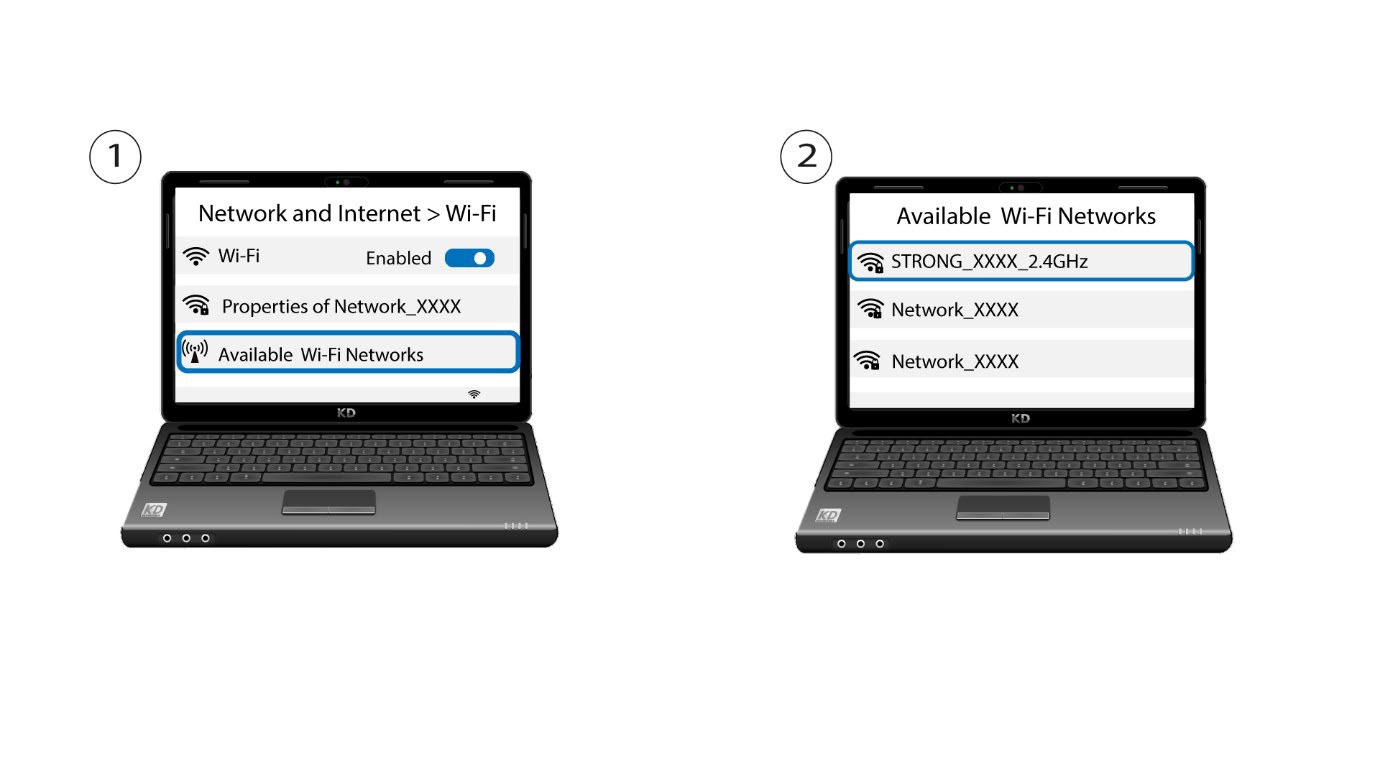
2. Επιλέξτετο δίκτυο Wi-Fi του δρομολογητή
Μεταβείτε στις ρυθμίσεις Wi-Fi του υπολογιστή ή του κινητού σας και κάντε κλικ στο όνομα του δρομολογητή για να τον επιλέξετε.
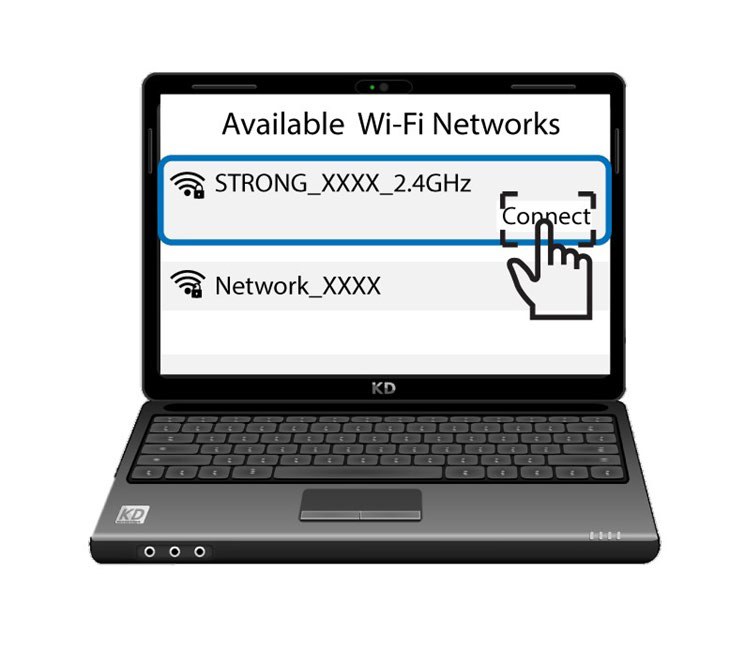
3 Συνδεθείτεστο Wi-Fi
Στη συνέχεια, κάντε κλικ στο κουμπί «Σύνδεση»