
Μίνι δρομολογητής 4G AIRHOME 300 με αποσπώμενες κεραίες 4G
Όλες οι ερωτήσεις
Μίνι δρομολογητής 4G AIRHOME 300 με αποσπώμενες κεραίες 4G
Πώς μπορώ να αλλάξω το SSID και τον κωδικό πρόσβασης; (Ρυθμίσεις Wi-Fi)

Μόλις αλλάξετε το όνομα δικτύου και τον κωδικό πρόσβασης του δρομολογητή σας, ο κωδικός QR δεν θα λειτουργεί πλέον, καθώς τα στοιχεία σύνδεσης του δρομολογητή σας θα είναι διαφορετικά.
Παρακαλώ σημειώστε τα νέα στοιχεία δικτύου σε ένα κομμάτι χαρτί.
1. Συνδεθείτεστο Wi-Fi του δρομολογητή
Για να αλλάξετε το SSID και τον κωδικό πρόσβασης, πρέπει να συνδεθείτε στο Wi-Fi της συσκευής σας.

2. Μεταβείτεστη διεύθυνση IP του περιβάλλοντος χρήστη ιστού
Στη συνέχεια, πληκτρολογήστε την ακόλουθη διεύθυνση IP: 192.168.0.1 στον περιηγητή σας.

3Σελίδα σύνδεσης
Στη συνέχεια, κάντε κλικ στο «Σύνδεση».

4Εισάγετετα στοιχεία σύνδεσής σας
Πρέπει να εισαγάγετε το όνομα χρήστη και τον κωδικό πρόσβασης.

5. Ρυθμίσεις Wi-Fi
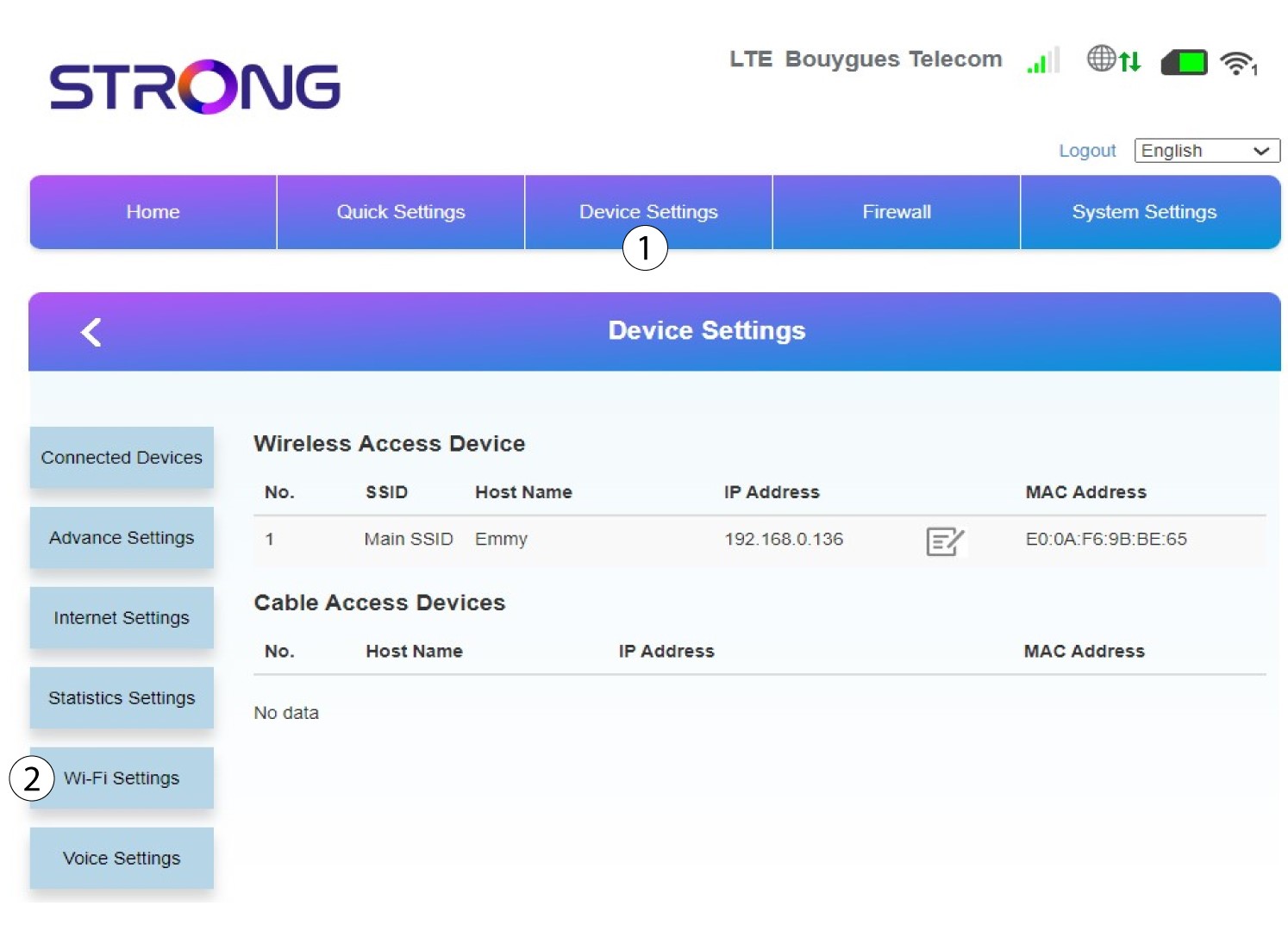
Κάντε κλικ στην επιλογή «Ρυθμίσεις συσκευής » και επιλέξτε «Ρυθμίσεις Wi-Fi».
6 ΚύριοSSID
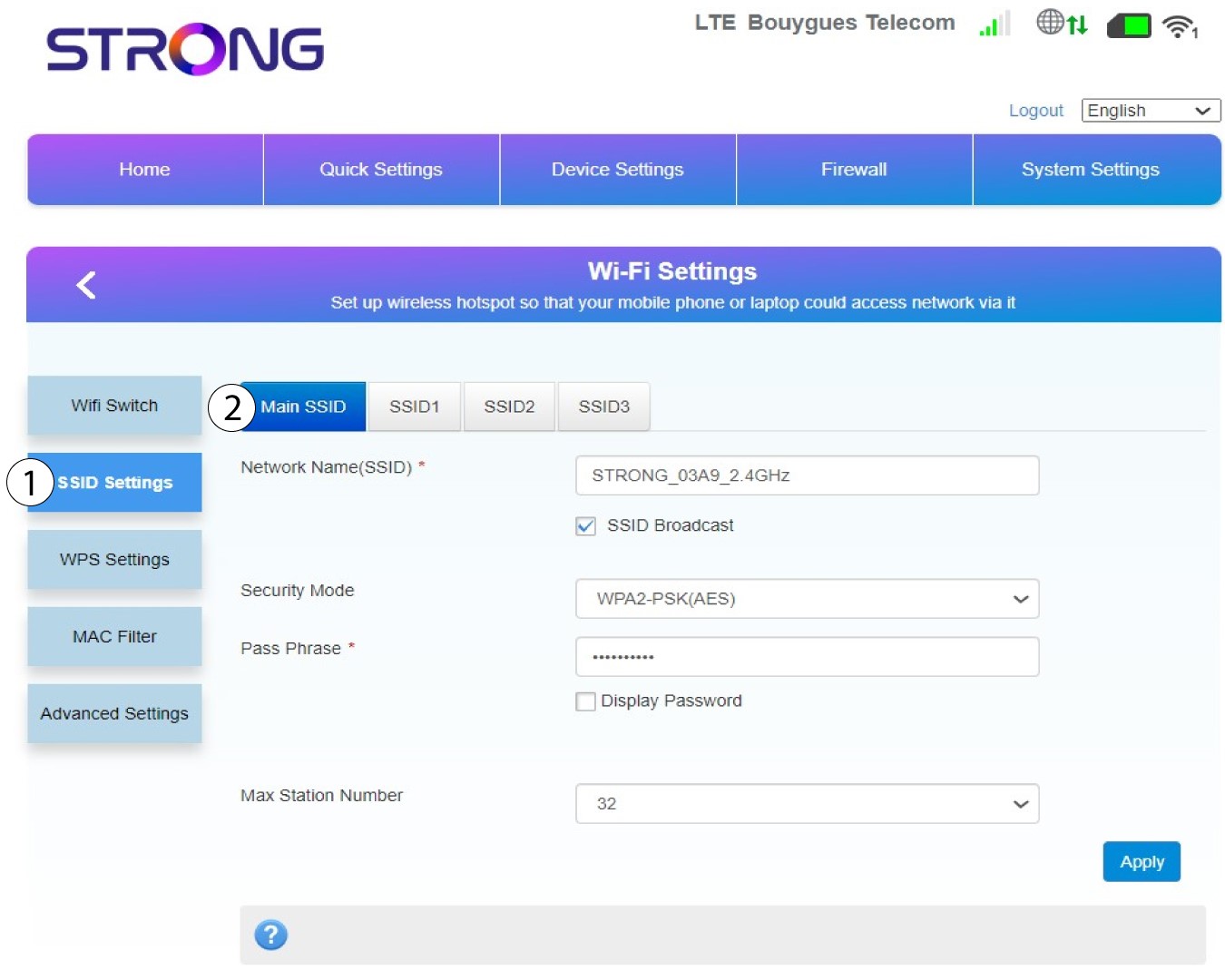
Στη συνέχεια, επιλέξτε «Ρυθμίσεις SSID » και επιλέξτε το «Κύριο SSID».
7. Εισάγετεένα νέο όνομα δικτύου και έναν νέο κωδικό πρόσβασης
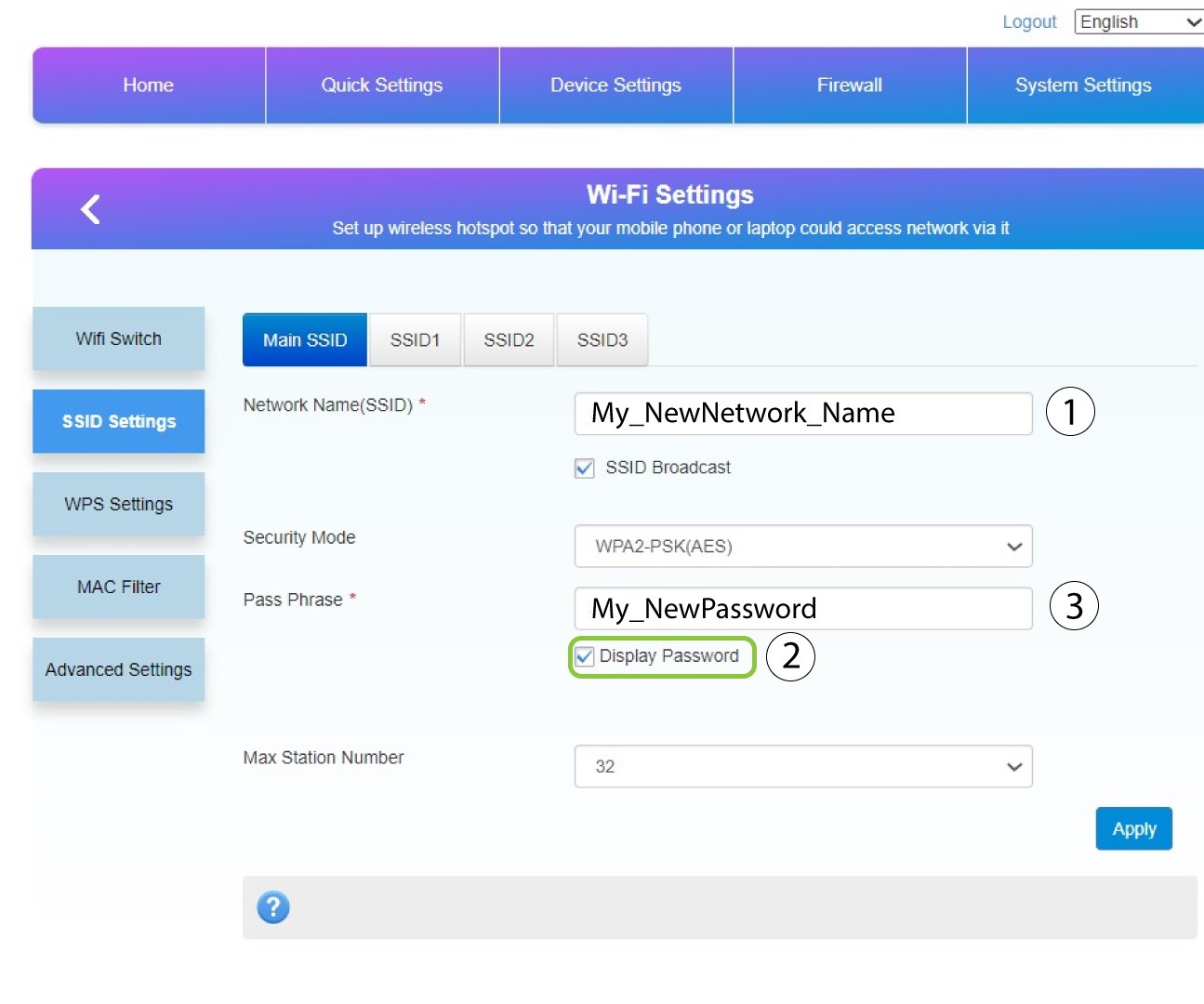
Αλλάξτε το όνομα που έχετε εισάγει στο πεδίο «Όνομα δικτύου (SSID) » και επιλέξτε το πλαίσιο «Εμφάνιση κωδικού πρόσβασης». Στη συνέχεια, αλλάξτε τον κωδικό πρόσβασης που έχετε εισάγει στο πεδίο «Φράση πρόσβασης ».
8Αποθηκεύστετις αλλαγές σας
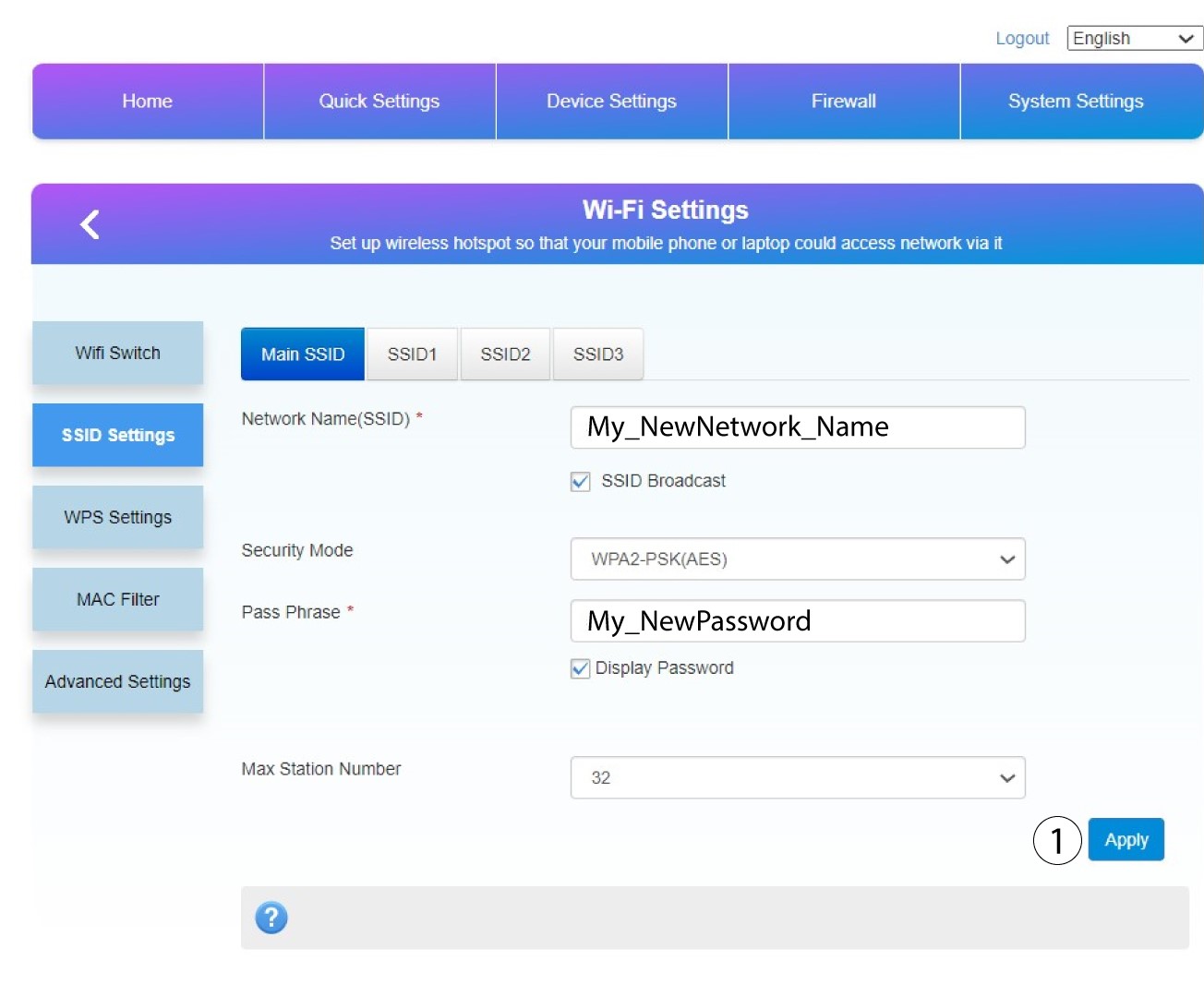
Κάντε κλικ στο «Εφαρμογή» για να αποθηκεύσετε τις αλλαγές.
9. Καταγράψτετις νέες πληροφορίες σας
Γράψτε το νέο SSID και τον κωδικό πρόσβασής σας σε ένα χαρτί και κολλήστε το πάνω στο δρομολογητή.
