
4G+ AIRHOME 710 με αποσπώμενες κεραίες 4G+
Δεν βρέθηκαν αντικείμενα.
Δεν βρέθηκαν αντικείμενα.
Όλες οι ερωτήσεις
4G+ AIRHOME 710 με αποσπώμενες κεραίες 4G+
Δεν βρέθηκαν αντικείμενα.
Δεν βρέθηκαν αντικείμενα.
Πώς μπορώ να συνδέσω τις συσκευές μου μέσω του WPS;

Δεν είναι δυνατή η σύνδεση κινητού τηλεφώνου μέσω WPS. Για να συνδέσετε εύκολα το τηλέφωνό σας στο Wi-Fi, σαρώστε τον κωδικό QR που βρίσκεται στο πίσω μέρος του δρομολογητή σας· έτσι θα συνδεθείτε αυτόματα στο δίκτυο χωρίς να χρειαστεί να εισαγάγετε τον κωδικό πρόσβασης του Wi-Fi.
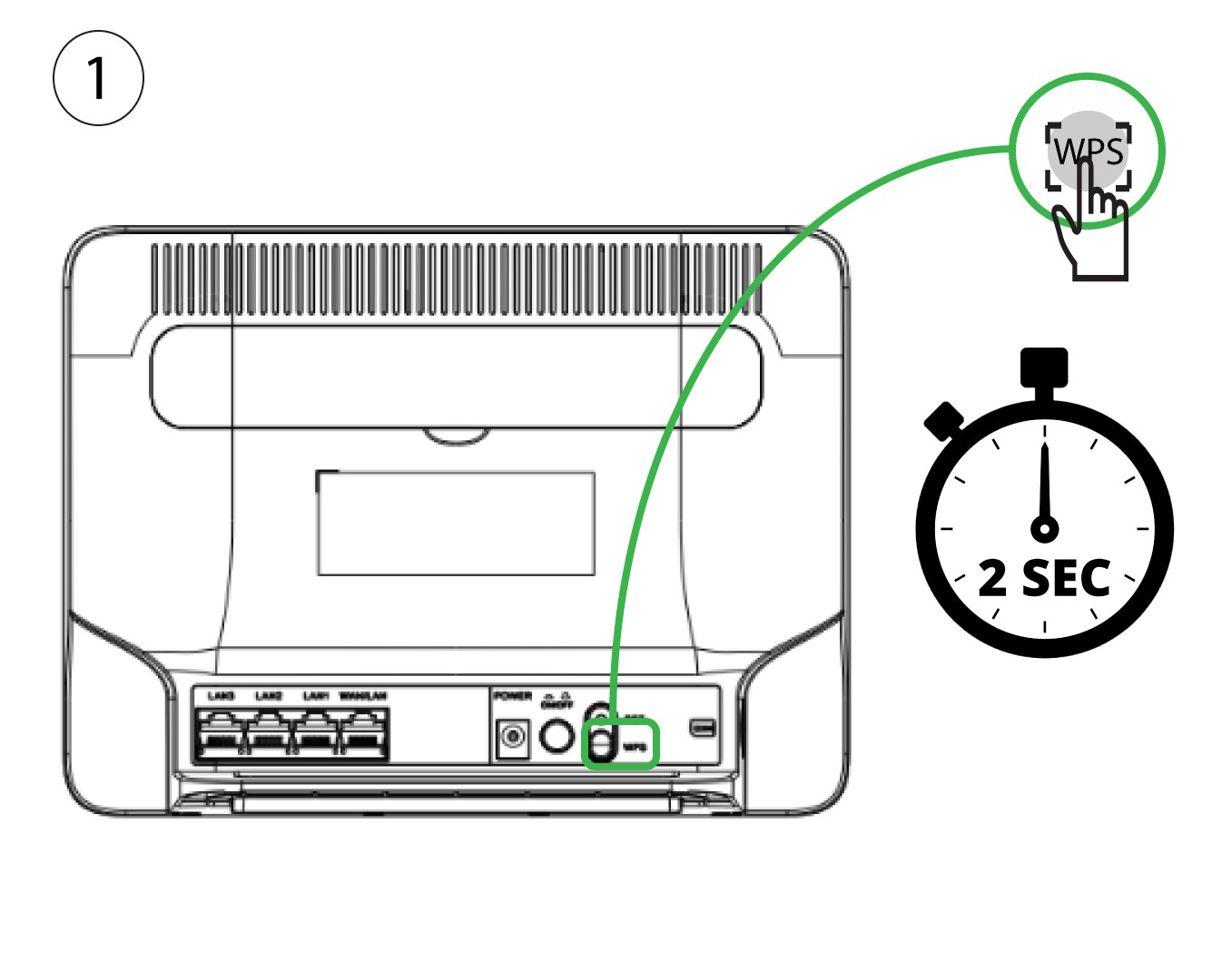
1. Ενεργοποιήστετο WPS
Πατήστε το κουμπί WPS για 2 δευτερόλεπτα, ώστε οποιαδήποτε συμβατή συσκευή στο σπίτι σας να συνδεθεί αυτόματα στο δίκτυο Wi-Fi του δρομολογητή.
2. Εύρεσηδικτύου Wi-Fi
Μεταβείτε στις ρυθμίσεις Wi-Fi του υπολογιστή σας και κάντε κλικ στο όνομα του δικτύου Wi-Fi του δρομολογητή για να το επιλέξετε.

3. Σύνδεσηστο δίκτυο Wi-Fi
Στη συνέχεια, κάντε κλικ στο κουμπί «Σύνδεση».
