
4G+ AIRHOME 710 με αποσπώμενες κεραίες 4G+
Όλες οι ερωτήσεις
4G+ AIRHOME 710 με αποσπώμενες κεραίες 4G+
Πώς μπορώ να απενεργοποιήσω το δίκτυο Wi-Fi στα 5 GHz;
1. Συνδεθείτεστο δίκτυο Wi-Fi του δρομολογητή σας
Για να απενεργοποιήσετε το Wi-Fi, πρέπει να συνδεθείτε στο περιβάλλον χρήστη μέσω ιστού (Web UI). Για να το κάνετε αυτό, εισαγάγετε το SSID (όνομα δικτύου Wi-Fi) και τον κωδικό πρόσβασης Wi-Fi του δρομολογητή στη συσκευή σας.

2. Μεταβείτεστη διεύθυνση IP του περιβάλλοντος χρήστη ιστού
Στη συνέχεια, πληκτρολογήστε την ακόλουθη διεύθυνση IP στον περιηγητή σας: 192.168.188.1.

3. Βρείτετα διαπιστευτήριά σας για το περιβάλλον εργασίας χρήστη του ιστού
Παρακαλούμε ανατρέξτε στην ετικέτα του προϊόντος που βρίσκεται στο πίσω μέρος της συσκευής για να βρείτε το όνομα χρήστη και τον κωδικό πρόσβασής σας.

4Εισάγετετα στοιχεία σύνδεσής σας
Πρέπει να εισαγάγετε το όνομα χρήστη και τον κωδικό πρόσβασης. Στη συνέχεια, κάντε κλικ στο κουμπί «Σύνδεση». Για περισσότερες πληροφορίες σχετικά με τη σύνδεση, ανατρέξτε στηδιαδικασία σύνδεσης.

5. Ρυθμίσεις Wi-Fi
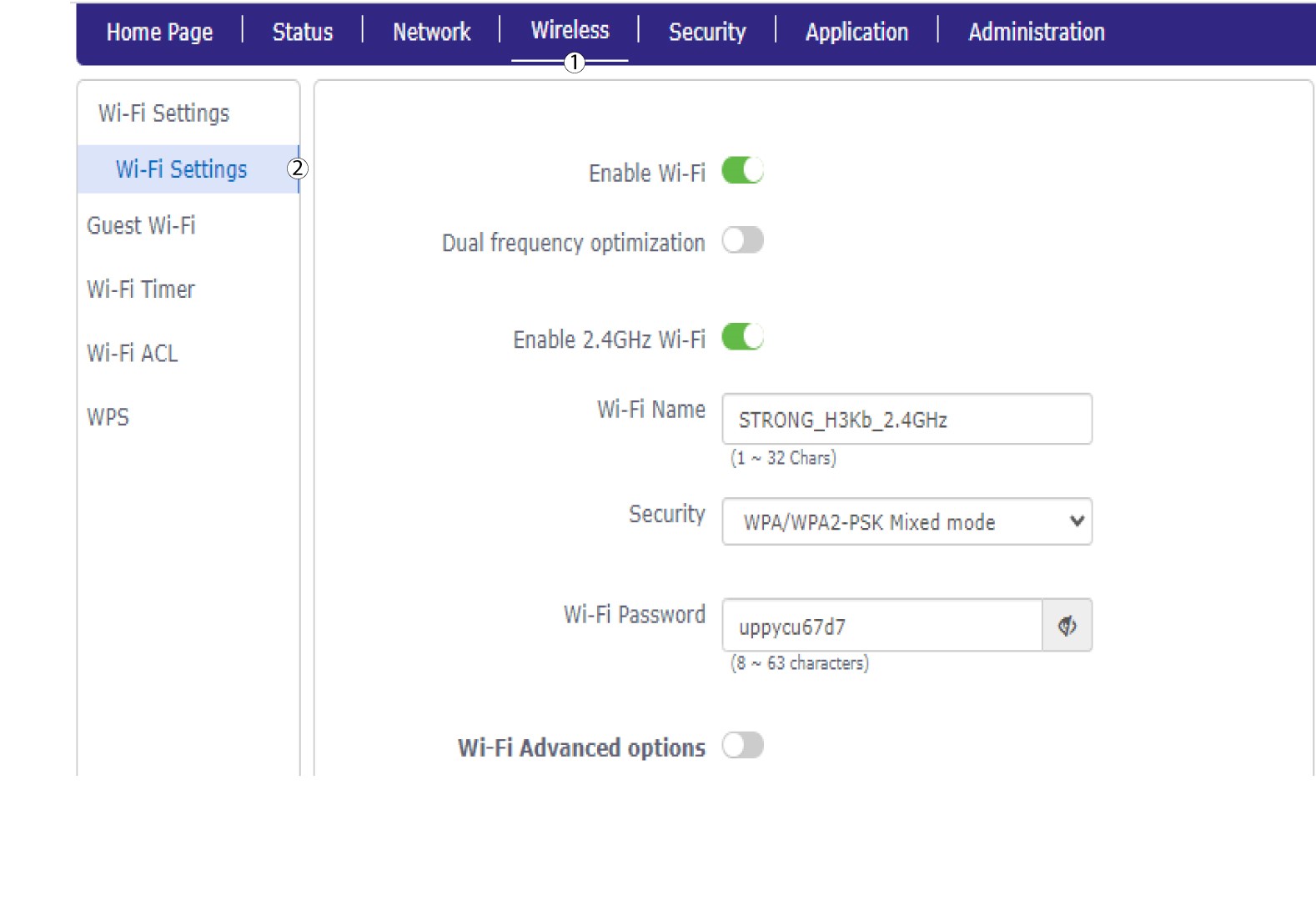
Κάντε κλικ στην επιλογή «Ασύρματο » και επιλέξτε «Ρυθμίσεις Wi-Fi».
6ΑπενεργοποίησηWi-Fi
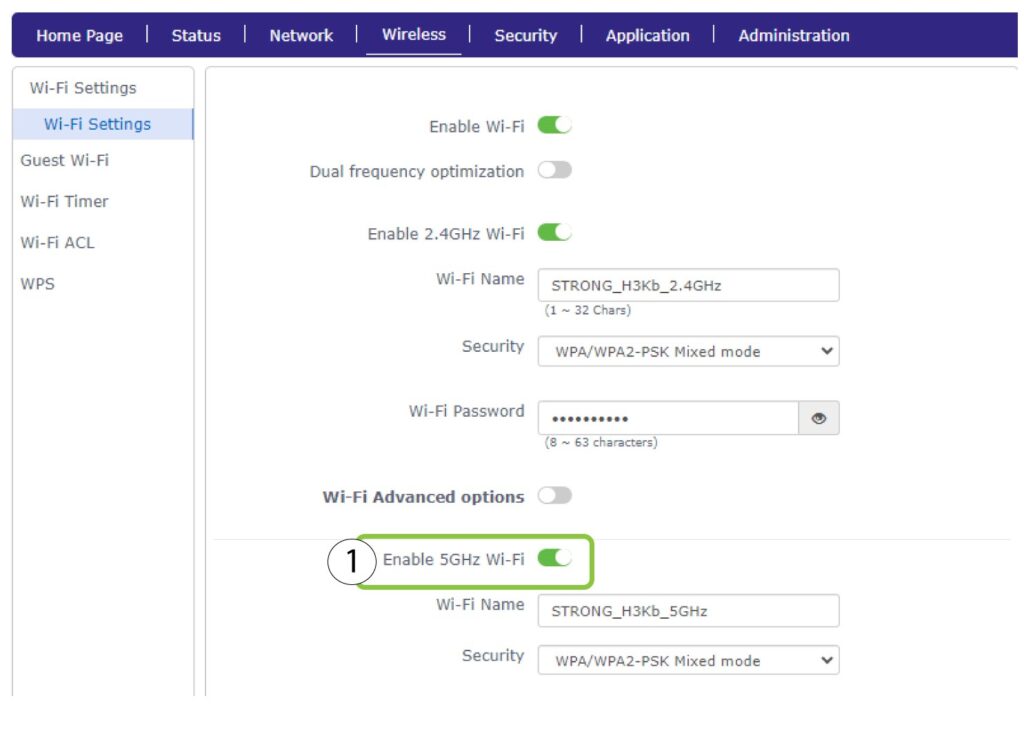
Στη συνέχεια, κάντε κλικ στο διακόπτη «Ενεργοποίηση Wi-Fi 5 GHz» για να απενεργοποιήσετε και τα δύο δίκτυα.
7. Αποθήκευσητων αλλαγών
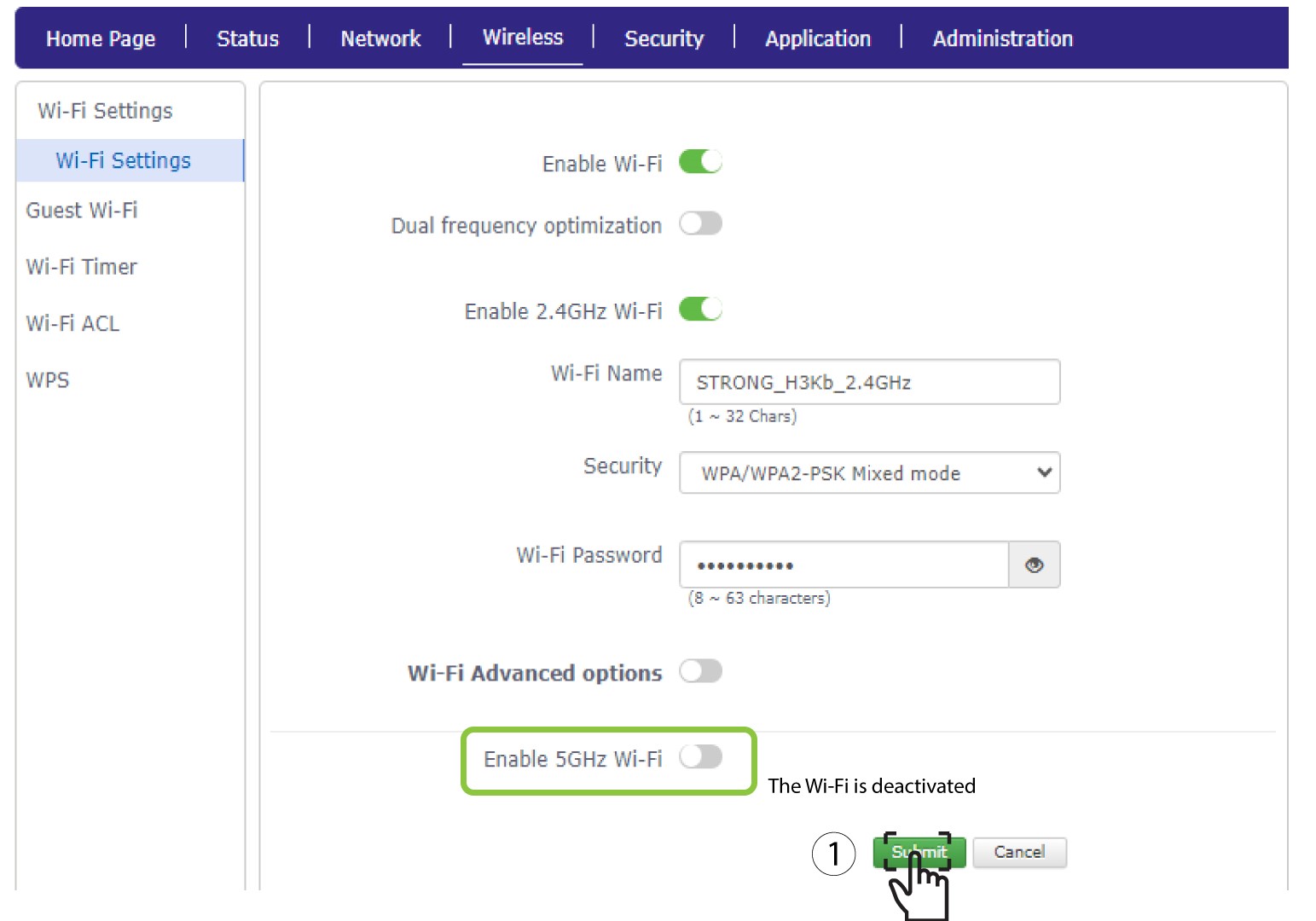
Στη συνέχεια, κάντε κλικ στο κουμπί «Υποβολή».
Αν θέλετε να απενεργοποιήσετε και τα δύο δίκτυα Wi-Fi, ακολουθήστε την παρακάτω διαδικασία:
Αν θέλετε να απενεργοποιήσετε μόνο το δίκτυο Wi-Fi των 2,4 GHz, ακολουθήστε την παρακάτω διαδικασία: