Δεν βρέθηκαν αντικείμενα.
Δεν βρέθηκαν αντικείμενα.
ΚΑΤΑΓΡΑΦΈΑΣ ΒΊΝΤΕΟ ΔΙΚΤΎΟΥ 12 ΚΑΝΑΛΙΏΝ
Όλες οι ερωτήσεις
Δεν βρέθηκαν αντικείμενα.
Δεν βρέθηκαν αντικείμενα.
ΚΑΤΑΓΡΑΦΈΑΣ ΒΊΝΤΕΟ ΔΙΚΤΎΟΥ 12 ΚΑΝΑΛΙΏΝ
Πώς μπορώ να δημιουργήσω προφίλ χρηστών στο NVR μου;
Μπορείτε να προσθέσετε χρήστες που θα έχουν πρόσβαση στο NVR και να ορίσετε συγκεκριμένα δικαιώματα για τους διάφορους τύπους χρηστών.
1. Πρόσβασηστις ρυθμίσεις χρήστη
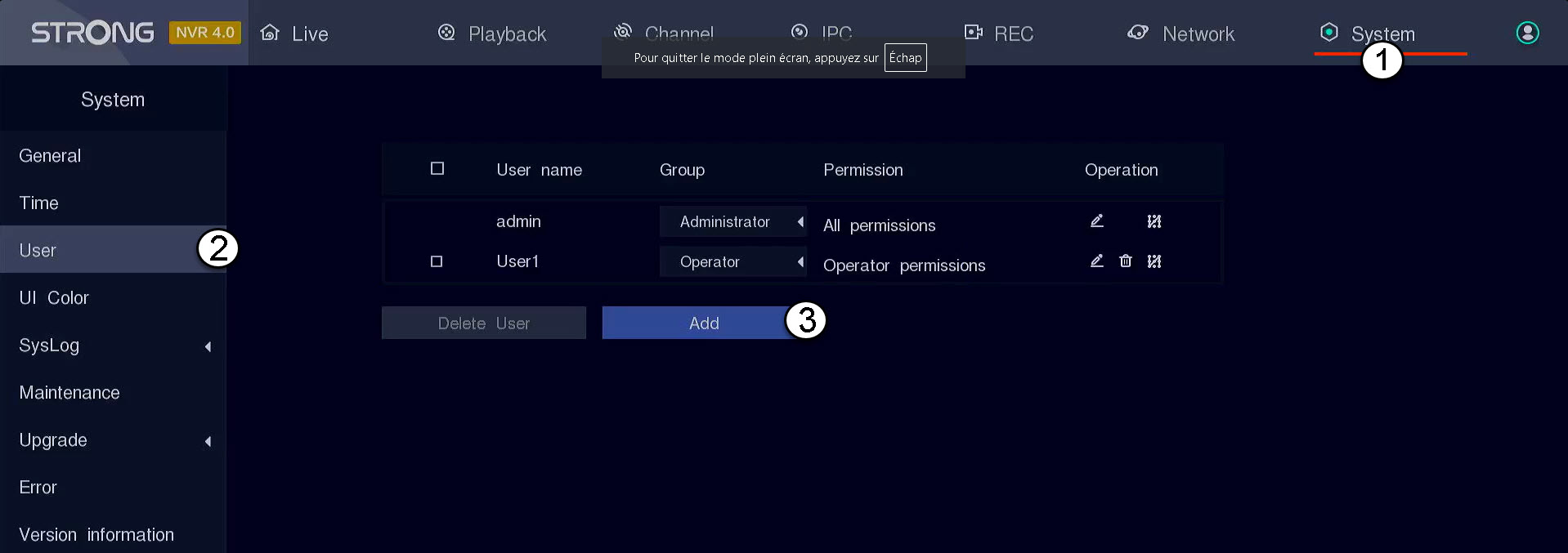
Κάντε κλικ στο «Σύστημα» και, στη συνέχεια, επιλέξτε «Χρήστης». Έπειτα, κάντε κλικ στο «Προσθήκη».
2. Συμπληρώστετα στοιχεία χρήστη
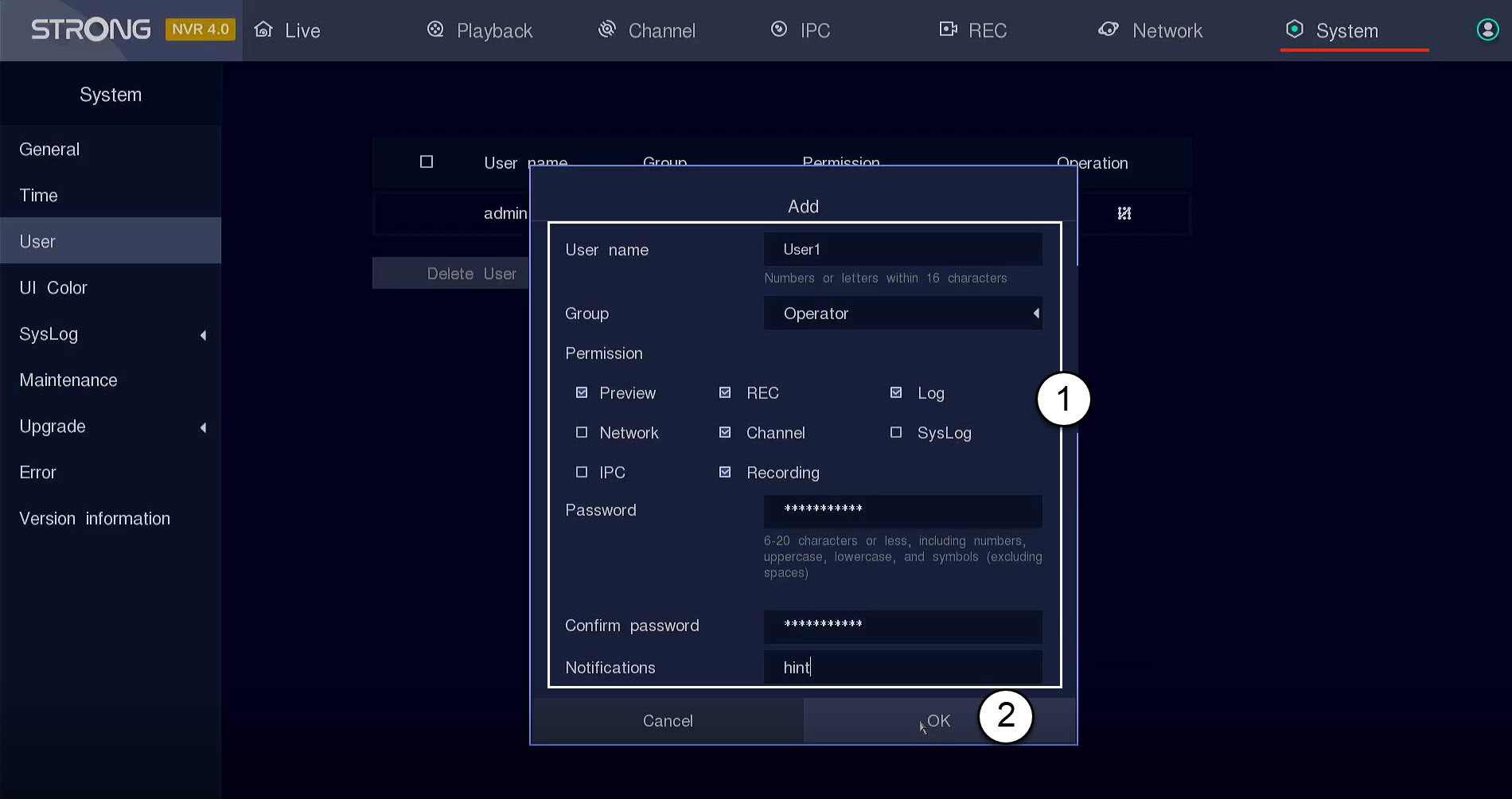
Πριν κάνετε κλικ στο «OK», συμπληρώστε τα ακόλουθα πεδία:
- Όνομα χρήστη: Εισάγετε ένα όνομα για το προφίλ χρήστη. Θα χρησιμοποιηθεί για τη σύνδεση στο περιβάλλον χρήστη.
- Ομάδα: Επιλέξτε τον τύπο της ομάδας ανάλογα με το επίπεδο εξουσιοδότησης (διαχειριστής: πρόσβαση σε όλες τις λειτουργίες, χειριστής: πρόσβαση σε συγκεκριμένες λειτουργίες που ορίζονται από τον διαχειριστή, χρήστης: πρόσβαση σε συγκεκριμένες λειτουργίες που ορίζονται από τον διαχειριστή, όπως η εγγραφή, το κανάλι, η προεπισκόπηση)
- Δικαιώματα: Επιλέξτε τις λειτουργίες στις οποίες θα έχει πρόσβαση ο χρήστης, ανάλογα με την ομάδα χρηστών στην οποία ανήκει.
- Κωδικός πρόσβασης: Ορίστε έναν κωδικό πρόσβασης για τον χρήστη. Θα χρησιμοποιηθεί για τη σύνδεση στο περιβάλλον χρήστη.
- Επιβεβαίωση κωδικού πρόσβασης: Πληκτρολογήστε τον ίδιο κωδικό πρόσβασης που ορίσατε προηγουμένως.
- Ειδοποίηση: Εισάγετε μια περιγραφή.