
4G AIRHOME 210 UK σταθερές κεραίες 4G
Δεν βρέθηκαν αντικείμενα.
Δεν βρέθηκαν αντικείμενα.
Όλες οι ερωτήσεις
4G AIRHOME 210 UK σταθερές κεραίες 4G
Δεν βρέθηκαν αντικείμενα.
Δεν βρέθηκαν αντικείμενα.
Πώς μπορώ να απενεργοποιήσω το Wi-Fi;
Μπορείτε να αποφασίσετε ότι δεν χρειάζεστε το Wi-Fi του δρομολογητή σας· σε αυτή την περίπτωση, πρέπει να το απενεργοποιήσετε από το περιβάλλον χρήστη του ιστού.
1. Συνδεθείτεστο δίκτυο Wi-Fi του δρομολογητή σας
Για να απενεργοποιήσετε το δίκτυο Wi-Fi του δρομολογητή σας, πρέπει να συνδεθείτε στο Wi-Fi της συσκευής σας.

2. Μεταβείτεστη διεύθυνση IP του περιβάλλοντος χρήστη ιστού
Στη συνέχεια, πληκτρολογήστε την ακόλουθη διεύθυνση IP: 192.168.188.1 στο πρόγραμμα περιήγησής σας.

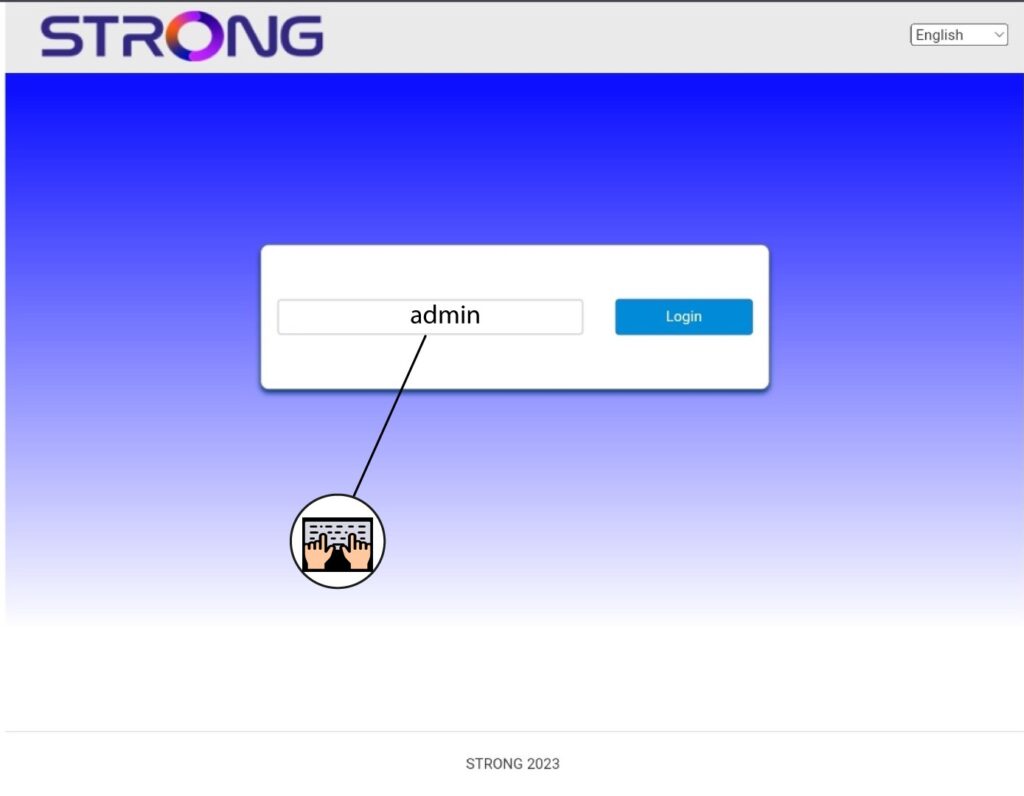
3Εισάγετετα στοιχεία σύνδεσής σας
Πρέπει να εισαγάγετε τον κωδικό πρόσβασης.
4. Ρυθμίσεις Wi-Fi
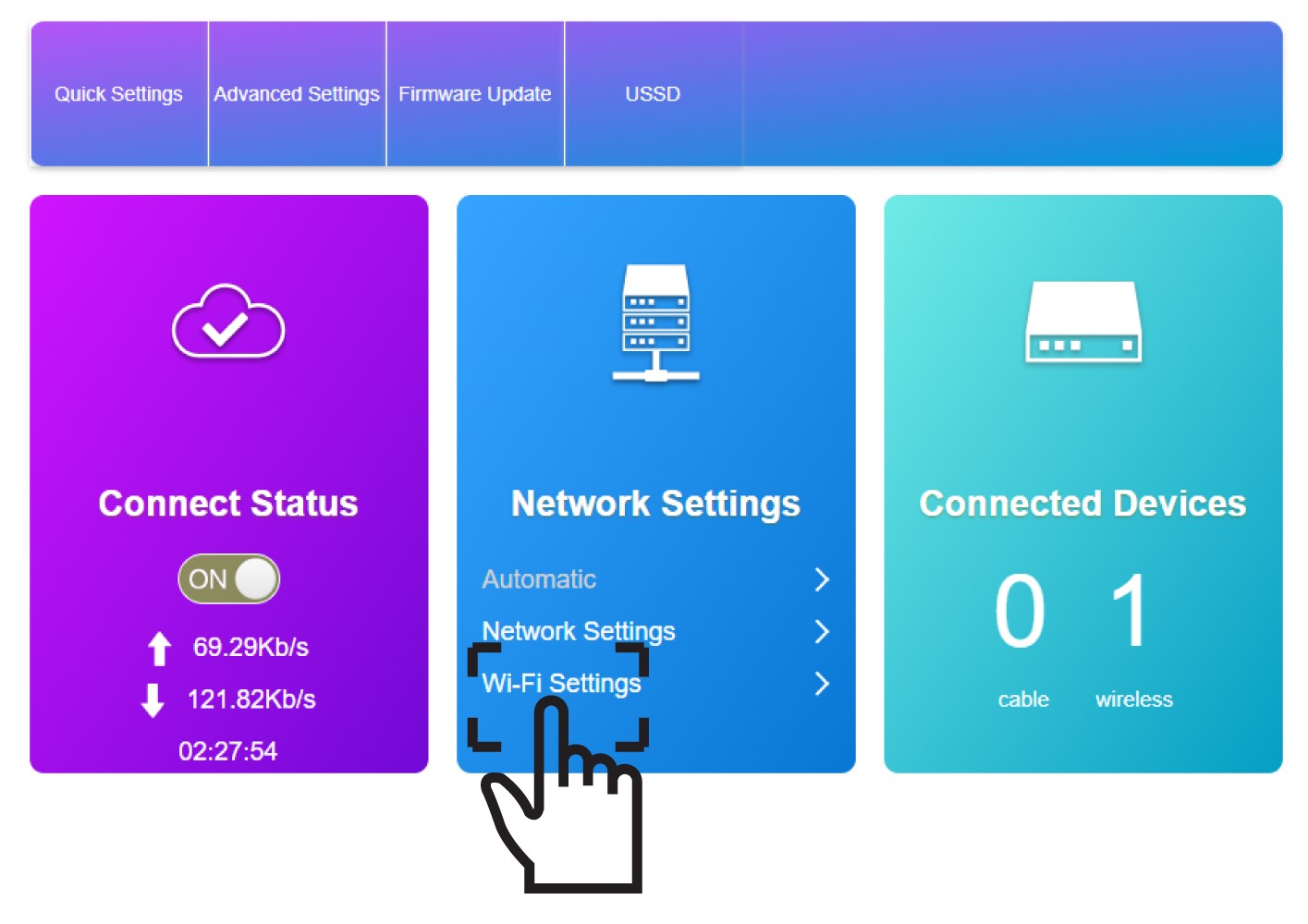
Κάντε κλικ στην επιλογή «Ρυθμίσεις Wi-Fi» στην ενότητα «Ρυθμίσεις δικτύου».
5. ΑπενεργοποίησηWi-Fi
Στη συνέχεια, κάντε κλικ στις επιλογές «Απενεργοποίηση » και «Εφαρμογή».
