
4G+ AIRSPOT 520 Wi-Fi με οθόνη αφής
Δεν βρέθηκαν αντικείμενα.
Δεν βρέθηκαν αντικείμενα.
Όλες οι ερωτήσεις
4G+ AIRSPOT 520 Wi-Fi με οθόνη αφής
Δεν βρέθηκαν αντικείμενα.
Δεν βρέθηκαν αντικείμενα.
Πώς εισάγω τον κωδικό PIN μου; (Οθόνη Mi-Fi)
Όταν τοποθετήσετε την κάρτα SIM για πρώτη φορά, η συσκευή θα σας ζητήσει να εισαγάγετε τον κωδικό PIN.
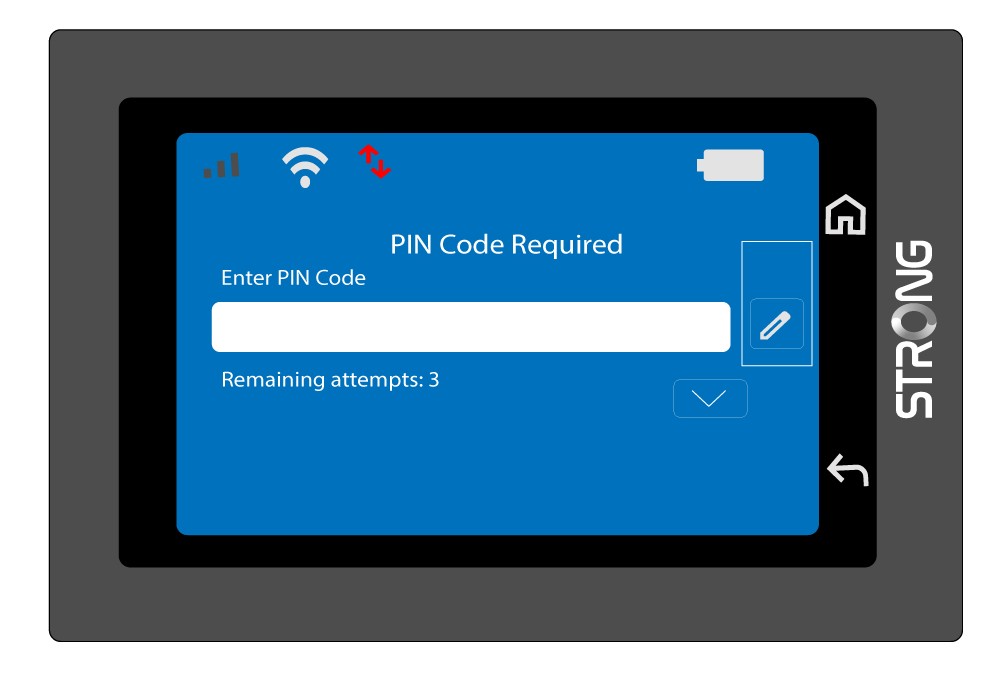
1. Πρόσβασηστο πληκτρολόγιο
Κάντε κλικ στο εικονίδιο με το στυλό για να ανοίξετε το αριθμητικό πληκτρολόγιο.
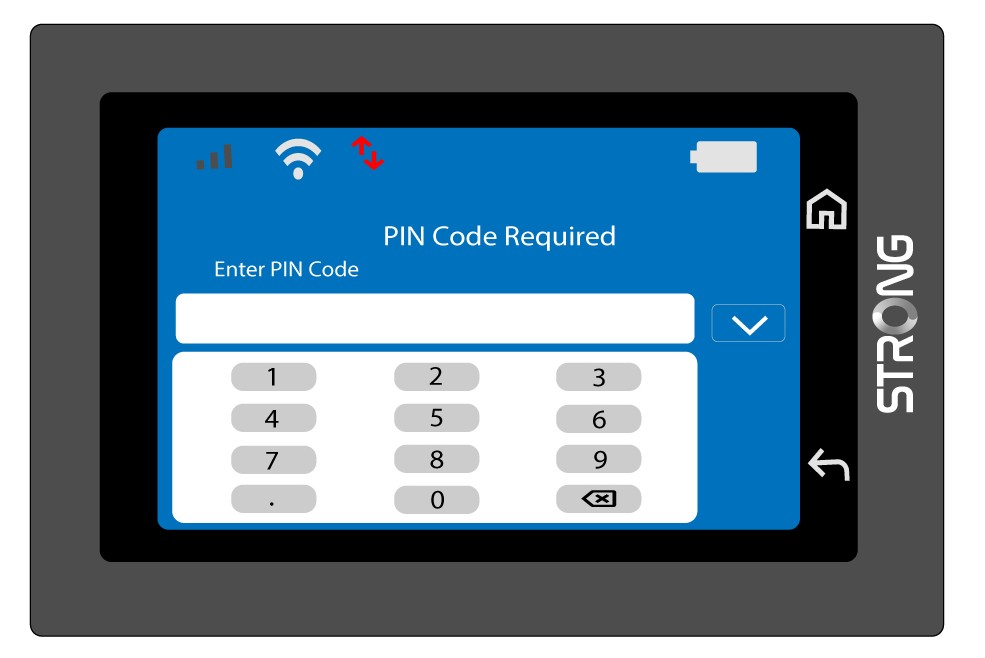
2Πληκτρολογήστετον κωδικό PIN
Πληκτρολογήστε τον κωδικό PIN σας χρησιμοποιώντας το αριθμητικό πληκτρολόγιο και, στη συνέχεια, πατήστε το εικονίδιο (v) για επιβεβαίωση.
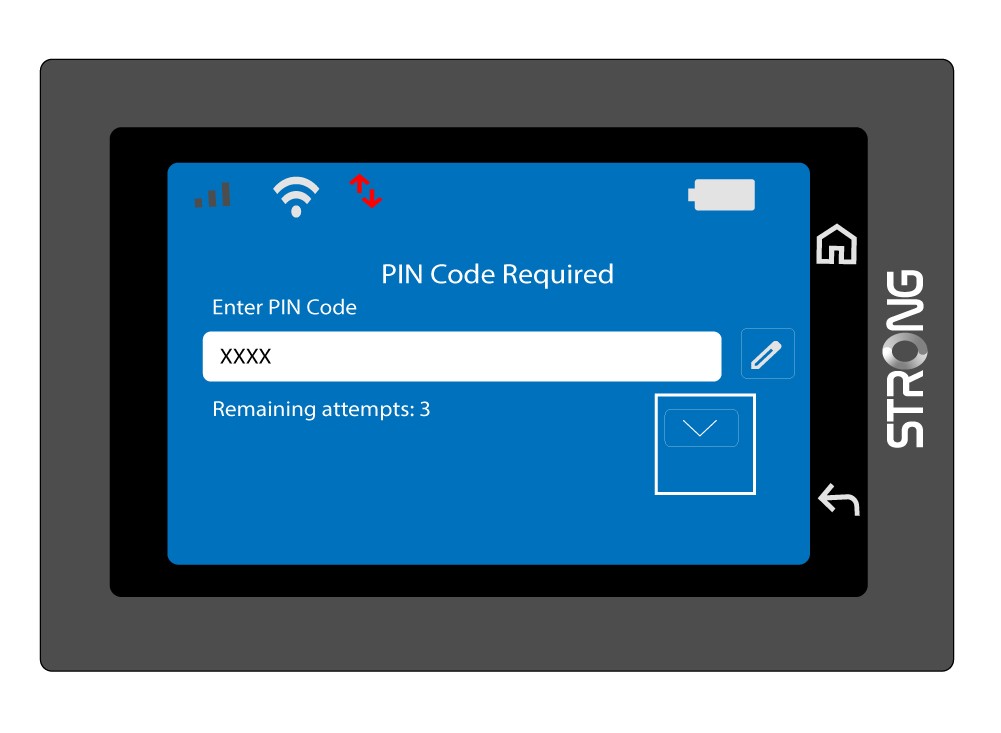
3Επιβεβαιώστετον κωδικό
Επικυρώστε τον κωδικό PIN στην κύρια οθόνη.
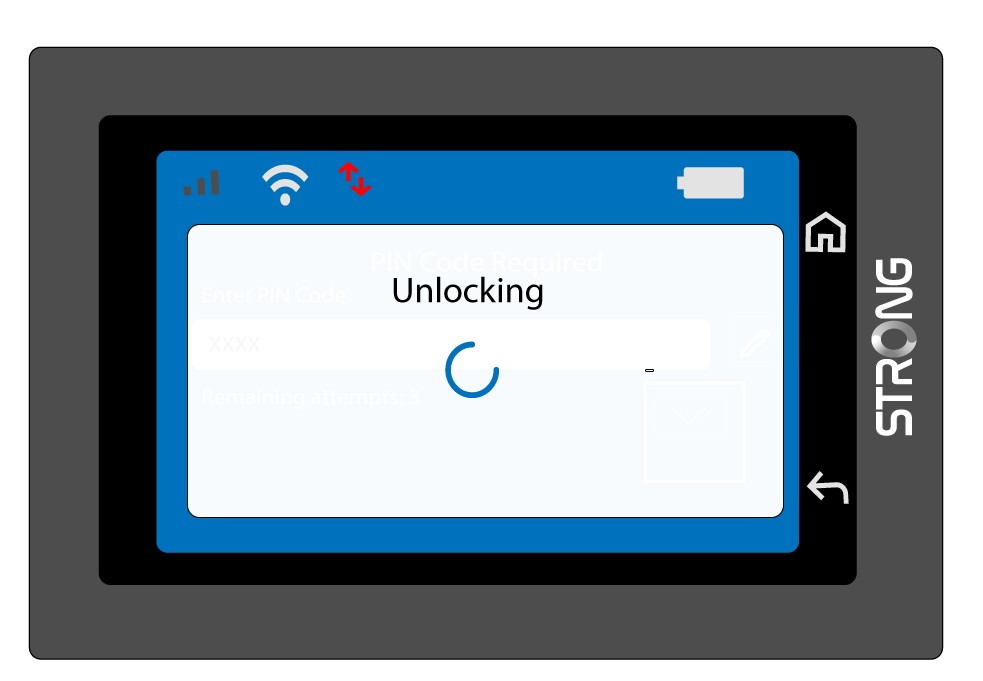
4Περιμένετετην επιβεβαίωση
Περιμένετε μέχρι να εξαφανιστεί από την οθόνη το μήνυμα ξεκλειδώματος.
5Έτοιμογια χρήση
Θα πρέπει να δείτε την παρακάτω οθόνη.
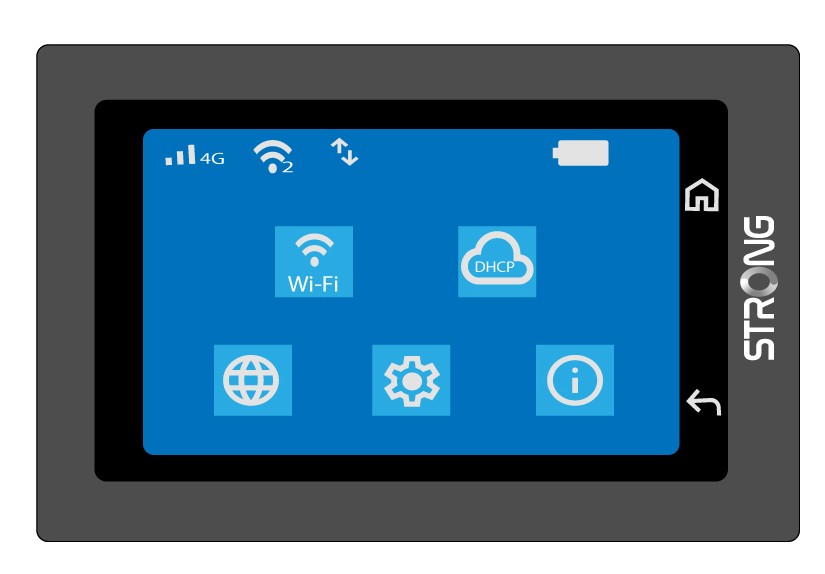
Μετά την πρώτη επιτυχημένη σύνδεση, το Mi-Fi θα απομνημονεύσει τον κωδικό PIN σας.