4G+ AIRSPOT 510 Wi-Fi
Δεν βρέθηκαν αντικείμενα.
Δεν βρέθηκαν αντικείμενα.
Όλες οι ερωτήσεις
4G+ AIRSPOT 510 Wi-Fi
Δεν βρέθηκαν αντικείμενα.
Δεν βρέθηκαν αντικείμενα.
Πώς μπορώ να ενημερώσω το firmware της συσκευής;
Μπορείτε να πραγματοποιήσετε αυτόματη ή χειροκίνητη αναβάθμιση μέσω του περιβάλλοντος χρήστη του ιστού.
Περίπτωση 1: Αυτόματη αναβάθμιση
1. Πρόσβασηστη διεπαφή ιστού
Ακολουθήστε την παρακάτω διαδικασία για να αποκτήσετε πρόσβαση στο περιβάλλον χρήστη ιστού: Πώς μπορώ να αποκτήσω πρόσβαση στο περιβάλλον χρήστη ιστού;
2. Ρυθμίσεις αναβάθμισης ανοιχτούσυστήματος
Κάντε κλικ στην επιλογή «Διαχείριση και αναβάθμιση συστήματος».
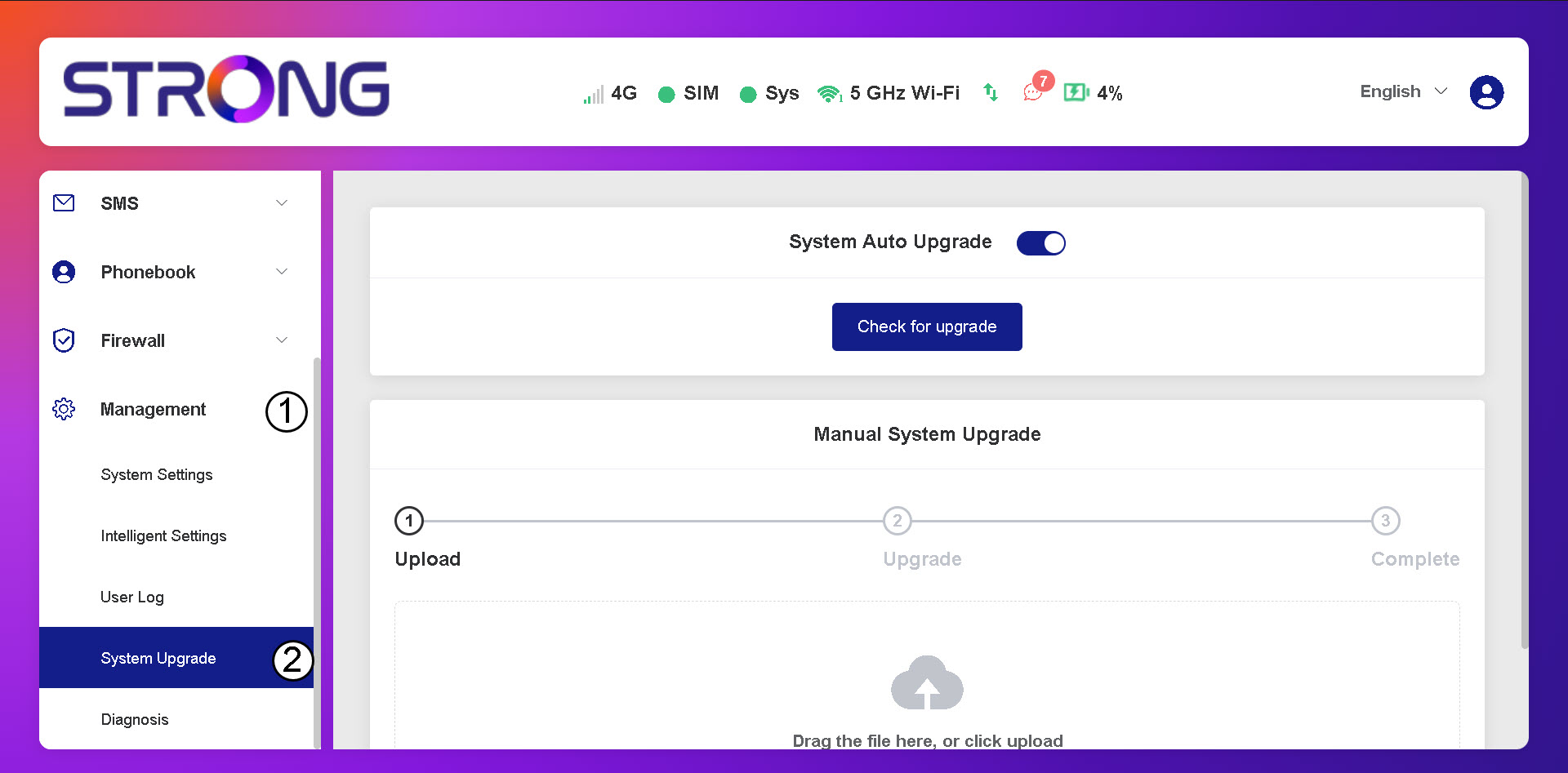
3. Έλεγχοςγια αυτόματες ενημερώσεις
Ελέγξτε αν είναι ενεργοποιημένη η επιλογή «Αυτόματη αναβάθμιση συστήματος» και κάντε κλικ στο κουμπί «Έλεγχος για αναβάθμιση».
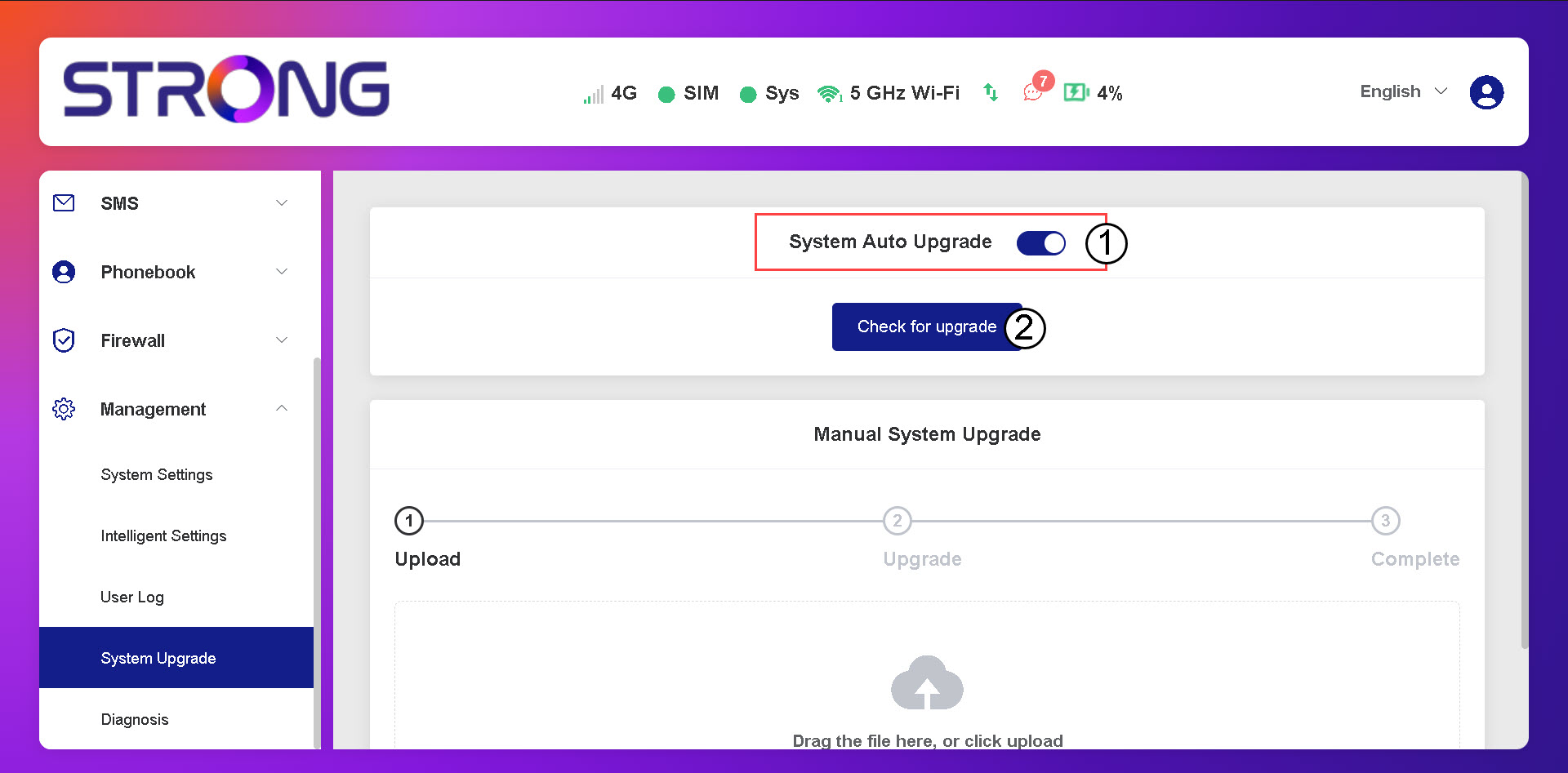
4. Περιμένετεμέχρι να ολοκληρωθεί ο έλεγχος για αναβάθμιση
Περιμένετε μέχρι το σύστημα να αναζητήσει την ενημέρωση· αν υπάρχει, το σύστημα θα σας ζητήσει να την κατεβάσετε.

5. Επαλήθευσηκατάστασης συστήματος
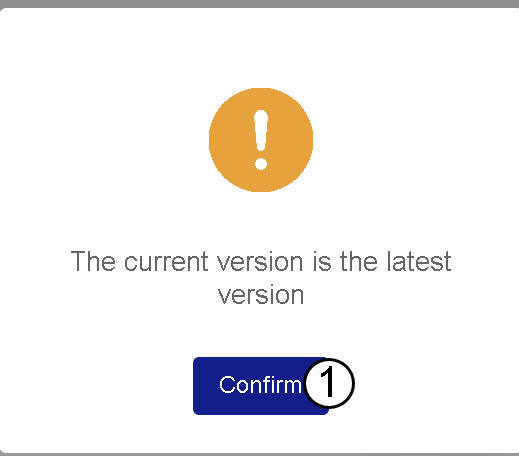
Εάν η συσκευή σας είναι ενημερωμένη, εμφανίζεται το ακόλουθο μήνυμα.